Every AI project eventually hits the same wall: you need serious GPU power, and you have to decide where it comes from. You can rent it by the hour from a cloud provider, or you can spend a large sum upfront and own the machine outright.
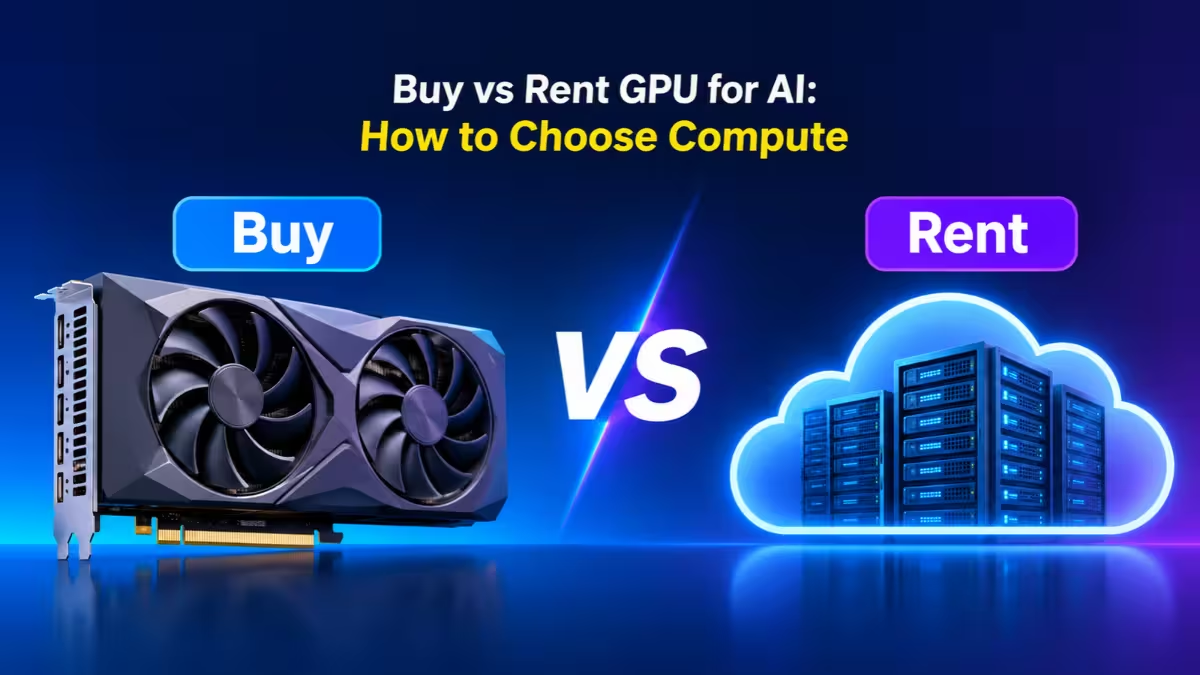
Most people answer this question with a gut feeling. Some assume owning always wins in the long run. Others assume the cloud is always cheaper because there is no upfront bill. Both camps get it wrong regularly, because the right answer depends on numbers most teams never measure.
This guide walks you through those numbers, the costs that hide behind them, and a simple way to decide what fits your project.
GPU Utilization: The Metric That Decides Rent vs Buy
Before you compare prices, find out how busy your GPU will actually be. Engineers call this utilization: the share of time a GPU spends doing useful work instead of sitting idle.
Utilization drives the whole decision for a simple reason. When you rent, idle hours cost you nothing because you shut the instance down. When you own, the hardware loses value every day on the calendar, whether it trains a model or collects dust.
Here is the trap. Teams plan around 60 to 80 percent utilization and then measure something closer to 20 to 50 percent once the machine is running. At 20 percent usage, an owned GPU costs you roughly three to four times what your spreadsheet promised per useful hour.
So the first rule is blunt: check what your workloads did last month, not what you hope they will do next quarter.
Cloud GPU Pricing: What Renting Costs Per Hour
Cloud GPU pricing has dropped hard over the past couple of years. Hundreds of new providers entered the market, and the big three hyperscalers cut their H100 rates sharply in response.
Today, prices fall into three broad tiers:
| Provider type | Examples | H100 on-demand (per GPU-hour) | What you get |
|---|---|---|---|
| Hyperscalers | AWS, Google Cloud, Azure | Roughly $3.90 to $11 | Full cloud ecosystem, compliance certifications, but often bundled 8-GPU instances |
| Specialist GPU clouds | Lambda, CoreWeave, Runpod | Roughly $2.50 to $6.20 | Leaner pricing, faster setup, fewer extras |
| Marketplaces and budget hosts | Vast.ai, Thunder Compute | Under $1 to about $3.20 | Cheapest rates, but spot capacity can disappear with little warning |
Notice the spread. The same chip can cost six times more depending on where you rent it. If you have already decided to rent, picking the right provider can save you as much money as the rent-versus-buy decision itself.
A few billing details deserve your attention too:
- Billing granularity. Per-second or per-minute billing protects you on short jobs. Hourly billing with rounding quietly inflates your bill.
- Storage that keeps charging. Persistent volumes often bill even while detached from any running instance.
- Data egress fees. Some hyperscalers charge around $0.09 per GB to move data out. Pulling a 1 PB dataset out once can cost close to $92,000.
- Instances that cannot pause. On many platforms, compute billing stops only when you terminate the instance, not when you stop using it.
Cost of Buying AI Hardware Beyond the Sticker Price
The sticker price of a GPU is only the beginning. Here is what a buyer typically faces:
| Item | Typical cost |
|---|---|
| H100 PCIe 80GB card | $25,000 to $30,000 |
| H100 SXM card | $30,000 to $40,000 |
| Full 8-GPU H100 server (DGX class) | $350,000 to $420,000+ |
| 8-GPU B200 system | $600,000 to $800,000 |
| RTX 4090 (24GB) consumer card | A few thousand dollars |
| RTX 5090 (32GB) consumer card | Higher than the 4090, still consumer pricing |
Then come the costs nobody puts on the purchase order.
Power and cooling
An H100 SXM pulls up to 700W at full load. A full 8-GPU node needs 8 to 12 kW, which adds thousands of dollars a year in electricity alone. Cooling typically adds another 30 to 40 percent on top of the power bill. Your local electricity rate swings this number dramatically, so a cheap-power region and an expensive one produce very different totals.
Measure real wall consumption with a meter whenever you can. Multiplying the power supply rating by every hour of the year overstates your bill and misleads your planning.
Networking and facility
Multi-node training needs fast interconnects. InfiniBand adapters run a few thousand dollars per node, and switches can cost $20,000 to $100,000. Add rack space, power distribution, backup power and physical security if you host it yourself.
People
GPUs need drivers, CUDA updates, monitoring, failure handling and someone who answers the call at 2am. A small cluster usually needs one or two dedicated infrastructure people, and specialized GPU engineers command high salaries. Many teams assume existing IT staff can absorb the work and discover otherwise within months.
Depreciation
NVIDIA ships a new architecture roughly every two years, and each one brings a big jump in throughput. Accounting may spread the cost over three to five years, but the practical useful life for cutting-edge AI work runs closer to two or three. Plan for resale values in a range, from zero to moderate, rather than one optimistic figure.
GPU Break-Even Point: How to Calculate It
The quick version of the calculation looks like this:
Purchase price ÷ hourly rental rate = hours of cloud use that equal the purchase
Take a compact NVIDIA DGX Spark desktop system at around $4,700 as an example:
| Cloud rate compared | Hours to match purchase | At 40 hrs/week |
|---|---|---|
| $2.29/hr | About 2,050 hours | About 51 weeks |
| $3.29/hr | About 1,430 hours | About 36 weeks |
| $4.29/hr | About 1,095 hours | About 27 weeks |
This simple math gives you a starting checkpoint, not an answer. It skips tax, power, maintenance, downtime and resale value. It also assumes the rented GPU and the owned one do the same amount of work per hour, which is rarely true. An H100 may finish a job faster, while a desktop system with 128 GB of unified memory may fit a model that an 80 GB card cannot hold at all.
For a fair comparison, build two fuller formulas.
Owning: purchase + tax + power + cooling + accessories + admin time + downtime − resale value
Renting: compute hours + storage + snapshots + data transfer + admin time + forgotten running instances
Then compare the cost per finished job, not the cost per hour.
Where the crossover usually lands
Independent cost studies put the break-even point for owning somewhere between 40 and 77 percent sustained utilization. The range is wide because each study makes different assumptions about financing, staffing and resale value.
The cheaper your rental option, the higher that bar climbs. Against hyperscaler on-demand rates, owning can win around the 50 percent mark. Against low-cost specialist clouds, a fully loaded on-premise setup may never break even, even at near 100 percent use.
When Buying GPU Hardware Is the Better Choice
Owning hardware earns its place when most of these statements describe you:
- You run steady, predictable work every day. Always-on inference or a model serving constant traffic fits ownership well.
- You have measured the usage. You hold several months of real utilization data, not a forecast.
- Your data cannot leave the building. Some government, defense, healthcare and finance workloads require physical custody of the hardware.
- You already have the facility. Existing rack space, cheap power and skilled staff change the math in your favor.
- Your software runs on the platform. Arm-based systems like DGX Spark need every dependency to support Linux Arm64. Rebuilding tooling can erase the savings.
- Instant access boosts productivity. A local machine removes queue waits and quota requests during fast research cycles.
For individual developers, consumer cards change the picture. An RTX 4090 or RTX 5090 that runs inference or image generation all day can pay for itself in about a year compared with renting the same card.
When Cloud GPUs Are the Better Choice
Cloud GPUs usually win in these situations:
- You don't know your demand yet. Renting lets you learn which GPU, memory size and software image you actually need before you commit cash.
- Your work arrives in bursts. A job that needs eight GPUs for two days and nothing for the rest of the month belongs in the cloud.
- You need more VRAM than any desktop offers. Consumer cards top out around 32 GB. Cards like the H200 at 141 GB or the B200 at around 180 GB are realistic only as rentals for most teams.
- The project has an end date. Consulting work, one-off fine-tuning and short research projects often finish before owned hardware reaches break-even.
- You need to start this week. Lead times on current-generation hardware can stretch to months.
- You want to switch GPU types. Train on an H100, serve on an L40S, prototype on an A6000. Owned hardware locks you to what you bought.
Workload type matters as much as hardware. Training a 70B model from scratch on 8 H100s for several weeks costs around $20,000 in rented compute versus roughly $250,000 to build equivalent owned capacity. A LoRA fine-tune of the same model can cost under $200 in cloud time. For one-off or occasional runs, renting wins by a wide margin.
How Much VRAM Does Your AI Model Need?
Video memory (VRAM) acts as the hard limit for AI work. Your model weights, activations and cache all compete for the same pool. When the model does not fit, the job crashes, no matter how fast the chip is.
Use these rough sizes as a starting point:
| Task | Approximate VRAM needed |
|---|---|
| 7B model inference, 4-bit | About 8 GB |
| 7B model inference, FP16 | About 14 GB |
| 13B model inference, 4-bit | About 10 to 12 GB |
| 13B model inference, FP16 | About 26 GB |
| 70B model inference, 4-bit | About 35 to 40 GB |
| 7B full training with Adam, mixed precision | About 112 GB |
Now match those sizes to the hardware:
| GPU | VRAM | Typical fit |
|---|---|---|
| RTX 4090 | 24 GB | Local development, 7B to 13B inference |
| RTX 5090 | 32 GB | Local development, QLoRA on larger models, image generation |
| RTX A6000 | 48 GB | 30B inference, fine-tuning |
| A100 80GB | 80 GB | Fine-tuning up to 30B, general research |
| H100 80GB | 80 GB | Large model training, fast 70B serving |
| H200 | 141 GB | 70B at FP16 on one card, long-context serving |
| B200 | About 180 GB | Frontier training, very large inference |
Memory bandwidth matters almost as much as capacity. Data center cards use HBM memory that moves data two to four times faster than the GDDR memory in consumer cards, and most AI workloads wait on memory more than on math.
The practical rule is simple. If your largest planned model fits in 24 to 32 GB, owning a consumer card is realistic. If it needs 80 GB or more, rent first and prove the need before you consider buying.
Which Option Fits You: Solo Developer, Startup or Research Team
Your situation often settles the question faster than any spreadsheet. Use this guide as a shortcut.
| Your situation | Best starting move | Why |
|---|---|---|
| Solo developer learning or experimenting | Rent | Usage stays low and uneven, and you can test an 80 GB card for an afternoon without buying one |
| Small team building a product with unsteady traffic | Rent, and use serverless endpoints for user-facing traffic | Workers scale to zero between requests, so idle time costs nothing |
| Team serving steady inference at known volume | Model both, and measure usage for a full quarter first | This is the balanced case, and ownership only wins if the load stays steady |
| Research group running continuous training | Own the baseline, rent for bursts | Constant demand favors ownership, and rentals cover your busiest weeks |
| Organization with strict data custody rules | Own | Physical custody requirements rule out renting |
| Anyone who must start this week | Rent | Hardware lead times can stretch for months |
If your row says "model both," run the checklist near the end of this guide before you commit any budget.
AI APIs: A Third Option That Skips GPUs Entirely
If you build features on top of large language models rather than training your own, you may not need GPUs at all. Hosted model APIs charge per token and require zero infrastructure.
APIs win at low or spiky volume. Self-hosting starts to beat expensive frontier APIs somewhere around 2 to 5 million tokens per day. Against cheap open-model API providers, self-hosting may not pay off until you push 50 million tokens or more daily.
Cloud vs Local GPU Privacy: What Actually Matters
"Local means private" and "cloud means insecure" both oversimplify the issue. A well-managed cloud environment with proper access controls, encryption and audit logs can be safer than an unpatched desktop under someone's desk. A carefully run local machine can give you a simpler data boundary than a complex remote pipeline.
Ask the real questions instead: Who can access the data and outputs? Where do logs and backups live? Who manages the encryption keys? Can you verify deletion? Which contracts or regulations apply?
Also check whether your rule demands physical custody or just data residency. A rented instance pinned to a specific region often satisfies a residency rule. Read the actual policy before you assume you must buy.
Hybrid Setup: Own the Baseline, Rent the Peaks
In practice, the smartest answer is often both. A common pattern looks like this:
- Own or build modest hardware for daily coding, debugging, private retrieval and always-on inference.
- Rent cloud GPUs for large training runs, deadline crunches, multi-GPU jobs and high-VRAM tasks.
Size your owned hardware to your baseline load, not your busiest week. Buying for peak demand is how expensive machines sit idle for the other fifty-one weeks of the year. The cloud also gives you an escape hatch when a model outgrows your desktop or a dependency demands x86.
Checklist Before You Buy or Rent a GPU
Run through these steps before you spend money:
- List each workload and record its actual GPU usage over the last 60 to 90 days.
- Separate interactive development hours from scheduled batch jobs.
- Find the minimum VRAM and CPU architecture each workload requires.
- Pull live prices from at least two cloud providers.
- Add storage, data transfer, tax and the cost of forgotten running instances.
- Estimate owned power use with a meter or an honest range.
- Name the person responsible for patching, backups, access and recovery.
- Compare cost per finished job and acceptable turnaround time.
- Model low, expected and high utilization scenarios.
- Recheck prices right before you buy, because this market moves fast.
Frequently Asked Questions
Is it cheaper to buy or rent a GPU for AI?
It depends on utilization. If your GPU stays busy most of the day, every day, buying can win over time. If usage is uneven or below roughly 40 to 50 percent, renting usually costs less once you count power, staff and depreciation.
How long does it take for a purchased GPU to pay for itself?
A consumer card like the RTX 4090 can break even in about a year of near-continuous use. Data center hardware takes longer, often 18 months or more at high utilization, once you include infrastructure and operating costs.
Is a cloud GPU slower than a local GPU?
No. The same chip delivers similar performance in a data center or on your desk. Small differences come from storage speed, network setup and how the provider configures the instance.
How much VRAM do I need for AI work?
A 7B model needs about 14 GB at FP16 or around 8 GB at 4-bit. A 13B model needs roughly 26 GB at FP16. Running 70B models at 4-bit requires at least 35 to 40 GB, which pushes you to workstation cards, multi-GPU setups or cloud rentals.
Should a solo developer buy or rent?
Rent, in most cases. The utilization case for owning rarely holds up for one person, and renting lets you try an 80 GB card for an afternoon without buying one. A consumer card for local tinkering is the main exception.
Can I use local and cloud GPUs together?
Yes, and many teams do exactly that. Use your local machine for daily development and light inference, then rent cloud GPUs whenever a large training run or high-memory task comes up.
Does renting a GPU expose my data?
On a dedicated instance, other tenants cannot access your data, but the data does leave your premises. If a policy demands physical custody of hardware, renting won't satisfy it. If it only demands data residency, a region-locked cloud instance may work.
Related Guides
- Cheap vs Premium GPU: 5 Hidden Costs of Budget Graphics Cards to Know Before You Buy
- How to Boost GPU Performance for Free: Drivers, DLSS, Settings, Cooling, and Overclocking
- How to Run Qwen 3.5 on AMD GPUs Using SGLang (Step-by-Step Guide)
- How to Enable GPU-P (GPU Partitioning) in Hyper-V on Windows Server
- How to Replace Cloud Subscriptions With a Home Server and Tailscale: Vaultwarden, Immich, Nextcloud and Obsidian LiveSync