Monthly cloud bills add up quietly. A password manager here, a photo backup plan there, a notes sync fee on top, and you end up paying a small fortune every year just to keep your own data in sync. A single home server can take over most of that work, and Tailscale lets you reach it from your phone or laptop wherever you are, without exposing anything to the open internet.
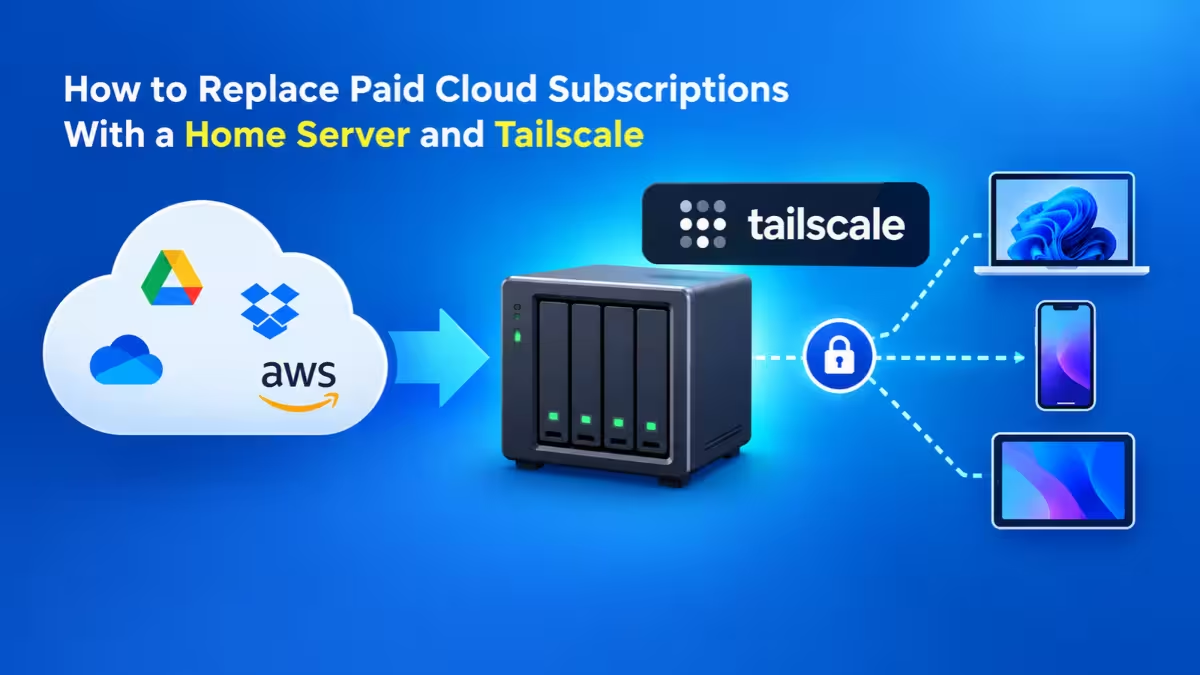
This guide covers which subscriptions you can realistically drop, what replaces each one, how Tailscale fits in, and the one hidden cost that most people overlook.
Which Cloud Subscriptions Can a Home Server Replace?
| Paid service | Typical cost | Self-hosted replacement |
|---|---|---|
| Bitwarden Premium | Around $20 per year | Vaultwarden (works with official Bitwarden apps) |
| OneDrive / Google One | $70 to $100 per year per plan | Immich for photos, Nextcloud for files |
| Obsidian Sync | $4 per month | Self-hosted LiveSync plugin with CouchDB |
| Remote access | Free | Tailscale Personal plan |
| HTTPS | About $12 per year | Your own domain, or Tailscale certificates |
Does Self-Hosting Really Save Money?
Be honest about the math before you buy hardware. If you only want to replace one cheap subscription, a server rarely pays for itself once you count the machine, electricity and your own time.
The numbers change when one box retires several bills at once. Microsoft raised its personal OneDrive plan from about $70 to roughly $100 a year after bundling Copilot. Add a partner's Google One plan, Obsidian Sync at $48 a year, and Bitwarden Premium, and a household can easily spend well over $200 every year. A low-power mini PC with an SSD and a large data drive covers all of it.
Vaultwarden: Free Bitwarden Premium Alternative
Many people pay for Bitwarden Premium mainly for its built-in TOTP code generator, which fills two-factor codes right inside the browser extension. Vaultwarden gives you that feature for free.
Vaultwarden is a lightweight, community-built server that speaks the Bitwarden API. You keep using the official Bitwarden browser extensions and mobile apps. You simply point them to your own server URL instead of Bitwarden's cloud.
A few practical points:
- Your vault stays cached on each device, so you can still log in to sites when the server is offline. The apps sync changes the next time they reach home.
- Turn off new signups once your family accounts exist, so no stranger can register on your server.
- Back up the SQLite database with its own backup command rather than copying a file that might be mid-write.
Immich and Nextcloud: Replace OneDrive and Google One
Cloud storage plans usually deliver the biggest savings, because they cost the most and every family member tends to pay for their own.
Immich handles photos and videos. It looks and behaves a lot like Google Photos: a scrolling timeline, albums, automatic upload from your phone, map view from location data, and a duplicate finder. Its face recognition runs on your own hardware, so your family's faces never leave the house. One Immich server can hold separate libraries for every person at home, which lets you cancel more than one storage plan.
Nextcloud takes care of documents and general files. It offers desktop and mobile sync clients, file sharing and a large app catalog, including an office suite for editing documents in the browser.
Immich runs as several containers (server, machine learning, database and cache), and its recommended Compose file changes between releases. Always grab the current file from the official docs instead of an old blog snippet.
Obsidian LiveSync: Sync Notes Without Paying $4 a Month
Obsidian stores notes as plain Markdown files, but its official sync service costs $4 a month. The community plugin Self-hosted LiveSync removes that fee.
LiveSync replicates your vault through a CouchDB database that you run in a container. Install the plugin on every device, enter your server address and credentials, and it keeps notes in sync almost instantly. The plugin's setup wizard can generate a configuration string, so adding your second and third device takes only a minute.
How Tailscale Gives You Remote Access Without Open Ports
Self-hosted apps work great on home Wi-Fi. The challenge starts when you leave the house. The traditional fix involves forwarding ports on your router, which exposes your server to every bot that scans the internet.
Tailscale solves this differently. It builds a private mesh network, called a tailnet, between the devices you sign in. It uses WireGuard encryption and connects devices directly to each other whenever possible, so your traffic does not pass through a central VPN server. Each device gets a stable private address in the 100.x.y.z range, and MagicDNS lets you use simple names instead of numbers.
What this means in practice:
- You open zero ports on your router.
- Your phone on mobile data reaches the home server as if it sat on the same Wi-Fi.
- Tailscale handles tricky networks like hotel Wi-Fi and double NAT on its own.
Is Tailscale Free? Plan Limits Explained
For a home setup, yes. The Personal plan costs nothing and covers 3 users and up to 100 devices, which suits a couple or a small household. If you need more people, the Personal Plus plan costs $5 a month for up to 6 users.
Business plans start at $6 per user per month, but a home server does not need them. Plan limits change over time, so check the Tailscale pricing page before you commit.
How to Set Up Tailscale on Your Home Server
- Install Tailscale on the server with the official install script and run
sudo tailscale up. - Install the Tailscale app on each laptop and phone, then sign in with the same account.
- Enable MagicDNS in the admin console so you can call the server by name.
- Test from your phone on mobile data by opening one of your apps through the server's Tailscale name.
Is Tailscale Safe for Self-Hosting?
Yes, with a few habits. Tailscale encrypts every connection with WireGuard, and your services stay invisible to public internet scans because nothing listens on an open port. The company runs the coordination servers, but your actual traffic flows directly between your devices.
Three habits keep it safe:
- Turn on multifactor authentication for the account you use with Tailscale. Anyone who controls that login controls access to your tailnet.
- Review your device list regularly and remove old phones and laptops.
- Use access control rules to stop a guest laptop or a child's tablet from reaching your password vault.
The Hidden Cost: Why You May Need a Domain for HTTPS
Here is the catch that surprises most first-time self-hosters. Some apps refuse to work over plain HTTP. Bitwarden clients and the Obsidian LiveSync plugin need an HTTPS connection with a trusted certificate. Typing a raw IP address will not cut it.
You have two practical options.
Option 1: Buy a domain and run a reverse proxy. A domain costs about $12 a year, which still undercuts even the cheapest subscription on the list. Point DNS records like vault.yourdomain.com to the server's Tailscale address, keep them unproxied, and run a reverse proxy such as Nginx Proxy Manager or Caddy. Use the DNS challenge to get Let's Encrypt certificates, so the certificate authority never needs to reach your server. The records exist publicly, but only devices inside your tailnet can actually connect.
Option 2: Use Tailscale Serve. Enable HTTPS in the Tailscale admin console, and Tailscale issues valid certificates for your tailnet names. A command like tailscale serve --bg 8080 publishes a local service over HTTPS to your tailnet only. It costs nothing, but you get long machine-based hostnames, so running many apps means juggling ports or paths.
If you plan to host more than two or three services, the domain route stays cleaner over time.
What Hardware Do You Need for a Home Server?
You do not need a rack. For a household, a modest setup works fine:
- A 64-bit mini PC or old desktop with at least 8 GB of RAM
- An SSD for the operating system and app databases
- A large hard drive for photos and files, since photos drive storage needs
- Ubuntu Server or Debian with Docker and the Compose plugin
Keep each app in its own folder under one parent directory. That makes backups simple to target.
Backups: Why Sync Is Not Enough
When you leave a cloud provider, you also take over its job of protecting your data. Sync is not a backup. If you delete a photo on your phone, sync deletes it everywhere.
Follow the 3-2-1 rule: three copies of your data, on two types of storage, with one copy off-site. An external drive plus an encrypted cloud backup bucket covers it cheaply. Test a restore every few months, because a backup you have never restored only gives you false comfort.
Also update the host OS and pull new container images on a schedule. Read the release notes first, since some database upgrades in apps like Immich cannot be rolled back.
When Self-Hosting Is Not Worth It
Self-hosting does not suit everyone. Stick with the cloud if:
- You only want to replace a single subscription.
- Nobody at home can fix the server when it fails while you travel.
- Your home upload speed is too slow for photo and file sync to feel smooth.
- You rely on heavy collaboration features with people outside your household.
Is Replacing Cloud Subscriptions Worth It?
A small home server running Vaultwarden, Immich, Nextcloud and LiveSync can replace three or more paid plans, and Tailscale makes the whole setup reachable from anywhere without opening a single port. Budget around $12 a year for a domain, put real effort into backups, and you keep both the savings and full control of your data.
Frequently Asked Questions
Is Tailscale free for home use?
Yes. The Personal plan costs nothing and supports 3 users and up to 100 devices.
Can I use the official Bitwarden apps with Vaultwarden?
Yes. Vaultwarden works with the official Bitwarden browser extensions, desktop apps and mobile apps. You just enter your own server URL at login.
Do I need a domain to self-host with Tailscale?
Not strictly. Tailscale Serve can provide HTTPS certificates for your tailnet names for free. A domain gives you cleaner per-app addresses for about $12 a year.
Does Tailscale hide my IP address like a normal VPN?
No, not by default. Tailscale connects your own devices to each other. To route internet traffic through a home device, you must set up an exit node.
Is Immich a good Google Photos replacement?
For most families, yes. It offers a similar timeline, albums, phone auto-upload, map view and on-device face recognition, all on hardware you own.
Related Guides
- iCloud+ Pricing 2026: Are You Overpaying for Storage?
- How to Connect Custom Domain to Blogger Using Cloudflare (DNS + HTTPS Setup Guide)
- How to Fix Cloudflare Error 525: SSL Handshake Failed
- How to Fix Cloudflare Tunnel Error 1033 (Step by Step)
- How to Block Bot Traffic in Cloudflare with WAF Rules (Singapore/Vietnam Ghost Traffic Fix)