Cloudflare Error 525 appears when Cloudflare cannot establish a secure HTTPS connection with your origin server. Visitors see a blank error page while your site remains completely inaccessible. The error originates on the server side, not inside Cloudflare itself, which means changing Cloudflare settings alone rarely resolves it.
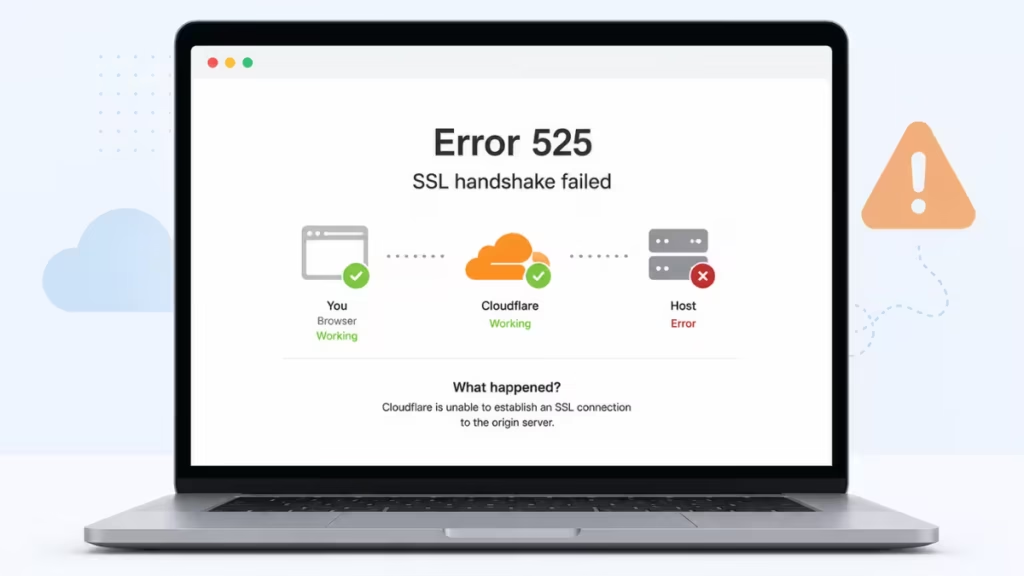
This guide explains what causes Cloudflare Error 525, walks through every proven fix, and shows you how to prevent the error from returning.
What Is Cloudflare Error 525?
Cloudflare Error 525 signals an SSL handshake failure between Cloudflare’s network and your origin server. When a visitor opens your website, their browser first connects to Cloudflare over HTTPS. Cloudflare then makes a separate HTTPS connection to your origin server. If that second connection fails during the SSL/TLS handshake, Cloudflare returns Error 525 to the visitor instead of your page.
Only websites behind Cloudflare display Error 525. Without Cloudflare in the chain, a similar failure shows up as a generic SSL or TLS error in the browser.
What Is an SSL Handshake?
Before diving into fixes, it helps to understand what the SSL handshake actually does.
When a browser connects to an HTTPS site, both sides run through a short but strict verification sequence:
- Client Hello – The browser announces which TLS versions and cipher suites it supports.
- Server Hello and Certificate – The server selects an encryption method and sends its SSL/TLS certificate as proof of identity.
- Certificate Verification – The browser checks that the certificate is valid, not expired, issued by a trusted Certificate Authority (CA), and matches the requested domain.
- Key Exchange – Both sides negotiate shared session keys used to encrypt all subsequent traffic.
- Secure Session – The handshake completes and encrypted data transfer begins.
This entire process takes milliseconds. If any step fails on the Cloudflare-to-origin connection, Cloudflare returns SSL Handshake Failed (Error 525) to the visitor.
What Causes Cloudflare Error 525?
Error 525 has several distinct causes. Identifying the right one saves you from chasing fixes that do not apply to your situation.
1. No SSL Certificate or Invalid Certificate on the Origin
The most common cause is a missing, expired, or misconfigured SSL certificate on your hosting server. Cloudflare requires a valid certificate on the origin when running in Full or Full (Strict) mode. An expired certificate, a self-signed certificate used with Full (Strict) mode, or a missing intermediate certificate all trigger the handshake failure.
2. Wrong Cloudflare SSL Mode
Cloudflare offers four SSL modes: Off, Flexible, Full, and Full (Strict). Full (Strict) requires a valid, CA-signed certificate on the origin. Using Full (Strict) when your origin only has a self-signed certificate or no certificate at all causes Error 525 immediately.
3. TLS Version or Cipher Suite Mismatch
During the handshake, Cloudflare and your origin server must agree on a shared TLS version and cipher suite. If your server only supports outdated protocols such as TLS 1.0 or uses deprecated cipher suites that Cloudflare no longer accepts, no agreement is possible and the handshake fails.
4. SNI or Virtual Host Misconfiguration
Cloudflare uses Server Name Indication (SNI) to identify which certificate to expect when multiple domains share one IP address. If your origin server does not support SNI, or if the virtual host configuration does not map the domain to the correct certificate, the server may serve the wrong certificate and the handshake breaks.
5. Port 443 Blocked or Not Listening
Cloudflare connects to your origin over HTTPS on port 443 by default. If your web server is not listening on port 443, or if a firewall blocks HTTPS traffic between Cloudflare and the origin, Cloudflare cannot complete the handshake.
6. Origin Server Instability or Overload
An overloaded or temporarily unresponsive origin server may drop connections mid-handshake. Cloudflare interprets the dropped connection as a handshake failure and returns Error 525.
How to Fix Cloudflare Error 525
Work through these fixes in order. Each step targets a specific cause.
Fix 1: Check the Cloudflare SSL/TLS Mode
Start in the Cloudflare dashboard before touching anything on the server.
- Log in to Cloudflare and select your domain.
- Go to SSL/TLS and then Overview.
- Review the current mode: Off, Flexible, Full, or Full (Strict).
If your origin does not have a valid CA-signed certificate, Full (Strict) will always cause Error 525. As a temporary workaround, switch from Full (Strict) to Full while you fix the certificate on the origin.
Note: Flexible mode sends traffic from Cloudflare to your origin over plain HTTP. It makes the error disappear quickly but removes encryption between Cloudflare and your server. Use it only while you work on a permanent fix.
Fix 2: Verify the SSL Certificate on Your Origin
Confirm that your origin server has a certificate installed and working correctly.
- Log in to your hosting control panel and check the SSL/TLS section.
- Verify that the certificate is not expired, matches your domain (or a valid wildcard covering it), and includes the full certificate chain.
If no certificate exists, install one. Free options include Let’s Encrypt, available through most control panels such as cPanel or Plesk. You can also generate a Cloudflare Origin CA certificate directly inside the Cloudflare dashboard under SSL/TLS > Origin Server. Cloudflare Origin CA certificates are designed specifically to secure the connection between Cloudflare and your origin server, and they work perfectly with Full (Strict) mode.
To check the current status of your certificate, use the Qualys SSL Server Test. Enter your domain and review the results. The tool shows the expiry date, issuing authority, and any configuration weaknesses.
Fix 3: Confirm HTTPS Works Directly on the Origin
Test whether your origin server accepts HTTPS connections without Cloudflare in the path.
Access your site directly using the server IP address:
https://YOUR-SERVER-IPIf your browser shows certificate warnings or a connection error, your origin does not have a working SSL setup and you must resolve that first.
You can also use cURL from a terminal:
curl -I https://yourdomain.comOn the server side, confirm that your web server is listening on port 443. For Apache, check that port 443 appears in your virtual host configuration:
Listen 443 sslFor Nginx, verify the SSL listen directive in your server block:
listen 443 ssl;If HTTPS fails directly to the origin, Cloudflare cannot complete the SSL handshake either.
Fix 4: Update TLS Version and Cipher Suite Support
Cloudflare requires modern TLS and cipher configurations on the origin. Ask your hosting provider or server administrator to:
- Enable TLS 1.2 and TLS 1.3.
- Disable outdated protocols: SSLv3, TLS 1.0, and TLS 1.1.
- Use up-to-date cipher suites, such as ECDHE-based ciphers with strong encryption.
For Apache, update your SSL protocol directive:
SSLProtocol all -SSLv3 -TLSv1 -TLSv1.1For Nginx, set:
ssl_protocols TLSv1.2 TLSv1.3;Run the Qualys SSL Server Test and look under Cipher Suites. Any cipher labeled WEAK needs to be replaced or disabled.
Fix 5: Check SNI and Virtual Host Configuration
If your server hosts multiple domains on the same IP address, SNI must be enabled and each domain must map to the correct certificate.
Check whether your server requires SNI using the Qualys SSL Server Test. If the results show “This site works only in browsers with SNI support,” confirm that SNI is enabled in your web server configuration.
You can also test SNI support from the command line using the OpenSSL toolkit:
# Without SNI
openssl s_client -connect yourdomain.com:443

# With SNI
openssl s_client -connect yourdomain.com:443 -servername yourdomain.com
If both commands return the same certificate, SNI is working correctly. If the command without the -servername flag fails to establish a connection, SNI is either disabled or misconfigured. Fixing the virtual host configuration on your server or switching to a dedicated IP address resolves this.
Fix 6: Review Origin Server Error Logs
Server logs point directly to what failed during the handshake. Check your web server error logs around the time Error 525 appeared.
| Server | Log Location |
|---|---|
| Apache | /var/log/apache2/error.log |
| Nginx | /var/log/nginx/error.log |
Look for entries containing phrases such as “handshake failure,” “unknown protocol,” or “certificate verify failed.” Share those log entries with your hosting support team if you need help interpreting them. You can also review SSL events under Cloudflare Analytics in the dashboard.
Fix 7: Contact Your Hosting Provider
If you are not a server administrator, looping in your hosting provider is the right move. Give them the following details to speed up diagnosis:
- Your domain name
- The approximate time the error started
- The exact message: “Cloudflare Error 525 – SSL handshake failed”
- Your current Cloudflare SSL mode setting
Ask them to check the SSL/TLS configuration, certificate validity and installation, SNI setup, port 443 availability, and any firewall rules that might block HTTPS traffic from Cloudflare IP ranges.
How to Prevent Cloudflare Error 525
Once you resolve the immediate error, these steps reduce the chance it returns.
Use Auto-Renewing Certificates
SSL certificate lifetimes are getting shorter. As of March 15, 2026, public SSL certificates cannot be issued for more than 200 days. The CA/Browser Forum plans to reduce that window to 100 days by March 2027. Missing a renewal will become increasingly easy to do.
Set up automatic certificate renewal using ACME-based tools such as Certbot. For Let’s Encrypt certificates, add a cron job to handle renewals:
crontab -eAdd this line:
0 12 * * * /usr/bin/certbot renew --quietTest the renewal process before relying on it:
sudo certbot renew --dry-runUse Full (Strict) with a Valid Certificate
Run Cloudflare in Full (Strict) mode with a properly installed, CA-signed certificate or a Cloudflare Origin CA certificate. Avoid Flexible SSL in production because it removes encryption between Cloudflare and your origin.
Enable Modern TLS Only
Keep your server configured for TLS 1.2 and TLS 1.3 and disable older protocol versions. Outdated cipher suites should be removed proactively rather than after they cause a handshake failure.
Monitor HTTPS Health Regularly
Run periodic SSL checks using Qualys or similar tools. Set up uptime monitoring that alerts you before visitors notice a problem. Review your Cloudflare dashboard logs for repeated TLS warnings and address them early.
Choose Hosting with Built-In SSL Management
Prefer hosting providers that offer automated SSL management, SNI support, and modern TLS by default. Good managed hosting reduces the number of SSL configuration steps you need to handle manually.
Frequently Asked Questions
Is Error 525 caused by Cloudflare or my hosting?
The error is reported by Cloudflare but almost always triggered by a misconfiguration on your origin server. Cloudflare is only the messenger.
Can I just switch to Flexible SSL to fix Error 525?
Switching to Flexible makes the error disappear because Cloudflare stops using HTTPS to reach your origin. However, it removes server-side encryption, which weakens your site’s security. Use it only as a short-term workaround while you fix the origin certificate.
Does a self-signed certificate work with Cloudflare?
A self-signed certificate works with Full mode but not with Full (Strict). Full (Strict) requires a certificate signed by a trusted CA or a Cloudflare Origin CA certificate.
Why does HTTPS work in my browser but Error 525 still appears?
Your browser may connect to the origin differently than Cloudflare does. Cloudflare applies stricter checks, including SNI validation and CA trust requirements, that a browser might skip in certain configurations. Check the exact hostname and certificate Cloudflare uses when reaching your origin.
Can firewall rules cause Cloudflare Error 525?
Yes. If your firewall blocks requests from Cloudflare IP ranges or blocks port 443, Cloudflare cannot complete the handshake. Make sure your firewall allows HTTPS traffic from all Cloudflare IP addresses.
What is the difference between Error 525 and Error 526?
Error 525 means the SSL handshake between Cloudflare and your origin server failed. Cloudflare Error 521 means the web server is down and refusing connections. Error 526 specifically means your origin has an invalid SSL certificate. Both 525 and 526 are server-side issues.
Can restarting the server fix Error 525?
A restart can help if a stuck server process or a temporary resource issue caused the failure. However, if the root cause is a missing certificate, TLS misconfiguration, or cipher mismatch, a restart alone will not resolve it.

