Attackers exploited a critical zero-day vulnerability in the KnowledgeDeliver learning management system to deploy a memory-resident web shell across affected servers. The flaw, tracked as CVE-2026-5426, stems from a shared hardcoded ASP.NET machine key that shipped with every default KnowledgeDeliver installation before February 24, 2026. Once attackers obtained that key, they crafted malicious ViewState payloads, achieved remote code execution without credentials, and installed the Godzilla web shell inside IIS memory where file-based scanners cannot reach it.
Mandiant, a Google-owned cybersecurity firm, confirmed active exploitation in late 2025 and published its full advisory in April 2026. Microsoft independently documented the same web shell in a December 2024 ViewState attack using a different publicly disclosed machine key and has since identified over 3,000 such exposed keys across public code repositories.
If your organization runs KnowledgeDeliver and has not replaced the default machine key with a unique cryptographically generated value, your server is exposed right now.
What Is CVE-2026-5426
CVE-2026-5426 is a critical ViewState deserialization vulnerability in KnowledgeDeliver, a learning management system developed by Digital Knowledge. The Mandiant advisory rates exploitability as High and impact as High across confidentiality, integrity, and availability, with a CVSS 3.1 vector of AV:N/AC:H/PR:N/UI:N/S:C/C:H/I:H/A:H.
The flaw maps to two weaknesses:
- CWE-502: Deserialization of Untrusted Data
- CWE-798: Use of Hard-coded Credentials
The root cause is straightforward. Digital Knowledge shipped a standardized web.config file to every customer as part of its default deployment procedure. That file contained hardcoded machineKey values used by the ASP.NET framework to encrypt and sign data, including ViewState payloads. Because every customer received the same file without instruction to change those values, every KnowledgeDeliver deployment on the internet shared an identical secret key. An attacker who obtained that key could target any installation, anywhere.
Digital Knowledge addressed the issue on February 24, 2026, by updating its deployment procedure to require unique machine keys. Installations deployed before that date using the original web.config remain vulnerable unless the keys have been manually rotated.
How Attackers Exploited KnowledgeDeliver
ViewState is the mechanism ASP.NET Web Forms uses to preserve page and control state between HTTP requests. The framework serializes this state data into a Base64-encoded hidden field called __VIEWSTATE. Two machine keys protect it: a ValidationKey that generates a message authentication code (MAC) to prevent tampering, and a DecryptionKey that handles optional encryption.
When those keys are known, the entire protection model collapses. An attacker can build a malicious serialized payload, sign it with the stolen keys, and send it to the server inside the __VIEWSTATE parameter of an HTTP POST request. The ASP.NET runtime validates the signature, finds it correct because the right keys were used, and deserializes the payload. The malicious code loads into the IIS worker process memory (w3wp.exe) and executes at the operating system level.
This is exactly what happened with CVE-2026-5426. Mandiant responded to an attack on a KnowledgeDeliver server in late 2025 and confirmed that the attacker used the vendor’s default hardcoded machine key values to inject a malicious script into the web platform before deploying the web shell.
The technique is not new. Microsoft documented the same attack pattern against Sitecore servers where the ASP.NET machine key was exposed, and against a range of enterprise applications where developers copied key values from public documentation or code repositories. The difference with CVE-2026-5426 is that the vendor itself distributed the vulnerable configuration to every customer as the default setup.
Post-Exploitation: What Happened After Initial Access
Once attackers established a foothold through CVE-2026-5426, they followed a structured post-exploitation chain designed to persist on the server and spread to workstations.
Godzilla Web Shell Deployment
The first payload was BLUEBEAM, also known as the Godzilla web shell. This .NET-based web shell runs entirely in memory within the IIS worker process. It never writes a file to disk, which makes traditional file-based antivirus scanning ineffective against it. Godzilla communicates with attacker infrastructure through encrypted HTTP POST request bodies and supports command execution, file upload and download, shellcode injection, and additional attack tools including Mimikatz and PetitPotam.
ASEC researchers documented Godzilla being deployed through ViewState deserialization attacks against companies in the financial sector in August 2024. Microsoft confirmed the same framework in a December 2024 code injection attack that used a publicly disclosed machine key from a code repository. The KnowledgeDeliver campaign represents a third confirmed instance of this web shell appearing in ViewState-based attacks.
Microsoft Defender Antivirus detects related Godzilla activity under the following signatures:
Backdoor:MSIL/GodZillaMod.ATrojan:Win32/WebShellTerminalBackdoor:MSIL/Godzela
File System Access Escalation
After deploying BLUEBEAM, the threat actor executed commands to expand control over the web server’s file system. They used icacls to grant the “Everyone” group full access to the web application directory, removing all access restrictions from server files.
JavaScript Tampering and Fake Installer
With unrestricted file access, the attacker modified an application JavaScript file to inject code that displayed a prompt urging site users to install a “security authentication plugin.” The prompt loaded a malicious script from a domain under the attacker’s control.
Cobalt Strike BEACON on Workstations
Users who followed the fake installer prompt downloaded a file that infected their workstations with a Cobalt Strike BEACON backdoor. Mandiant noted that the payload was encrypted using a key derived from the compromised organization’s name, which confirms the threat actor tailored this attack to the specific target rather than running a generic campaign. Cobalt Strike BEACON provides attackers with persistent remote access, lateral movement capability, and a staging point for further payload delivery.
Are You Affected
Your KnowledgeDeliver deployment is at risk if both conditions apply:
- It was deployed before February 24, 2026 using Digital Knowledge’s default
web.configfile - The default machine key values have not been replaced with unique cryptographically generated values
Internet-facing deployments face the highest risk. An attacker with network access to the server needs no credentials to exploit CVE-2026-5426. They only need the default key values, which are now widely known.
How to Fix CVE-2026-5426
The only effective fix is to generate a unique machineKey for each KnowledgeDeliver instance and replace the shared default values in web.config. This invalidates every previously crafted signed payload and closes the vulnerability.
Critical warning: Rotating the machine key stops new attacks but does not remove backdoors or persistence mechanisms already installed by a threat actor. If your server shows any indicators of compromise listed below, take it offline for a full investigation and strongly consider rebuilding from a clean image before returning it to service.
Method 1: IIS Manager Console
- Open IIS Manager and select the affected website or web application.
- In the center pane, double-click the Machine Key icon.
- Click Generate Keys on the right side panel. IIS populates new values for the Validation and Decryption key fields.
- Click Apply. IIS writes the new values to
web.config.
To remove the fixed keys entirely and revert to auto-generated registry-stored values, select the Automatically generate at runtime checkboxes for both Validation and Decryption keys, then click Apply. IIS removes the <machineKey> element from web.config.
Method 2: PowerShell
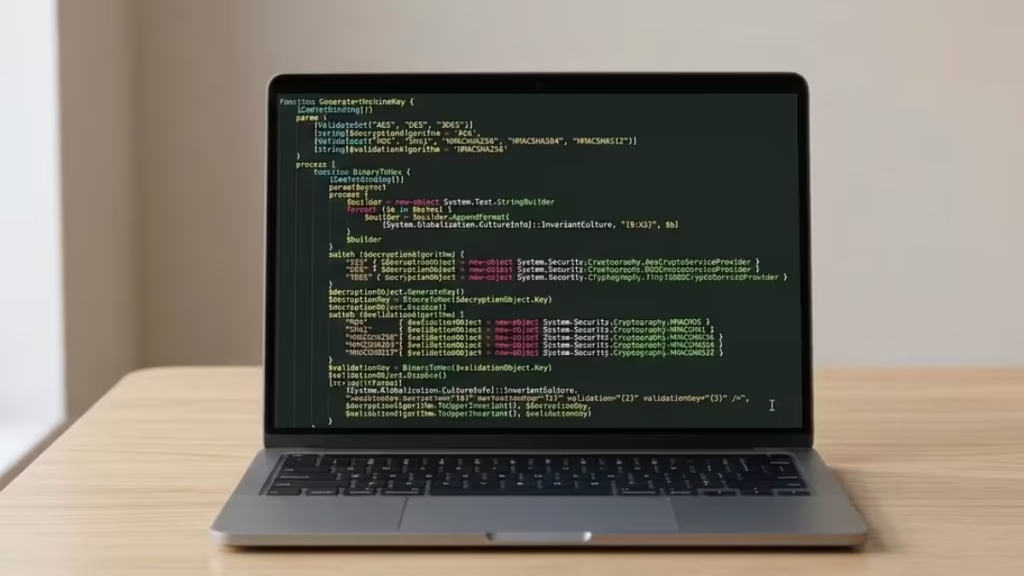
Create a file named GenerateKeys.ps1 with the following content:
function Generate-MachineKey {
  [CmdletBinding()]
  param (
    [ValidateSet("AES", "DES", "3DES")]
    [string]$decryptionAlgorithm = 'AES',
    [ValidateSet("MD5", "SHA1", "HMACSHA256", "HMACSHA384", "HMACSHA512")]
    [string]$validationAlgorithm = 'HMACSHA256'
  )
  process {
    function BinaryToHex {
      [CmdLetBinding()]
      param($bytes)
      process {
        $builder = new-object System.Text.StringBuilder
        foreach ($b in $bytes) {
          $builder = $builder.AppendFormat(
            [System.Globalization.CultureInfo]::InvariantCulture, "{0:X2}", $b)
        }
        $builder
      }
    }
    switch ($decryptionAlgorithm) {
      "AES" { $decryptionObject = new-object System.Security.Cryptography.AesCryptoServiceProvider }
      "DES" { $decryptionObject = new-object System.Security.Cryptography.DESCryptoServiceProvider }
      "3DES" { $decryptionObject = new-object System.Security.Cryptography.TripleDESCryptoServiceProvider }
    }
    $decryptionObject.GenerateKey()
    $decryptionKey = BinaryToHex($decryptionObject.Key)
    $decryptionObject.Dispose()
    switch ($validationAlgorithm) {
      "MD5"        { $validationObject = new-object System.Security.Cryptography.HMACMD5 }
      "SHA1"       { $validationObject = new-object System.Security.Cryptography.HMACSHA1 }
      "HMACSHA256" { $validationObject = new-object System.Security.Cryptography.HMACSHA256 }
      "HMACSHA384" { $validationObject = new-object System.Security.Cryptography.HMACSHA384 }
      "HMACSHA512" { $validationObject = new-object System.Security.Cryptography.HMACSHA512 }
    }
    $validationKey = BinaryToHex($validationObject.Key)
    $validationObject.Dispose()
    [string]::Format(
      [System.Globalization.CultureInfo]::InvariantCulture,
      "<machineKey decryption=""{0}"" decryptionKey=""{1}"" validation=""{2}"" validationKey=""{3}"" />",
      $decryptionAlgorithm.ToUpperInvariant(), $decryptionKey,
      $validationAlgorithm.ToUpperInvariant(), $validationKey)
  }
}
Load the script and run the function:
. .\GenerateKeys.ps1
Generate-MachineKey
Copy the output <machineKey> element and paste it into your web.config, replacing the existing entry.
Additional Hardening Steps
Apply these additional measures alongside the machine key rotation:
- Restrict network access: Limit connections to the KnowledgeDeliver portal to known organizational IP ranges using firewall rules or network segmentation.
- Encrypt sensitive configuration: Encrypt the
machineKeyandconnectionStringssections ofweb.configso those values never exist in plaintext on the file system. - Upgrade to ASP.NET 4.8: This version adds Antimalware Scan Interface (AMSI) capabilities that can detect malicious deserialization payloads before execution.
- Enable attack surface reduction: On Windows Server, activate the attack surface reduction rule Block web shell creation for Servers to prevent web shells from being written to or loaded from the web root.
How to Detect CVE-2026-5426 Exploitation
Organizations running KnowledgeDeliver should check the following four areas for signs of targeting or active compromise.
1. Application Event Log (Event ID 1316)
Check the Windows Application log for Event ID 1316 generated by the ASP.NET 4.0.30319.0 source. Two specific event messages are relevant:
- Event code 4009, reason “The viewstate supplied failed integrity check” means an attacker attempted exploitation with an incorrect or mismatched key. The attack failed, but the server is being targeted.
- Event code 4009, reason “Viewstate was invalid” means the integrity check passed and deserialization was attempted. This message confirms a correctly keyed payload reached the server and may have executed successfully.
Mandiant decrypted payload strings recorded in these log messages using the server’s machine keys and recovered BLUEBEAM web shell artifacts.
2. Suspicious Processes Under w3wp.exe
Monitor for unexpected child processes spawned by the IIS worker process w3wp.exe. The following commands appearing as children of w3wp.exe are strong indicators of post-exploitation activity:
cmd.exe /c ...
whoami
powershell.exe
These are not normal IIS operations. Any instance of command-line tools or PowerShell launched directly by w3wp.exe warrants immediate investigation.
3. File Integrity Monitoring
Check for unauthorized changes to .js, .aspx, or .config files inside the web root. Specifically, look for remote script loader code injected into existing JavaScript libraries or unexpected references to external domains added to application files. These indicate the file tampering stage of this attack chain.
4. Anomalous User-Agent Strings
Mandiant identified a distinctive pattern in web request logs during this campaign: User-Agent strings consisting of two separate browser identifiers concatenated together. Legitimate browsers send a single User-Agent string. Examples of the attacker-used strings observed in this campaign:
Mozilla/5.0 (Windows NT 6.1) AppleWebKit/537.2 (KHTML, like Gecko) Chrome/22.0.1216.0 Safari/537.2 Mozilla/5.0 (Windows NT 10.0; Win64; x64) AppleWebKit/537.36 (KHTML, like Gecko) Chrome/121.0.0.0 Safari/537.36

Mozilla/5.0 (Windows; U; Windows NT 6.1; en-US; rv:1.9.2.13) Gecko/20101213 Opera/9.80 (Windows NT 6.1; U; zh-tw) Presto/2.7.62 Version/11.01 Mozilla/5.0 (Windows NT 10.0; Win64; x64) AppleWebKit/537.36 (KHTML, like Gecko) Chrome/121.0.0.0 Safari/537.36
Any web request log entry with a doubled or concatenated User-Agent matching this format indicates active ViewState exploitation testing against your server.
Audit Configuration File Access
Enable auditing on web.config and machine.config through Windows Advanced Audit Policy. Set Audit object access to log Success events, then enable auditing on the specific files themselves via their Security tab, granting the Everyone principal Read access auditing at minimum.
Once enabled, Event ID 4663 in the Windows Security Event Log records every access to those files, including the SubjectUserName and ProcessName. Any access by a user or process other than the IIS Application Pool service account or w3wp.exe signals potential machine key tampering.
Microsoft Defender for Endpoint surfaces two relevant alerts for this threat:
- Publicly disclosed ASP.NET machine key: Fires when a known-disclosed key is detected in the environment. This alert indicates exposure, not necessarily active exploitation, and should trigger immediate key rotation.
- IIS worker process loaded suspicious .NET assembly: Indicates active code injection. Treat this as a confirmed incident.
Organizations using Microsoft Sentinel can use the following query to surface unauthorized configuration file access:
SecurityEvent
| where TimeGenerated > ago(1d)
| where EventID == 4663
| where ObjectName contains "web.config" or ObjectName contains "machine.config"
| summarize StartTime = max(TimeGenerated), EndTime = min(TimeGenerated), count()
    by EventID, Account, Computer, Process, SubjectUserName, SubjectDomainName,
       ObjectName, ObjectType, ProcessName, ProcessId, AccountType, AccessMask
Results that show a SubjectUserName or ProcessName other than the expected IIS Application Pool account or w3wp.exe may indicate active machine key tampering or reconnaissance.
Indicators of Compromise
| Indicator | Type | Description |
|---|---|---|
19d87910d1a7ad9632161fd9dd6a54c8a059a64fc5f5a41cf5055cd37ec0499d | SHA-256 | Godzilla post-exploitation framework (Mandiant) |
30833ab8ac0c794a3806dbe7c94eaddd | MD5 | Godzilla web shell variant (ASEC) |
612585fa3ada349a02bc97d4c60de784 | MD5 | Godzilla web shell variant (ASEC) |
69342f321f49dbb1a3912a87731cbf5e | MD5 | Godzilla web shell variant (ASEC) |
802acfdffe1ea0584b7839533edfbda1 | MD5 | Godzilla web shell variant (ASEC) |
9945815fb0e750d526922582eda2bf39 | MD5 | Godzilla web shell variant (ASEC) |
Microsoft maintains a repository of hash values for over 3,000 publicly disclosed ASP.NET machine keys on GitHub. Run the provided comparison script against your environment to check whether your current machine key values appear in that list.

