DX12 Error 0x887a0006, also known as DXGI_ERROR_DEVICE_HUNG, is a common DirectX 12 crash that causes games to freeze, crash to desktop, or close suddenly—often after a driver update or during heavy GPU load.
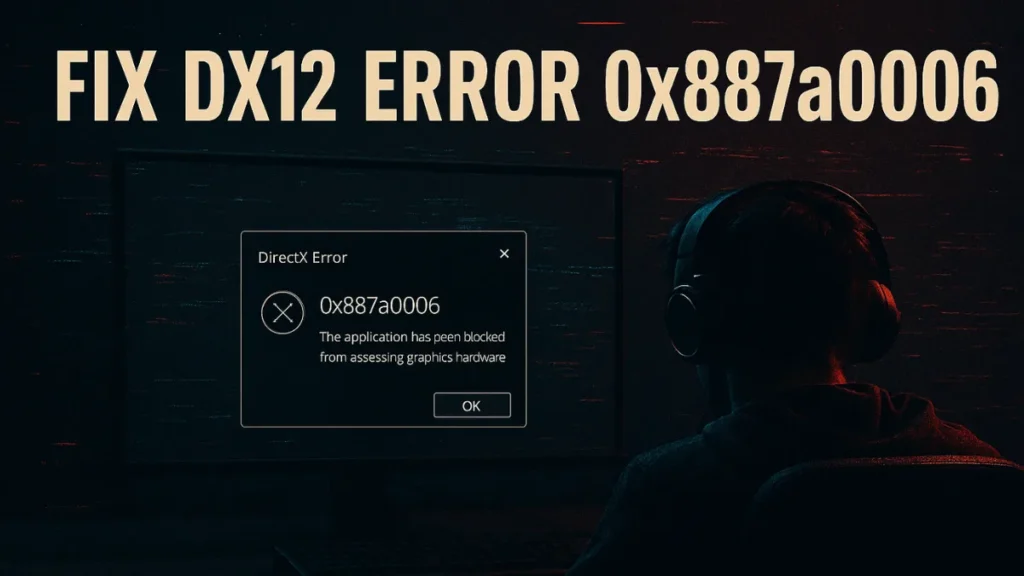
This error typically affects NVIDIA and AMD GPUs when graphics drivers time out, factory overclocks become unstable, or features like DLSS Frame Generation conflict with DirectX 12. In this guide, you’ll find proven fixes that resolve the issue across modern games and current GPU drivers.
What Causes DX12 Error 0x887a0006?
DX12 Error 0x887a0006 occurs when the GPU fails to complete commands within the allowed time. Common triggers include:
- Unstable GPU clock speeds or factory overclocks
- Outdated or corrupted graphics drivers
- Frame Generation bugs (DLSS 3 / FSR 3)
- Overlay conflicts with DirectX 12
- Corrupted game files
- DirectX or Visual C++ redistributable issues
- GPU timeout detection (TDR) triggering driver resets
How to Fix DX12 Error 0x887a0006 (Step-by-Step)
1. Turn Off Frame Generation
Frame Generation frequently causes DirectX 12 instability in newer games.
What to do:
- Open in-game Graphics Settings
- Set Frame Generation to OFF
- Restart the game
This fix alone resolves crashes for many users running DLSS 3 or FSR 3.
2. Update Graphics Drivers (Clean Install Recommended)
Outdated or partially corrupted drivers are a leading cause of this error.
Steps:
- Use NVIDIA GeForce Experience or AMD Adrenalin
- For best results:
- Boot into Safe Mode
- Use Display Driver Uninstaller (DDU)
- Install the latest driver cleanly
Clean installs are especially important after Windows or GPU driver updates.
3. Switch Between DirectX 11 and DirectX 12
Some systems run more stably on DX11.
How to test:
- Add
-dx11or-dx12in launch options (Steam / Ubisoft / Epic) - Test both modes and keep the more stable option
Mid-range GPUs often show fewer crashes on DX11.
4. Lower In-Game Graphics Settings
High GPU load can trigger timeout errors.
Recommended changes:
- Texture Quality → Medium
- Shadows → Medium or Low
- Ray Tracing → OFF
- Anti-Aliasing → FXAA or OFF
- DLSS / FSR → Balanced or Disabled
Reducing GPU stress significantly improves stability.
5. Disable In-Game Overlays
Overlays often interfere with DirectX rendering.
Disable overlays in:
- Discord
- Steam
- Ubisoft Connect
- NVIDIA GeForce Experience
Many crashes stop immediately after overlays are turned off.
DX12 Error 0x887a0006 on NVIDIA vs AMD GPUs
NVIDIA GPUs
Common NVIDIA-specific causes include:
- DLSS Frame Generation instability
- Factory overclocks on RTX cards
- Driver regressions after updates
Fixes:
- Enable NVIDIA Debug Mode
- Reduce core clock by 50–100 MHz using MSI Afterburner
- Disable DLSS Frame Generation
AMD GPUs (Especially RX 7000 Series)
AMD cards can experience frequency spikes under DX12 load.
Fixes:
- Open AMD Adrenalin → Performance → Tuning
- Set a manual frequency range (example: 2200–2500 MHz)
- Disable Anti-Lag, Enhanced Sync, and FreeSync
These changes stabilize GPU timing and prevent device hung errors.
6. Verify Game Files
Corrupted files can directly cause DX12 crashes.
Verify files in:
- Steam
- Ubisoft Connect
- Epic Games Launcher
This step fixes missing or damaged DirectX assets.
7. Reinstall DirectX and Visual C++ Redistributables
Broken system components often trigger DXGI errors.
Steps:
- Run
dxdiagto confirm DirectX version - Reinstall DirectX Runtime
- Reinstall Visual C++ Redistributables (2015–2022)
8. Run Game and Launcher as Administrator
Permission issues can prevent proper DX12 initialization.
- Right-click game EXE → Run as Administrator
- Do the same for the launcher
9. Install Game on the Same Drive as the Launcher
Games installed on a different drive than the launcher can cause instability.
Reinstall the game on the same drive as Steam or Ubisoft Connect if needed.
Advanced Fix: Disable Windows TDR (Last Resort)
Windows TDR resets the GPU when it appears unresponsive, triggering this error.
Registry path:
HKEY_LOCAL_MACHINE\SYSTEM\CurrentControlSet\Control\GraphicsDriversCreate a DWORD:
- Name:
TdrLevel - Value:
0
Use this only if all other fixes fail.
FAQs
Is DX12 Error 0x887a0006 a GPU hardware failure?
No. This error is almost always caused by driver instability, overclocking, or DirectX feature conflicts—not faulty hardware.
Does switching to DX11 permanently fix Error 0x887a0006?
Switching to DX11 can reduce crashes, but it avoids the underlying DirectX 12 issue rather than fixing it.
Can Windows updates cause DX12 Error 0x887a0006?
Yes. Windows updates can reset GPU settings or introduce driver compatibility issues that trigger this error.
Is disabling TDR safe for fixing DXGI_ERROR_DEVICE_HUNG?
Disabling TDR can prevent crashes but increases freeze risk. Use it only as a last-resort solution.
DX12 Error 0x887a0006 is frustrating, but it is solvable. Most cases are fixed by disabling frame generation, stabilizing GPU clocks, and installing clean drivers. If the issue persists across multiple games, deeper DirectX or driver-level fixes are usually required.
Note: This guide is updated to reflect current NVIDIA and AMD driver behavior and modern DirectX 12 stability issues.