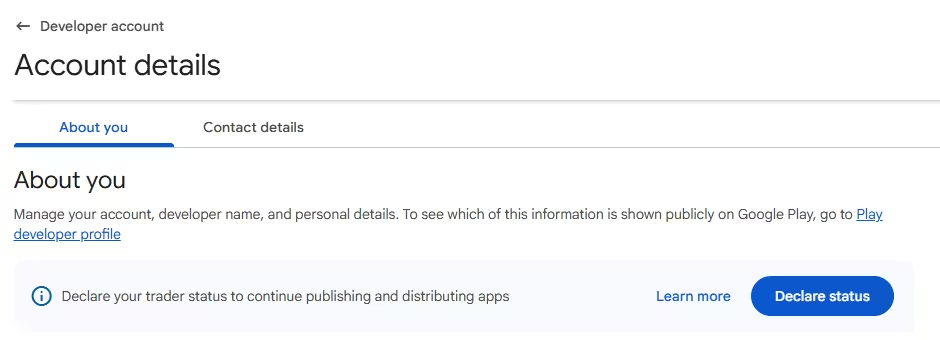
Google Play now shows a blue "Declare your trader status" banner at the top of every Play Console account. Every developer must answer it, whether you run a single free app or a full app business. If you skip it, Google removes your developer profile and all your apps from Google Play worldwide.
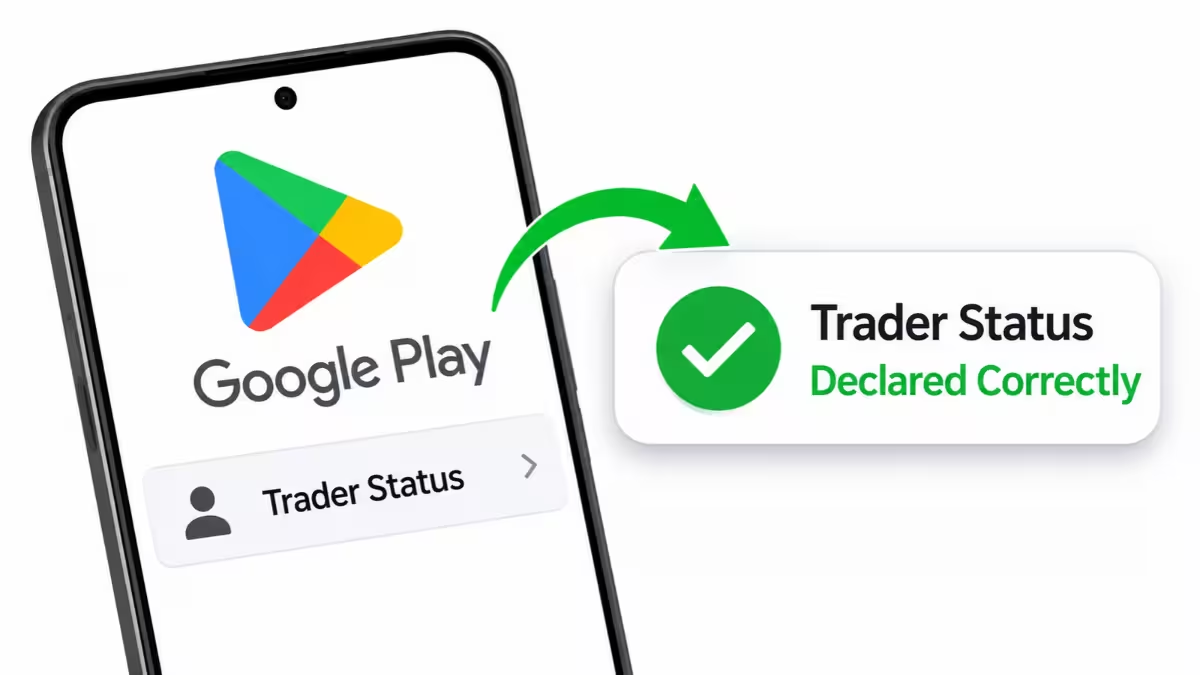
The declaration takes about two minutes. This guide explains what trader status means, how to pick the right option, and how to declare it with screenshots from a live account.
What Is Trader Status in Google Play Console?
Trader status comes from the European Union's Digital Services Act (DSA). The law requires app stores to tell EU users whether an app comes from a trader or from a private individual.
A trader is any person or company that acts for purposes related to their trade, business, craft, or profession. Google uses this same definition inside Play Console.
Your choice decides two things:
- Which contact details Google shows publicly on your store listing for users in the EU
- Whether EU consumer protection rules apply to purchases from your apps
Trader or Non-Trader: Which Should You Pick?
Most developers who earn money from apps count as traders. You should pick trader if any of these apply to you:
- Your apps show ads (AdMob or any other network)
- You sell paid apps, in-app purchases, or subscriptions
- Your apps promote your own business, services, or products
- You build apps as your job or as a side business
Pick non-trader only if you publish apps purely as a hobby with no income and no business link. A student sharing a free, ad-free project fits here. A solo developer with AdMob ads does not.
Picking non-trader while you earn from your apps can trigger a policy violation later, so choose honestly.
What Trader Details Does Google Play Show Publicly?
If you declare as a trader, Google displays these details on your app listings for EU users:
- Developer name
- Address
- Phone number
- Email address
Many solo developers worry about their home address going public. You can use a business address, a registered office, or a separate business phone number instead of personal ones. Google may verify these details, so make sure you can receive mail and calls there.
Non-traders do not need to show a full address and phone number, but their listings will tell EU users that consumer protection laws may not apply.
Can You Use a Business Address Instead of Your Home Address?
Yes. Google lets you enter a business address, a registered office, or a co-working address in place of your home address. Update it in the Contact details tab before you declare, and use a phone number and email you actively monitor. Google may verify these details, so pick an address where you can receive mail. A P.O. box may fail verification.
How to Declare Trader Status in Play Console
Step 1: Open the declaration
Click Get started on the banner on your Play Console home page.

You can also open Account details from the left menu and click Declare status.
Step 2: Check your contact details first
Before you declare, open the Contact details tab on the Account details page. Review the address, phone number, and email. These become public for EU users if you declare as a trader. Swap in business details now if you prefer.
Step 3: Choose your trader status
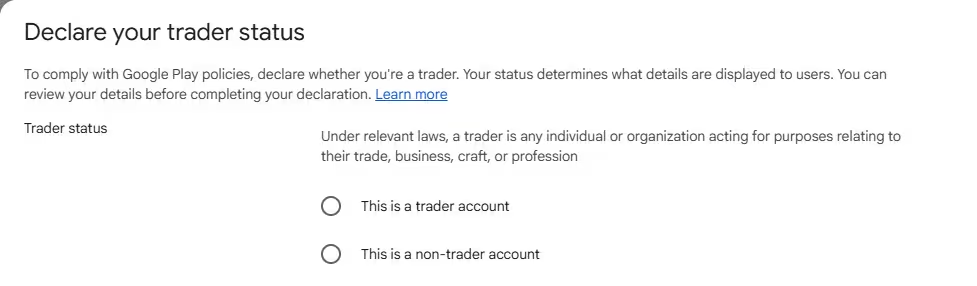
The declaration window shows two options:
- This is a trader account
- This is a non-trader account
Select the option that matches your situation and click Next.
Step 4: Review and submit
Google shows the details it will display on your public developer profile. Check them once more and submit. The banner disappears from your console once Google records your declaration.
What Happens If You Don't Declare Trader Status?
Google gives every developer until February 2027. After that date, accounts without a declaration lose their developer profile, and Google removes all their apps from Google Play in every country, not just the EU. Existing users keep installed apps, but nobody can download or update them.
Since the process takes only a few minutes, declare it now and avoid a last-minute rush.
Can You Change Trader Status or Contact Details Later?
Yes. You can return to Account details and update your status or contact details at any time. If you start as a hobby developer and later add ads or in-app purchases, switch to trader and add your contact details.
Frequently Asked Questions
Do I need a registered company to declare as a trader?
No. Individual developers with a personal account can declare as traders. A trader simply acts for business purposes; you do not need a registered company.
Does trader status affect users outside the EU?
The public contact details appear for EU users because the rule comes from EU law. However, the declaration itself is mandatory for every developer, and the removal penalty applies globally.
Can I use a virtual office or P.O. box?
Google expects a real address where it can reach you. A business or registered office address works better than a P.O. box, which may fail verification.
Does declaring as a trader change my payments or fees?
No. Trader status only affects the information shown on your listing and the consumer rules for EU users. Your service fees and payouts stay the same.
What happens if I pick the wrong status?
Google can review accounts and compare the declaration with your apps. If you declare as a non-trader but your apps carry ads or sell purchases, Google may ask you to correct it, and repeated mismatches can lead to policy action. Open Account details and update your status as soon as you spot a mistake.
Related Guides
- Google AdSense Adds New Vignette Ad Triggers to Boost Publisher Revenue
- Google AdSense to Replace Auto Ads Ad Load Slider with Advanced Banner Ad Controls
- How to Disable Google Phone Number Verification on Android and Remove Your Number From Linked Accounts
- Google Now Lets Users Change Gmail Address Without Creating a New Account