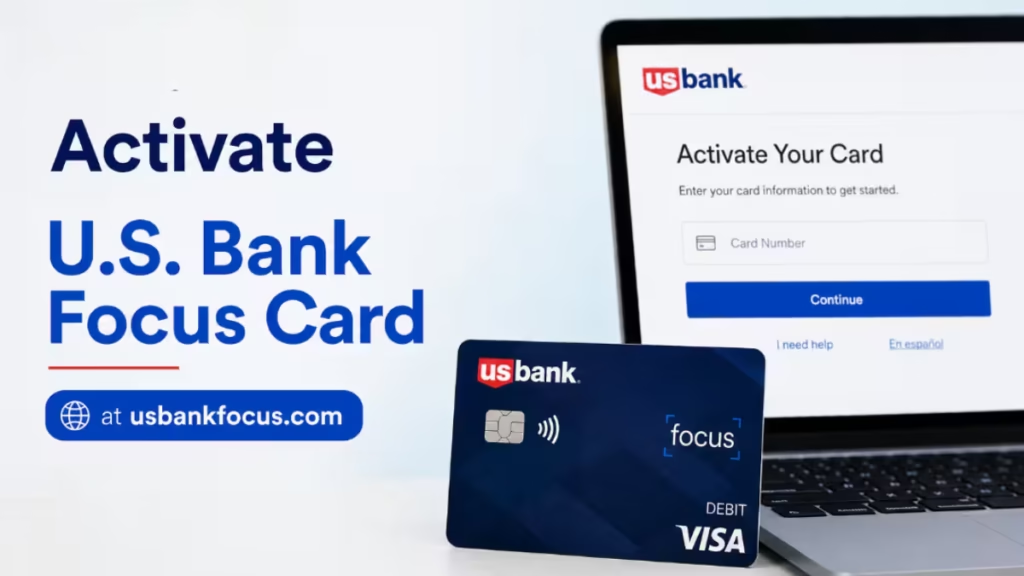
The U.S. Bank Focus Card is a prepaid Visa or Mastercard debit card that your employer loads your pay onto directly. Before you can use it for purchases, ATM withdrawals, or bill payments, you must activate it. This guide walks you through every activation method available, plus the key steps to complete after activation.
What Is the U.S. Bank Focus Card?
The Focus Card gives you a convenient and secure way to receive your paycheck without a traditional bank account. Your employer deposits your earnings directly onto the card, and you can use it anywhere Visa or Mastercard prepaid debit cards are accepted, including online stores, grocery stores, retail shops, restaurants, and medical offices.
The card does not work until you activate it. You also cannot make any purchases until you sign the back of your card and set up your PIN.
Method 1: Activate Your Focus Card at usbankfocus.com
Activating online at usbankfocus.com is the fastest option if you have internet access.
- Open your browser and go to usbankfocus.com.
- Click the Activate Card option on the homepage.
- Enter your 16-digit card number and expiration date.
- Enter the last four digits of your Social Security Number (SSN).
- Click Activate.
You will see a confirmation message once the card is active. You can then set your PIN before making your first purchase.
Method 2: Activate via the U.S. Bank Mobile App
If you prefer to activate on your phone, the U.S. Bank Mobile App handles the process in just a few taps.
- Open the App Store (iPhone) or Google Play (Android).
- Search for U.S. Bank and install the app.
- Log in or create an account.
- Select your Focus Card from the account list.
- Tap Account, then tap Details & Controls.
- Scroll down to the Manage Card tile and tap Activate Card.
- Enter your card information and the last four digits of your SSN.
- Tap Activate.
The app also lets you check your balance, view transaction history, and set up alerts after activation.
Method 3: Activate by Phone
You can activate the card by phone without an internet connection.
Option A: Use the activation sticker number
- Call the number printed on the activation sticker attached to your card.
- Follow the prompts from the automated phone system.
Option B: Call Cardholder Services
- Call 877-474-0010.
- When the automated system answers, say "activate card" and follow the prompts.
- If you want to speak to a live agent, say "agent" instead.
Cardholder Services is available 24 hours a day, toll-free.
What to Do Right After Activation
Sign the Back of Your Card
Your card is not valid unless you sign the back of it in ink. Do this as soon as you activate the card. Unsigned cards can be rejected at point-of-sale terminals.
Set Your PIN
You must set a Personal Identification Number (PIN) before you can:
- Make PIN-based debit purchases
- Withdraw cash at an ATM
- Get cash back at participating merchants
To set your PIN, visit usbankfocus.com or call Cardholder Services at 877-474-0010 after activation. You cannot use an ATM or choose the debit option at checkout until you complete this step.
Note: Signature-based credit purchases do not require a PIN. However, you still need a PIN for ATM withdrawals and PIN-based transactions.
How to Check Your Focus Card Balance
Knowing your balance before you make a purchase helps you avoid declined transactions. You can check your Focus Card balance in five ways:
- Online: Log in at usbankfocus.com and view your account dashboard.
- U.S. Bank Mobile App: Open the app and select your card to see your current balance.
- Text: Text BAL to 90831 to receive your current balance by SMS. You can also sign up for low-balance alerts and reload notifications.
- ATM: Perform a balance inquiry at any ATM. Fees may apply depending on the ATM network.
- Phone: Call Cardholder Services at 877-474-0010 and follow the balance inquiry prompts.
How to Pay Bills with the Focus Card
The Focus Card works for bill payments in two ways:
Pay directly on your biller's website: Visit your biller's website and enter your 16-digit card number and expiration date at checkout.
Use the built-in bill pay tool:
- Log in at usbankfocus.com.
- Select the Pay Bills option.
- Use the biller directory to find your payees.
- Complete the payment form with just a few clicks.
The online bill management service stores your biller information so future payments take less time.
How to Use the Focus Card at the Gas Pump
You can pay for gas at the pump with the Focus Card. However, gas stations place a temporary hold of up to $100 on your account to authorize the transaction. This hold stays in place until the actual charge clears, which can take time.
To avoid having funds tied up during the hold period, go inside and pay the cashier directly. Payments made at the counter clear for the exact transaction amount right away.
What to Do If You Forget Your PIN
If you forget your PIN, do not attempt multiple incorrect entries at an ATM. Instead:
- Visit usbankfocus.com to reset your PIN online.
- Or call Cardholder Services at 877-474-0010 to reset it over the phone.
You cannot reset a PIN at an ATM or a store terminal.
What to Do If Your Focus Card Is Lost or Stolen
Report a lost or stolen Focus Card immediately to limit your liability for unauthorized charges.
- Call Cardholder Services at 877-474-0010 right away.
- Request a replacement card. Replacement cards arrive within 7 to 10 business days.
- You can also contact your manager or your company's Payroll or Human Resources department to request a new card.
If you report the card missing promptly, you may not be responsible for any fraudulent charges that occur on the account.
Where to Find Fee and Limit Information
Your card package includes a Fee Schedule that lists all applicable fees, including fees for out-of-network ATM withdrawals and international transactions. You can also:
- Log in at usbankfocus.com to view your fee schedule online.
- Call Cardholder Services at 877-474-0010 to request fee information by phone.
Review the fee schedule before you travel internationally or use ATMs outside the Focus Card network.
Related Guides
- How to Activate TD Bank Debit Card
- How to Activate Wells Fargo Debit Card and Credit Card (3 Easy Methods)
- How to Activate Navy Federal Debit Card Online at navyfederal.org (All Methods)
Activating your U.S. Bank Focus Card takes only a few minutes whether you use usbankfocus.com, the U.S. Bank Mobile App, or the phone. After activation, sign the back of your card and set your PIN to unlock all card features, including ATM access and PIN-based purchases. Keep the Cardholder Services number (877-474-0010) saved in your phone in case you need to report a lost card, reset your PIN, or check your balance on the go.