Two-thirds of all online shopping scams now start on Facebook and Instagram. If you scroll through Facebook regularly, you have likely seen posts offering steep discounts, free products, or insider deals that seem almost too good to ignore. Most of them are scams.
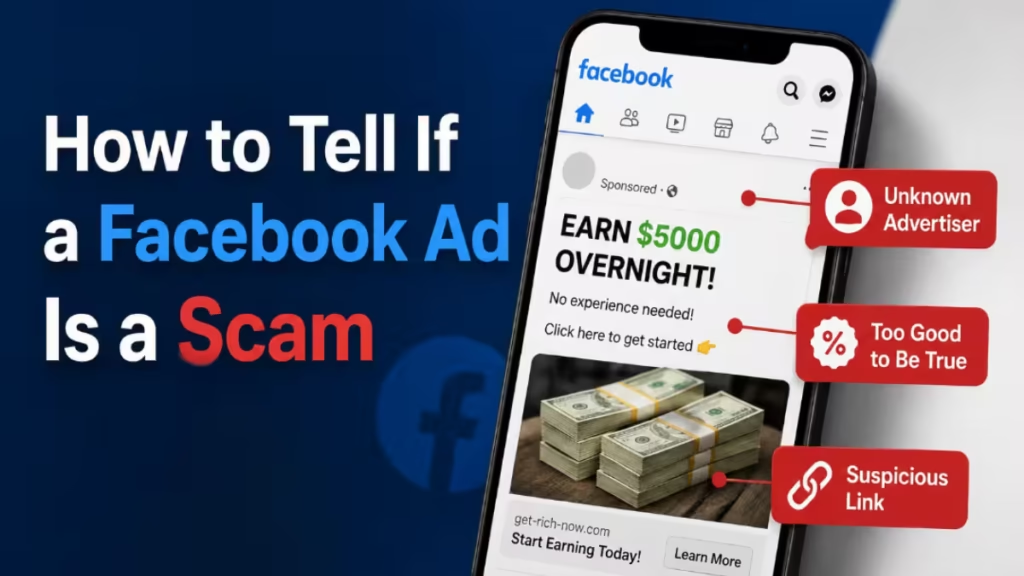
Knowing how to tell if a Facebook ad is a scam can protect your payment details, your personal information, and your money. This guide covers the warning signs scammers use, how the fraud funnel works, and what steps to take if you already clicked.
Why Facebook Is a Prime Target for Scammers
Facebook gives scammers a massive, low-cost audience. Anyone can create a page, boost a post, or use a compromised account to spread fake offers to thousands of people within minutes.
Australian authorities have flagged online shopping scams as one of the most frequently reported fraud types in the country. Dutch police have issued specific warnings about fake ads promising steep discounts. The same pattern repeats across regions because the platform makes it easy and profitable for scammers to operate at scale.
Platforms could stop many of these scams with stricter moderation, but doing so would reduce ad revenue. As a result, enforcement stays inconsistent, and scam posts keep circulating.
Red Flags That Tell You a Facebook Ad Is a Scam
1. The Price Is Impossibly Low
Any post offering high-value products for an absurdly low price is the most basic scam signal. A real retailer clearing excess stock runs a proper sale on its own verified page or website. It does not post a $10 deal through a random Facebook account.
If the offer seems too good to be true, treat it as a scam until you can prove otherwise.
2. The Post Uses a Personal Story to Sound Trustworthy
Scammers often open with a story like “my son works there and told me about this” or “I was skeptical too but it actually worked.” This technique is social engineering. It builds false trust by making the post sound like a recommendation from a real person rather than a paid promotion.
3. The Offer Targets a Specific Age Group
Phrases like “only for people over 40” or “seniors qualify” are psychological tricks. Scammers use age restrictions to make an offer feel exclusive and to target demographics they believe are less familiar with online fraud tactics.
4. The Link Is in the Comments
Posting the link in the first comment instead of the main post body is a deliberate tactic to avoid automated scam detection on the platform. If the deal link lives in the comments, that is a red flag, not a coincidence.
5. The Post Pushes You to Act Fast
Phrases like “only 1 spot left,” “offer ends tonight,” or “took me about a minute to sign up” create artificial urgency. Scammers want you to click before you think. Any post that discourages you from pausing is designed to stop you from spotting the fraud.
6. The Account Looks New or Unverified
Real retailers post from verified pages with years of history, consistent branding, and thousands of genuine followers. Scam posts typically come from new accounts, compromised personal profiles, or pages with no posting history outside of deals.
7. Comments Look Suspiciously Positive
Scroll past the first wave of enthusiastic comments. Real users often call out scams further down the thread. If every comment reads like a five-star review with no questions or criticism, the comments are likely fake or filtered by whoever controls the post.
How the Facebook Ad Scam Funnel Works
Understanding the steps scammers use helps you recognize them faster.
Step 1: The bait post
- A fake or compromised account posts an exclusive deal using a recognizable brand name to add credibility.
Step 2: The shortened link
- The link in the comments uses a link shortener like cutt.ly to hide the real destination and bypass platform link scanners.
Step 3: Device fingerprinting
- Clicking the link often runs background JavaScript that collects device and browser data before redirecting you. This helps scammers filter out security researchers and automated bots.
Step 4: The spoofed brand page
- You land on a page that copies the real brand’s logo, colors, and layout. The domain name is fake, but the design looks convincing. A fake countdown timer and low-stock warnings create pressure to keep moving forward.
Step 5: The fake game or survey
- Many scam pages use a prize-picker or a short survey to make the experience feel interactive. The game is designed so you always win, which makes the reward feel earned and lowers your guard.
Step 6: Payment and personal data collection
- The final page asks for your full name, phone number, home address, and credit card details to cover a small delivery fee. This is the actual goal of the entire funnel.
Scam pages also use tricks like fake 5-star ratings and auto-fill detection to submit your stored browser data without requiring extra clicks.
How to Protect Yourself from Facebook Ad Scams
- Check the browser address bar: A scam page can copy a brand’s entire visual identity, but the domain name always gives it away. Look for extra words, hyphens, or unusual extensions like .shop, .life, or .xyz instead of the brand’s actual domain.
- Search the offer directly: Before clicking any deal, open a new tab and search the brand name plus the offer description. If the promotion is real, it appears on the brand’s official website and verified social pages.
- Scroll past the first comments: Real reactions from genuine users often appear lower in the thread. Warning comments get buried or hidden by whoever manages the scam post.
- Be wary of link shorteners: Shortened links hide where they actually send you. If a post uses a link shortener in the comments, do not click it.
- Use a security tool with web protection: Malwarebytes can flag unsafe domains and block connections to scam pages before you reach the payment step.
- Report scam posts: Click the three-dot menu on the post, select Report post, and choose Scam, fraud or false information. Reporting helps slow the spread for other users.
- Never enter card details from a social media link: Treat any site you reached through a comment or post link as untrusted until you verify the domain independently.
What to Do If You Already Clicked or Paid
If you entered payment details on a site you reached through a suspicious Facebook post, act immediately.
- Contact your bank or card issuer and report the transaction as fraud. Ask them to cancel the card and reverse any unauthorized charges.
- Change passwords on any account that shares the same email address or phone number you entered.
- Monitor your bank statements over the following weeks for unauthorized activity.
- If you gave your home address, watch for phishing letters or courier-related scams referencing your name.
If you only clicked the link but did not enter any information, the risk is lower. Some scam pages still attempt background data collection through device fingerprinting. Running a malware scan is a reasonable next step.
Related Guides
- Is the Microsoft Defender Error Code Call a Scam?
- Malwarebytes in ChatGPT Brings Real-Time Scam Detection to AI Chats
- Crypto AML Scam Draining Wallets Explained: How to Avoid P2P Trading Frauds
Real retailers advertise widely on their own verified accounts. They do not hide promotions in badly written posts from throwaway profiles. If a post claims that only insiders know about a deal, or that the offer disappears in two minutes, those are signals designed to override your judgment, not inform it.
Check the domain. Verify the offer independently. Report what you see.

