The FBI has issued a formal public warning about Kali365, a phishing-as-a-service (PhaaS) platform built to hijack Microsoft 365 accounts without stealing passwords or intercepting MFA codes. The platform abuses a legitimate Microsoft authentication method to capture OAuth tokens and hand attackers persistent, silent access to your entire Microsoft 365 environment.
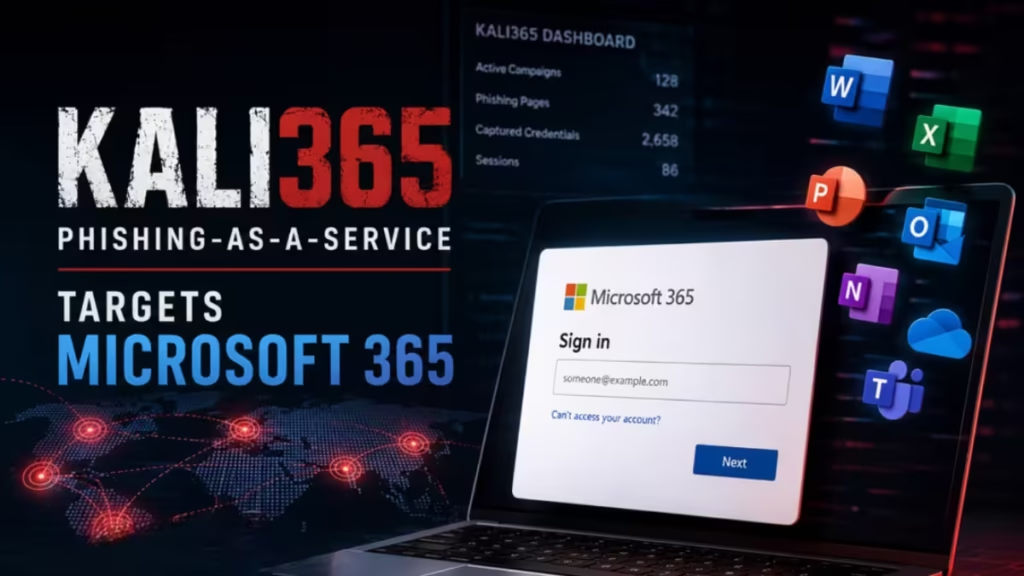
If your organization runs Microsoft 365, this threat is directly relevant to you. Kali365 has already hit organizations across manufacturing, education, government, insurance, financial services, and healthcare sectors in North America and EMEA.
What Is Kali365
Kali365 first appeared in April 2026 and spreads through Telegram channels targeting cybercriminals who want a simpler way to compromise Microsoft 365 accounts. The FBI warns that the platform gives even low-skill attackers access to AI-generated phishing lures, automated campaign templates, real-time victim-tracking dashboards, and full OAuth token capture functionality.
Security researchers at Arctic Wolf identified active Kali365 campaigns shortly after launch, tracing the infrastructure to a production panel served from v2.kali365[.]xyz and several sibling servers sharing the same TLS certificate fingerprint.
The platform runs as a three-tier business structure. A top-tier admin manages product development and global oversight. Agent-tier resellers provision access to client affiliates. Client-tier affiliates run phishing campaigns and handle post-compromise activity. Each tenant can apply custom branding to its panel, making the infrastructure modular and difficult to attribute at first glance.
Affiliates pay a subscription through a non-KYC cryptocurrency processor: $250 for 30 days or $2,000 for 365 days. Once onboarded, they access a full campaign toolkit from a single web-based or desktop panel.
How Device Code Phishing Works
Kali365 abuses Microsoft’s legitimate OAuth 2.0 Device Authorization grant flow. Microsoft originally designed this flow so that input-limited devices such as smart TVs, conference room systems, printers, and IoT devices could authenticate by having a user enter a short code on another device. The flow involves the device requesting a code, displaying a URL (microsoft.com/devicelogin), and waiting while the user signs in on a browser to authorize it.
Kali365 hijacks this process. Instead of a device initiating the flow, the attacker initiates it, generates the code themselves, and then sends it to the victim through a phishing email.
Step 1: The Phishing Lure
The attacker sends a phishing email that impersonates a trusted enterprise service such as Adobe Acrobat Sign, DocuSign, SharePoint, OneDrive, or Microsoft Teams. The platform supports 14 languages and 34 design themes split across a free tier for broad workforce targeting and a Pro tier aimed at admin and privileged user targeting. Lures can arrive as PDF, Word, Excel, or PowerPoint attachments.
Inside the email, the attacker provides a device code with instructions to visit Microsoft’s real verification page and enter it. The landing page Kali365 generates is obfuscated to render only in a genuine browser session, which helps it evade automated scanners.
Step 2: The Victim Authorizes the Attacker’s Session
The victim navigates to the real Microsoft login portal at microsoft.com/devicelogin, enters the supplied code, and completes MFA exactly as they would for any normal sign-in. From the victim’s view, everything appears legitimate because they are interacting with Microsoft’s actual infrastructure throughout the entire process.
Step 3: Token Capture and Persistent Access
Once the victim completes authentication, Microsoft issues OAuth access and refresh tokens to the attacker’s waiting session. The Kali365 backend stores these tokens server-side and surfaces them through the panel’s token management interface.
These tokens grant the attacker full access to everything the victim can reach through single sign-on, including Microsoft 365, Salesforce, and any other connected SaaS platform, without requiring any password or MFA challenge. The attacker can also share captured tokens with other affiliates through the panel, allowing multiple threat actors to reuse the same compromised session independently.
Two Attack Modes Inside Kali365
Kali365 offers affiliates two distinct attack modes. Both capture authenticated credentials, but through different mechanisms.
Device Code Mode
In device code mode, the Kali365 backend dynamically generates a real Microsoft OAuth device code and displays it to the victim through the lure landing page. After the victim completes authentication at Microsoft’s real portal, the resulting OAuth access and refresh tokens route back to the Kali365 backend. Affiliates access and manage captured tokens through the /dash/tokens/ workflow in the panel.
These tokens provide immediate access to Microsoft 365 services and support a full post-compromise workflow: mailbox access, contact harvesting, lateral phishing against colleagues, keyword monitoring for business email compromise (BEC), and administrative actions if the captured token belongs to a privileged account.
Cookie Link Mode
Cookie Link mode is an adversary-in-the-middle (AitM) session capture approach that works separately from device code flow. Affiliates deploy a lure that routes the victim’s browser through attacker-controlled infrastructure powered by Cloudflare Workers. This infrastructure transparently proxies all requests to Microsoft’s real login experience.
The victim enters their username, password, and MFA response through what looks like a normal sign-in. During this proxied session, the attacker-controlled infrastructure captures all authenticated browser session cookies and related session artifacts. Captured sessions are stored under the /dash/cookie/ workflow, separate from the OAuth token store used in device code mode.
The panel exposes functionality to list captured sessions, extract underlying tokens, and generate injectable scripts that allow affiliates to replay authenticated browser sessions in their own environment.
| Aspect | Device Code Mode | Cookie Link Mode |
|---|---|---|
| User interaction | Victim enters code on Microsoft.com | Victim logs in normally through a proxy |
| What gets captured | OAuth access and refresh tokens | Browser session cookies and tokens |
| Persistence surface | Token-based | Session and token-based |
| Panel endpoint | /dash/tokens/ | /dash/cookie/ |
Desktop Application
Beyond the web panel, Kali365 distributes a downloadable Electron-based desktop client for Windows and macOS. The application gives affiliates live visibility into newly captured OAuth tokens and includes a mailbox interface for interacting with compromised accounts directly from the desktop.
The desktop client identifies itself using the user-agent string kali365-live/1.0.0. Security teams can treat this string as a high-confidence indicator of Kali365 activity in authentication logs.
What Attackers Do After Gaining Access
After capturing valid tokens, attackers gain immediate access to the victim’s mailboxes, contacts, files, and any other Microsoft 365 resources their account can reach.
Arctic Wolf researchers found that attackers then create malicious inbox rules within the compromised account. These rules automatically move emails containing keywords such as “spam,” “phish,” “click,” “link,” and “SharePoint” to a separate folder and mark them as read. This behavior suppresses security notifications and user warnings, letting attackers extend their dwell time while reducing detection risk.
In several observed incidents, attackers also registered new devices within the victim’s Microsoft environment after token acquisition. This step extends access beyond the initial token by establishing a trusted device association tied to the compromised account, effectively giving the attacker a second foothold independent of the original token.
Attackers use this access to harvest contacts, launch lateral phishing campaigns against colleagues, monitor emails for keywords useful in BEC attacks, and exfiltrate sensitive data. How hackers steal Microsoft 365 login credentials through token and session-based methods shows how Kali365 fits into a broader pattern of credential theft that continues to evolve beyond password-based attacks.
If an attacker captures tokens from a privileged account, the resulting damage can include administrative actions across the entire tenant. Organizations that have dealt with being locked out of a Microsoft 365 admin account due to MFA issues understand how devastating a full admin-level compromise can become.
How to Block Kali365 and Device Code Phishing
The FBI and Arctic Wolf both identify blocking device code authentication flows through Conditional Access policies as the primary and most effective defense.
Block Device Code Flow with a Conditional Access Policy
Create a Conditional Access policy with the following configuration:
- Target users: All users
- Target apps: All cloud apps
- Condition: Authentication flows > Device code flow
- Action: Block
Apply this policy as your baseline. Device code flow is not required for most users or applications in a standard Microsoft 365 deployment.
Create Exceptions Only Where the Flow Is Genuinely Required
If your organization uses conference room devices, IoT equipment, or other input-limited hardware that depends on device code authentication, restrict the flow through narrow exceptions rather than leaving it open broadly.
Limit device code flow by trusted network locations (specific IP ranges), specific device platforms (such as Android for meeting room hardware), or dedicated service accounts tied to IoT or signage systems. Do not create user-based exceptions for standard employees.
Audit Device Code Usage Before Deploying the Policy
Before enabling the block policy, audit your current device code flow usage through Microsoft Entra sign-in logs. This identifies any legitimate dependencies that need exceptions and prevents unexpected lockouts after the policy activates. Filter sign-in logs for the authentication method “Device Code” to find all current usage.
Block Authentication Transfer Policies
Block policies that allow users to transfer authentication sessions from computers to mobile devices. This step removes an additional path that attackers can use to extend access after capturing an initial token.
Preserve Emergency Access Accounts
If you cannot fully restrict device code flow, exclude your emergency access accounts from the policy. This prevents a lockout from cutting off all administrative access to the tenant. Understanding Microsoft 365 admin access recovery procedures before an incident occurs gives your team a recovery path when policies behave unexpectedly.
Enable Sign-In Risk Policies Through Microsoft Entra ID Protection
Enable sign-in risk policies to detect anomalous or suspicious authentication activity, including device code flows originating from unexpected locations, unfamiliar IP addresses, or unusual device registrations. Set the sign-in risk policy to require MFA or block access for medium and high risk sign-ins.
Train Users to Recognize Device Code Lures
Device code phishing succeeds because the victim interacts entirely with Microsoft’s real infrastructure and sees no obvious indicators of attack. Train users to treat any unsolicited email containing a device code and a request to visit microsoft.com/devicelogin as a potential phishing attempt, regardless of how official the sender or attachment appears.
Users should also know to report suspicious login activity and unfamiliar inbox rules immediately.
Report Incidents to the FBI
If your organization is impacted by Kali365 or a similar phishing kit, file a complaint with the Internet Crime Complaint Center (IC3) at ic3.gov. Preserve the following when reporting: phishing emails including full headers and body text, suspicious login records including time, IP address, and location, and any unauthorized devices or active sessions added to the account.
Understanding the full range of tactics attackers use helps when working to secure your Microsoft 365 account against data theft attacks. Layered defenses combining Conditional Access policies, user training, and active monitoring give your organization the best chance of stopping Kali365 before tokens are captured.

