Kirby Air Riders brings back the classic feel of Kirby Air Ride while introducing new systems, sharper controls, and a more varied machine roster. Although its two-button layout looks simple at first glance, the game demands precision, timing, and smart decision-making across modes like Air Ride, City Trial, Top Ride, and Road Trip.
If you’re jumping in for the first time or returning after years away from the GameCube original, these beginner tips will help you understand the core mechanics, avoid common mistakes, and start winning races and Stadium challenges.
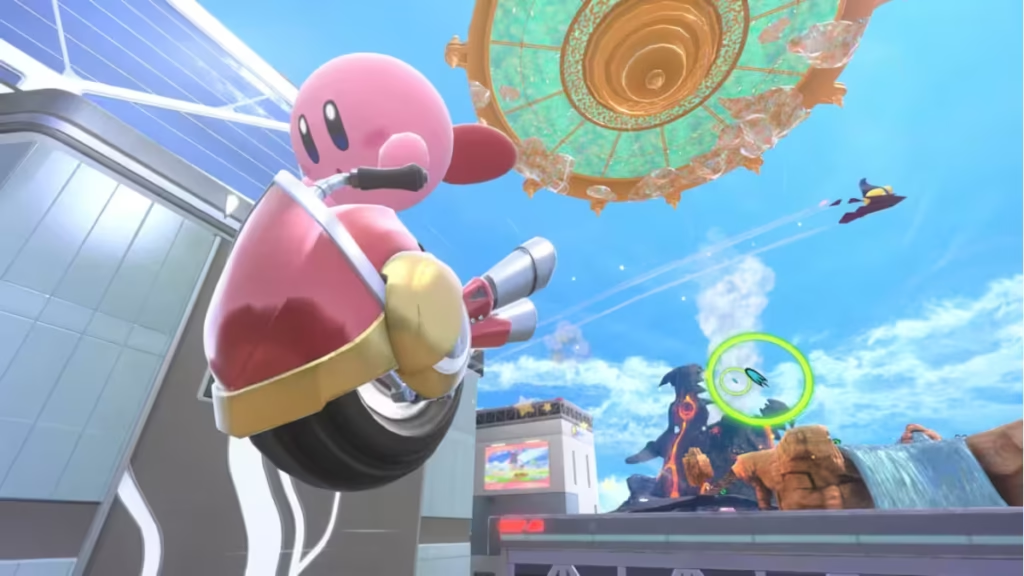
Learn the Core Movement System First
The biggest adjustment for new players is the way machines handle movement. You never need to push the stick forward to accelerate. Vehicles move on their own, and your only directional input is left or right.
Pushing forward actually slows your machine and interrupts your flow, so let the auto-movement do the work and focus entirely on steering, gliding, and timing your boosts.
Master Boost Charging Early
Boost Charging is the foundation of high-level racing. Holding the main button brings your machine to a stop while building a burst of speed. That may sound counter-intuitive, but Boost Charging turns into a drifting tool when used during corners.
Rather than boosting constantly, save your charges for turns so that you maintain speed and avoid the stop-start effect that slows new players down.
See also: Kirby Air Riders Machine Unlock Guide – All Machines Unlocked
Different machines rely on this mechanic differently—some barely need it, while others feel unmanageable without it—so practice until you can Boost Charge without breaking your rhythm.
Learn How Each Machine Behaves
Kirby Air Riders features a wide lineup of machines with wildly different handling profiles. Some glide easily, others are built for combat, and a few come with quirks that make them harder to learn.
Available machines also vary across game modes, so don’t lock yourself to one early pick. Spend time trying each machine to see how they drift, corner, glide, and accelerate.
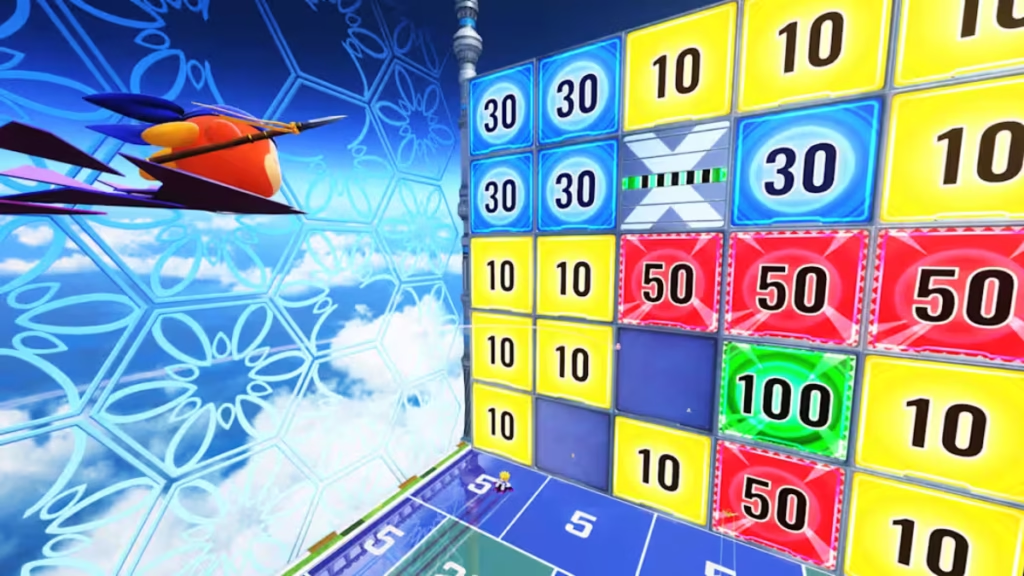
If you’re playing Road Trip, pick up every new machine you find—collecting all 22 is crucial for unlocking multiple features and alternate paths.
Choose Rider and Machine Combinations Carefully
Riders aren’t just cosmetic. They have unique stats that influence performance—glide time, weight, health, and more.
A machine that excels for one character may feel clumsy for another.
Glide-heavy Riders pair well with air-dominant machines, while heavier Riders can benefit from sturdier machines in City Trial’s combat-heavy moments.
Experimenting with combinations is important, especially if you’re tackling checklists that require specific challenges.
Practice in Road Trip Before Diving Into City Trial
City Trial may be the mode everyone is excited to play, but Road Trip is the best place to start. It mixes all the game’s mechanics—Air Ride races, Top Ride tracks, and Stadium events—while giving you time to learn how boosting, gliding, and special abilities really work.
Road Trip is also home to several unlockables, so you’ll make progress just by practicing.
Use Lessons, Time Attack, and Free Run to Build Skills
Lessons act as a tutorial library that breaks down techniques such as drifting, gliding, using abilities, and attacking.
Once you’re comfortable with the basics, use Time Attack and Free Run to refine your route knowledge. Air Ride and Top Ride courses become much easier once you memorize shortcuts, hazards, and ideal boost spots.
City Trial even has a Free Run mode that lets you explore Skyah without a timer, which is perfect for learning item spawn patterns and layout shortcuts.
Customize Your Settings for Comfort and Control
Kirby Air Riders includes a surprisingly deep options menu. You can adjust:
- Quick Spin sensitivity
- Motion controls
- Visual frames and reticles
- Interface elements
- Accessibility settings
- Slow Mode for gentler machine speeds
If you struggle with motion sickness, turn on the center reticle—it stabilizes the camera and can help prevent queasiness.
Spin to Push Back Rivals
If an opponent sneaks up behind you, use a spin to knock them away. A well-timed spin not only stops them from passing but also gives you a burst of speed.
Adjust your Quick Spin sensitivity in the settings menu if you trigger spins accidentally.
Make the Most of Copy Hats and Abilities
Copy Hats provide powerful offensive or defensive abilities depending on the hat you pick up. These can clear groups of enemies, stun rivals, or give you a temporary advantage in a chaotic race.
If a Copy Ability becomes a problem—like Flash triggering at the wrong time—you can discard it by tapping the ability button repeatedly.
Pay Attention to Stars and Star Trails
Whenever you attack an enemy or rival, they drop stars that fuel a momentary speed increase. Blue and yellow stars serve as momentum tools, so always collect them while racing.
Following behind another racer leaves you in their Star Slide, a trail of stars that acts as a built-in drafting system. Maintaining this trail can help you catch up quickly or slingshot past your competition.
Read City Trial Hints Carefully
City Trial often displays text announcing possible Stadium events. Many of these hints are legitimate, but some are intentionally misleading.
If the wording looks odd or playful, treat it with suspicion and prepare for a different Stadium finale.
Look Out for Rare Boxes
Golden-trimmed boxes marked on the map hold some of the most valuable upgrades in City Trial. These items can drastically change your build and even contain pieces for Legendary Machines.
Chase them immediately when they appear to avoid losing key enhancements to rivals.
Checklists Are Your Roadmap to Unlocks
Characters, Stadiums, machines, and alternate colors are tied to checklist achievements across Air Ride, Top Ride, City Trial, and Road Trip.
Press the Plus button while highlighting a checklist task and the game will automatically bring you to the correct mode with the right settings, saving you time and guesswork.
Some Stadium challenges can be entered without completing the City portion, but doing so leaves you with zero buffs—only attempt this if you’re confident in your machine’s base stats.
Avoid Over-Buffing Speed in City Trial
Speed is appealing, but many Stadium events require precision. If you’re too fast, you might overshoot hoops, buttons, or targets.
A balanced build can outperform a pure speed build in several Stadium events, so don’t ignore health, glide, and steering upgrades.
Use Your Special Gauge Smartly
Your special gauge slowly fills over time, but once full, it won’t wait for you. After a brief pause, the bar starts draining automatically.
If you’re planning an overtake, attack sequence, or escape from danger, activate your special before it fades to avoid wasting it.
Read More:
- Handle With Care Disney Dreamlight Valley Quest Walkthrough: How to Repair the Ranch and Unlock Horse Sparks
- Mega Zeraora Battle Mechanics: How It Breaks Pokémon Legends Z-A’s New Combat System
- Solo Leveling Arise Overdrive Release Countdown & Start Time
- Encrypted Cerebellum Risk of Rain 2: How to Get and Use It
- Fortnite Party Up Winter Rush Quests and All Rewards Guide
- How to Get the Fortnite Freediver Skin Free: Step-by-Step Unlock Guide
- Kirby Air Riders Machine Unlock Guide: How to Unlock Every Machine Fast
Kirby Air Riders may look friendly and simple, but behind its colorful style is a demanding racing system that rewards timing, experimentation, and understanding your machine. Whether you’re completing checklists, chasing unlocks, or battling for survival in City Trial, these beginner tips will help you build confidence and enjoy the game’s speed and chaos to the fullest. Play Now!

