Microsoft has confirmed that Samsung Gallery OneDrive sync will officially stop working on September 30, 2026. After that date, Samsung Gallery will no longer upload your photos and videos to OneDrive automatically. Galaxy users who depend on this feature for daily backups need to act before the deadline to avoid gaps in their cloud storage.
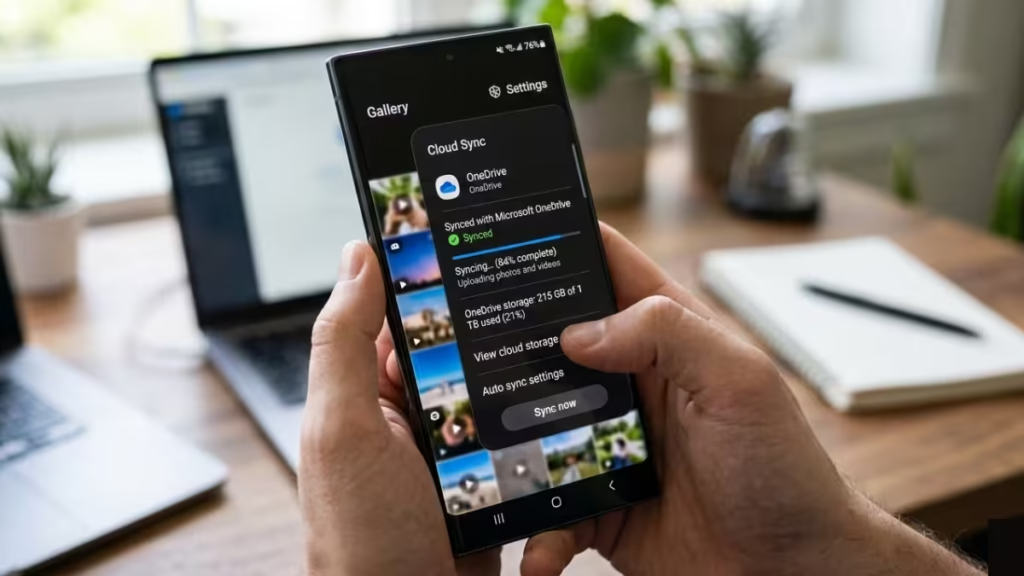
This guide explains exactly what is changing, who it affects, and how to switch to OneDrive Camera Backup so your photos keep uploading without interruption.
What Is Changing with Samsung Gallery OneDrive Sync
Starting September 30, 2026, Samsung Gallery will no longer sync directly with OneDrive. New users cannot link the two apps after this date. Existing users who have already set up the sync will lose automatic backups unless they manually configure the OneDrive app to take over.
Once the change goes live, photos stored in OneDrive will disappear from the Samsung Gallery app interface. This does not mean your files are deleted. Your photos and videos already in OneDrive remain completely safe and accessible through the OneDrive app, the OneDrive website, or any other device where OneDrive is installed.
Microsoft updated its official support page on May 14, 2026 to confirm the September 30 deadline and outline the transition steps for users.
Why This Partnership Is Ending
This feature started in 2021 after Samsung shut down its own Samsung Cloud photo storage and partnered with Microsoft as a replacement. The integration let Galaxy users back up photos and videos directly from Samsung Gallery without managing a separate app.
That arrangement was part of a broader Samsung and Microsoft collaboration that also connected Galaxy phones to Windows PCs through features like Link to Windows. The Samsung Gallery OneDrive sync became the default automatic backup method for many Galaxy users over those years.
Microsoft has not provided a specific reason for ending the integration. Worth noting: Samsung Notes and Microsoft OneNote sync is also ending this August, which points to a broader pull-back from the direct Samsung app integrations Microsoft built starting in 2021.
What Happens to Your Existing Photos
Your photos and videos already stored in OneDrive are not affected. Microsoft confirms:
- All backed-up files stay safe and unchanged in OneDrive
- You can view and download them through the OneDrive app at any time
- You can access them at onedrive.com from any browser
- No files get deleted or modified as part of this change
The only thing that stops is the automatic upload of new photos through Samsung Gallery. Any photo you take after the deadline will not upload to OneDrive unless you set up Camera Backup through the OneDrive app directly.
How to Set Up OneDrive Camera Backup on Your Galaxy Phone
To keep new photos and videos automatically backing up to OneDrive after September 30, follow these steps:
- Open the OneDrive app on your Galaxy phone
- Log in with your Microsoft account (this may differ from your Samsung account)
- Tap your Account Profile in the top left corner
- Select Camera backup
- Make sure the correct account is selected
- Toggle Camera backup on
- Grant access to all photos and videos when prompted
Once you complete these steps, new photos upload automatically in the background. Make sure you have not exceeded your OneDrive storage quota, as backups pause when storage is full. Microsoft offers paid storage upgrades if you need more space.
If you are unsure which version of OneDrive you are working with, reviewing OneDrive Personal vs Business: Key Differences, Pricing, and Which One to Choose helps you confirm the right account setup before enabling backup.
Should You Consider Alternative Cloud Storage
Microsoft still promotes OneDrive as the preferred photo backup solution for Galaxy users, even after removing the direct Samsung Gallery integration. However, some users may take this change as a reason to explore other options.
Google Photos is the most common alternative for Android users. It offers free storage at compressed quality and integrates directly with Galaxy devices. Dropbox and Amazon Photos are other choices depending on what devices and subscriptions you already use.
If you choose to stay with OneDrive, the Camera Backup feature inside the OneDrive app works well and supports background syncing on Android. The main difference from before is that you manage everything through the OneDrive app rather than Samsung Gallery.

