Researchers have discovered a new browser-based spying technique called FROST that lets websites track which tabs you have open and which apps are running on your device, all without you clicking anything or downloading a file.
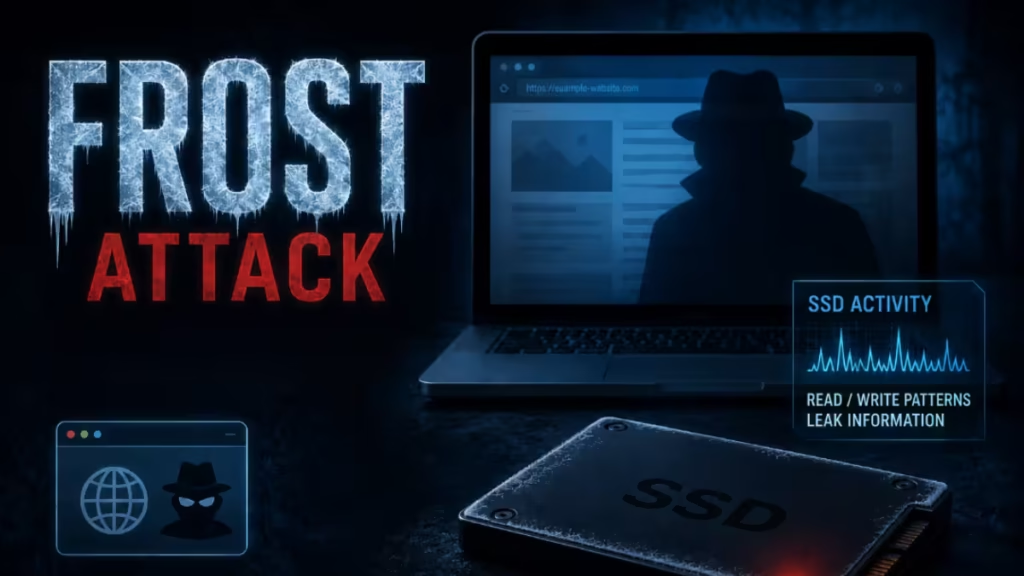
The attack targets your SSD, not your browser history directly. Here is exactly how it works, what it can detect, and how you can stop it.
What Is the FROST Attack?
FROST stands for Fingerprinting Remotely using OPFS-based SSD Timing. Researchers at Graz University of Technology in Austria published the technique in a research paper scheduled for presentation at the DIMVA conference in July 2026.
It is a remote side-channel attack, meaning it exploits physical behavior of your hardware rather than a software bug or vulnerability you can patch with an update. Specifically, FROST measures the speed of read and write operations on your solid-state drive through JavaScript running in a browser tab.
The attack requires zero interaction from you. Simply visiting a website that hosts the attack code is enough to expose your activity.
How the FROST Browser Attack Works
FROST exploits a browser feature called the Origin Private File System (OPFS). OPFS is a sandboxed storage space that websites can reserve for their own use. Browsers like Chrome, Firefox, and Safari all support it. Sites use it to run complex applications, store temporary data, and speed up web apps.
Here is what the attack does step by step:
- The malicious site creates a large OPFS file on your SSD, typically 1GB or more in size.
- JavaScript on that site continuously performs random reads from that large file.
- Your SSD handles multiple processes at once, including whatever other tabs and apps you have open. These processes compete for SSD access, a phenomenon called contention.
- FROST measures tiny timing differences in how long each read operation takes. When another app or browser tab writes to the SSD, it slows down FROST’s reads by a measurable amount.
- Those timing traces feed into a convolutional neural network (CNN), a type of deep learning model trained to recognize patterns.
- The CNN classifies the traces and identifies which websites are open in other tabs and which desktop applications are running.
The researchers confirmed the full attack works on Apple M2 Macs. They also validated that the underlying timing primitive works on Linux, though they did not run the complete classification there. The researchers did not test Windows.
According to Ars Technica, FROST can detect open websites even across different browsers and identify desktop apps running on the same machine.
What FROST Can Detect
FROST does not steal your passwords or intercept your traffic directly. What it can reveal:
- Websites open in other browser tabs, even if those tabs are in a completely different browser
- Desktop applications currently running on the same device
- Your general activity pattern on the device during the measurement window
This makes FROST a powerful fingerprinting and surveillance tool. A malicious advertiser, data broker, or threat actor could use it to build a profile of your browsing habits and software usage without triggering any traditional security alerts.
Limitations of the FROST Attack
FROST has real constraints that reduce its immediate threat level.
- File size requirement: The OPFS file must be very large, typically 1GB or more. Firefox limits per-site storage to 10GB, which creates additional friction for attackers targeting Firefox users. Creating a 1GB file also consumes noticeable disk space, which alert users or security tools can detect.
- Same SSD dependency: The attack only works if the OPFS file and the target app or tab both reside on the same physical SSD. If your operating system runs apps from a separate drive, those apps are invisible to FROST.
- Cache clearance delay: The attacker cannot take a quick snapshot. The large file must first clear out of the system memory cache before accurate SSD timing measurements become possible.
- RAM-based profiles block it entirely: If you run software that moves your entire browser profile into RAM, the SSD timing channel disappears and FROST stops working.
- No confirmed wild exploitation: As of May 2026, the researchers found no evidence that FROST has been used in real attacks outside of controlled lab conditions.
How to Protect Yourself from the FROST Browser Attack
You do not need to wait for a browser update to reduce your exposure. These steps work right now:
Close Unused Tabs
The single most effective countermeasure is closing tabs you are no longer using. FROST measures contention from active tabs. Fewer open tabs mean fewer signals for the attacker’s model to read.
Monitor OPFS File Creation
Technical users can watch for large OPFS files created by unfamiliar websites. If a site you barely use is allocating gigabytes of storage, that is a red flag worth investigating.
Use a RAM Disk for Your Browser Profile
Moving your browser profile to a RAM disk removes your SSD from the equation entirely. This is an advanced step but it completely blocks the FROST side channel. Several open-source tools for Windows, macOS, and Linux support this setup.
Keep Your Browser Updated
Browser makers are already aware of FROST. The researchers proposed solutions including file size caps on OPFS allocations. Browser updates that implement these mitigations will ship over time, so keeping your browser current matters.
Consider a VPN for Additional Privacy
A VPN does not block FROST directly since the attack runs locally on your hardware, but pairing one with good tab hygiene reduces your overall surveillance exposure significantly.
What Browser Makers Can Do
The researchers proposed several fixes browser developers can implement:
- Cap the maximum size of OPFS files to prevent attackers from creating the large files FROST requires
- Add timing noise to OPFS I/O measurements to make SSD latency traces less precise
- Rate-limit OPFS read operations from JavaScript to reduce measurement resolution
None of these fixes are live in browsers as of the publication of the research paper. The DIMVA conference presentation in July 2026 will likely accelerate the response from browser teams.
Frequently Asked Questions
What is the FROST attack?
FROST (Fingerprinting Remotely using OPFS-based SSD Timing) is a browser-based side-channel attack discovered by researchers at Graz University of Technology. It uses JavaScript to measure SSD timing differences caused by other open tabs and running apps, then uses a neural network to identify what you are doing on your device.
Does FROST require me to download anything?
No. FROST requires zero interaction from the victim. Simply visiting a website that runs the attack code is enough. The JavaScript executes automatically in your browser tab.
Which browsers are vulnerable to FROST?
FROST targets any browser that supports the Origin Private File System (OPFS) API, which includes Chrome, Edge, Firefox, and Safari. Firefox is slightly harder to attack because it limits per-site storage to 10GB.
Can FROST steal my passwords?
No. FROST does not intercept network traffic or read browser stored data. It reveals which websites are open in other tabs and which desktop applications are running, based on SSD timing patterns.
How do I stop the FROST attack right now?
Close browser tabs you are not actively using. This is the most effective single step. Technical users can also monitor OPFS storage allocations and move their browser profile to a RAM disk.
Has FROST been used in real attacks?
As of May 2026, the researchers found no evidence of FROST being used outside of a controlled research environment. The attack has significant practical limitations including large file size requirements that make large-scale deployment difficult to hide.

