You open your banking app, tap login, and nothing happens. Or worse, you hit an endless CAPTCHA loop that keeps rejecting you. Your VPN is the reason.
Banks rely on fraud detection systems that treat VPN traffic as suspicious. The moment your connection routes through a shared VPN server, your bank may see hundreds of accounts logging in from the same IP address at once. That pattern looks exactly like a botnet attack, and the system blocks you automatically.
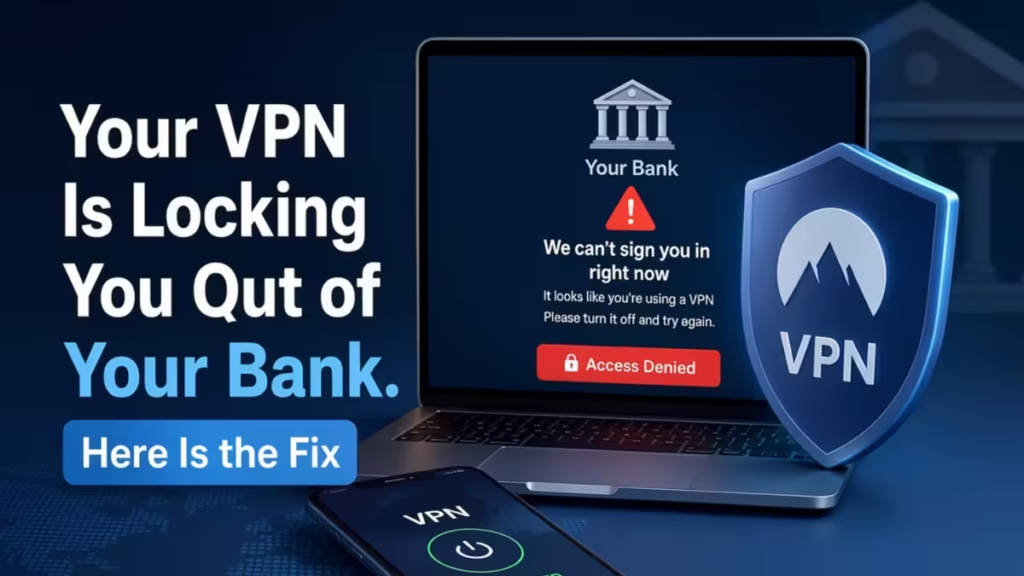
The fix is not to turn off your VPN entirely. That exposes everything else you are doing on the same network. VPN split tunneling gives you a smarter middle ground: you keep your banking connection running through your regular ISP while everything else stays encrypted through the VPN.
This guide explains how split tunneling works, how to set it up for banking, when to use a VPN for financial activity, and what features matter most in a banking-focused VPN.
Why Banks Block VPN Traffic
Banks do not block VPNs out of stubbornness. Their fraud systems flag VPN connections for two specific reasons.
- Shared IP addresses: When you connect to a standard VPN server, you share that IP with potentially hundreds of other users at the same time. Your bank’s detection engine sees a flood of logins from a single address and treats it as a coordinated attack. Even if your credentials are correct, the pattern triggers an alert.
- Location mismatch: If your billing address is in Chicago but your login comes from a VPN server in Frankfurt, your bank flags it as a potentially unauthorized foreign login. Fraud systems are designed to treat unusual geographic patterns as a threat signal.
Banks that are known to block or regularly flag VPN connections include Ally Bank, which publicly states it does not allow VPN logins, as well as HSBC and PayPal. Chase and Bank of America are more lenient but still flag traffic from high-volume shared IPs.
Since bank policies change, always check your bank’s support pages for their current stance before you connect.
What Is VPN Split Tunneling
Split tunneling routes specific traffic through the VPN while sending the rest directly through your local ISP connection.
For banking, this matters because your bank’s website and app already use HTTPS and TLS encryption. That encryption handles data security between your device and the bank’s servers. Routing banking traffic outside the VPN does not leave your credentials unprotected. It simply lets your bank see your real, local IP address instead of a shared VPN server IP.
The trade-off is visibility. Any traffic you route outside the VPN is no longer encrypted by the VPN layer, and your ISP can see it. For banking apps that already enforce HTTPS, this is an acceptable trade-off. For everything else, the VPN continues to protect you.
In practice, split tunneling means you can check your balance or pay a bill without triggering fraud alerts, while your browser activity, streaming, and general web traffic stay encrypted through the VPN tunnel.
App-Based vs URL-Based Split Tunneling
VPN split tunneling comes in two forms, and knowing the difference helps you choose the right setup.
App-based split tunneling assigns entire applications to either the VPN tunnel or the standard ISP connection. You add your banking app to the exclusion list, and every connection that app makes goes through your regular network. Everything else still routes through the VPN. This is the simpler option and works well when you use a dedicated banking app.
URL-based split tunneling routes traffic based on the destination domain. Instead of excluding an entire app, you exclude your bank’s specific domain. This gives you finer control. For example, you can exclude chase.com while keeping all other browser traffic encrypted. The downside is that URL-based routing is more complex to configure and not available in every VPN client.
For most users, app-based split tunneling is the faster and more reliable choice.
How to Set Up Split Tunneling for Banking
The exact steps depend on your VPN provider, but the general process follows the same pattern across most desktop and Android apps.
On Windows or Android:
- Open your VPN app and go to Settings or Preferences.
- Find the Split Tunneling or Connection section.
- Switch the mode to Exclusive Mode (sometimes labeled “App Exclusions” or “Bypass VPN”).
- Add your banking app or your bank’s domain to the exclusion list.
- Reconnect to your VPN server.
Once configured, your banking app connects through your regular ISP while the VPN continues to encrypt all other traffic.
Using a browser extension:
If your VPN has a browser extension, locate the Allowlist or Bypass settings in the extension panel. Add your bank’s domain to that list. The extension will skip the VPN tunnel for that domain automatically.
Always test the setup after configuring it. Log into your bank account while the VPN is active. If you connect without CAPTCHA loops or lockouts, split tunneling is working correctly.
iOS and macOS Limitations
Split tunneling works reliably on Windows and Android. Apple platforms are a different story.
iOS and macOS enforce strict network architecture rules that restrict or completely block native split tunneling. Most VPN apps cannot implement app-based or URL-based exclusions on Apple devices at the system level. This is a platform limitation, not a VPN provider issue.
If you use a Mac or iPhone as your primary banking device, your options are more limited. The practical workaround is to use a separate browser for banking without the VPN active, while keeping the VPN running for all other traffic. This is less elegant than true split tunneling but achieves the same outcome on unsupported platforms.
Some VPN providers are working on partial workarounds for macOS, so check your provider’s latest release notes for updates.
Other Ways to Stop Bank Lockouts While Using a VPN
Split tunneling is the most reliable fix, but two additional strategies reduce lockouts even when you keep banking traffic inside the VPN tunnel.
- Use a static IP: The core reason banks flag VPN connections is shared IP addresses. A static IP assigns a dedicated address to your account. Your bank sees the same IP every time you log in, which looks like consistent, familiar behavior instead of a red flag. Static IPs are typically a paid upgrade with most VPN providers, but they eliminate the most common cause of fraud alerts entirely.
- Connect through your home country: Always use a VPN server in the country where your bank account is registered. If you have a US bank account, connect through a US server even when traveling abroad. Your bank sees a domestic IP address instead of a foreign one, which keeps the fraud detection system from flagging the login as suspicious.
Avoid switching between server locations during a single banking session. Rapid logins from different regions within a short window look like account takeover activity to automated systems.
When You Actually Need a VPN for Banking
A VPN is not always necessary for banking, but there are situations where skipping one creates real risk.
On public Wi-Fi: Coffee shops, airports, hotel lobbies, and libraries are the most common environments for credential theft. Attackers set up fake Wi-Fi hotspots that look identical to the real network. When you connect to one of these and access your bank, an attacker can capture your session data in real time through a man-in-the-middle attack.
HTTPS protects your data once it reaches your bank’s server, but SSL stripping attacks can intercept your request before an encrypted connection forms. A VPN blocks this by encrypting your traffic the moment it leaves your device. To understand the full range of threats a VPN addresses, read how to use a VPN to protect yourself from hackers and scammers.
When traveling internationally: Foreign IP addresses trigger aggressive fraud detection at most banks. If you are traveling and try to access your domestic bank account from a foreign network without a VPN, expect identity verification steps or a temporary lockout. Routing your connection through a server in your home country prevents this.
When your ISP is monitoring your activity: Even on a home network with HTTPS, your ISP can see which sites you visit, how often you log in, and when you access financial services. In many countries, ISPs can legally sell that behavioral data to third parties. A VPN hides that pattern from your ISP entirely.
On mobile networks: Banking apps are just as exposed as browsers on untrusted networks, and smartphones often auto-connect to saved networks without prompting. A mobile VPN encrypts all app traffic across the board, including banking apps.
What to Look for in a VPN for Banking
Not every VPN handles banking use cases well. These features matter most.
AES-256 encryption: This is the current industry standard for VPN encryption. Any provider that does not use it is not a serious option for financial activity.
A verified no-logs policy: Your VPN should not track the same financial habits you are trying to keep away from your ISP. Look for providers with independently audited, court-tested no-logs policies. For help evaluating this, read how to choose a no-logs VPN.
A kill switch: If your VPN connection drops mid-session, a kill switch blocks all non-VPN traffic immediately. Without one, your real IP leaks for a few seconds during reconnection. Some providers implement this as a system-wide firewall that blocks all non-VPN traffic rather than just terminating the session.
Split tunneling support: This is non-negotiable if banking lockouts are a recurring problem. Confirm that the provider supports split tunneling on your specific operating system before purchasing.
Phishing protection at the DNS level: Some VPN providers include DNS-level blocklists that stop known phishing domains from loading. If you accidentally click a fake banking security alert, this feature can prevent the page from loading before it gets a chance to steal your credentials.
It is also worth remembering that using a VPN does not protect you from every type of cyberattack. A VPN encrypts your connection, but it cannot stop phishing emails, malware, weak passwords, or social engineering. Treat it as one layer in a broader security approach, not a complete solution on its own.
Avoid Free VPNs for Banking
Free VPNs are a serious risk for banking activity. Studies have found that a large percentage of free Android VPN apps leak user data, and some free browser extensions have been caught screenshotting active browsing sessions, including banking pages.
Most free VPNs cut corners on encryption, log your activity, and monetize your data by selling it to third parties. That defeats the entire purpose of using a VPN for financial security.
If cost is the deciding factor, look for a reputable provider with a free tier that uses the same encryption and privacy policies as the paid version. Avoid any free service that does not publish an independently audited privacy policy.
Online Banking Safety Habits Beyond a VPN
A VPN encrypts your connection, but it cannot protect you from every threat. These habits layer additional protection on top of your VPN.
- Use a password manager: Generate unique, complex passwords for every financial account. Reusing passwords across sites is one of the most common ways banking accounts get compromised.
- Enable two-factor authentication: 2FA means a stolen password alone is not enough to access your account. Use an authenticator app rather than SMS where possible.
- Use only official sources: Never click links in emails or texts to log into your bank. Go directly to the bank’s app or type the URL manually.
- Keep your OS and banking apps updated: Security patches close vulnerabilities that attackers actively target. Delayed updates leave known exploits open.
- Enable real-time transaction alerts: Your bank can notify you the moment an unusual transaction occurs. Catching it early limits the damage.
- Log out after every session: Closing a browser tab does not end your banking session. Always log out manually to clear active session tokens.
A VPN handles the network layer. These habits handle the human layer, which is where most banking fraud actually starts.
Frequently Asked Questions
Why does my bank keep blocking my VPN connection?
Banks flag VPN traffic because you share a server IP with hundreds of other users. Their fraud detection sees a flood of logins from one address and treats it as a botnet attack. Switching to a static IP or using split tunneling to route banking traffic outside the VPN fixes this immediately.
Should I turn off my VPN to access online banking?
No. Turning off your VPN exposes all your other traffic on the same network. Use split tunneling instead. It routes just your banking app or domain through your regular ISP connection while keeping everything else encrypted through the VPN.
Does split tunneling weaken my banking security?
No. Your bank already uses HTTPS and TLS encryption on every connection. Routing banking traffic outside the VPN does not leave your credentials unprotected. It simply lets your bank see your real local IP instead of a shared VPN address, which stops fraud alerts without removing any meaningful protection.
Does VPN split tunneling work on iPhone?
Not reliably. Apple’s network architecture blocks native split tunneling on iOS and macOS. Most VPN apps cannot implement app-based or URL-based exclusions at the system level on Apple devices. The workaround is to disable your VPN only for banking sessions and only on a trusted home network, never on public Wi-Fi.
Is a free VPN safe for online banking?
No. Most free VPNs log your activity and sell your data to third parties. Some free browser extensions have been caught screenshotting active banking sessions. Free VPNs also cut corners on encryption. For banking, use a paid provider with an independently audited no-logs policy and AES-256 encryption.

