Chrome now runs only Manifest V3 extensions, and that shift changed which privacy tools actually protect you. Google switched off the older Manifest V2 platform in 2025, so the full uBlock Origin and several other classic blockers no longer run in Chrome. The seven extensions below work on current Chrome builds and each one handles a different privacy job, so you can build a small stack without overlap.
How Manifest V3 Changed Privacy Extensions in Chrome
Manifest V3 limits how deeply an extension can inspect your traffic.
Older blockers used the webRequest API to check every network request as it happened and decide on the spot whether to stop it. Manifest V3 replaces that with declarativeNetRequest, where the extension hands Chrome a fixed rule list and Chrome does the blocking. This design protects your data from the extension itself, but it also means blockers react less to trackers that change URLs, hide behind first-party domains or inject scripts on the fly. Pick tools built for this model and you still get strong protection.
1. uBlock Origin Lite: Best Ad and Tracker Blocker for Chrome
uBlock Origin Lite replaces the full uBlock Origin for Chrome users and keeps its filter-list approach.
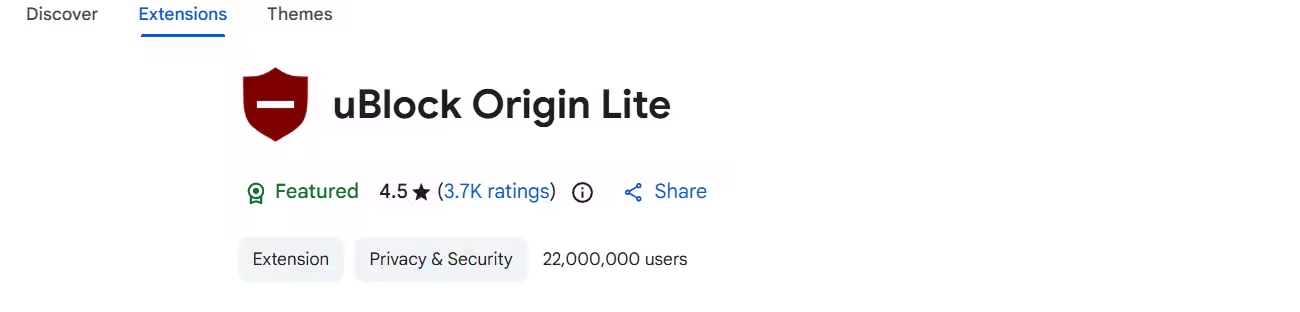
Raymond Hill, who created the original uBlock Origin, built this version from scratch for Manifest V3. It loads its filter lists as static rules, so it needs no background process running all the time. In its default Basic mode it asks for no permission to read or change data on the sites you visit, which makes it one of the lightest privacy tools in the Chrome Web Store.
You can raise the filtering level for a specific site when ads slip through, and the higher modes add cosmetic filtering that hides empty ad boxes and annoyance elements. It cannot match the dynamic filtering of the full uBlock Origin, but for everyday browsing it removes the bulk of ads and trackers.
Pros
- Same developer as the original uBlock Origin
- Very low permission footprint in Basic mode
- Light on memory and CPU
- Free and open source
Cons
- No dynamic filtering or custom real-time rules
- Misses some trackers that use cloaked first-party domains
- Cosmetic filtering needs broader permissions
2. Privacy Badger: Best for Blocking Unknown Trackers
Privacy Badger needs no filter list and no setup after you install it.
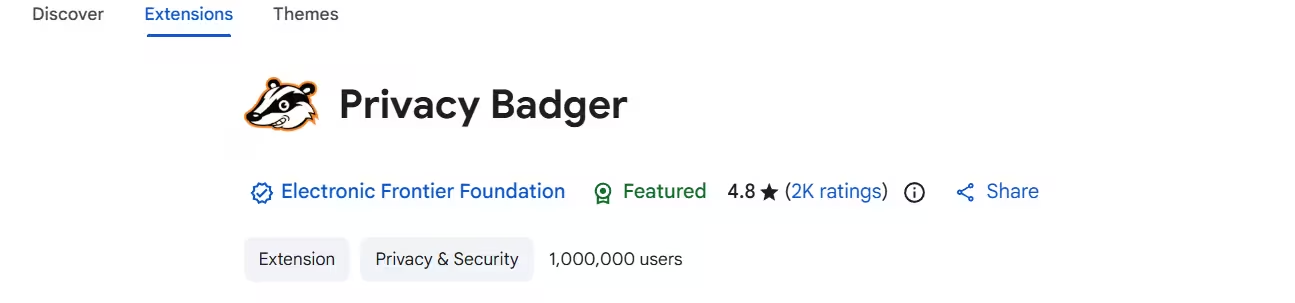
The Electronic Frontier Foundation maintains this extension. When a third-party domain shows up on several unrelated sites you visit, Privacy Badger treats it as a tracker and starts blocking it. Because it learns from real behavior, it can catch new tracking domains before list maintainers add them anywhere.
It also sends the Global Privacy Control signal, which tells sites you do not want your data sold or shared. Privacy Badger made the move to Manifest V3 without losing its core features, so it remains one of the most useful installs for anyone who stays on Chrome. Run it next to uBlock Origin Lite and the two cover both known and newly spotted trackers.
Pros
- Detects unknown trackers through behavior
- Sends Global Privacy Control automatically
- Built by a trusted nonprofit
- Works fine alongside a content blocker
Cons
- Does not focus on hiding visible ads
- Needs some browsing time before it blocks much
- Can occasionally break embedded widgets
3. DuckDuckGo Privacy Essentials: Best All-in-One Privacy Extension
DuckDuckGo Privacy Essentials shows a privacy grade for every site you open.
This extension blocks third-party trackers using DuckDuckGo's open Tracker Radar data, upgrades connections to HTTPS, handles cookie consent popups and sends Global Privacy Control. Click its icon and you see a privacy grade for the current site along with the trackers it stopped.
It suits people who want decent protection without setting up multiple tools. Keep in mind that installing it switches your default search engine to DuckDuckGo, though you can change that back in Chrome settings.
Pros
- Tracker blocking, HTTPS upgrades and consent handling in one tool
- Per-site privacy grades
- Easy for beginners
- Free
Cons
- Changes your default search engine on install
- Fewer settings than dedicated blockers
- Weaker ad blocking than uBlock Origin Lite
4. Ghostery: Best for Seeing Who Tracks You
Ghostery turns hidden tracking into a dashboard you can read.
Open the Ghostery panel and it lists trackers by name, company and category, such as analytics, advertising or social media. You can block a single tracker, trust it on one site, or let Ghostery decide through its automatic blocking mode. The extension also removes ads and dismisses cookie banners.
Ghostery rebuilt its extension for Manifest V3, and the free version covers blocking for most users. A paid plan adds deeper tracker statistics if you want to audit what each site runs in the background.
Pros
- Clear view of each tracker and its owner
- Per-tracker and per-site control
- Built-in ad blocking and cookie banner removal
- Open source
Cons
- Heavier interface than uBlock Origin Lite
- Detailed insights sit behind a paid plan
- Overlaps with other blockers, so avoid running it next to one
5. Malwarebytes Browser Guard: Best for Blocking Scam and Malware Sites
Malwarebytes Browser Guard protects you from the sites that trick you, which tracker blockers do not cover.
The extension checks each page you open and blocks known phishing pages, tech support scams, malware downloads and credit card skimmers before the page loads. It also strips some ads, pop-ups and trackers, but treat that as a bonus and keep a dedicated blocker for the main work.
Privacy and security overlap more than most people expect. A fake login page or a scam pop-up can hand over your data in seconds, no matter how many trackers you block. Browser Guard fills that gap with a free version that needs no account.
Pros
- Blocks phishing, scam and malware sites
- Stops browser lock and fake tech support pages
- Free version covers the core protection
- Runs alongside other privacy extensions
Cons
- Ad and tracker blocking is weaker than a dedicated blocker
- Prompts you to upgrade to a paid plan
- Does not stop first-party tracking
6. Consent-O-Matic: Best for Auto-Rejecting Cookie Banners
Consent-O-Matic saves you from clicking through the same popup on every new site.
Researchers at Aarhus University built this tool to deal with the endless cookie popups on European and US sites. You pick which cookie categories you accept, and the extension fills out each banner accordingly, usually rejecting non-essential tracking. It understands the IAB consent framework that most big publishers use.
Unlike a blocker that hides the banner, Consent-O-Matic actually records your refusal with the site, so the site gets a real "no" for marketing and analytics cookies.
Pros
- Rejects non-essential cookies automatically
- Saves time on every new site
- Records a real consent choice instead of hiding the popup
- Free and open source
Cons
- Does not block trackers or ads
- Misses some custom-built consent banners
- Overlaps with consent features in DuckDuckGo and Ghostery
7. NoScript: Best for Blocking JavaScript Tracking
NoScript is the strictest tool on this list.
Most tracking and fingerprinting relies on scripts, so stopping them cuts off a huge share of data collection. NoScript also guards against clickjacking and cross-site scripting attacks. You allow scripts per domain, either for the session or permanently, and the extension remembers your choices.
The Tor Browser ships with NoScript, which shows how strong its security model is. The trade-off is effort: many modern sites need JavaScript to work at all, so expect to approve domains often during the first few days.
Pros
- Shuts down script-based tracking and fingerprinting
- Protects against clickjacking and XSS
- Fine-grained per-domain control
- Free and open source
Cons
- Breaks many sites until you allow scripts
- Needs regular manual approvals
- Too strict for casual users
Which Chrome Privacy Extensions Should You Use Together?
A small, focused set of extensions protects you better than a long list.
Every extension you add is more code with access to your browsing, and an unusual mix of add-ons can make your browser easier to fingerprint. Two overlapping blockers also slow pages and fight over the same rules. Use these combinations as a starting point:
- Most users: uBlock Origin Lite, Privacy Badger and Malwarebytes Browser Guard
- Beginners who want one tool: DuckDuckGo Privacy Essentials on its own
- People who like to see trackers: Ghostery plus Privacy Badger and Consent-O-Matic
- High-risk browsing: uBlock Origin Lite, Privacy Badger and NoScript
Before you install anything, tighten Chrome itself. Go to Settings > Privacy and security, block third-party cookies, turn off Ad topics and Site-suggested ads, and enable Use secure DNS.
Is Firefox or Brave Better Than Chrome for Privacy?
Extensions on Chrome cannot fully close the gap that Manifest V3 opened.
If privacy matters more than staying in Google's ecosystem, Firefox still supports the full uBlock Origin and adds Multi-Account Containers to isolate sites from each other. Brave blocks ads, trackers and fingerprinting natively through Shields and also offers the full uBlock Origin. Either browser gives you stronger protection with fewer add-ons than Chrome can.
Frequently Asked Questions
Does the full uBlock Origin still work on Chrome?
No. The full uBlock Origin depends on Manifest V2, which current Chrome versions no longer run. Install uBlock Origin Lite on Chrome, or switch to Firefox or Brave to keep the full version.
Is Privacy Badger an ad blocker?
Not mainly. Privacy Badger targets invisible trackers that follow you across sites. It removes some ads as a side effect, but you need a content blocker like uBlock Origin Lite to clear visible ads.
Can I run uBlock Origin Lite and Ghostery together?
You can, but you should not. Both block ads and trackers, so running them together causes rule conflicts, slower pages and broken sites. Pick one and pair it with tools that do different jobs.
Do privacy extensions slow down Chrome?
A good blocker usually speeds Chrome up, because ads and tracking scripts never load. Slowdowns come from stacking many extensions that do the same thing.
Are Chrome privacy extensions safe to install?
The seven tools here come from known developers and most are open source. Be careful with unknown "privacy" extensions that ask for broad permissions, since some collect the very data they claim to protect. Check the developer, recent updates and requested permissions before you install.
Do I still need a VPN if I use these extensions?
They solve different problems. Extensions stop trackers inside your browser, while a VPN hides your IP address from sites and your traffic from your internet provider. Use both if you want coverage on both fronts.