Microsoft pushed Windows 11 Insider Preview Build 29695.1001 to the Experimental (Future Platforms) channel on October 23, 2026. This flight brings one headline accessibility feature for Magnifier, tweaks to parental control messaging, and a batch of fixes for networking, Hyper-V, and VMware users who ran into trouble on recent builds.
Windows 11 Build 29695.1001 Release Channel and Availability
Only devices enrolled in the Experimental channel on the Future Platforms track receive this build.
Microsoft released it alongside several other flights the same day, including Beta Build 26220.9757 and Experimental Build 26340.9767, plus 26H1 builds 28020.3292 and 28120.3302. Future Platforms builds track early platform work, so Microsoft does not tie them to any specific Windows release. Features here can change, disappear, or never ship to the general public.
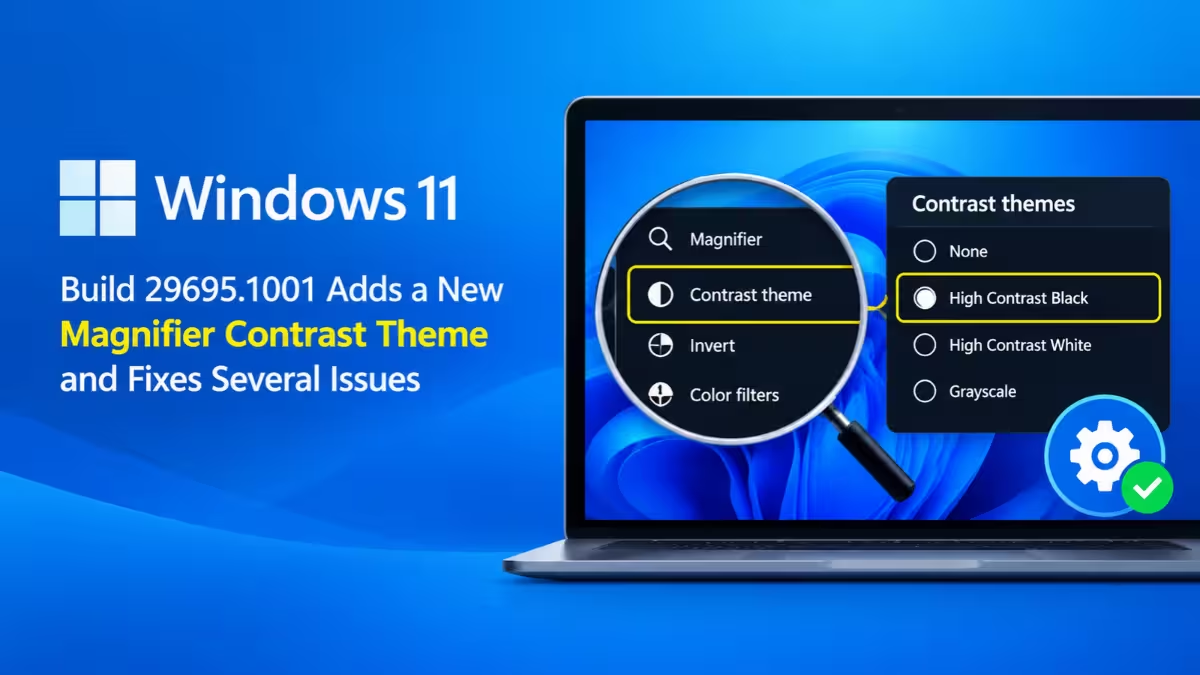
New Magnifier Contrast Theme in Windows 11 Reduces Screen Glare
The new Magnifier toggle darkens the Windows interface while leaving your images, videos, and charts untouched.
Many people with light sensitivity turn on color inversion to tame a bright screen. That approach flips every color on the display, so a photo of a sunset or a sales chart ends up looking strange and hard to read. The contrast theme solves that problem by recoloring only the interface elements. Visual content keeps its true colors.
Here is how the feature works:
- Toolbar toggle: You switch the contrast theme on or off with one click from the Magnifier toolbar.
- Default theme: Windows applies the dark contrast theme unless you pick another one.
- Theme choice: You can change which theme the toggle uses from Settings > Accessibility > Magnifier.
- Inversion stays: Color inversion still exists and behaves exactly as before. Microsoft built the contrast theme as a separate option, not a replacement.
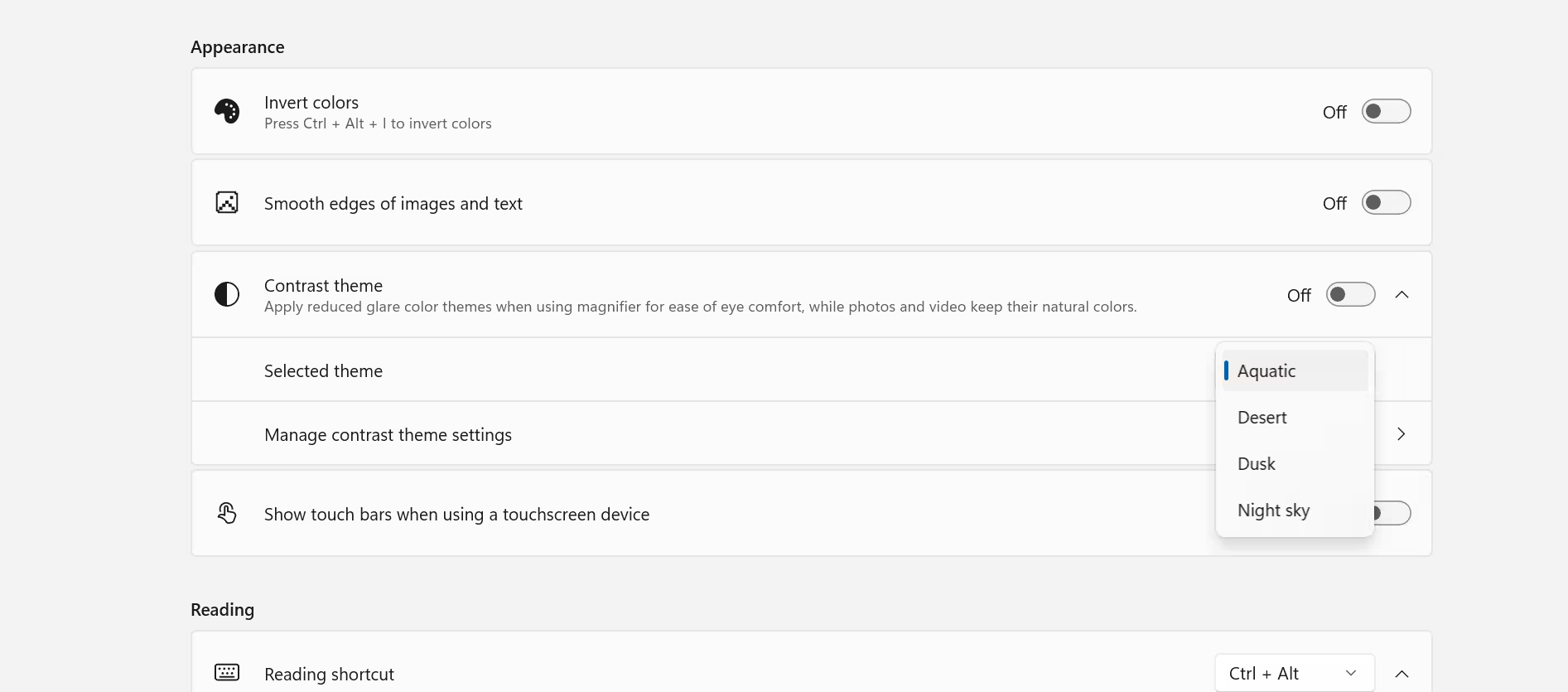
Microsoft rolls this feature out gradually through Controlled Feature Rollout, so some Insiders may not see the toggle right away even after installing the build.
Family Safety and Parental Controls Changes in Windows 11 Setup
Microsoft also refined how Windows explains parental controls to families.
When age-based parental controls block an app, Windows now shows clearer messages about why the block happened. During Windows setup, the installer gives families better details about the parental controls on offer and whether they apply, so parents can decide on protections from the first boot.
Windows 11 Build 29695.1001 Fixes: Internet, Hyper-V Plan9 and VMware PFN_SHARE_COUNT
This flight addresses several problems that Insiders reported after the previous two builds.
| Area | What Microsoft Fixed |
|---|---|
| Network | Internet access stopped working for some Insiders after the last two flights |
| Hyper-V | Apps using HCS-managed virtual machines could not see or open host folders shared to Linux VMs through Plan9 |
| ESENT | Some systems logged an unusually high number of ESENT events after recent flights |
| VMware | Insiders running VMware hit frequent green screen crashes with the PFN_SHARE_COUNT error |
The networking and VMware fixes matter most for anyone who held off on recent Future Platforms builds because of connectivity drops or repeated crashes inside virtualized setups.
Known Issue: Recall Missing or Not Opening on Copilot+ PCs
Microsoft lists one open problem that affects clean installs on Copilot+ hardware.
After a clean install of Build 29695.1001, Recall may not appear at all or may fail to open on some Copilot+ PCs. Microsoft says it is working on a fix and plans to share an update. If you rely on Recall, consider an in-place upgrade instead of a clean install until Microsoft resolves the issue.
How to Download and Install Windows 11 Build 29695.1001
You can get this build through Windows Update or by installing it from an ISO file.
To install it through Windows Update:
- Open Settings and go to the Windows Insider Program page.
- Join the Experimental channel and select the Future Platforms version.
- Go to Windows Update and turn on Get the latest updates as soon as they're available.
- Click Check for updates and let Windows download and install the build.
If you prefer a clean install or want to set up a test machine, grab the ISO from the Windows Insider Preview Downloads page. Microsoft keeps specific builds there only for a limited time.
Expect instability on this channel. Experimental builds can ship with limited documentation, show a desktop watermark, and include features that are not fully localized, so run them on a secondary device rather than your main PC. You can read the full change list in Microsoft's official release notes.
Frequently Asked Questions
What is new in Windows 11 Build 29695.1001?
The build adds a contrast theme toggle to Magnifier that reduces glare without changing the colors of photos, videos, and charts. It also improves parental control messaging and fixes internet, Hyper-V, ESENT, and VMware issues.
Does the Magnifier contrast theme replace color inversion?
No. Color inversion remains available and works the same way. The contrast theme gives you a separate way to darken the interface while keeping media colors accurate.
How do I change the Magnifier contrast theme?
Open Settings > Accessibility > Magnifier and pick the theme you want the toggle to use. Windows uses the dark theme by default.
Why is Recall missing after I installed Build 29695.1001?
Microsoft confirmed a known issue where Recall may be missing or fail to launch on some Copilot+ PCs after a clean install of this build. A fix is in progress.
Should I install Future Platforms builds on my main PC?
Microsoft labels these builds as early and potentially unstable, with features that may never reach the public. A spare PC or a virtual machine is a safer place to test them.