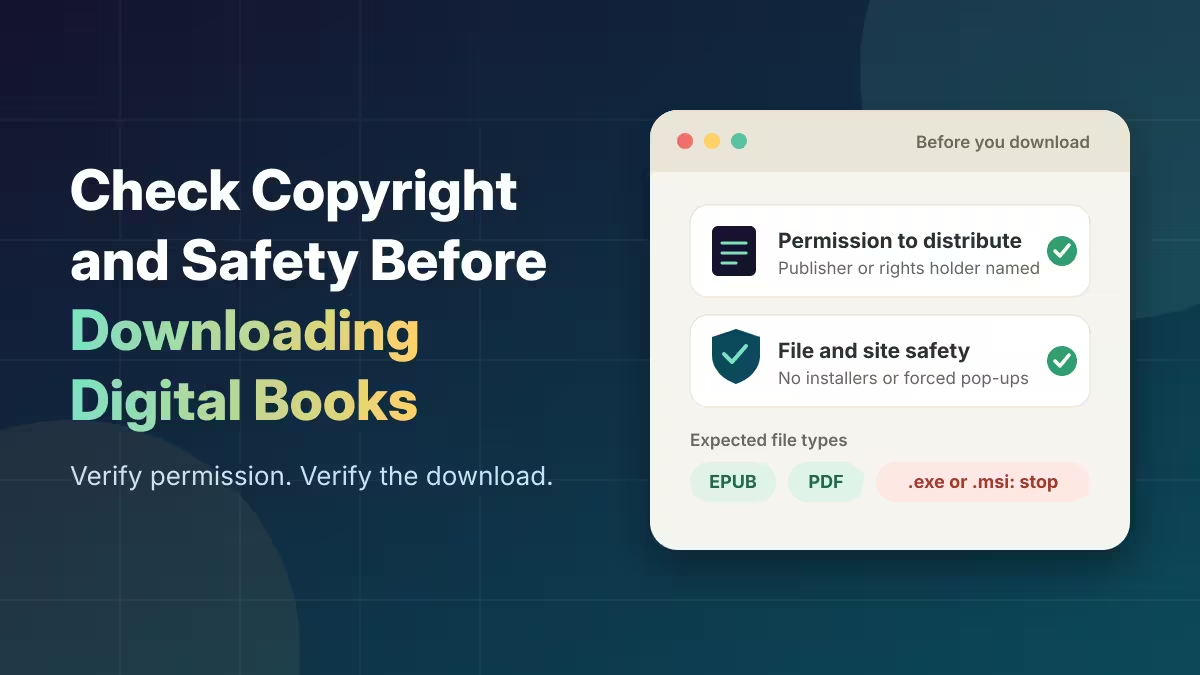
A digital book is authorized to download only when two separate questions have satisfactory answers: does the distributor have permission to offer this title, and does the download process appear free of obvious security risks? A site’s name, polished design or free access proves neither. Check both before opening a file.
Check whether a Z library source is authorized to distribute the book
A platform can host legitimate titles and still lack permission to distribute a particular one. Check the operator’s legal name and contact details, then match the exact title, edition or translation against the publisher’s catalog. Look for licensing information that names the distributor and explains its rights for that title or collection. The site’s terms should identify the responsible organization and describe those distribution rights. A generic copyright notice is not proof.
Compare the claim with information from the author, publisher, rights holder, recognized bookseller or public library. If the named distributor cannot be confirmed through those sources, treat ownership as unresolved. A “Free library” label is not a license. Copyright duration and exceptions vary by jurisdiction, and editions, translations and illustrations can have separate rights.
Assess file and website risks before downloading
A legitimate library or bookseller may require an identifiable account, limited personal information or an official reading app. Unrelated installers, browser extensions, requests to disable security protections, or excessive data demands are warning signs. Be wary of multiple prominent “Download” buttons, pop-ups and forced redirects. They can redirect users to aggressive advertising, phishing pages or malicious downloads.
A domain such as z-lib.me is an example readers may encounter. Do not log in, download files or provide information merely because this link appears here. The address itself says nothing conclusive about safety or authority to distribute a title. Judge the specific page and download, not its search ranking or branding.
Before opening a file, examine its extension. EPUB and PDF are common book formats; an unexpected .exe, .msi or similar installer is a reason to stop. File extensions can be disguised, and a security-software scan is only a screening step. Keep device protections enabled, avoid reusing passwords, and leave an unfamiliar site rather than supplying sensitive information.
Choose legitimate ways to get free books
Free access can take different forms. Public library digital lending is usually a time-limited loan and may require local eligibility, an account, a supported device or an approved app. An author or publisher promotion may end, while a sample may contain only part of a book. A permanent public-domain download should come from an established collection whose rights information covers the specific work and version in your jurisdiction. Check each service’s eligibility and usage terms.
Confirm a title through the library, publisher or author rather than relying on a site’s branding. A legitimate source should make the access model and responsible organization identifiable.
Decide what to do when a book source is unclear
Verify authorization separately from technical safety, and stop when either remains unresolved. Search the title in a library catalog or on the publisher’s or author’s official site. If licensing information is absent or vague, do not rely on the download as authorized. That uncertainty does not by itself establish infringement; only applicable rights holders or legal authorities can determine infringement in a specific dispute. Choose a confirmed loan, sample or purchase option, and leave the uncertain download untouched.