Your app can disappear from Google Play overnight because of a copyright complaint, and the first notice you see is usually a suspension email. This guide covers why Google Play removes apps after a complaint, what a complaint can and cannot cover, how to appeal, how to file a counter-notice and how long reinstatement takes.
What Is a Google Play DMCA Suspension?
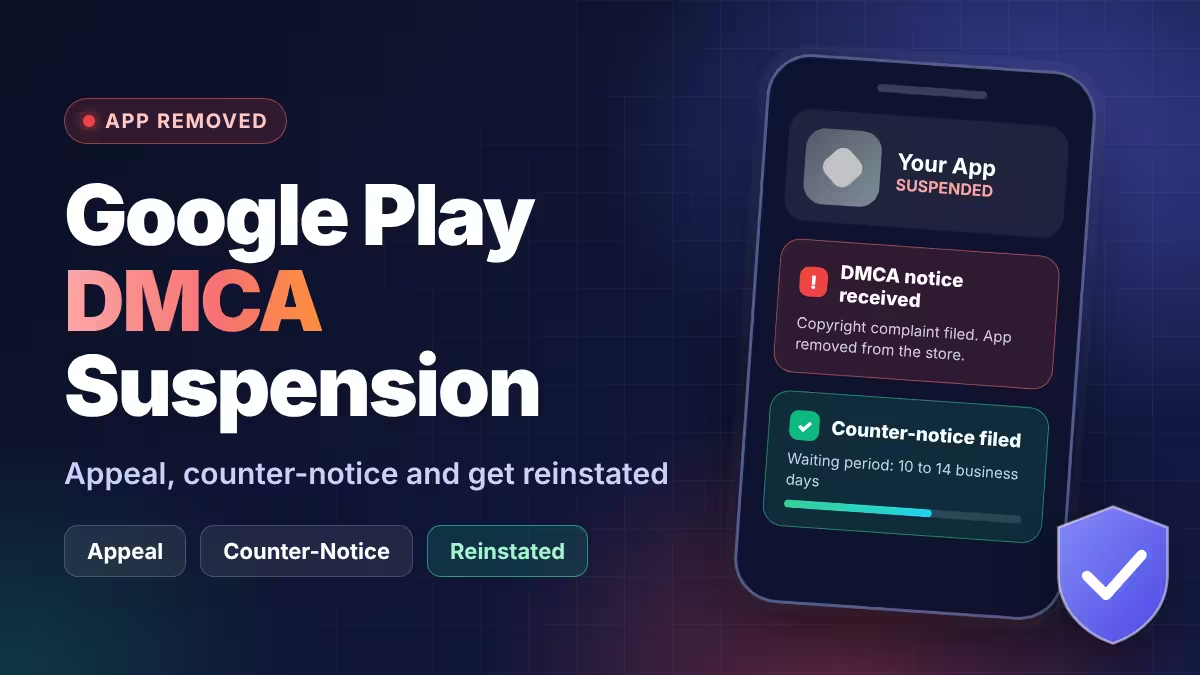
A DMCA suspension happens when someone files a copyright complaint against your app and Google Play removes it before anyone decides whether the claim is valid.
The Digital Millennium Copyright Act (DMCA) is a US law that sets a notice-and-takedown process for platforms. When a complaint arrives with the required elements, Google Play typically takes the app down first and leaves the developer to respond afterward. Competitors, rights holders and automated enforcement firms all use this route, and some of those complaints are mistaken or exaggerated.
You usually learn about it through an email that states the app was removed after a copyright notice. That email explains how to appeal and how to send a counter-notification.
Google Play Copyright Policy: What Counts as Infringement
Google Play bans apps and developer accounts that infringe copyright, trademark, patents, trade secrets and other proprietary rights.
The Google Play Intellectual Property policy requires every asset in your app and store listing to be your own work or properly licensed. It lists examples that cause problems:
- Album, game and book cover art
- Marketing images from movies, TV shows and games
- Professional sports team logos
- Fan art that looks identical to the original
- Soundboards that play copyrighted clips
Changing a copyrighted asset does not automatically make it safe, and Google can ask you to prove you hold the rights. If you have written permission to use someone else's brand or assets, contact the Google Play team before you submit the app.
Can Similar Game Mechanics Trigger a Google Play DMCA Takedown?
Copyright protects the specific expression in your app, such as artwork, 3D models, code, text and audio. It does not protect ideas, concepts or the way a system works.
US copyright law excludes ideas, procedures, processes and methods of operation from protection (17 U.S.C. 102(b)). That is why a complaint based only on similar gameplay or a similar core concept faces a hard road in court. Courts still look at the whole picture, though, and a copied UI layout, copied text or copied assets can cross the line.
| Usually claimable | Usually not claimable on its own |
|---|---|
| Copied artwork, icons and screenshots | A shared game concept |
| Copied 3D models without a license | Similar game mechanics |
| Copied code, text or audio | A similar overall genre or niche |
| Copied UI designs that match closely | Common UI flows used across the category |
A complaint that fails in court can still take your app offline for weeks, so you need to act as if the claim is valid until Google lifts the suspension. Free-to-download assets also carry license terms. A 3D model on a public marketplace may be free to view but not free to use commercially, so check the license of every asset you did not make.
What Happens to Your App and Developer Account After a DMCA Takedown
Google removes the app and records the action against your developer account.
Google's enforcement rules say suspensions count as strikes, and multiple strikes can lead to termination of related accounts. They also say an enforcement action stays in effect unless an appeal is granted. A single copyright takedown does not end your account, but repeated ones can, so treat each notice seriously even when you believe the claim is wrong.
How to Appeal a Google Play DMCA Suspension
The Play Console appeal is the first step, and it often fails fast.
- Open the suspension email and follow the appeal link.
- Explain which assets in the app belong to you and why the complaint is mistaken.
- Attach proof of ownership or licenses if the form allows it.
- Submit the appeal and save the confirmation.
Developers report that these appeals often come back rejected within minutes or hours, because the appeal checks policy compliance and does not resolve a legal dispute. A rejection does not end your options. The DMCA counter-notification is a separate legal process that runs in parallel.
How to File a DMCA Counter-Notice on Google Play
A counter-notice is a formal statement, made under penalty of perjury, that your app was removed by mistake or misidentification.
Use the counter-notification link in your suspension email, since it carries the details of your case. Section 512(g)(3) of the DMCA statute requires these elements:
- Your physical or electronic signature.
- Identification of the removed app and where it appeared before removal.
- A statement, under penalty of perjury, that you believe in good faith the app was removed by mistake or misidentification.
- Your name, address and phone number.
- Consent to the jurisdiction of the federal district court for your address, or for any district where Google can be found if you live outside the US.
- Agreement to accept service of process from the complainant.
Your contact details can reach the complainant, because Google forwards the counter-notice to them. Do not file one unless you honestly believe the claim is wrong. Anyone who knowingly misrepresents that material was removed by mistake faces liability for damages under section 512(f), including attorney fees. If the dispute is serious, talk to a lawyer before you sign.
How Long Does Google Play Take to Reinstate an App After a Counter-Notice?
The legal waiting period is 10 to 14 business days, and it starts when Google receives your counter-notice.
Under section 512(g)(2), the platform restores the app within that window unless the complainant tells Google they have filed a lawsuit against you. If the complainant stays silent, the app returns.
Real timelines run longer than the statute suggests. Some developers report that Google took days to forward the counter-notice, and a few report waits of several weeks in total. Plan for the app to stay offline for at least two to three weeks, and keep a record of every date.
What Evidence to Prepare for a Google Play DMCA Counter-Notice
Build your evidence file the day the suspension arrives.
- Ownership records: Source files, design files, commit history and creation dates for your original assets.
- License proof: The license page, receipt or terms for every third-party model, sound or font you use.
- Side-by-side comparison: Screenshots of your app and the complainant's app that show the differences in UI, art and assets.
- Timeline: Release dates for both apps, if your app came first.
- Complaint copy: The notice text, so you can match each claim to a rebuttal.
If the complaint names only mechanics or a concept, say that in your counter-notice and point to the missing specific copied work. A DMCA notice must identify the copyrighted work and the infringing material, and a vague notice is a weakness you can raise.
What to Do If Your App Stays Suspended After a Counter-Notice
A lawsuit stops the automatic restoration, and a long delay calls for a different plan.
- Complainant files suit: Talk to an attorney immediately, because the counter-notice window no longer applies.
- Part of the claim is valid: Replace the disputed assets with original or properly licensed ones, then submit the cleaned version through the process in your suspension email.
- No response from Google: Contact Google Play Developer Support with your appeal ID and the date of your counter-notice.
Avoid republishing the same app under a new package name while the dispute is open. Google counts suspensions as strikes, and a quick workaround can add to the problem instead of ending it.
How to Prevent a Google Play DMCA Takedown
Most takedowns trace back to assets, not ideas, so clean assets are the best protection.
- Keep a license file for every third-party asset, with the source link and date.
- Replace marketplace assets that only allow personal use.
- Use original artwork for your icon, feature graphic and screenshots.
- Avoid names, logos and art that resemble a competitor's brand, since they can also break the impersonation policy.
- Keep your developer contact details current, including your trader status where it applies, so a rights holder can reach you before filing.
Frequently Asked Questions
Can Google remove my app without asking me first?
Yes. Google Play typically removes the app when it receives a complete DMCA notice, then emails you the appeal and counter-notice options.
Can a competitor get my app removed for having similar gameplay?
A claim based only on a shared concept or mechanics is weak under US copyright law, but it can still cause a temporary takedown. Filing a counter-notice is the route to challenge it.
Should I appeal and file a counter-notice at the same time?
Many developers do both on the same day. The appeal covers Google's policy review, and the counter-notice starts the legal reinstatement clock.
Do I need a lawyer to file a counter-notice?
You can file without one, since the form follows the statute. A lawyer helps when the complainant is a large company, when the claim involves your core assets, or when a lawsuit looks likely.
Will my other apps be removed too?
Not automatically. Suspensions count as strikes against your account, though, and multiple strikes can lead to termination of related accounts.
Will the app come back on its own?
It returns after the counter-notice window if the complainant does not file a lawsuit, but the restoration is not always instant, so follow up with Google Play support if the date passes.
Related Guides
- Google Play Account Deletion URL: What to Add If Your App Has No Login
- Google Play Trader Status: How to Declare It, Who Must Do It and What Goes Public
- Google Play Impersonation Policy: Why Apps Get Suspended, How to Fix Your Listing and Appeal
- Google Play Device and Network Abuse Suspension: Causes, Fixes and How to Appeal