The API Error 401 Unauthorized in Claude AI means the server rejected your request because it could not verify your credentials. This happens in the Claude API, Claude Code CLI, and third-party clients that connect through Anthropic's API. This guide covers every verified fix for each environment.
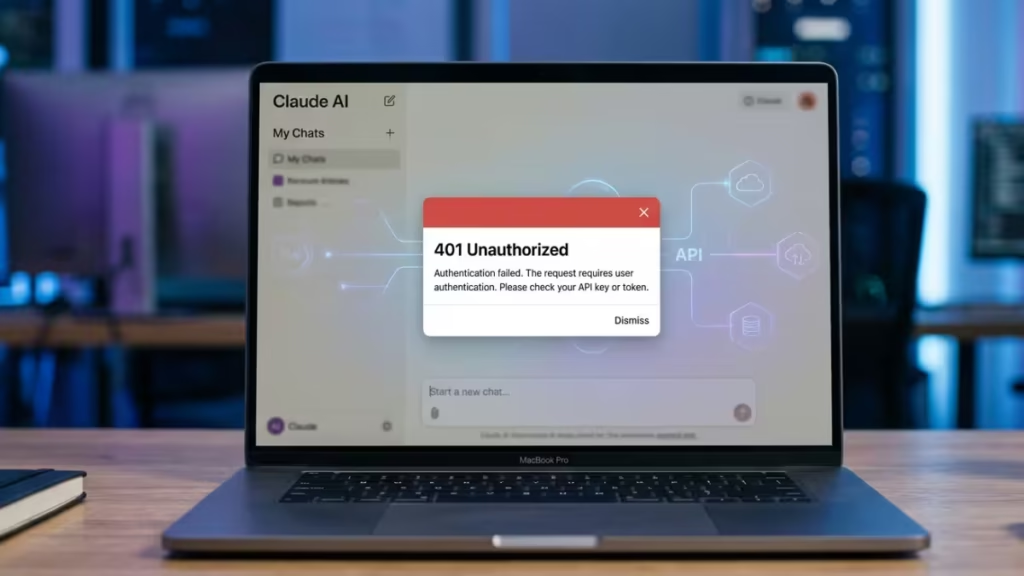
The error shows up in two common forms:
{"type":"error","error":{"type":"authentication_error","message":"Invalid authentication credentials"}}{"type":"error","error":{"type":"authentication_error","message":"invalid x-api-key"}}Both are authentication failures, but they come from different causes. The first often appears in the Claude Code CLI when your OAuth session expires. The second appears when your API key itself is wrong, missing, or revoked. Work through the fixes below based on which environment you use.
What Causes API Error 401 Unauthorized in Claude AI
- Invalid or mistyped API key: One wrong character breaks authentication
- Expired or revoked API key: The key no longer exists in your Anthropic Console
- Missing Authorization header: The request does not include the key at all
- Wrong header name: Using
Authorization: Bearerinstead ofx-api-key - Hidden whitespace in the key: Copy-pasting adds invisible spaces or line breaks
- Claude Code CLI login loop: The cached OAuth token expired and
/loginitself returns 401 - Base URL or proxy mismatch: Using an official Anthropic key against a third-party proxy endpoint
- Billing failure: A failed payment suspended your account access
- GitHub key exposure: Anthropic automatically revoked a key pushed to a public repository
- VPN or IP reputation block: Certain VPN exit nodes trigger auth failures before the key is even checked
- Exceeded usage quota: Your account hit its spending or rate limit
Quick Diagnostic Checklist
Before diving into fixes, run through this checklist to narrow down the cause:
- Claude Code CLI users: Does
/statusreturn the same 401 as running a prompt? - API users: Does your key start with
sk-ant-? - API users: Run a raw
curlrequest with the same key. Does it still fail? - Third-party client users (Cursor, Cherry Studio): Test the key directly in the Anthropic Console to isolate whether the key or the client is the problem.
- Enterprise users: Check with your admin whether the workspace has hit its spending limit or your user profile was disabled.
Fix 1: Verify Your API Key Is Correct
A mistyped or stale key is the most common cause of the 401 error.
- Go to console.anthropic.com and sign in.
- Click API Keys in the sidebar.
- Confirm the key you use matches one in the list.
- If you cannot verify it (Anthropic only shows the full key once), generate a new one.
- Copy the new key using the copy button, not by selecting manually.
- Paste it into your application immediately.
Never retype an API key by hand. Even one wrong character triggers a 401.
Fix 2: Check the Authorization Header Format
Claude uses a different header format from most AI providers. If you are migrating code from OpenAI or another API, this is a common mistake.
Correct headers:
x-api-key: YOUR_API_KEY
anthropic-version: 2023-06-01
Content-Type: application/json
Common wrong formats:
| Wrong | Correct |
|---|---|
Authorization: Bearer YOUR_KEY | x-api-key: YOUR_KEY |
API-Key: YOUR_KEY | x-api-key: YOUR_KEY |
x-api-key: "YOUR_KEY" (with quotes) | x-api-key: YOUR_KEY |
Python SDK (correct):
import anthropic

client = anthropic.Anthropic(api_key="YOUR_API_KEY")

message = client.messages.create(
    model="claude-opus-4-5",
    max_tokens=1024,
    messages=[{"role": "user", "content": "Hello"}]
)
Node.js SDK (correct):
import Anthropic from "@anthropic-ai/sdk";

const client = new Anthropic({ apiKey: "YOUR_API_KEY" });

const message = await client.messages.create({
  model: "claude-opus-4-5",
  max_tokens: 1024,
  messages: [{ role: "user", content: "Hello" }],
});
Fix 3: Remove Hidden Characters from the API Key
Copy-pasting from a PDF, email, browser, or terminal often adds invisible whitespace, trailing newlines, or Unicode characters that silently break the key string.
Python:
api_key = os.environ.get("ANTHROPIC_API_KEY", "").strip()Node.js:
const apiKey = process.env.ANTHROPIC_API_KEY?.trim();Inspect the key directly in your terminal:
echo -n "$ANTHROPIC_API_KEY" | cat -AIf you see ^M or extra $ symbols inside the key string, hidden characters are present. Re-export the key cleanly:
export ANTHROPIC_API_KEY="YOUR_API_KEY"Fix 4: Confirm the API Key Is Still Active
Keys can be deactivated without warning for several reasons.
- Open console.anthropic.com and go to API Keys.
- Check that your key appears in the list and shows as active.
- If the key is missing, it was deleted. Generate a new one and update every environment using the old key.
GitHub exposure auto-revocation: If you accidentally pushed your .env file or source code containing the API key to a public GitHub repository, Anthropic's automated security scanners detect and revoke that key immediately. Check your repository history if you suspect this happened. Generate a new key, rotate it everywhere, and add .env to your .gitignore going forward.
Fix 5: Check for Billing and Account Issues
Anthropic suspends API access when a payment fails or your prepaid credits hit zero.
- Go to console.anthropic.com/settings/billing.
- Check your credit balance and payment method status.
- If your card failed, update the payment method and allow a few minutes for reactivation.
- If you use prepaid credits, add more credits to restore access.
- Check your email for any account suspension notice from Anthropic.
Fix 6: Set the API Key as an Environment Variable
Hard-coding a key in source code is a security risk and a common cause of 401 errors in deployed environments where the variable is not available.
Linux / macOS:
export ANTHROPIC_API_KEY="YOUR_API_KEY"Windows Command Prompt:
set ANTHROPIC_API_KEY=YOUR_API_KEYWindows PowerShell:
$env:ANTHROPIC_API_KEY="YOUR_API_KEY"Important for Windows users: Do not use Linux export syntax inside PowerShell. It fails silently and leaves your system sending empty credentials. Use $env:ANTHROPIC_API_KEY= as shown above.
Using a .env file (Python):
ANTHROPIC_API_KEY=YOUR_API_KEYfrom dotenv import load_dotenv
import os
load_dotenv()
api_key = os.environ.get("ANTHROPIC_API_KEY")Always add .env to your .gitignore file so the key never enters version control.
Fix 7: Regenerate the API Key
If you cannot identify why the current key fails, generating a fresh one resolves most cases.
- Sign in to console.anthropic.com.
- Go to API Keys and click Create Key.
- Name the key something identifiable.
- Copy the key immediately. You cannot retrieve the full value after leaving this screen.
- Replace the old key in every location: application config, environment variables, CI/CD secrets, Docker env files.
- Revoke the old key to prevent confusion.
Test the new key immediately with a raw request:
curl https://api.anthropic.com/v1/messages \
  -H "x-api-key: YOUR_API_KEY" \
  -H "anthropic-version: 2023-06-01" \
  -H "content-type: application/json" \
  -d '{"model":"claude-haiku-4-5-20251001","max_tokens":10,"messages":[{"role":"user","content":"Hi"}]}'
A 200 response confirms the key works. A 401 response means the problem is with the key or your account, not your application code.
Fix 8: Fix the Claude Code CLI Login Loop
This fix applies specifically to users running Claude Code in the terminal. When the local OAuth token expires or becomes corrupted, the CLI gets stuck in a loop where /login and /logout themselves return 401. Normal recovery commands inside the CLI do not work because the broken cache blocks them.
The solution is to delete the cached credentials directly from your operating system.
Step 1: Delete the cached auth files
Linux / WSL2 / Windows:
rm -f ~/.claude/.credentials.jsonmacOS (credentials live in both Keychain and a local JSON file):
security delete-generic-password -s "claude-code" 2>/dev/null
rm -f ~/.claude/.credentials.json
Step 2: Restart Claude Code and sign in again
claudeIf the login prompt does not appear automatically, run /login inside the active session. A browser window will open for you to authenticate. For a full walkthrough of the installation and first-time setup process, see the Claude Code terminal guide.
Step 3: Verify the session
Inside the interactive session, run:
/statusIf you see your account details and subscription type, the recovery worked.
Step 4: Bypass OAuth with a direct API key (fallback)
If the web-based login continues to fail, you can bypass OAuth entirely for terminal sessions:
export ANTHROPIC_API_KEY="sk-ant-api03-xxxxx"This uses API key authentication instead of OAuth and works for all terminal Claude Code sessions. To return to OAuth later, remove the variable first: unset ANTHROPIC_API_KEY.
Step 5: Update Claude Code
Older versions sometimes have auth flow bugs. Update to the latest version:
npm install -g @anthropic-ai/claude-code@latest
claude --version
Fix 9: Resolve Base URL and Proxy Mismatches
A 401 frequently appears when your application key and your API endpoint do not match.
Official Anthropic endpoint:
https://api.anthropic.com/v1/messagesIf you use a third-party proxy or high-availability gateway (such as a custom api.yourproxy.com endpoint), the API key must come from that proxy's dashboard, not from the official Anthropic Console. Mixing a sk-ant- key from the Anthropic Console with a third-party base URL causes a 401 every time because the proxy has no record of your Anthropic-issued key.
Check your HTTP client or SDK configuration for any base_url or baseURL override and confirm it matches the source of your API key.
Fix 10: Check Rate Limits and Usage Quotas
Hitting your usage quota can produce a 401 instead of the more typical 429 error in some edge cases.
- Open the Usage section in your Anthropic Console.
- Check whether your account is on a free tier with restricted limits.
- Review the Limits page for your current request capacity.
Add exponential backoff to handle temporary limit hits gracefully:
import time
import anthropic

client = anthropic.Anthropic(api_key="YOUR_API_KEY")

for attempt in range(3):
    try:
        response = client.messages.create(
            model="claude-opus-4-5",
            max_tokens=512,
            messages=[{"role": "user", "content": "Hello"}]
        )
        break
    except anthropic.AuthenticationError:
        print("401 Unauthorized: Check your API key.")
        break
    except anthropic.RateLimitError:
        wait = 2 ** attempt
        print(f"Rate limited. Retrying in {wait}s...")
        time.sleep(wait)
Fix 11: Test the Key in Isolation
Isolate the key from your application to confirm whether the key itself is the problem.
Using curl:
curl https://api.anthropic.com/v1/messages \
  -H "x-api-key: YOUR_API_KEY" \
  -H "anthropic-version: 2023-06-01" \
  -H "content-type: application/json" \
  -d '{
    "model": "claude-haiku-4-5-20251001",
    "max_tokens": 10,
    "messages": [{"role": "user", "content": "Test"}]
  }'
Using Postman:
- Create a POST request to
https://api.anthropic.com/v1/messages. - Add headers:
x-api-key,anthropic-version: 2023-06-01,content-type: application/json. - Set a minimal JSON body.
- Send and check the status code.
If the isolated test passes but your application returns 401, the problem is in how the application loads or passes the key, not the key itself.
Fix 12: Disable Your VPN Temporarily
Certain VPN exit nodes have poor IP reputation scores. When Anthropic's servers detect a request from a flagged IP range, they can reject authentication before even checking your key. The result is a 401 that appears identical to an invalid key error.
Temporarily disable your VPN and retry the request. If the 401 disappears, switch to a different VPN server location and test again. US-based exit nodes generally work more reliably with Anthropic's API.
Fix 13: Check the Claude Status Page
Authentication infrastructure outages on Anthropic's side can cause widespread 401 errors that no client-side fix resolves. Check the official status page before spending time troubleshooting your own setup.
Visit status.claude.com to see real-time system status and incident history. If an active incident affects the API authentication layer, the status page will show it.
If you see a current incident, stop retrying. Rapid re-attempts during an outage do not speed up recovery and can trigger added rate limits. Wait 15 to 30 minutes and try again once the incident resolves.
You can subscribe to status updates directly on the page to receive email or SMS alerts when incidents are created or resolved.
Fix 14: Resolve Environment Variable Conflicts
Applications running in Docker, cloud functions, or containerized environments sometimes load the wrong key from a stale or conflicting environment variable.
- Add a debug log that prints the first few characters of the key at startup:
import os
key = os.environ.get("ANTHROPIC_API_KEY", "NOT SET")
print("Key prefix:", key[:8])- Confirm the printed prefix matches the key in your Anthropic Console.
- In Docker, verify the
--envflag orENVdirective passes the current key:
docker run --env ANTHROPIC_API_KEY=YOUR_API_KEY your-image- If you use AWS Secrets Manager, HashiCorp Vault, or another secrets tool, confirm the stored secret was updated after you regenerated the key.
- With
direnvordotenvin Node.js or Python, check that an older project config is not overriding the global variable with a deleted key value.
What to Do If the 401 Error Persists
If you have worked through every fix and the 401 error continues, contact Anthropic support at support.anthropic.com.
Include the request-id header value from the failed API response when you file the ticket. Anthropic uses this ID to locate the exact failed request on their side. Also include the SDK version you use, the header format, and whether the error is consistent or intermittent.
Quick Reference: All Claude API 401 Fixes
| Cause | Fix |
|---|---|
| Wrong or mistyped API key | Regenerate from the console and copy directly |
| Wrong header format | Use x-api-key, not Authorization: Bearer |
| Hidden whitespace in the key | Trim the key before use |
| Revoked or deleted key | Create a new key and update all environments |
| GitHub auto-revocation | Regenerate key, rotate everywhere, add .env to .gitignore |
| Billing failure | Update payment method in the console |
| Claude Code CLI login loop | Delete credential cache, restart Claude Code |
| Proxy or base URL mismatch | Match the key source to the endpoint |
| VPN block | Disable VPN or switch server location |
| Anthropic infrastructure outage | Check status.claude.com and wait |
| Rate limit or quota | Add backoff logic, review usage tier |
| Wrong environment variable | Debug key prefix at startup, verify Docker env |