Crypto gives you full control over your money, and that control cuts both ways. No bank stands behind a self-custody wallet. If a thief gets your keys or tricks you into approving a bad transaction, nobody can reverse it.
The good news: most wallet losses do not come from genius hackers breaking cryptography. They come from small, avoidable mistakes. A photo of a recovery phrase sitting in a cloud gallery. A fake airdrop link. A rushed "Approve" click on a contract nobody read.
This guide walks you through how wallets actually work, how to pick between hardware and software options, how to store your seed phrase, and how to shut down the scams that drain wallets every day.
What Is a Crypto Wallet and What Does It Actually Protect?
Your coins never live inside your wallet app. They sit on a public blockchain. Your wallet holds the private key, the secret that lets you sign transactions and move those coins.
Most wallets generate that key from a seed phrase (also called a recovery phrase or Secret Recovery Phrase) of 12 or 24 words. Anyone who knows those words can rebuild your wallet on any device and empty it.
So every security decision boils down to two questions:
- Where does your private key live, and who can reach it?
- What are you signing, and do you understand it before you approve?
Keep those two questions in mind and the rest of this guide falls into place.
Custodial vs Non-Custodial Wallets: Who Controls Your Keys?
Before you compare devices, decide who controls your keys.
Custodial wallets belong to exchanges and managed services. The company holds the keys for you. You get password resets and customer support, but you also accept the company's risks. An exchange can get hacked, freeze withdrawals, lock your account, or collapse. When that happens, you hold an IOU, not coins.
Non-custodial (self-custody) wallets put the keys in your hands. No company can freeze your funds, and no exchange failure can touch them. In return, you carry full responsibility. Lose the seed phrase and nobody can restore access.
For anything beyond trading money, self-custody makes sense. The rest of this article assumes you hold your own keys.
Software Wallets: Convenience, Risks and Best Use
A software wallet (often called a hot wallet) runs as a phone app, desktop program, or browser extension. Popular names include MetaMask, Trust Wallet, Rabby, Phantom, and Coinbase Wallet.
What software wallets do well:
- They cost nothing and take minutes to set up.
- They connect instantly to DeFi apps, NFT marketplaces, and token swaps.
- Modern versions simulate transactions and warn you about known scam contracts before you sign.
- They let you send, receive, and check balances in a few taps.
Where they fall short:
- The private key sits on a device that stays connected to the internet.
- Malware, a malicious browser extension, or a keylogger on that device can steal the key or your password.
- A compromised phone or laptop puts the whole wallet at risk.
Think of a software wallet as the cash in your pocket. Carry enough for daily use, not your life savings.
Hardware Wallets: How They Protect Your Private Keys
A hardware wallet (a cold wallet) is a small dedicated device, such as a Ledger, Trezor, Keystone, or BitBox. It creates your private key inside a protected chip and never lets that key leave the device.
When you send crypto, your computer or phone prepares the transaction, the hardware wallet signs it internally, and only the finished signature goes back out. Malware on your laptop cannot read a key it never sees.
What hardware wallets do well:
- They block remote theft. An attacker needs the physical device plus your PIN, or your seed phrase.
- Every transaction requires a button press or tap on the device itself.
- Many models let you add a passphrase (sometimes called a 25th word) for a hidden, extra-protected wallet.
Where they fall short:
- They cost money, usually somewhere between $50 and $250.
- They add friction for frequent trading.
- Small screens often show raw contract data for complex DeFi transactions. If you approve something you cannot read (blind signing), the device faithfully signs a scam.
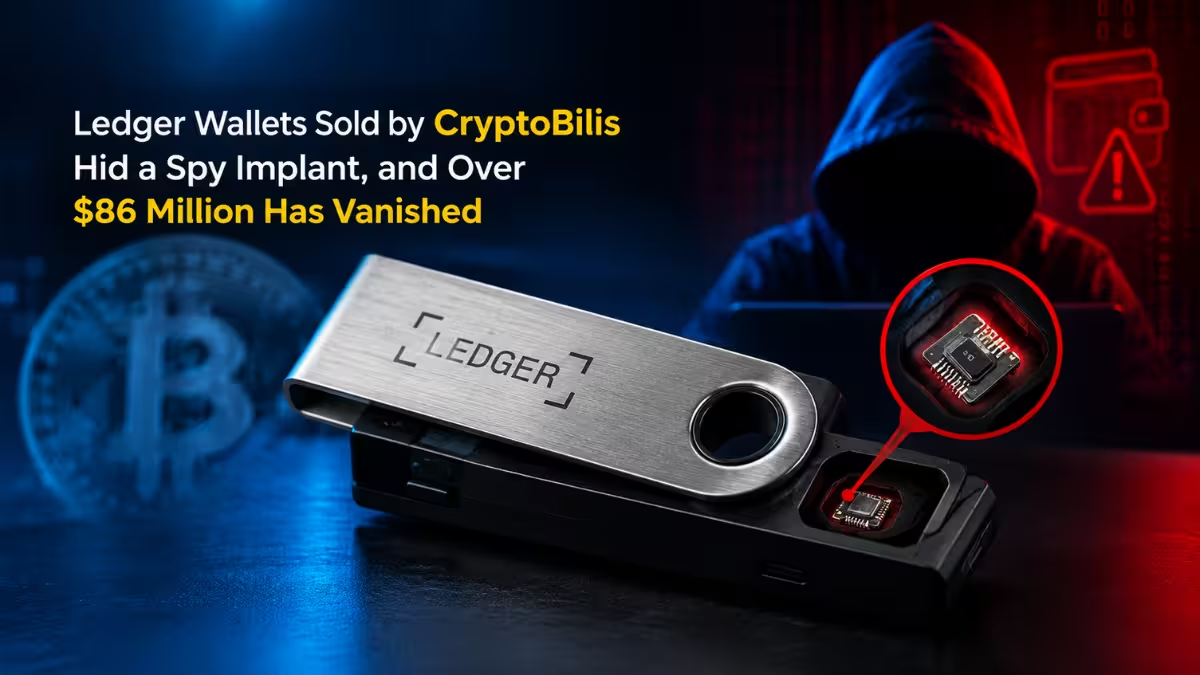
- A tampered device bought from a shady reseller can come preloaded with a seed the seller already knows.
- They cannot protect a seed phrase you typed into a fake website.
A hardware wallet guards the key. It does not guard your judgment.
Hardware vs Software Wallet: Which One Fits Your Crypto?
| Factor | Software Wallet | Hardware Wallet |
|---|---|---|
| Key location | Phone, PC or browser (online) | Secure chip on an offline device |
| Cost | Free | Roughly $50 to $250 |
| Speed | Instant signing | Needs the device for every approval |
| Remote malware risk | High | Very low |
| DeFi convenience | Excellent | Good, with some friction |
| Scam simulation and warnings | Often built in | Limited on the device screen |
| Best for | Small, active balances | Savings and long-term holdings |
Best Crypto Wallet Setup: Combine Hardware and Software Wallets
You do not have to pick one. The strongest practical setup splits your funds by purpose:
- Hardware wallet (vault): Holds the bulk of your crypto, the money you plan to leave alone. Many holders keep 80 percent or more here.
- Software wallet (spending account): Holds a small amount for swaps, mints, and DeFi experiments.
- Exchange account: Holds only what you need for an active trade, then you withdraw.
Even better, connect your hardware wallet to a software wallet interface. MetaMask, Rabby, and similar apps support Ledger and Trezor. You get the app's transaction previews and scam alerts while the key stays offline.
A simple rule helps here. If losing everything in a wallet would only annoy you, a software wallet works fine. If that loss would wreck your year, buy a hardware wallet.
How to Store and Protect Your Seed Phrase Safely
Your seed phrase overrides every other security layer. A $200 hardware wallet means nothing if someone finds those 24 words.
Store It Offline Only
Never let your seed phrase touch an internet-connected device. That means:
- No screenshots or photos
- No notes apps, text files, or emails
- No cloud drives like Google Drive, iCloud, or Dropbox
- No password managers
- No chat messages to yourself
Write it by hand during setup. Check each word against the official BIP-39 word list so a spelling slip does not lock you out later.
Use Durable Materials
Paper burns, tears, and fades. For serious holdings, stamp or engrave the words onto a steel or titanium backup plate. These plates survive fire and flooding that would destroy paper.
Keep More Than One Copy
A single backup creates a single point of failure. Keep at least two copies in separate, secure locations, such as a home safe and a bank locker or a trusted family member's safe. Avoid storing every copy under the same roof.
Consider Splitting for Large Holdings
For high-value wallets, avoid keeping the complete phrase in one place. Options include:
- Passphrase protection: Your seed alone opens only a decoy wallet. The real funds need the extra passphrase, which you store separately.
- Shamir backup: Some hardware wallets (such as certain Trezor models) split your recovery into multiple shares, and you need a set number of them to restore.
- Multisig: Require two of three keys, each on a different device, to move funds.
Test Your Backup Before You Trust It
Many people discover a missing or misspelled word only when they actually need recovery. Before you move serious money:
- Send a small amount to your new wallet.
- Reset the device or uninstall the app.
- Restore it from your written seed phrase.
- Confirm the same address and balance show up.
If recovery works with $10, you can trust it with $10,000.
Never Share It With Anyone
No real support agent, exchange, wallet company, or "blockchain validator" will ever ask for your seed phrase. Any person or site that requests it is a thief. Full stop.
Crypto Wallet Scams to Watch For: Phishing, Drainers and Address Poisoning
Most stolen crypto leaves through a signature the owner approved. Learn these attack patterns and you block the majority of real-world losses.
Phishing Sites and Fake Apps
Attackers build pixel-perfect copies of wallet sites, exchanges, and DeFi apps. They spread links through search ads, emails, Discord, Telegram, and X replies. Some publish fake wallet apps in app stores or fake browser extensions with copied logos.
How to stop it:
- Bookmark the official sites you use and open them only from bookmarks.
- Download wallets only from the official website or the links it provides.
- Check the developer name and review count before installing any wallet app or extension.
- Read the full URL. Attackers swap single characters or use lookalike letters.
- Remember that a padlock icon only means an encrypted connection. Scam sites have them too.
Fake Support and Social Engineering
Scammers pose as support staff, project founders, or even friends. They may DM you right after you post a question publicly. Increasingly, they use AI to clone voices and fake video calls.
How to stop it:
- Treat every unsolicited DM offering help as a scam.
- Never "validate," "sync," or "restore" your wallet through a link someone sent you.
- Verify any urgent request through a separate channel you already trust.
- Slow down. Pressure and urgency are the scammer's main tools.
Wallet Drainers and Malicious Approvals
A drainer site asks you to sign what looks like a harmless login, mint, or airdrop claim. In reality, you grant a contract permission to move your tokens. Some approvals sit unused for weeks before the attacker strikes, so you may not link the theft to the original click.
How to stop it:
- Read every signature request. Pay attention to words like "approve," "setApprovalForAll," "permit," and "increase allowance."
- Use a wallet that simulates transactions and shows the balance change before you sign.
- Avoid unlimited token approvals. Set a specific amount where the wallet allows it.
- Review and revoke old approvals regularly with tools like Revoke.cash or your block explorer's token approval checker.
- Ignore surprise airdrops and NFTs that show up in your wallet. Interacting with them often triggers the drain.
Address Poisoning
An attacker sends you a tiny or zero-value transfer from an address that matches the first and last few characters of an address you recently used. Later, you copy from your transaction history and paste the attacker's address by mistake.
How to stop it:
- Never copy addresses from transaction history.
- Save trusted addresses in your wallet's address book.
- Compare the full address, not just the beginning and end.
- Turn on address-poisoning warnings if your wallet offers them.
Clipboard Hijacking Malware
This malware watches your clipboard. When you copy a crypto address, it silently swaps in the attacker's address.
How to stop it:
- Check the address after you paste it.
- On a hardware wallet, confirm the destination on the device screen, not just your computer screen.
- Send a small test transaction before any large transfer.
SIM Swap Attacks
An attacker convinces your mobile carrier to move your number to their SIM card. They then receive your SMS codes and reset your exchange and email passwords.
How to stop it:
- Remove SMS as a two-factor method on every crypto and email account.
- Add a carrier PIN or port-out lock with your mobile provider.
- Keep the phone number linked to crypto accounts private.
How to Secure Your Accounts and Devices: 2FA, Passwords and Updates
Your wallet only stays as safe as the accounts and devices around it.
Use Strong Two-Factor Authentication
Rank your 2FA options this way:
- Hardware security keys (YubiKey, Google Titan, or any FIDO2 key): The strongest choice. Phishing sites cannot use them.
- Authenticator apps (Google Authenticator, Aegis, 2FAS, or Ente Auth): A solid standard that generates codes on your device.
- SMS codes: The weakest option. Avoid them wherever possible.
Turn on 2FA for every exchange, your primary email, and any account that can reset other passwords. Store 2FA backup codes offline, the same way you store your seed phrase.
Practice Basic Password Hygiene
- Use a unique, long password for every exchange and email account.
- Let a reputable password manager generate and store these passwords. (Passwords only. Your seed phrase still stays offline.)
- Give your crypto accounts their own email address that you do not share publicly.
Keep Your Devices Clean
- Update your operating system, browser, and wallet apps promptly.
- Update hardware wallet firmware through the official companion app only.
- Remove browser extensions you do not actively use.
- Avoid cracked software, pirated games, and random "airdrop checker" downloads, which often carry crypto-stealing malware.
- Skip public Wi-Fi for crypto activity, or use your mobile data hotspot instead.
- For large holdings, dedicate one clean device only to crypto transactions.
Where to Buy a Hardware Wallet Safely (and Avoid Tampered Devices)
Supply chain attacks target buyers who shop on third-party marketplaces. A tampered device may include a printed "recovery card" with a seed phrase already filled in. The seller keeps a copy and waits for you to deposit funds.
Protect yourself with these steps:
- Buy directly from the manufacturer's official store or a listed authorized reseller.
- Never buy a used or open-box hardware wallet.
- Reject any device that ships with a pre-written seed phrase. A real device generates the phrase during your setup.
- Run the manufacturer's authenticity check in its official app.
Also, keep your holdings private. Data leaks at retailers and exchanges have exposed customers' names and home addresses in the past. The less the world knows about your crypto, the smaller the target on your back.
How to Verify a Crypto Transaction Before You Send
Build a short routine and follow it every time:
- Confirm the full recipient address on your wallet screen (and on the hardware device, if you use one).
- Check that you selected the right network. Sending tokens on the wrong chain can lose them.
- Read what the transaction does. Does the simulation match what you expect?
- For large amounts, send a small test first and confirm it arrives.
- Use address whitelisting on exchanges so withdrawals only go to approved addresses.
How to Plan Crypto Inheritance and Backup Recovery
Security also means making sure the right people can reach your funds if something happens to you.
- Write clear instructions for a trusted family member on how to find and use your backups. Do not include the seed phrase itself in those instructions.
- Consider a multisig setup where family members or a trusted advisor hold one key each.
- Mention your digital assets in your will and talk with a lawyer familiar with crypto.
- Review your backup locations once a year to confirm they stay safe and readable.
Common Crypto Wallet Security Mistakes to Avoid
Most stolen funds trace back to a handful of repeat errors. Check your own habits against this list.
- Storing the seed phrase digitally. A screenshot, cloud note, or emailed copy gives any hacker who breaches that account full control of your wallet.
- Using SMS for two-factor codes. SIM swap attackers take over your number and read those codes. Switch to an authenticator app or a security key.
- Leaving large balances on exchanges. Exchanges attract hackers and can freeze or lose your funds. Keep only trading money there.
- Clicking links from DMs, ads, and replies. Scam links imitate real wallet and DeFi sites. Open official sites from your bookmarks only.
- Signing without reading. Many drains happen because the owner clicked "Approve" on a request they never read. Reject anything you cannot understand.
- Skipping the recovery test. An untested backup may contain a wrong or missing word. Restore a small wallet before you trust the backup.
- Buying hardware wallets from resellers. Second-hand or marketplace devices can come tampered or preloaded with a known seed.
- Talking about your holdings in public. Posting balances or setups marks you as a target for phishing and even physical threats.
Fix the first two items today, and you remove two of the most common ways thieves get in.
Crypto Wallet Security Checklist: What to Do Today and This Month
Do these today:
- Move long-term holdings off exchanges into self-custody.
- Write your seed phrase by hand and store it offline.
- Replace SMS 2FA with an authenticator app or security key.
- Bookmark the official sites you use.
- Revoke old token approvals.
Do these this month:
- Buy a hardware wallet from the official store.
- Upgrade your seed backup to a metal plate and add a second copy in another location.
- Test a full wallet recovery with a small amount.
- Save your frequent addresses in your wallet's address book.
- Set a port-out PIN with your mobile carrier.
Keep doing these:
- Update wallet apps, firmware, and your OS.
- Read every signature request before you approve it.
- Review connected dApps and approvals every few months.
- Keep your holdings and setup private.
Frequently Asked Questions
Is a hardware wallet safer than a software wallet?
For storing funds, yes. A hardware wallet keeps your private key offline, which blocks remote malware attacks. However, it cannot stop you from approving a scam transaction or leaking your seed phrase. Many people pair both: a hardware wallet for savings and a software wallet for daily use.
Can someone hack my hardware wallet remotely?
Practically, no. Your key never leaves the device. Attackers instead try to trick you into revealing your seed phrase, signing a malicious transaction, or buying a tampered device.
Where should I store my seed phrase?
Store it offline on paper or, better, a metal backup plate. Keep at least two copies in separate secure places, such as a home safe and a bank locker. Never store it in photos, cloud storage, email, or any app.
What happens if I lose my seed phrase?
If you still have access to your wallet, create a new wallet immediately, back up its new seed phrase properly, and move your funds there. If you lose both the device and the seed phrase, nobody can recover the funds.
Should I keep crypto on an exchange?
Only keep what you actively trade. Exchanges can get hacked, freeze accounts, or go bankrupt. Move long-term holdings to a wallet you control.
How do I know if a transaction request is a scam?
Watch for unexpected approval requests, unlimited token allowances, surprise airdrops, urgent deadlines, and sites you reached through a DM or ad. Use a wallet with transaction simulation, and if you cannot understand what a signature does, reject it.
How often should I revoke token approvals?
Check your approvals every few months, and immediately after you interact with a new or unfamiliar dApp. Revoke any approval you no longer need.
Is SMS two-factor authentication good enough for crypto accounts?
No. SIM swap attacks let thieves intercept SMS codes. Use an authenticator app or, better, a hardware security key.
Related Guides
- Can Blockchain Analytics Trace Your Crypto? How Investigators Find Stolen Funds
- How to Verify Transactions on a Cryptocurrency Network
- Binance P2P Scam Explained: Flash USDT, AML Bots & How Victims Are Losing Crypto
- Crypto AML Scam Draining Wallets Explained: How to Avoid P2P Trading Frauds
- P2P Crypto Trading Risks: How a Buyer Lost 900 USDT Despite Proof and What You Can Learn