Zapier built its name on connecting web apps, but it never lived on your phone. It can't read your battery level, toggle Wi-Fi when you leave home, or silence notifications when you open a meeting app. Its free plan also stops at 100 tasks a month and two-step Zaps, so even light personal use hits the wall fast.
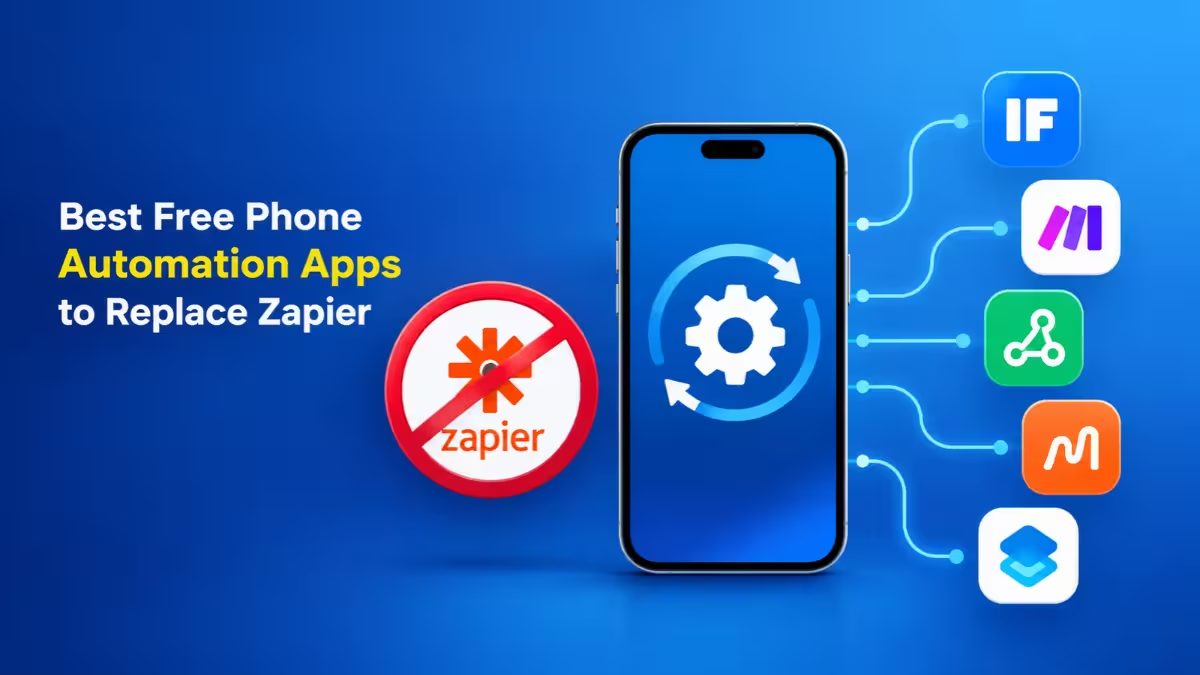
Phone automation apps work differently. They run on the device itself, react to sensors, location, time, and app events, and most of them cost nothing to start. If your automations are personal rather than business pipelines, one of these apps will likely serve you better than a Zapier subscription.
Here are seven free options worth installing today.
Why Zapier Falls Short for Phone Automation
Zapier lives in the cloud, and that design creates three problems for phone users.
- It can't see your device. Zapier has no access to Wi-Fi state, Bluetooth connections, battery level, screen status, or app launches. A phone-native app reads all of these directly.
- Its free plan runs out quickly. The free tier gives you 100 tasks a month and limits you to short Zaps. Every action counts as a task, so a three-step automation burns three tasks per run.
- Paid plans cost more than personal use justifies. Zapier's entry-level paid plan makes sense for a business. It rarely makes sense for turning on Do Not Disturb at night.
Best Free Phone Automation Apps: Quick Comparison
Phone automation apps turn triggers like location, time, and app events into automatic actions on your device. Below, find the seven best free options compared by platform, free plan limits, and ideal use.
| App | Platform | Free Plan | Best For |
|---|---|---|---|
| Apple Shortcuts | iOS, iPadOS, macOS | Fully free | iPhone users |
| MacroDroid | Android | Free with macro limit | Android beginners |
| Automate | Android | Free with block limit | Visual flowchart fans |
| IFTTT | Android, iOS | Free with 2 applets | Smart home and web services |
| Samsung Modes and Routines | Samsung Galaxy | Fully free | Galaxy owners |
| Google Home Routines | Android, iOS | Fully free | Voice and smart home control |
| Easer | Android | Free and open source | Privacy-focused users |
1. Apple Shortcuts: Best Free Zapier Alternative for iPhone
Apple ships Shortcuts on every iPhone, and it remains the most capable free automation tool on iOS. You stack actions into a shortcut, then trigger it by tapping, asking Siri, or setting a personal automation.
Personal automations fire on events like arriving at a location, connecting to CarPlay, opening an app, hitting a battery level, or a set time of day. Shortcuts can also call web APIs through the "Get Contents of URL" action, which lets you post data to webhooks, Google Sheets scripts, or an n8n instance. That single action covers a lot of what people pay Zapier for.
What works well
- Deep integration with iOS apps, Focus modes, and Siri
- Huge community library of ready-made shortcuts
- Webhook support turns your iPhone into a trigger for web workflows
Limitations
- Some automations still ask for confirmation before running
- Debugging long shortcuts gets messy
Price: Free
2. MacroDroid: Easiest Android Automation App for Beginners
MacroDroid is the easiest way to start automating an Android phone. Every macro follows a plain structure: a trigger, one or more actions, and optional constraints. You pick each piece from a menu, so you never write code.
Typical uses include auto-replying to messages while driving, turning on Do Not Disturb at night, or launching Spotify when your headphones connect. MacroDroid also supports HTTP requests and webhooks, so it can push data to cloud tools when you need it.
What works well
- Beginner-friendly trigger, action, and constraint layout
- Large template gallery shared by other users
- Handles hundreds of triggers, from NFC tags to notifications
Limitations
- The free version caps how many macros you can run at once
- Free tier shows ads
Price: Free, with an optional one-time Pro upgrade
3. Automate: Best for Flowchart-Style Android Workflows
Automate takes a visual approach. You build flows by dragging blocks onto a canvas and wiring them together, much like a flowchart. Each block handles a condition, an action, or a decision, so you can branch logic in ways that simple trigger-action apps can't.
This makes Automate a good fit for people who outgrow MacroDroid but don't want to learn Tasker's menus. You can loop, set variables, read files, and call web services, all from the phone.
What works well
- Flowchart canvas makes complex logic easy to follow
- Hundreds of building blocks covering system, file, and network tasks
- Active community sharing ready-made flows
Limitations
- The free version limits how many blocks can run at the same time
- Large flows can feel cluttered on a small screen
Price: Free, with an optional premium unlock
4. IFTTT: Best for Smart Home and Phone Triggers
IFTTT ("If This Then That") pioneered consumer automation and still owns the smart home niche. Its mobile apps let your phone act as both the trigger and the target. Arrive home and your lights turn on. Get a missed call and it lands in a spreadsheet.
IFTTT connects to far more consumer devices than Zapier does, including smart bulbs, thermostats, speakers, and wearables. The catch is depth. Applets work best as simple one-to-one links, and the free plan only gives you two of them.
What works well
- Strongest smart home and IoT coverage on this list
- Location and phone-event triggers on both Android and iOS
- Takes minutes to set up
Limitations
- Free plan allows only two applets
- Multi-step logic requires a paid plan
Price: Free, paid plans from $2.99/month
5. Samsung Modes and Routines: Built-In Automation for Galaxy Phones
Samsung builds Modes and Routines into One UI on Galaxy phones. Routines run actions when conditions match, such as dimming the screen at bedtime, switching sound profiles at work, or closing background apps when the battery drops.
Because Samsung controls the system, routines can change settings that third-party apps often can't touch without extra permissions. Setup takes a few taps, and nothing runs through a cloud server.
What works well
- No install needed on Galaxy devices
- System-level access to settings and power controls
- Clean, guided setup
Limitations
- Only available on Samsung phones
- No web or webhook actions
Price: Free
6. Google Home Routines: Best for Voice-Triggered Automation
Google Home Routines let your phone and voice drive a chain of actions. Say "Hey Google, good morning" and it can read the weather, list your calendar events, adjust the thermostat, and start a news briefing.
Routines also fire on schedules, sunrise and sunset, or when you arrive and leave home. The script editor in the Home app lets advanced users write YAML-style automations with more conditions than the basic builder allows.
What works well
- Voice triggers through Google Assistant and Gemini
- Strong smart home device support
- Works on Android and iOS
Limitations
- Limited phone-level control compared to MacroDroid or Automate
- Few options for connecting non-Google web services
Price: Free
7. Easer: Best Open-Source Phone Automation App
Easer is a free, open-source automation app for Android, available on F-Droid. It follows an event and profile model: you define events such as time, Wi-Fi, Bluetooth, or location, then attach profiles that change settings or send broadcasts.
It lacks the polish of commercial apps, but it collects no data, shows no ads, and puts no limits on how many automations you create. For privacy-focused users, that tradeoff makes sense.
What works well
- Open source with no ads or tracking
- No caps on scripts or events
- Lightweight on battery
Limitations
- Smaller feature set and slower development
- Interface feels dated
Price: Free
Tasker: The Paid Upgrade Worth Knowing About
Tasker remains the most powerful Android automation tool, with support for plugins, JavaScript, and near-complete control of the device. It isn't free, though. You pay a small one-time fee after a trial, so it didn't make the main list. If you hit the limits of MacroDroid or Automate, Tasker is the natural next step.
Can a Free Phone App Replace Zapier?
For personal automation, yes. Zapier shines at moving data between business apps in the cloud, such as sending form leads to a CRM or posting new orders to Slack. Phone apps shine at reacting to what happens in your hands and around you.
If your goal is to run business workflows, keep a cloud tool in the mix. If your goal is to automate your own day, a phone app covers nearly everything Zapier's free plan offers and goes further on device control.
How to Connect Your Phone to Cloud Workflows Without Zapier
You don't have to choose between phone apps and cloud tools. Many users run a hybrid setup that costs nothing.
- Let Apple Shortcuts, MacroDroid, or Automate catch the phone event, such as arriving at the office or finishing a workout.
- Send an HTTP request to a webhook URL.
- Receive that request in a free cloud tool like self-hosted n8n, Make's free tier, or a Google Apps Script.
- Let the cloud tool log a row, send an email, or update another app.
This setup gives you phone-level triggers plus cloud-level actions, and it often beats Zapier's free plan in both power and volume.
Which Free Phone Automation App Should You Use?
- On an iPhone? Start with Apple Shortcuts.
- New to Android automation? Try MacroDroid.
- Need branching logic on Android? Choose Automate.
- Controlling smart home devices? Use IFTTT or Google Home Routines.
- Own a Galaxy phone? Open Modes and Routines first.
- Care about privacy above all? Install Easer from F-Droid.
Frequently Asked Questions
Is there a free Zapier app for phones?
Zapier offers no automation engine that runs on your phone. Apps like Apple Shortcuts, MacroDroid, and Automate fill that gap for free.
Which phone automation app is best for beginners?
MacroDroid on Android and Apple Shortcuts on iOS offer the gentlest learning curve.
Can phone automation apps connect to web services?
Yes. Apple Shortcuts, MacroDroid, and Automate all send HTTP requests, so they can trigger webhooks in tools like n8n, Make, or Google Apps Script.
Do these apps drain the battery?
Location and constant sensor triggers use some power. Time-based and event-based triggers like Wi-Fi or Bluetooth connections have little impact.
Is IFTTT still free?
IFTTT keeps a free plan, but it limits you to two applets. Paid plans unlock more applets and multi-step actions.