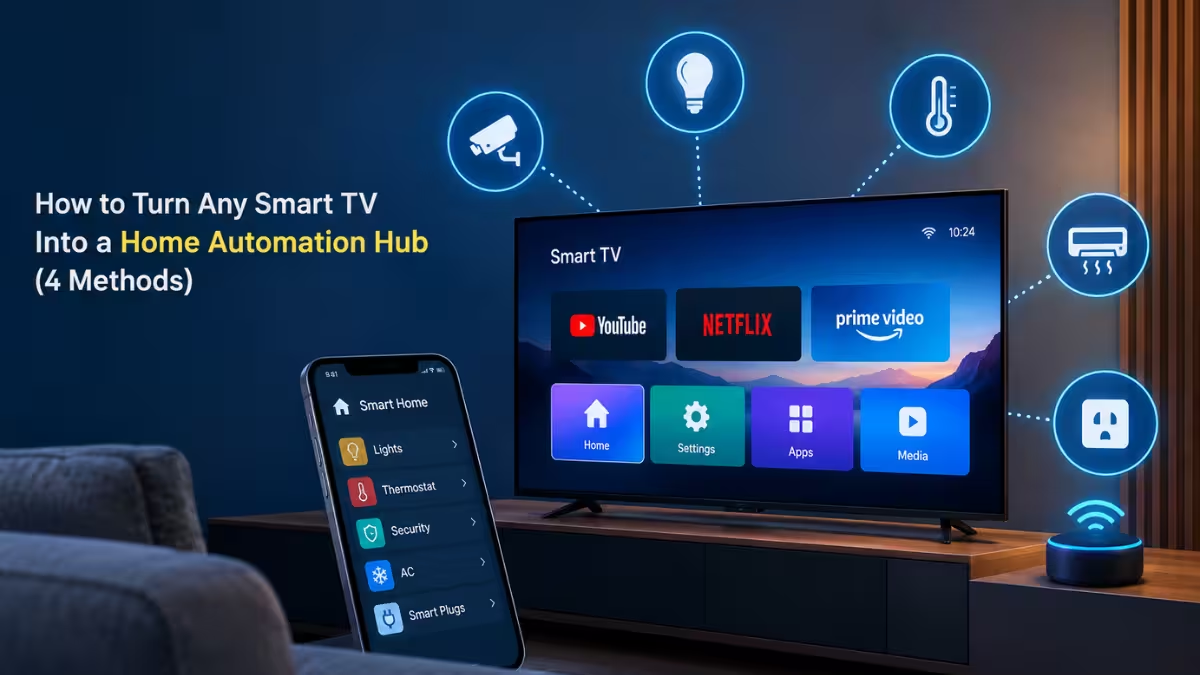
That smart TV mounted on your wall is already capable of far more than streaming shows. Point it at the right dashboard or app, and it turns into a live control center where you can check your front door camera, glance at sensor readings, or manage lights without picking up your phone. Four methods can get you there, ranging from a five-minute browser trick to a full Raspberry Pi build, and the one that fits depends entirely on what your TV already supports.
Use the TV's Built-In Browser for a Simple Dashboard
Most smart TVs ship with a basic web browser that can load a locally hosted dashboard.
If you run Home Assistant, the free open-source platform that connects and controls smart home devices from one place, point the TV's browser at your dashboard URL and pin it as a saved page. Older TVs with outdated browsers may struggle with heavy pages, so keep the layout simple and avoid dashboards packed with widgets. This method works entirely offline from your local network and needs no extra app. The tradeoff is interactivity: without a keyboard or mouse plugged into the TV, you can look but not touch.
Cast Your Dashboard Instead of Loading It Locally
Casting skips the TV's weak browser entirely and pushes the dashboard from another device.
If your TV has Chromecast or Google Assistant built in, or you connect a Chromecast device, you can send your Home Assistant dashboard straight to the screen using Home Assistant Cast. This avoids the sluggish rendering that some TV browsers struggle with. A few features do not carry over: custom cards and live video streams are not supported in the current cast implementation. You can automate the cast to trigger on a schedule or event, so the dashboard appears without you touching a remote.
Run a Home Assistant Dashboard App on Android TV or Google TV
If your TV runs Android TV or Google TV and has Google Play Store access, a purpose-built app handles far more than a browser tab can.
Apps like HA TV Dashboard are designed specifically for large-screen layouts and can display multiple live camera feeds at once, something browser dashboards and casting both fall short on. Check that your TV has Play Store support before going this route. If it doesn't, a cheap Android TV box or streaming stick plugged into a spare HDMI port gives you the same capability without replacing the TV.
Turn a Raspberry Pi Into the Hub Behind Your TV
If none of the above give you enough control, a Raspberry Pi hidden behind the TV takes things a step further. It runs Home Assistant directly and outputs it over HDMI like a small Linux PC.
Home Assistant OS is normally a headless system meant to be accessed remotely, but a project called HAOS-kiosk lets a Pi display and control dashboards on the same screen it's running on. Connect a keyboard and mouse to the Pi, and you get an interactive dashboard your TV alone cannot provide, plus the option to run other smart home services on the same device. This setup takes more effort to configure than the other methods, but it removes the limitations of casting and app-only setups since you control the full stack.
Which Method Fits Your Setup
Choose based on what your TV already supports and how much control you want.
- Old TV, no smart features to speak of: Plug in a cheap Android TV box or streaming stick, then use one of the methods above through that device.
- Google TV or Android TV with Play Store: Install HA TV Dashboard for live camera feeds and a TV-optimized layout.
- Want full interactivity and don't mind tinkering: Run Home Assistant on a Raspberry Pi with HAOS-kiosk.
- Just want a quick glance dashboard: Load it in the TV's browser or cast it when needed.
A smart TV already sitting in your living room or basement can double as a live view of your front door, a lighting control panel, or a full dashboard, all without adding a dedicated tablet or panel to the wall.
Frequently Asked Questions
Do I need Home Assistant for all of these methods to work?
Yes. Every method in this guide displays a Home Assistant dashboard on your TV, so you need Home Assistant already set up and running on your network before any of these approaches will show useful data.
Can I use these methods without a smart TV?
You can. A cheap Android TV box or streaming stick plugged into any TV's HDMI port gives you the same Play Store access and casting support that a built-in smart TV platform offers.
Does casting a Home Assistant dashboard show live camera feeds?
No. Home Assistant Cast does not currently support live video streams or custom cards, so camera feeds will not display when you cast a dashboard to your TV.
Is a Raspberry Pi hub better than using an app or casting?
It depends on how much control you want. A Raspberry Pi running HAOS-kiosk gives you a fully interactive dashboard with a keyboard and mouse, something casting and TV apps cannot offer, but it takes more setup effort than the other methods.
Will an old TV with an outdated browser still work for a dashboard?
It can, but keep the dashboard simple. Older TV browsers often struggle to render dashboards packed with widgets, so stick to a basic layout with a handful of cards if your TV hasn't received software updates in years.
Read More
- How To Unlock All Patch 7.56 Mounts And Minions In FFXIV
- LLM Penetration Testing Guide for GenAI and RAG Applications in Business
- How to Change Adaptive Communication Sound Levels in Windows 11
- How to Set a Different Zoom Level for Each Monitor in Windows 11
- Unable to Upload PST Files to OneDrive: 8 Ways to Fix It