Amazon just rolled out a redesigned Kindle family, and the new Paperwhite and Colorsoft started shipping in the US on October 28. Kobo, meanwhile, kept its hardware unchanged and still sells the Libra Colour, Clara Colour and Clara BW. That leaves a lot of buyers stuck on one question: should you get the monochrome Paperwhite, pay more for the color Colorsoft, or leave Amazon behind for a Kobo?
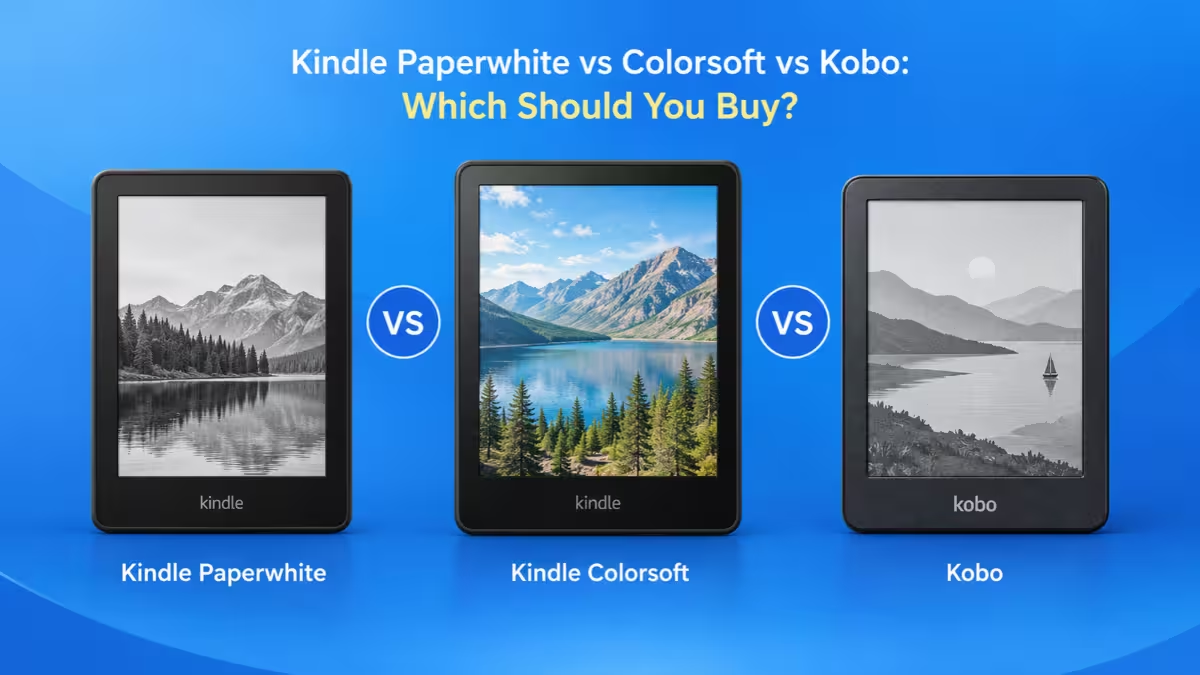
The right answer depends less on screen specs and more on where your books come from. This guide breaks down each device, compares them head to head, and tells you which one fits your reading habits.
Paperwhite, Colorsoft or Kobo: Which One Should You Pick?
- Buy the Kindle Paperwhite if you mostly read novels and already buy books from Amazon or use Kindle Unlimited.
- Buy the Kindle Colorsoft if you read comics, cookbooks or illustrated books and want to stay inside the Kindle store.
- Buy the Kobo Libra Colour if you borrow library books, load your own EPUB files, or want physical page-turn buttons.
- Buy the Kobo Clara BW if you want an open, waterproof reader for plain text at a lower price.
How Much Do the Paperwhite, Colorsoft and Libra Colour Cost?
| Model | Storage | US Price |
|---|---|---|
| Kindle Paperwhite | 16GB | $199.99 |
| Kindle Paperwhite Signature Edition | 32GB | $249.99 |
| Kindle Colorsoft | 16GB | $289.99 |
| Kindle Colorsoft Signature Edition | 32GB | $319.99 |
| Kobo Libra Colour | 32GB | $259.99 |
| Kobo Clara Colour | 16GB | around $179.99 |
| Kobo Clara BW | 16GB | around $159.99 |
Amazon's starting prices include lockscreen ads. Removing them adds roughly $20 to the standard Paperwhite. Kobo doesn't sell an ad-supported tier, so the price you see is close to the price you pay. Prices change often, so check the listing before you order.
Kindle Paperwhite: Best Pick for Novel Readers on Amazon
The Paperwhite remains the default choice for most people, and the new model doesn't change that. It keeps the 7-inch, 300 ppi glare-free screen, the adjustable warm light and IPX8 water resistance. Amazon rates the battery at up to 12 weeks per charge.
The real change sits in the body. Amazon made the new Paperwhite thinner and lighter, and it moved the power button to the side, which ends the accidental presses that annoyed owners of older models. The base model comes in Graphite.
The Signature Edition adds 32GB of storage, an auto-adjusting front light, an aluminum back, double-tap page turns and dock charging. It's a nice upgrade, but 16GB already holds thousands of books, so most readers can skip it.
What you give up: no color, no physical buttons out of the box, and no native EPUB support. You send EPUB files through Amazon's Send to Kindle service, which converts them first.
New Paperwhite or 2024 Model: Which Should You Buy?
Amazon still lists the 2024 Paperwhite at $199.99, the same price as the new model. Both share the 7-inch screen, waterproofing and 12-week battery rating, so the 2026 model mainly offers a thinner, lighter body and a side-mounted power button.
Check that the listing says "newest model" and shows the October 28 date before you pay. Buy the 2024 version only at a clear discount. At the same price, the new one is the better deal.
Kindle Colorsoft: Is Color E Ink Worth $90 More?
The Colorsoft takes the Paperwhite's 7-inch form and adds a color E Ink screen. Book covers, comics, graphic novels, cookbooks and color-coded highlights finally show up in color on a Kindle. The new version is thinner and lighter, stays waterproof, and Amazon rates its battery at up to 8 weeks.
Set your expectations about the color. Color E Ink looks soft and muted, closer to a printed newspaper than a phone or tablet. Text resolution drops to 150 ppi when the device shows color, and the color layer makes the screen slightly darker than a black-and-white panel. Some reviewers also notice brief flashing when color pages load.
At $289.99, the Colorsoft costs $90 more than the Paperwhite. If you read novels, that money buys you colorful covers and not much else. If you read illustrated content and own a big Kindle library, it's the only color option that keeps your purchases in one place.
Kobo Libra Colour: Best for Buttons, EPUB Files and Library Books
The Libra Colour is Kobo's flagship reader, and it beats both Kindles on flexibility. It uses a 7-inch E Ink Kaleido 3 screen (300 ppi in black and white, 150 ppi in color), carries 32GB of storage and an IPX8 rating, and Kobo rates the battery at up to 40 days.
Three features set it apart:
- Physical page-turn buttons. The asymmetric body gives your thumb a dedicated grip with buttons, which makes long one-handed sessions far more comfortable. No current Kindle offers buttons without buying a separate cover.
- Built-in library borrowing. OverDrive and Libby live inside the device, so you can borrow and download library books without a phone or computer.
- Native file support. It opens EPUB, CBZ and CBR files directly. Books from independent stores, Project Gutenberg and DRM-free comic files work without conversion.
The Libra Colour also supports the Kobo Stylus 2 for notes and annotations, though you buy the pen separately.
What you give up: Kindle purchases won't open on it, the Kobo store is smaller than Amazon's for many mainstream titles, and some owners report palm-rejection issues when reading one-handed.
Kobo Clara BW and Clara Colour: Budget Kobo Options
If the Libra Colour feels expensive, Kobo's smaller models keep the same open ecosystem.
- Clara BW: 6-inch E Ink Carta 1300 screen, ComfortLight PRO with adjustable warmth, 16GB, IPX8, and up to 53 days of battery. Its black-and-white panel gives sharper text than any color screen.
- Clara Colour: the same compact body with a color Kaleido 3 screen. Good for covers and highlights, though six inches feels cramped for full comic pages.
Neither Clara has page-turn buttons or stylus support.
Paperwhite vs Colorsoft vs Libra Colour: Spec Comparison
Price gaps between these readers run up to $90, so check what each extra dollar buys.
| Feature | Kindle Paperwhite | Kindle Colorsoft | Kobo Libra Colour |
|---|---|---|---|
| Screen | 7-inch, 300 ppi | 7-inch color, 150 ppi in color | 7-inch color, 300/150 ppi |
| Color | No | Yes | Yes |
| Water resistance | IPX8 | Waterproof | IPX8 |
| Page-turn buttons | No (cover sold separately) | No (cover sold separately) | Yes |
| Stylus | No | No | Kobo Stylus 2 (sold separately) |
| Native EPUB | No | No | Yes |
| Library borrowing | Libby, US only | Libby, US only | Built-in OverDrive/Libby |
| Storage | 16GB | 16GB | 32GB |
| Battery (maker rating) | Up to 12 weeks | Up to 8 weeks | Up to 40 days |
| Price | $199.99 | $289.99 | $259.99 |
Battery figures come from each maker and use different test conditions, so treat them as ceilings, not promises. Brightness, Wi-Fi and audiobooks all cut real-world life.
Amazon or Kobo: Which Bookstore Should You Commit To?
Hardware gaps between these readers are small. The store behind each one is not.
Kindle ties you to Amazon. You get the biggest e-book store, Kindle Unlimited at $11.99 a month with millions of titles, Audible over Bluetooth, and smooth syncing across phones and tablets. Your purchases stay locked to Amazon, though.
Kobo gives you more freedom. You can buy from Kobo, sideload DRM-free EPUBs from anywhere, and borrow library books directly. Kobo Plus works as its subscription service, and pricing varies by country.
Switching later costs real effort. DRM-protected Kindle books won't move to a Kobo, and Kobo store purchases won't move to a Kindle. If you already own hundreds of Kindle books, stay with Kindle. If you're starting fresh or rely on your library, Kobo makes more sense.
Which Reader Borrows Library Books More Easily?
Both brands work with public libraries, but the process differs:
- Kindle: you borrow in the Libby app or website, then send the book to your Kindle through Amazon. This works only in the US and only for titles your library offers in Kindle format.
- Kobo: you sign in to your library on the device itself and borrow without leaving it. Kobo supports this in more countries, though eligibility still varies by library.
Before you buy, ask your library which service it uses and confirm your device supports it.
Hidden Costs: Ads, Covers, Docks and Free Trials
Amazon's prices climb fast once you add extras:
- Page-Turn Cover: $79.99, adds physical buttons to the Signature Editions
- Charging Dock: $59.99, works with the Signature Editions
- Kindle Click: $34.99, a wireless page-turn remote for recent Kindles
- Ad-free upgrade: about $20 extra on the standard Paperwhite
A Paperwhite Signature Edition with the cover and dock costs more than a Libra Colour, which already includes buttons. Kobo's main extra cost is the Stylus 2 if you want to take notes.
Free trials also need attention. Kindle Unlimited and Kobo Plus trials roll into paid plans, so set a reminder to cancel if you don't plan to keep them.
Should You Buy Now or Wait for Independent Reviews?
The new Paperwhite and Colorsoft only reached buyers on October 28, so no independent lab has measured their battery life, page-turn speed or screen quality. Every figure above comes from Amazon and Kobo, and real results usually land below maker ratings.
If you want a Kobo, nothing suggests a newer model is coming, so you can buy today from a retailer with a clear return policy. If you want a new Kindle, waiting a week or two for the first hands-on tests costs you little and shows whether Amazon's claims hold up.
Which E-Reader Fits Your Reading Style?
You read novels and buy from Amazon: get the Kindle Paperwhite. It offers the sharpest text, the longest battery rating and the lowest price of the three.
You read comics, manga or illustrated books and own a Kindle library: get the Kindle Colorsoft. Color stays inside your existing store.
You read comics or illustrated books and don't care about Amazon: get the Kobo Libra Colour. It costs $30 less than the Colorsoft and adds buttons, stylus support and native comic files.
You borrow most of your books from a library: get a Kobo. The Libra Colour suits long sessions, and the Clara BW suits tighter budgets.
You read one-handed in bed or on a commute: get the Kobo Libra Colour for its built-in buttons.
You want the cheapest waterproof reader for plain text: get the Kobo Clara BW.
Final Verdict: The Best E-Reader for Most Readers
For most readers, the Kindle Paperwhite still wins. It costs less than both rivals, reads text beautifully, survives a dunk in the bath and lasts weeks on a charge. Pick it if Amazon already holds your library.
Choose the Kindle Colorsoft only when color content makes up a real part of your reading and you want to stay with Amazon. Choose the Kobo Libra Colour when you value library access, open files and physical buttons over the size of Amazon's store.
Decide where you'll get your books first. The right device follows from that choice.
Frequently Asked Questions
Is the Kindle Paperwhite or Kobo Libra Colour better?
The Paperwhite suits Amazon buyers who read mostly text, and it costs $60 less. The Libra Colour suits readers who want color, page-turn buttons, built-in library borrowing and native EPUB support.
Is the Kindle Colorsoft worth it over the Paperwhite?
Only if you regularly read comics, cookbooks, children's books or other illustrated content. For novels, the Paperwhite gives sharper text and longer battery life for $90 less.
Can a Kindle open EPUB files?
Not directly. You send EPUB files through Amazon's Send to Kindle service, which converts them. Kobo readers open EPUB files natively.
Can I read my Kindle books on a Kobo?
No. Amazon's DRM keeps Kindle purchases inside its ecosystem. You can still read them in the Kindle app on a phone or tablet.
Which e-reader has page-turn buttons?
The Kobo Libra Colour has them built in. Kindle Signature Editions support an optional $79.99 Page-Turn Cover, and any recent Kindle works with the $34.99 Kindle Click remote.
Are the Paperwhite, Colorsoft and Libra Colour waterproof?
Yes. All three can handle the bath or the pool. Rinse your reader with fresh water after contact with salt water or chlorine.
Should I buy the older Paperwhite instead?
Only at a real discount. Amazon still lists the previous Paperwhite at the same $199.99 as the new model, and at that price the newer one is the better buy.
Need Something to Read on Your New E-Reader?
A new Kindle or Kobo is only as good as the books you load on it. If you follow stock, forex or crypto charts, try Candlestick Chart Patterns: The Visual Guide Book from Fdaytalk Books. It teaches 52 patterns, and each one comes with a labelled diagram, a plain-English explanation and check points that help you tell look-alike patterns apart. Practice questions let you test what you learn.
The Kindle edition costs $4.99, and a paperback is available for $14.99. Get the book on Amazon.