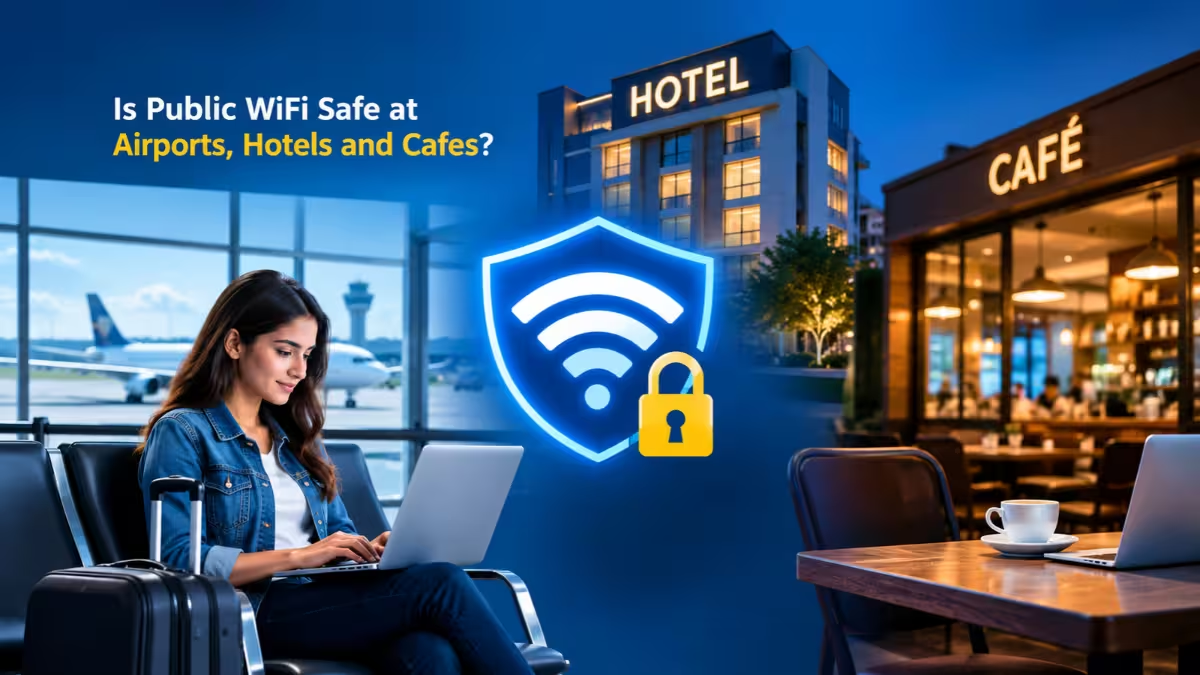
You connect to free Wi-Fi at an airport gate, a hotel room or a cafe table almost without thinking. Most of those sessions end without trouble, but a shared network still gives attackers a few real openings. This guide explains what actually happens on public Wi-Fi today, which tasks carry the most risk, and the habits that keep your accounts and data out of reach.
Is Public Wi-Fi Actually Safe?
Public Wi-Fi is reasonably safe for casual browsing, but it is not safe enough for sensitive work without extra protection.
Ten years ago, many websites sent data in plain text, so anyone on the same network could read login forms with free tools. Today almost every major site uses HTTPS, which encrypts the content you send and receive. That change removed the easiest form of snooping.
HTTPS still leaves gaps. It does not hide which websites you visit, it cannot protect apps that handle encryption poorly, and it does nothing if the network itself belongs to an attacker. The Federal Trade Commission points out that scammers can run their own encrypted fake websites, and encryption cannot shield you from the people operating them.
Why Public Wi-Fi Is Riskier Than Your Home Network
The core problem is control: at home you decide who joins the network, while on public Wi-Fi you share it with strangers.
Your home router sits between your devices and the internet, and only people you trust know the password. On a cafe or hotel network, dozens or hundreds of unknown devices sit on the same local segment as yours. You cannot check how the operator configured the access point, whether it isolates guests from each other, or whether it even uses current encryption.
A password does not fix this. When the cafe prints the same password on every receipt, every customer holds the same key, so the password keeps out passers-by but offers little protection from the person at the next table.
How Hackers Attack You on Public Wi-Fi
Attackers rely on a small set of techniques, and most of them depend on getting between you and the internet.
Evil Twin and Fake Hotspots
An attacker sets up a hotspot with a name that matches or closely copies the real one, such as "Airport Free WiFi" or "Hotel_Guest". They often boost the signal so your device prefers it. Once you join, all your traffic flows through their hardware. Many security researchers now rank this as the biggest public Wi-Fi threat because a fake network looks identical to the real one.
Man-in-the-Middle Attacks
In a man-in-the-middle attack, the attacker places themselves between your device and the sites you visit. They can read unencrypted traffic, change it in transit, or redirect you to a fake login page. Techniques like ARP spoofing let an attacker pull this off on a shared network with freely available tools.
Packet Sniffing
Sniffing tools quietly capture data packets as they travel across the network. HTTPS makes captured web traffic unreadable, but older apps, plain HTTP pages and some background services can still leak usernames, browsing details or tokens.
Session Hijacking
When you sign in to a site, it gives your browser a session cookie so you stay logged in. If an attacker steals that cookie, they can open your account in their own browser without ever knowing your password.
DNS Spoofing
Your device asks a DNS server to turn a name like a bank's domain into a server address. On a network an attacker controls, they can answer that request with the address of a lookalike site that harvests whatever you type.
Malicious Captive Portals and Fake Updates
Many public networks show a sign-in page before granting access. A fake portal may ask for card details, push you to install a "required" update, or prompt you to add a security certificate. A legitimate cafe, airport or hotel network never needs you to install software or a root certificate.
Which Public Wi-Fi Locations Are Most Dangerous?
Risk rises wherever crowds are large, people stay connected for hours, and valuable accounts get used.
- Airports: Huge transient crowds, long waits and business travelers with work accounts make terminals a favorite spot for fake hotspots. Many airports also run several official networks, which adds confusion.
- Coffee shops: Regulars let their phones auto-join the same network every visit, which gives an evil twin with the same name an easy path in.
- Hospitals and gyms: Visitors often use health or banking apps while distracted, and the network setup at these places tends to get little security attention.
- Trains, buses and conference venues: Hundreds of people share one uplink for hours, and attackers know exactly who sits in the room.
Is Hotel and Airport Wi-Fi Safer Than Cafe Wi-Fi?
No, a hotel or airport network carries the same shared-network risks as a cafe, and some setups add more.
Hotel guests stay connected for days, often on networks shared by every room. Some hotels give each room its own password, but that only helps when the network isolates guest devices from one another, which you cannot verify from your seat. Business hotels have also drawn targeted attacks aimed at corporate travelers, because the guest list holds executives with valuable logins.
Airports rank higher for fake hotspots, since travelers expect to see a "Free Airport WiFi" network and join the first one that appears. A paid or login-gated network does not change the math. The operator still controls the access point, and you still share the airwaves with strangers.
Treat every one of these networks the same way: assume the other devices are untrusted, and use mobile data or a VPN for anything sensitive.
What Can Hackers Steal on Public Wi-Fi?
Most public Wi-Fi attacks are opportunistic, so attackers collect whatever useful data passes through rather than targeting one person.
- Email, social media and work login credentials
- Session cookies that grant instant account access
- Card numbers and bank details typed into fake pages
- Password reset links sitting in your inbox
- Corporate VPN and remote access credentials
Your email account deserves special attention. Whoever controls it can reset the passwords for almost every other service you use. People who reuse passwords face even bigger fallout, because one leaked login can unlock several accounts.
Who Is Most at Risk on Public Wi-Fi?
Anyone can fall for a fake network, but a few groups face higher odds or bigger losses.
- Frequent travelers: They connect to new networks daily and rely on hotel and airport Wi-Fi.
- Remote workers: A stolen work login can expose company data, not just personal accounts.
- People who reuse passwords: One captured login opens every account that shares it.
- Users with outdated devices: Old operating systems and browsers carry known bugs that attackers exploit.
- Anyone who skips two-factor authentication: A stolen password alone then grants full access.
How to Stay Safe on Public Wi-Fi
A short set of habits blocks most real-world attacks, and none of them need technical skill.
Confirm the Exact Network Name
Ask staff for the official network name and password before you connect. At a hotel, use the details on your key card sleeve or the check-in sheet. Skip networks that carry words like "Free" when the venue's real network does not, and walk away if you spot two networks with almost identical names.
Turn Off Auto-Join
Auto-join lets your phone reconnect to any network with a familiar name, including a fake one. Turning it off removes the main way evil twin attacks catch people.
- iPhone: Open Settings, tap Wi-Fi, tap the info icon next to a network and switch off Auto-Join.
- Android: Open Settings, go to Network & internet or Connections, open Wi-Fi, tap the gear icon next to a saved network and turn off Auto-connect. Menu names vary by brand.
Use Mobile Data or Your Own Hotspot for Sensitive Tasks
Your cellular connection is encrypted between your phone and the carrier, and strangers cannot share it. The Cybersecurity and Infrastructure Security Agency advises switching to cellular data for banking and shopping instead of open Wi-Fi. For a laptop, tether it to your phone's personal hotspot.
Check for HTTPS and Never Ignore Certificate Warnings
Look for the padlock in the address bar before you enter anything personal. If your browser shows a certificate warning on public Wi-Fi, close the tab instead of clicking through. Also check the spelling of the web address, because a padlock only proves encryption, not honesty.
Turn Off Sharing and Bluetooth
Shared folders and printers give other devices on the network a way to reach yours.
- Windows: Pick Public network when Windows asks about the network profile. This turns off discovery and file sharing.
- macOS: Open System Settings, go to General and then Sharing, and switch off file sharing, screen sharing and printer sharing.
- iPhone: Set AirDrop to Contacts Only or Receiving Off.
Switch Bluetooth off when you are not using earbuds or a keyboard, since attackers can probe open Bluetooth connections for unpatched flaws.
Keep Your Devices Updated
Many network attacks exploit known bugs in old operating systems and browsers. Install pending updates before you travel and turn on automatic updates, but only from your device's own settings, never from a prompt on a Wi-Fi sign-in page.
Turn On Two-Factor Authentication
Two-factor authentication stops an attacker who captures your password from signing in without the second code. Enable it on your email, banking and cloud storage accounts first, and prefer an authenticator app over SMS when the service offers one.
Enable Your Firewall and Security Software
The built-in firewall on Windows and macOS blocks other devices from probing yours directly. Reputable antivirus software adds a backup layer if something malicious slips onto your device.
Log Out and Forget the Network
Sign out of sensitive accounts when you finish, which kills the session cookie. Then use Forget This Network so your device never auto-joins it, or a fake copy of it, later.
Do You Need a VPN on Public Wi-Fi?
A VPN is the best single add-on for public Wi-Fi, but it works as a second layer and never replaces the habits above.
A VPN wraps all your traffic in an encrypted tunnel to a server you trust, so other users on the network see only scrambled data. It also hides which sites you visit and routes DNS lookups through the tunnel, which closes the gaps HTTPS leaves open. That makes it a real upgrade over HTTPS alone, not a duplicate of it.
Turn the VPN on before you browse, and choose one with an independently audited no-logs policy, WireGuard or OpenVPN support, and a kill switch. Avoid unknown free VPN apps, since a poor VPN can expose more than it protects.
A VPN does not stop you from joining a fake network or typing your password into a phishing page, and it cannot clean a device that already carries malware.
What Should You Never Do on Public Wi-Fi?
Some activities carry enough risk that they should wait for a trusted connection or run over mobile data.
- Online banking, trading and bill payments
- Entering card details, Social Security numbers or other ID data
- Filing taxes or opening health portals
- Logging in to work systems outside your employer's approved VPN
- Installing apps, updates or certificates offered by the network
- Leaving your laptop unlocked and unattended
Reading news, checking the weather, watching public videos and looking up directions carry little risk, even on a network you do not trust.
How to Tell If a Public Wi-Fi Network Is Fake
Fake networks rarely announce themselves, but a few clues should make you disconnect right away.
- You see two networks with nearly the same name in one place.
- Your phone shows a familiar home or office network far from that location.
- A sign-in page asks for card details, a full password or a software install.
- Sites that normally load over HTTPS suddenly load as HTTP or throw certificate errors.
- The network asks you to install a profile or certificate before it lets you online.
When in doubt, confirm the exact network name with staff, or skip the network and use your phone's hotspot.
Public Wi-Fi Myths That Put You at Risk
Several common beliefs give people a false sense of security, and each one fails against a basic attack.
- "The padlock means the site is safe." The padlock only shows that your connection to that site is encrypted. Scammers get certificates for their fake sites too.
- "A password-protected network is safe." Everyone who knows the password shares the same key, and an attacker can add the same password to an evil twin hotspot.
- "Incognito mode hides my activity." Incognito only stops your browser from saving history on your device. The network operator and anyone intercepting traffic still see which sites you visit.
- "Nobody would target me." Most attacks are automated and opportunistic, so attackers collect from whoever connects.
- "My phone is too new to be hacked." An updated phone resists many attacks, but it cannot stop you from entering your password on a fake page.
What to Do If Your Data Was Compromised on Public Wi-Fi
Speed matters more than perfection, because attackers usually act within hours or days.
- Disconnect from the network and turn off Wi-Fi.
- Change the passwords for every account you used, starting with email, from a trusted connection.
- Turn on two-factor authentication where it is missing.
- Run a full malware scan on the device.
- Ask your bank to watch for unusual charges and set up fraud alerts if you entered card or bank details.
- Consider a credit freeze if you typed in ID numbers.
- Tell the venue staff about the fake network, and in the US report fraud at ReportFraud.ftc.gov.
Frequently Asked Questions
Is it safe to use a banking app on public Wi-Fi?
Banking apps encrypt traffic, but you cannot easily confirm how well each app does it, and a fake network can still push you toward a phishing page. Use mobile data for banking, or at minimum turn on a trusted VPN first.
Can someone hack my phone just by joining the same Wi-Fi?
Sharing a network alone rarely gives an attacker control of an updated phone. The real risks come from fake networks, intercepted traffic, open sharing settings and unpatched software.
Does a VPN make public Wi-Fi completely safe?
A VPN removes most network-level risks by encrypting your traffic, but it cannot stop phishing pages, malicious downloads or someone reading your screen over your shoulder. Combine it with auto-join off, updates and two-factor authentication.
Can a hotel see what I do on its Wi-Fi?
The hotel can usually see which domains you connect to and how much data you use, but HTTPS hides the actual pages and content. A VPN hides even the domain names from the hotel network.
Is my phone's hotspot safer than public Wi-Fi?
Yes. Your hotspot uses your own password and your carrier's encrypted connection, so strangers cannot join it. Set a strong hotspot password and turn the hotspot off when you finish.