Microsoft published a blog post in April this year making a direct claim: Windows 11’s built-in security covers everything most users need, and third-party antivirus software is no longer a requirement for the average person. By May 24, that post was gone from the Microsoft Learning Center with no public statement, no announcement, and no replacement. Anyone following the original link now lands on the Learning Center homepage.
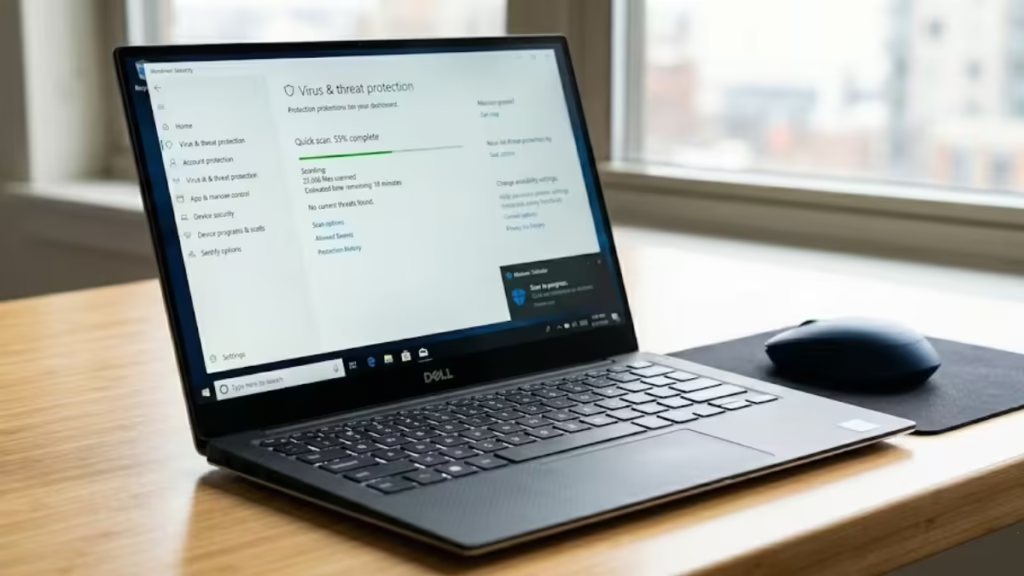
AV-Comparatives first spotted the removal. Neowin forum supervisor goretsky brought it wider attention, noting the post had been controversial from the start because of its firm stance against third-party solutions. Microsoft has not publicly explained the decision.
What the Removed Blog Said
The post, titled “Best antivirus software for 2026: The built-in Windows protection you need,” previously available here and now redirecting to the Learning Center homepage, made the case for Windows 11 as a self-sufficient security platform. It covered Microsoft Defender Antivirus, Microsoft Defender SmartScreen, Smart App Control, and native ransomware mitigation through Controlled Folder Access.
The section that attracted the most attention was titled “Do you still need third-party antivirus in 2026?” Microsoft’s answer leaned toward no:
For many Windows 11 users, Microsoft Defender Antivirus covers everyday risk without requiring additional software. The choice to add third-party antivirus depends on how you use your PC and which features you value.
The post described Windows 11 protection as sufficient when default settings stay active, updates install regularly, and software downloads come from deliberate sources. It acknowledged that third-party tools help users managing multiple devices, sharing devices with family, or wanting identity monitoring and parental controls. But the framing throughout placed the burden of justification on the third-party tool, not on Defender.
We covered the original post in full in Microsoft Says Windows 11 Built-In Antivirus Is Enough.
Why the Post Drew Criticism
The post’s content was not new in substance, but its directness was unusual for a consumer-facing Microsoft publication. PC manufacturers including Lenovo, HP, and Dell routinely ship systems with pre-installed antivirus suites through commercial partnerships. Microsoft’s explicit message that users do not need those additions put pressure on those relationships.
AV-Comparatives described the removal as “a constructive step,” noting that the April post’s tone was considerably sharper than a more measured article Microsoft had published on January 13, 2026. That January article is still live on the Learning Center and takes a different approach: it positions Defender as a strong baseline, acknowledges that third-party tools deliver capabilities beyond the basics, and stops short of claiming that Defender covers every scenario.
The antivirus industry has also pushed back on the broader concept of endpoint monoculture. When every protected machine relies on a single defense layer, attackers who develop an exploit for that layer reach every target at once. A diverse security ecosystem means attackers face multiple independent detection engines, research teams, and protection philosophies. That argument carries considerably more weight today than it did a decade ago, as AI-scale vulnerability research has compressed the time from exploit development to active deployment.
What the Independent Test Data Actually Shows
AV-Comparatives has tested Microsoft Defender since 2007. The results confirm that Defender has matured into a credible modern security solution. In the Malware Protection Test from March 2026 against 10,000 samples, Defender achieved a strong online protection rate that placed it in the top cluster of tested products.
The more telling figure is offline detection. Defender’s offline detection rate is 89.2 percent. Several other tested products reach 98.6 percent offline. That gap reflects a design choice: Defender relies heavily on cloud-assisted intelligence and reputation systems. When cloud connectivity is stable, the approach works well. When users operate on captive portals, in enterprise networks with restricted outbound traffic, or in privacy-focused configurations that limit telemetry, the effective protection level falls closer to what the product can do locally without cloud access.
In the April 2026 Performance Test, Defender earned the “ADVANCED” award, placing in the mid-range of the tested field. Third-party products in these tests run with the same platform integration available to Defender. Microsoft’s own Virus Initiative provides qualified antimalware vendors with Early Launch Antimalware drivers and Protected Process Light service hardening, the same deep integration points that Defender uses. The comparison is like-for-like.
SmartScreen delivers reliable results inside Microsoft Edge and the built-in Outlook client. Outside that ecosystem, the coverage narrows. Users running Chrome, Firefox, Brave, or Thunderbird may see different phishing detection behavior than users working entirely within Microsoft’s applications. Third-party endpoint suites typically apply browser-independent URL filters that work regardless of which browser or mail client the user runs.
The Article That Stayed Live
Microsoft’s January 2026 Learning Center article, still accessible through the Learning Center homepage, takes a noticeably different tone. It positions Defender as a strong baseline, acknowledges that third-party tools deliver capabilities beyond the basics, and does not claim that Defender is sufficient in every scenario. AV-Comparatives called the updated framing a welcome change.
The January article makes clear that additional software adds value for users who want VPN access, identity monitoring, dark web scanning, advanced parental controls, or centralized management in enterprise environments. The shift from “you do not need third-party software” to “here is what Defender covers and where additional tools help” captures the practical difference between the two posts.
What Windows 11 Users Should Know Now
Microsoft Defender’s capabilities have changed substantially over the past decade. AV-TEST evaluated Microsoft Defender Antivirus (Consumer) version 4.18 in January and February 2026, awarding a perfect 6.0 out of 6.0 across Protection, Performance, and Usability. Detection rates reached 100 percent against real-world 0-day malware in both months and 100 percent against a reference set of 12,728 widespread samples. AV-Comparatives places Defender’s real-world protection rate between 98.5 and 100 percent, in line with leading paid alternatives.
For home users with straightforward usage patterns on an updated Windows 11 system, Defender provides strong protection that most Windows users a decade ago did not have by default. The gap between built-in protection and third-party tools is smaller than it has ever been.
Three scenarios still justify third-party tools:
- Enterprise environments require centralized management consoles, compliance reporting, and endpoint detection and response capabilities that consumer Defender does not include.
- Families benefit from parental controls and content filtering that bundled security suites provide beyond what Windows 11 offers natively.
- Users who want bundled services such as VPN access, identity theft monitoring, and dark web scanning may find that a paid suite combines those features with antivirus in a single subscription.
Outside those scenarios, running a second real-time engine alongside Defender increases resource use and can produce conflicts. The general recommendation from Microsoft and independent labs is to run one active real-time antivirus engine at a time.
How to Verify Defender Is Active
Open Windows Security and confirm each of the following:
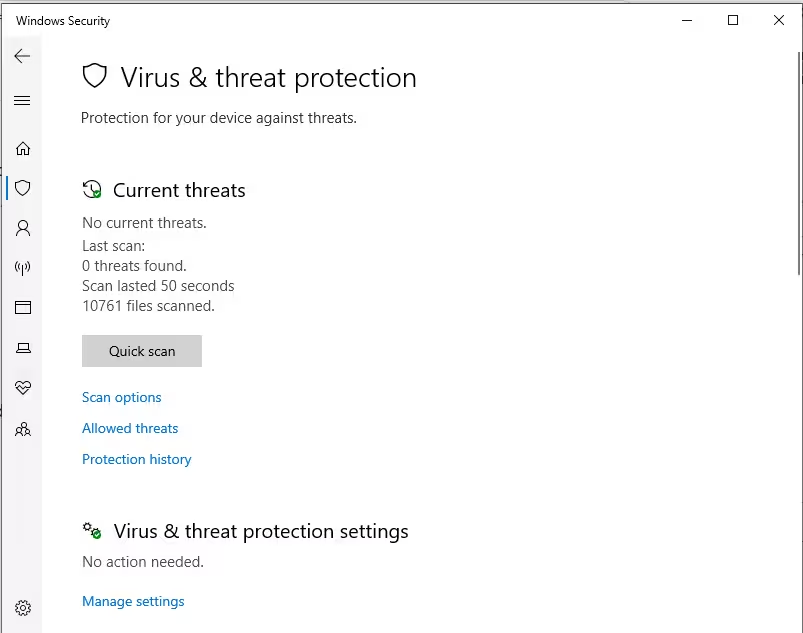
- Virus and threat protection > Real-time protection: On
- Virus and threat protection settings > Cloud-delivered protection: On
- App and browser control > Reputation-based protection (SmartScreen): On
- Ransomware protection > Controlled folder access: Enabled
These four settings cover Defender’s core protection layers. Once active, Defender handles routine scanning, threat detection, and signature updates automatically with no additional configuration required.
FAQs
Why did Microsoft remove the Windows 11 antivirus blog post?
Microsoft has not issued a public explanation. AV-Comparatives, which first spotted the removal, noted that the April post’s tone was sharper than a more measured article Microsoft published in January 2026. The most widely cited reason is pressure from antivirus partners who found the “you do not need third-party software” framing commercially problematic.
Is Microsoft Defender enough in 2026?
For most home users on Windows 11 with default settings, regular updates, and standard browsing habits, Defender provides strong protection. AV-TEST awarded it a perfect 6.0 out of 6.0 for Protection, Performance, and Usability in January and February 2026. Enterprise users, families wanting parental controls, and users seeking VPN or identity monitoring services may still benefit from third-party tools.
What did the removed Microsoft antivirus blog post cover?
The post covered Microsoft Defender Antivirus, SmartScreen, Smart App Control, and Controlled Folder Access. Its most debated section argued that Windows 11 protection is sufficient for most everyday users and that third-party software is an optional addition rather than a requirement.
Where does the removed Microsoft antivirus blog redirect now?
The original URL, previously available here, now redirects to the Learning Center homepage. No official archived version is accessible through the Microsoft site.
Does Microsoft still say Defender is enough?
The January 2026 Learning Center article remains live with a more balanced position: Defender is a strong baseline for most users, and third-party tools add features and capabilities beyond what is built in. The bolder April claim has been removed without replacement.
Can running two antivirus programs on Windows 11 cause problems?
Yes. Running two real-time antivirus engines simultaneously increases CPU and RAM usage and can cause conflicts between scanning processes. Microsoft and independent security labs recommend keeping one active real-time engine running at a time.

