The Unique Identification Authority of India (UIDAI) has issued a critical update regarding the usage of biometric devices in Aadhaar authentication. As per the latest circular, all L0 fingerprint registered devices must be phased out and replaced with L1 fingerprint registered devices by December 31, 2024. This change directly impacts users of Morpho RD Service, one of the most widely used biometric solutions in India.
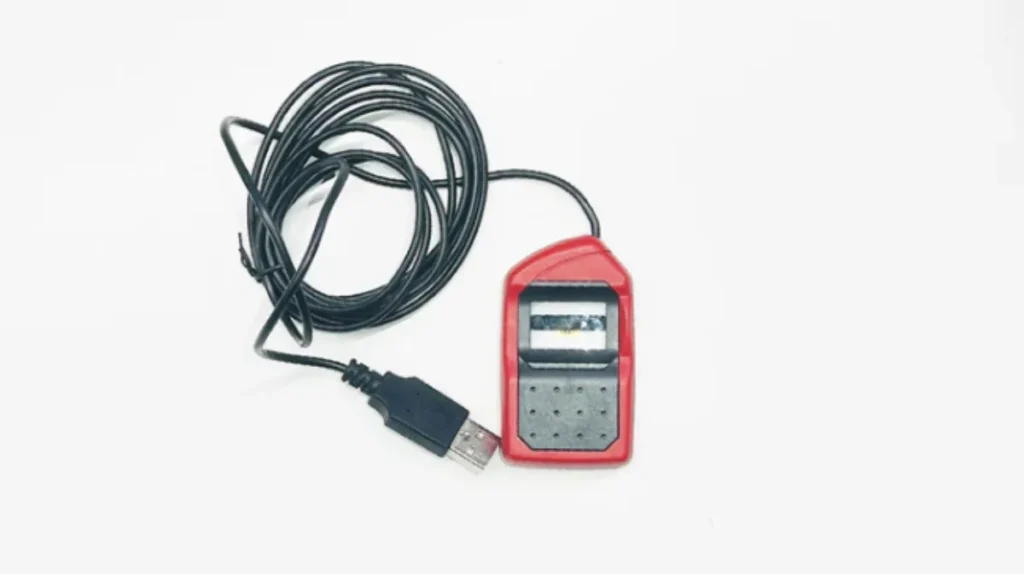
What is Morpho RD Service?
Morpho RD Service ensures the secure registration and authentication of biometric devices, particularly fingerprint scanners like the MSO 1300 E3, for Aadhaar-based services. The RD (Registered Device) service aligns with UIDAI guidelines, safeguarding biometric data through encryption during eKYC and other authentication processes.
Why the Migration from L0 to L1 Devices?
UIDAI mandates this migration to enhance security and reliability in Aadhaar authentication. L1 devices incorporate advanced encryption and security features, minimizing the risk of unauthorized access or tampering.
Key Updates from UIDAI’s Circular
- Migration Deadline:
- All L0 fingerprint devices must be replaced with L1 devices by December 31, 2024. (Extended from the initial date of September 30, 2024).
- Device Hotlisting:
- Hotlisting of specific L0 devices will begin from September 30, 2024, with more devices being added to the list by October 31, 2024. A total of 19 device models have been listed for hotlisting.
- Additional Transaction Fees:
- From November 1, 2024, Aadhaar authentication using L0 devices will attract additional fees as per UIDAI regulations.
- No New L0 Registrations:
- UIDAI will stop registering any new L0 fingerprint devices from October 1, 2024.
List of Affected Device Models
The circular lists 19 fingerprint device models from various vendors that will be hotlisted by October 31, 2024. Notably, these include models from Morpho (Integra Micro Systems) such as:
- IMS.IMS.1300E.W – Hotlisting on September 30, 2024
- IMS.IMS.MF100.W – Hotlisting on October 31, 2024
How to Migrate to L1 Fingerprint Devices
- Check Device Compatibility:
- Verify if your Morpho device is an L0 model using the RD Service app.
- Download the Latest RD Service Software:
- Visit the official Morpho website or the Google Play Store to download the Morpho SCL RDService.
- Install and Register the Device:
- Follow the on-screen instructions to register your L1 device with UIDAI.
- Test Authentication:
- Perform a test Aadhaar authentication to confirm the successful migration.
Pricing Information for Morpho Devices and RD Service
According to the latest information, IDEMIA (Morpho) devices are available with the following pricing structure:
- MSO 1300 E3 RD L1 (L1 Certified Device): ₹3,200 (Offer Price)- Buy Here
- MSO 1300 E3 RD L0 (Non-Aadhaar Use Only): ₹2,700 (Offer Price)- Buy Here
- RD Service (1-Year Subscription): ₹375
- One-Year AMC: ₹300
- GST and Shipping Charges: Additional as applicable
Steps to Purchase Morpho RD Service
- Provide Quantity & Device Details
- Log in to Complete Checkout
- Review Cart & Make Payment
- Register Device with UIDAI
Implications for Users
Failing to migrate from L0 to L1 devices by the stipulated deadline will lead to:
- Inability to perform Aadhaar-based authentication.
- Additional fees for transactions conducted with L0 devices after November 1, 2024.
- Compliance issues for businesses relying on biometric authentication.
Conclusion
The migration from L0 to L1 fingerprint devices is a significant step towards fortifying Aadhaar authentication security. Users of Morpho RD Service should act promptly to upgrade their devices before the deadline to avoid disruptions.

