The Nightreign failed to join team error appears when Elden Ring Nightreign matchmaking cannot connect players to a party, even though online mode is active. This issue usually happens due to strict multiplayer requirements such as mismatched region settings, expedition selection, Nightlord choice, Shifting Earth conditions, Remembrance progress, or network configuration.
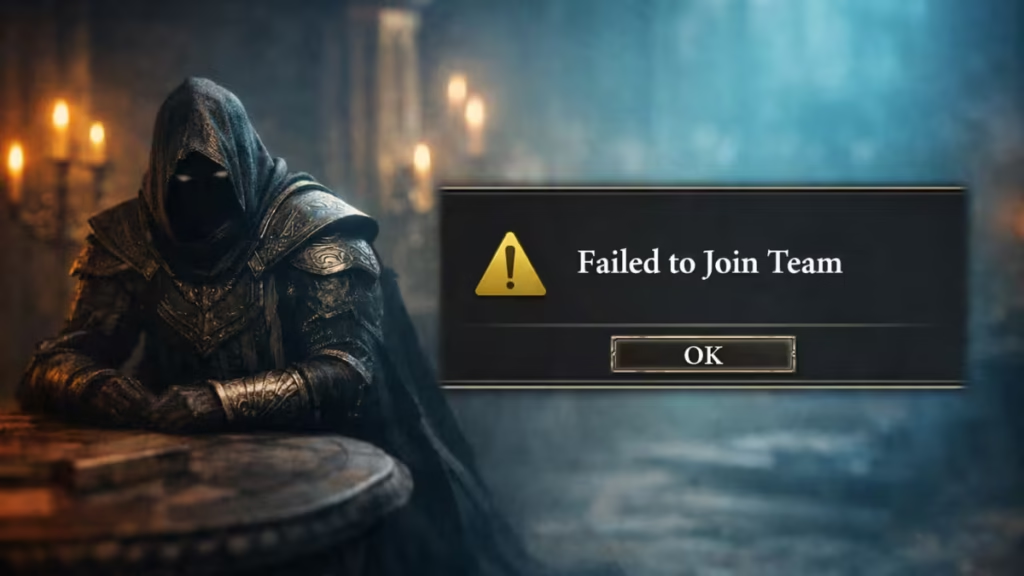
In this guide, we explain why the Nightreign failed to join team error occurs and walk through the exact fixes that help restore matchmaking and co-op play quickly.
How to Fix Nightreign Failed to Join Team Error
Follow these steps in order. Most players fix the issue within the first few checks.
1. Make Sure All Players Are Online
Before anything else:
- Go to the Main Menu
- Check the bottom-right corner
- Confirm the game status shows Online
If it says Offline, select Log In manually. Nightreign will not auto-reconnect if the session desyncs .
2. Check Matchmaking and Password Settings
This is one of the most common causes.
Ensure that:
- All players selected Multiplayer as the Expedition type
- Matchmaking passwords are identical
- There are no leftover passwords from earlier sessions
Even a single extra character in the password will cause the “Failed to Join Team” error.
3. Enable Cross-Region Play (Very Important)
By default, Nightreign blocks cross-region matchmaking.
If teammates are in different regions:
- Open Network Settings
- Enable Cross-Region Play
- Restart matchmaking
This significantly increases the player pool and resolves many failed joins .
4. Select the Same Nightlord or Expedition
Every player must:
- Choose the same Nightlord
- Or select the same Expedition target
If even one player selects a different target, the team cannot form.
5. Match Shifting Earth Conditions
Shifting Earth events are not cosmetic. They directly affect matchmaking.
If players have different Shifting Earth states:
- Go to Roundtable Hold
- Use the Bed in the Waiting Room
- Sync map conditions before retrying
This is a hidden requirement many players miss .
6. Check Remembrance Quest Status
Only one player in a team can have an active Remembrance objective.
If multiple players have one active:
- Open the Journal
- Postpone Remembrance objectives for all but one player
- The player with the active Remembrance should start matchmaking
This restriction is enforced server-side.
7. Confirm Platform Compatibility
Nightreign does not support full cross-play.
Supported:
- PS4 ↔ PS5
- Xbox One ↔ Xbox Series X|S
Not supported:
- PlayStation ↔ Xbox
- Console ↔ PC
If platforms don’t match, the error is unavoidable .
8. Check NAT Type (PlayStation Players)
On PlayStation, NAT Type matters.
- NAT Type 3 can block matchmaking
- NAT Type 2 is recommended
To check:
- Settings
- Network
- Connection Status
- Check Connection Status
Switching to NAT Type 2 improves peer connections significantly.
9. Wait Out Leave Penalties
If you recently quit multiple runs:
- Nightreign applies a temporary leave penalty
- Matchmaking becomes extremely slow or fails entirely
There is no manual fix. You must wait for the penalty to expire.
10. Rare Fix: Same ISP Server Issue
In rare cases, players on the same local ISP server may fail to connect due to peer-to-peer routing conflicts.
This has been confirmed by players using the same fiber provider. Contacting the ISP or using a different network can resolve the issue .
Can You Play Nightreign Without Teams?
Yes. Nightreign supports:
- Solo play
- Offline mode
If matchmaking keeps failing, you can disable online features and continue progression without losing access to core content.
Is This a Server Issue?
Not always. Most “Failed to Join Team” errors are caused by:
- Mismatched settings
- Region restrictions
- Progression conflicts
However, during peak hours or updates, server instability can worsen the problem. If none of the fixes work, waiting and retrying later is recommended.
FAQs
Why does Nightreign say “Failed to Join Team”?
This happens when matchmaking requirements like region, expedition, Nightlord, or progression status don’t match between players.
Is Nightreign matchmaking down right now?
Most of the time, matchmaking works normally, but strict settings or penalties can prevent players from joining teams.
Does Nightreign support cross-play?
No, Nightreign only supports cross-generation play within the same console family, not full cross-platform play.
Can NAT type cause Nightreign team join errors?
Yes, NAT Type 3 on PlayStation can block peer connections and cause failed team joins.
Can VPN fix the Nightreign failed to join team error?
In rare ISP routing issues, a VPN or different network may help, but it’s not a guaranteed fix.
Can you play Nightreign without joining a team?
Yes, Nightreign supports solo and offline play without affecting core progression.

