POCO C51 with 6.52″ HD+ display, Helio G36 processor, 5000mAh battery- Review and Price
POCO C51 coming soon in India, and the company confirmed the launch of the C51 budget smartphone on April 7, 2023. The design and specifications look similar to Redmi A2+ that was introduced recently. POCO C51 budget smartphone is available for sale from April 7th on flipkart.com.
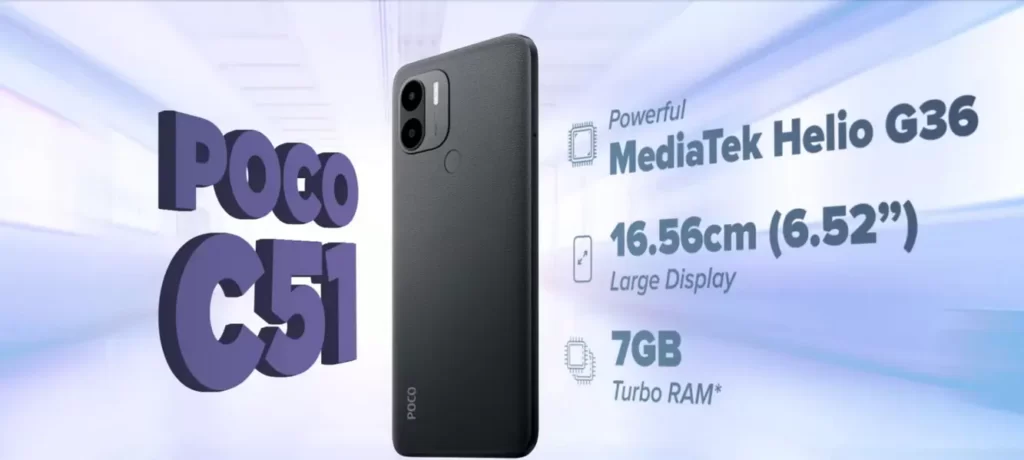
Coming to specifications, the device comes with a 6.52-inch HD+ display, 120Hz touch sampling rate, an 8MP dual AI camera, and 7 GB of turbo RAM (4GB of RAM + 3GB of extended RAM).
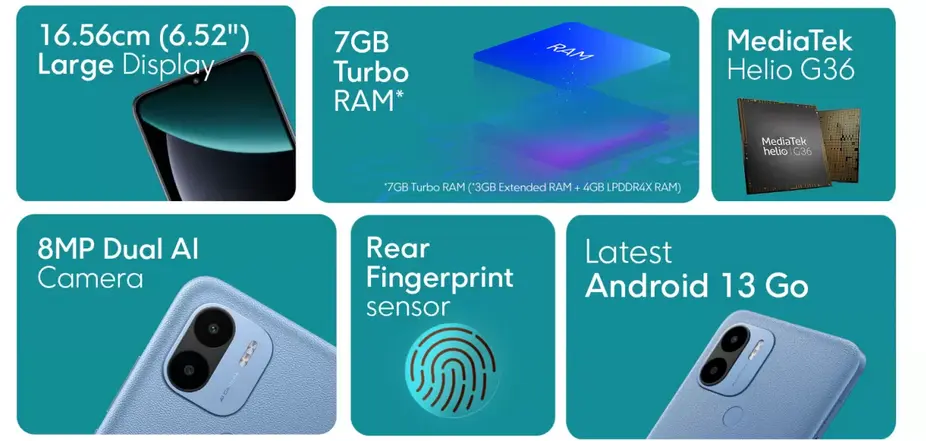
POCO C51 has a powerful 2.2 GHz MediaTek Helio G35 processor and a battery of 5000mAh with a 10W fast charge.
Out of the box, the device comes with the latest Android 13 Go Edition, and the company has confirmed 2 years of security updates for the phone.

POCO C51 specifications
- Display: 6.52-inch HD+ IPS LCD screen with 120Hz touch sampling rate
- Resolution: 1600 x 720 pixels
- SIM: Dual SIM (nano + nano ) with dedicated microSD slot
- Processor: 2.2 GHz Octa-Core MediaTek Helio G36 12nm with IMG PowerVR GE8320 GPU
- Memory: 3GB / 4GB RAM
- Storage: 32GB with microSD slot expandable memory up to 1TB
- Camera: Single Rear: 8MP with f/2.0 aperture with LED flash
- Front camera: 5MP with f/2.2 aperture
- Audio jack: Yes (3.5mm )
- FM Radio: Yes
- Fingerprint scanner: Rear-mounted scanner
- Network: Dual 4G VoLTE
- WLAN: Wi-Fi 802.11 b/g/n
- Bluetooth: 5.0v
- Communication: GPS + GLONASS, Micro USB port
- Battery: 5000mAh battery with 10W charging
- OS: Android 13 (Go Edition) with 2 year security updates
Price will be updated here, once it launched this week on Flipkart.
Learn More
Link: Tech Visual stories