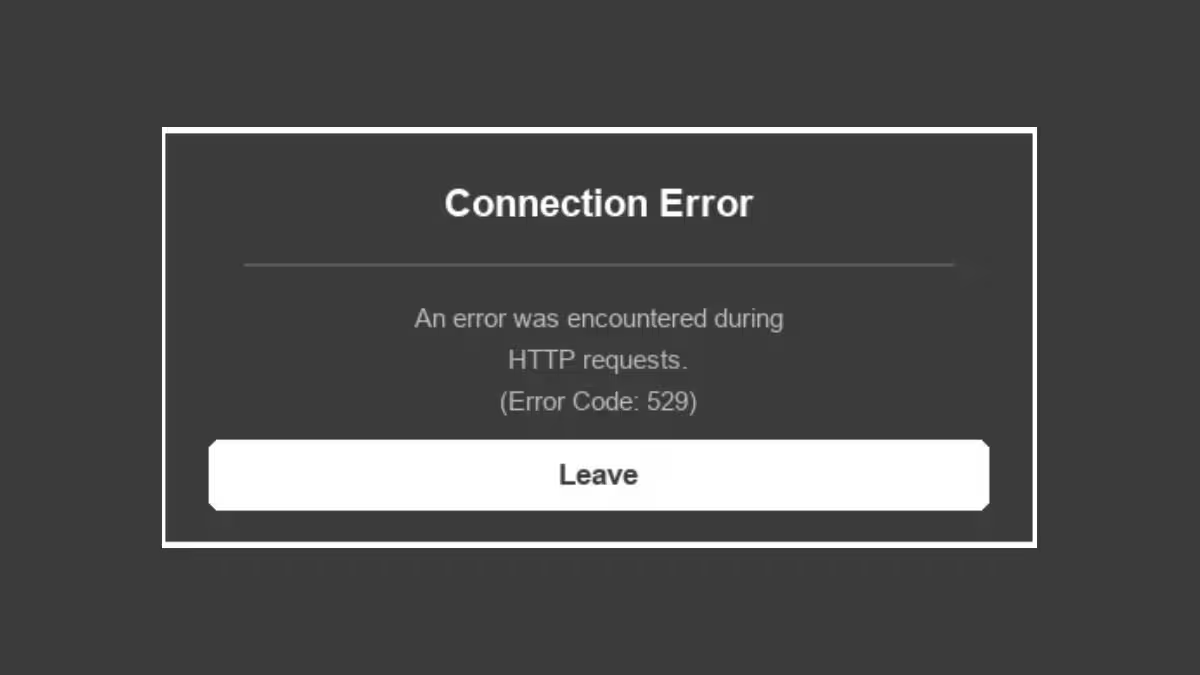
Roblox error code 529 stops you from entering the client and shows a message like “An HTTP error has occurred. Close the client and try again.” The error usually points to unstable Roblox servers, but a shaky internet connection, an active VPN, a corrupt DNS cache, or an outdated client can also trigger it. This guide walks through every working fix for Roblox error code 529 on PC, mobile, Xbox, and PlayStation.
What Causes Roblox Error Code 529
A weak connection, an active VPN, or a server hiccup on Roblox’s side can all cause this error.
- Server downtime: Roblox servers go down for maintenance or face unexpected outages, which blocks players from connecting.
- Unstable internet connection: A weak or fluctuating network signal prevents the game from holding a stable connection with Roblox servers.
- VPN interference: Many Roblox experiences block VPN traffic for security reasons, which can trigger connection errors.
- Corrupt DNS cache: A damaged DNS cache on your device disrupts the lookup process Roblox needs to reach its servers.
- Outdated client: An old version of the Roblox app often carries bugs that newer updates already fixed.
- Firewall restrictions: Overly strict firewall or security software settings can block Roblox from accessing the internet.
Fix 1: Check the Roblox Server Status
Start by confirming the problem isn’t on Roblox’s end. Visit the official Roblox status page and look for any red warning labels. If the page shows an “All Systems Operational” message, move on to the fixes below. If it shows an outage, wait for Roblox to resolve it on their side since no fix on your device will work until then.
Fix 2: Restart Your Router
A corrupt router cache often causes connection errors like 529. Turn off your router for about 30 seconds, then turn it back on and wait for it to reconnect fully. This clears the cache and refreshes your connection to Roblox’s servers.
Fix 3: Disable Your VPN
If you connect to Roblox through a VPN, turn it off and relaunch the client. Roblox flags VPN traffic as a security risk on many experiences, which can block your connection outright. Once you confirm the game loads without the VPN, you can decide whether to keep it disabled while playing.
Fix 4: Log Out and Log Back Into Roblox
Roblox sometimes fails to fetch your account data from the server, which triggers error code 529. Logging out and back in forces the client to pull fresh data.
On PC, Xbox, and PlayStation:
- Open the Roblox client and click the ellipsis menu (three dots) on the left.
- Click Log Out at the bottom of the menu.
- Sign back in and relaunch the game.
On iOS and Android:
- Open the Roblox app and tap the ellipsis menu (three dots) in the bottom right.
- Scroll to the More section and tap Log Out.
- Sign back in and try launching the game again.
Fix 5: Restart Your Device
A full restart clears temporary system glitches that interfere with Roblox’s connection. This works across Windows, macOS, Android, iOS, Xbox, and PlayStation. Power off your device completely, wait a few seconds, then turn it back on before reopening Roblox.
Fix 6: Update the Roblox Client
An outdated client can carry bugs that trigger error code 529. Download the latest version from the official Roblox website and install it for your platform. Roblox pushes regular updates that patch known connection issues, so staying current reduces the chances of running into this error again.
Fix 7: Flush Your DNS Cache
A corrupted DNS cache disrupts how your device resolves Roblox’s servers. Flushing it clears out bad entries and forces your device to fetch fresh data.
On Windows:
- Open the Start menu, search for
cmd, and open Command Prompt. - Type
ipconfig /flushdnsand press Enter. - Restart your device and launch Roblox again.
On macOS:
- Open Terminal from Spotlight search.
- Type
sudo dscacheutil -flushcache; sudo killall -HUP mDNSResponderand press Enter. - Enter your password when prompted, then restart Roblox.
Fix 8: Adjust Your Firewall Settings
If your firewall blocks Roblox from communicating over the internet, you’ll keep running into error code 529 regardless of your connection quality.
- Open your firewall or security software settings.
- Find the section for program permissions or exceptions.
- Add Roblox to the list of allowed applications.
- Save your changes and relaunch Roblox to test the connection.
- If the error persists, temporarily disable the firewall to confirm whether it’s the cause, then re-enable it once you’ve adjusted the settings correctly.
Frequently Asked Questions
What does Roblox error code 529 mean?
Error code 529 means Roblox’s servers are responding slowly or are temporarily down. It can also point to connection issues like an unstable network, a corrupt DNS cache, or VPN interference on your device.
Can a VPN cause Roblox error 529?
Yes. Many Roblox experiences block VPN traffic for security reasons. Disabling your VPN before launching Roblox often resolves the error.
How do I check if Roblox servers are down?
Visit the official Roblox status page to see real-time server status. A red warning label indicates an active outage, while an “All Systems Operational” message means the issue lies on your device or network.
Does restarting my router fix error code 529?
Restarting your router clears a corrupt cache and refreshes your connection, which fixes the error in many cases where the cause is network instability rather than a server-side outage.
Roblox error code 529 almost always traces back to server instability or a connectivity issue on your end. Checking the server status first saves time, since no local fix will work during an outage. If the servers show operational, work through the router restart, VPN check, login refresh, and DNS flush in order until the error clears.

