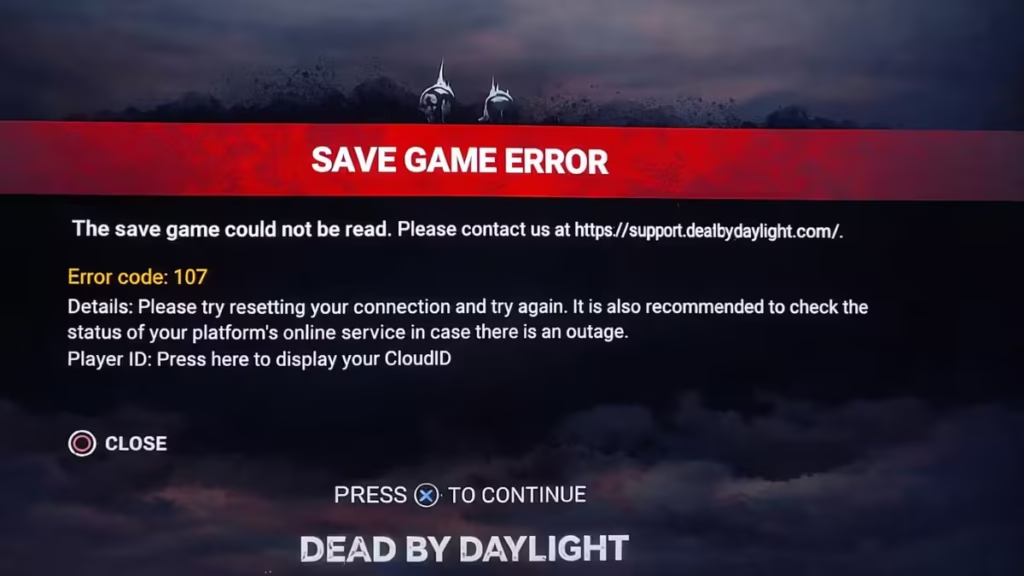
If you see a “Save Game Error” in Dead by Daylight, the game cannot read or sync your data. This usually happens when the game fails to connect to servers or when local files become corrupted.
In most cases, you can fix it in a few minutes using the steps below.
Why DBD Save Game Error Happens
Before fixing it, understand the cause. This error usually comes from:
- Server outage or maintenance
- Internet connection drop
- Corrupted game files
- Broken cloud save sync
- Local save/cache conflict
For example, error code 107 often appears after a network interruption or server issue.
If servers are down, no local fix will work.
Step 1 — Check DBD Server Status First
Always start here.
- Check Steam / Epic / PlayStation / Xbox server status
- Try opening other online games
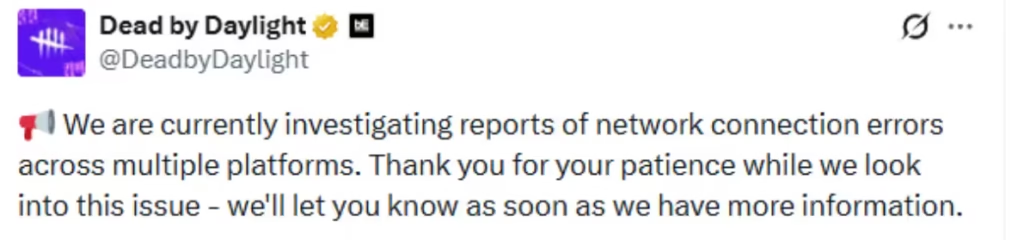
- Look for outage spikes on X (Twitter) or other social media platforms.
If servers are down: Wait. There’s not much you can do. Once servers are back online, launch the game again and it should work normally.
If the issue is widespread, you may also see an official response from Dead by Daylight (@DeadbyDaylight) on X about ongoing connection errors—like in shown below..
Step 2 — Restart Game, Steam, and Internet
This fixes temporary sync failures.
Do this in order:
- Close Dead by Daylight
- Exit Steam completely
- Restart your PC
- Restart your router
- Launch the game again
This resolves connection-related save errors quickly.
Step 3 — Verify Game Files (Most Important Fix)
Corrupted files are a major cause.
Follow these steps:
- Open Steam
- Go to Library
- Right-click Dead by Daylight
- Click Properties
- Go to Installed Files
- Click Verify Integrity of Game Files
If any file is broken, Steam will repair it.
Missing or damaged files commonly cause crashes and loading errors.
Step 4 — Delete Local Save Data (Fix Sync Issues)
If cloud sync is broken, reset local cache.
Steps:
- Go to:
C:\Users\YourName\AppData\Local\DeadByDaylight\ - Find the Saved folder
- Backup it (important)
- Delete the folder
- Launch the game
This forces the game to download fresh data.
Many users fix loading issues by removing this folder.
Step 5 — Reset Steam Cloud Sync
Cloud mismatch can trigger save errors.
Do this:
- Open game Properties
- Turn Steam Cloud OFF
- Launch game → close it
- Turn Cloud ON again
- Relaunch
This resets the sync process.
Step 6 — Disable VPN and Fix Network Issues
DBD depends on stable connection.
Make sure:
- No VPN is active
- Internet is stable
- Firewall allows the game
- Try a different network (mobile hotspot)
Save errors often appear after connection drops or reconnections
Step 7 — Reinstall the Game (Last Fix)
If nothing works:
- Uninstall Dead by Daylight
- Restart system
- Install fresh copy
- Launch again
Reinstalling fixes deep file corruption issues.
FAQs
How do I fix DBD save game error?
Verify game files, restart your internet, and reset cloud sync. If servers are down, wait.
Why does Dead by Daylight show save game error?
It appears when the game fails to sync data due to server issues, network problems, or corrupted files.
Is DBD save game error a server issue?
Yes, in many cases. During outages or updates, the error appears even if your system works fine.
Does verifying game files fix DBD save error?
Yes. It repairs corrupted files and often resolves loading and save issues.
Will I lose progress if I delete DBD save files?
No. Dead by Daylight stores progress on servers, so it syncs back after restart.
Can VPN cause DBD save game error?
Yes. VPNs can interrupt server communication and trigger sync errors.
What is error code 107 in DBD?
It usually indicates a connection or server sync issue that prevents the game from loading properly.
How long does DBD save error last?
If server-related, it can last from a few minutes to several hours until fixed.
If the issue still continues, wait for a server-side fix or contact support.

