Few emails worry a publisher more than one from Google saying the AdSense account is disabled. The "Dishonest Declaration" notice is one of the most confusing versions, because it accuses you of something without saying what. This guide explains what the notice means, what usually triggers it, and what you can do next.
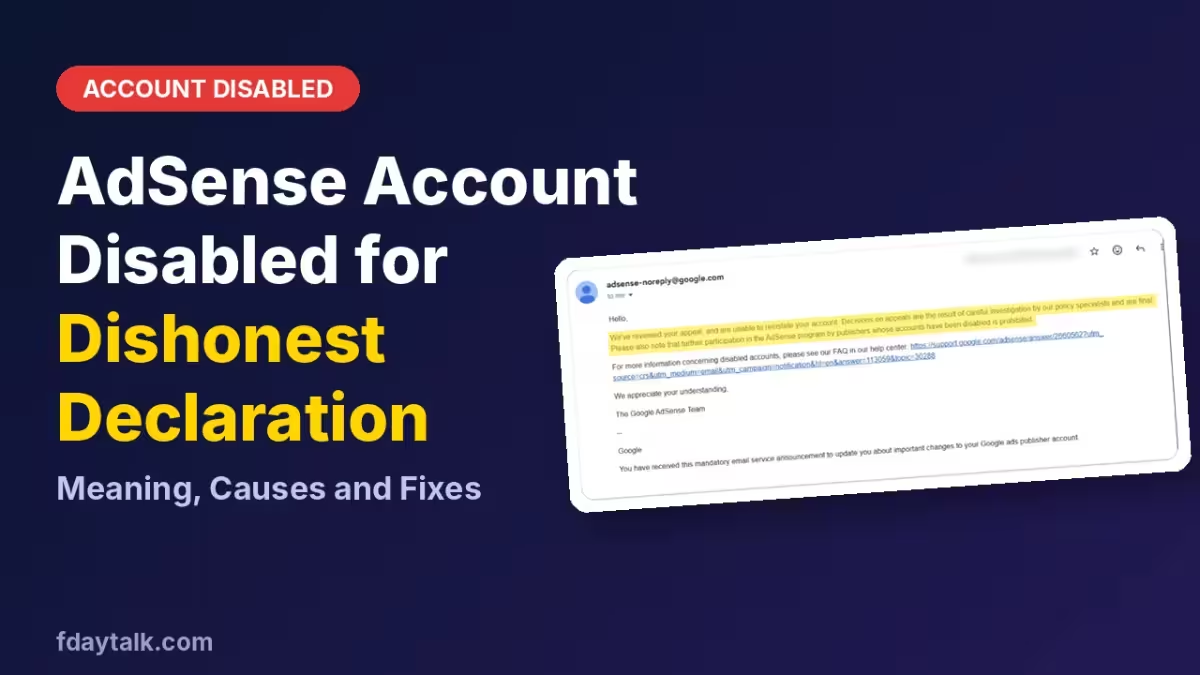
What Is Dishonest Declaration in AdSense?
Google uses this label when it believes information you gave the AdSense program was false or misleading. The "declaration" covers everything you state to Google: your identity, address, payment details, site ownership, and your promise to follow program policies.
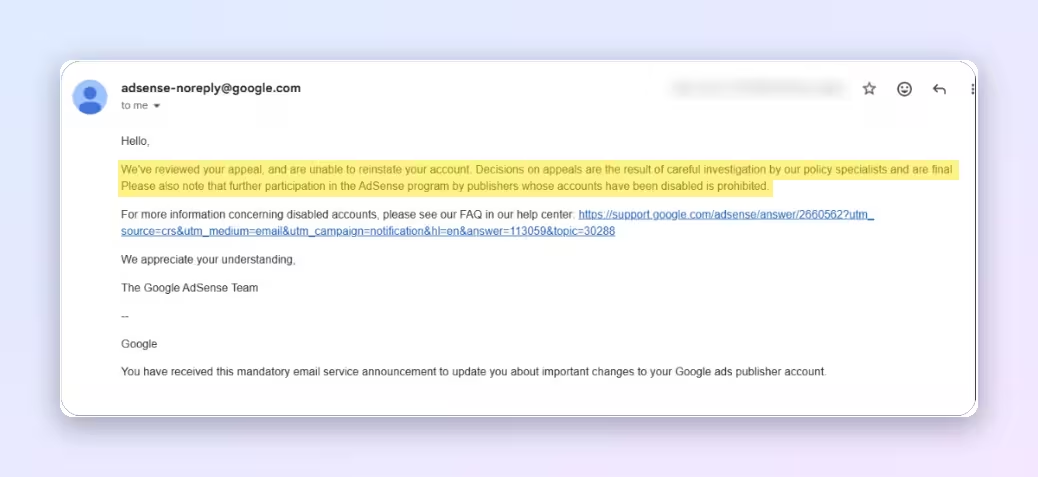
The notice is a policy decision. It is not a bug, and it is not a temporary review hold. Google's email usually links to its help page on disabled accounts and gives no detail about which statement caused the problem.
Why AdSense Disables Accounts for Dishonest Declaration
Google never publishes the exact trigger for an individual account, so nobody outside Google can name it with certainty. Publishers who have gone through this report a few common patterns.
Details that match an earlier disabled account
If your name, address, phone number, or bank details match an AdSense account that was disabled before, Google can treat the new account as an attempt to hide that history. This catches people who open a second account after a ban, and sometimes people who share a household or bank account with a banned publisher.
Someone else's account or a shared login
AdSense accounts are meant for the person or business that owns the sites. Running the account under another person's identity, or letting several people operate one account, can look like a false declaration of who is in control.
Site details that do not match reality
Google reviews the sites in your account. If the ownership, content, or purpose you declared differs from what Google sees, that mismatch can count against you.
Traffic or activity Google reads as misleading
Paid traffic, traffic from sources you did not disclose, or unusual patterns can lead Google to decide your activity is not what you claimed. Honest publishers can still get flagged here when a third party sends traffic to their site without their knowledge.
How to Find What Went Wrong After an AdSense Dishonest Declaration Email
- Read the original violation email. Open the AdSense account or the email inbox and find the first policy message, not just the appeal reply. It sometimes carries more detail than later emails.
- Check your own records. Compare the identity, address, and payment details in the account with your real documents. Look for typos, old addresses, or details copied from another account.
- Review your traffic sources. Open Google Analytics or Search Console and look for sudden spikes, odd countries, or referral sources you do not recognize.
- Look for links to older accounts. Ask yourself whether any earlier AdSense account used the same name, bank account, or phone number, including accounts from family members.
- Submit one clear appeal if the option is still open. Keep it factual, explain what you checked, and avoid long arguments.
What to Do If Your AdSense Appeal Is Rejected
When Google replies that its policy specialists reviewed the appeal and the decision is final, that account will not come back. Sending repeated appeals does not change the result.
Do not open a new AdSense account with the same identity, address, or payment details. Google links accounts through these details, and a new account tied to a disabled one is usually disabled as well. If you ever apply again, the details need to be genuinely different and genuinely yours, and you should only do it after you understand what went wrong the first time.
AdSense Alternatives to Keep Earning After an Account Ban
A disabled AdSense account does not end your site's income. You can use these options while you sort things out:
- Other ad networks such as Ezoic, Mediavine, or Raptive, which each have their own traffic requirements
- Affiliate programs that fit your content
- Direct sponsorships and sponsored posts
- Selling your own products, such as guides, templates, or ebooks
Read each network's terms first, and give every network accurate information from day one. Whichever route you pick, you can use Google Trends to target high-CPC states in the US and raise what each visit earns.
How to Avoid an AdSense Account Disable for Dishonest Declaration
- Use your real name, address, and payment details, and keep them consistent everywhere.
- Operate only an account that belongs to you or your registered business.
- Keep your site's description and ownership accurate in every application.
- Never buy traffic or use services that promise visitors.
- Check your traffic sources regularly so unusual activity gets caught early.
- Fix ads.txt issues as soon as AdSense flags them, since they cut your revenue.
- Keep your consent setup current and follow the TCF v2.3 transition steps so Google does not limit your ads.
- Control ad placement with the fine-tune ads settings instead of stacking ads by hand.
Frequently Asked Questions
What is Dishonest Declaration in AdSense?
It is a reason Google gives for disabling an account when it believes you provided false or misleading information in the AdSense program. It covers identity, payment, ownership, and policy statements.
Can a Dishonest Declaration ban be reversed?
Sometimes the first appeal succeeds if you can show an honest mistake. When Google's reply says the decision is final, the account stays disabled.
Will Google tell me exactly what I did wrong?
Usually not. The emails are general, so you need to review your own account details, site information, and traffic to find the likely cause.
Can I create a new AdSense account after this ban?
Not with the same identity, address, or payment details. Google links accounts through them, and a new account tied to a disabled one is likely to be disabled too.
Can I still earn from my website without AdSense?
Yes. Other ad networks, affiliate programs, sponsorships, and your own products can all replace the income.
Can invalid traffic cause a Dishonest Declaration notice?
Traffic problems are normally reported under their own invalid traffic reason, but publishers have reported traffic-related flags alongside this notice. Review your traffic sources either way.
Related Guides
- How to Set AdSense Fine-Tune Ads Settings: Max Ads & Distance
- Google AdSense to Replace Auto Ads Ad Load Slider with Advanced Banner Ad Controls
- TCF Error 1.4 AdSense Fix: How to Resolve IAB TCF v2.3 Limited Ads Issue
- Google AdSense Adds New Vignette Ad Triggers to Boost Publisher Revenue
- Google Adsense Error You need to fix some ads.txt file issues to avoid severe impact to your revenue