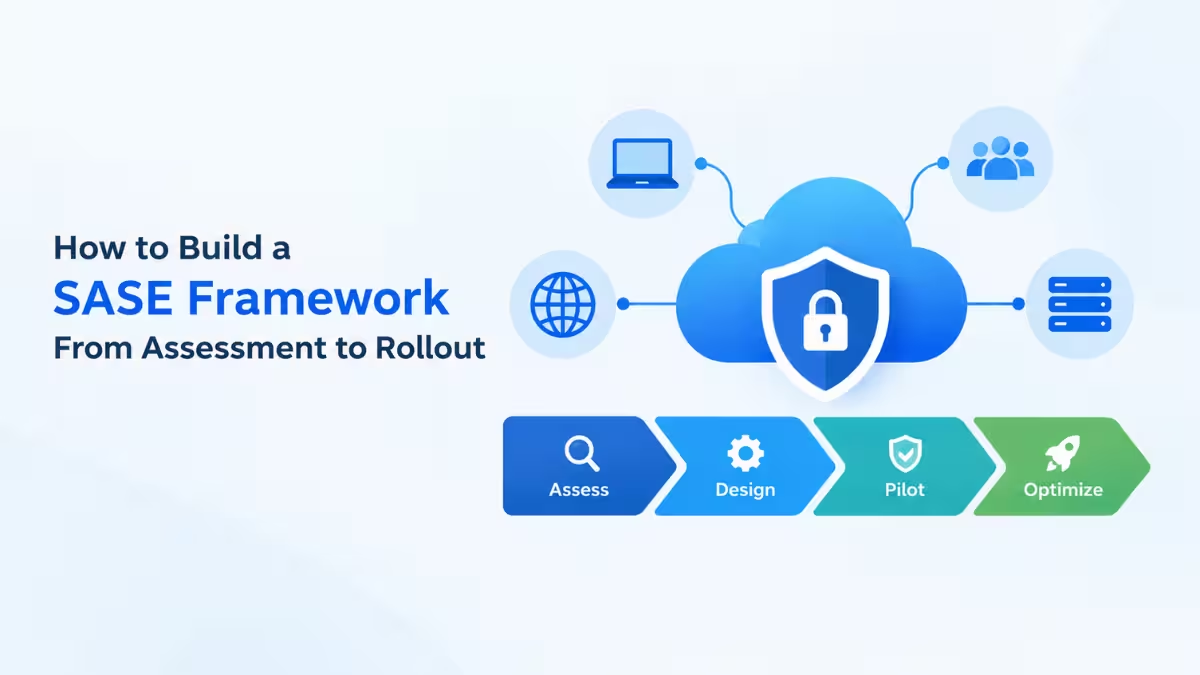
Secure Access Service Edge (SASE) merges networking and security functions into a single cloud-delivered service, replacing the patchwork of VPNs, firewalls, and proxies most organizations rely on today. Building one is a multi-phase governance shift, not a single tool rollout.
Establish a Baseline Assessment
Every SASE rollout starts by understanding what’s actually running today.
Inventory existing VPNs, firewalls, proxies, SD-WAN links, and branch connections, including shadow infrastructure such as older appliances nobody remembers deploying. Document network topology, traffic flows, application dependencies, and the compliance requirements driving current policy. Decide where the organization wants to be two to three years out and use that target to shape the roadmap, rather than reacting to whichever gap surfaces first.
Design the Architecture Before Picking a Vendor
SASE is built from several converging technologies working together, not one product.
- SD-WAN handles intelligent, dynamic routing across WAN links
- SWG (Secure Web Gateway) filters and inspects outbound web traffic
- CASB (Cloud Access Security Broker) gives visibility and control over SaaS usage
- ZTNA (Zero Trust Network Access) replaces traditional VPN access with identity-based, least-privilege connections
- FWaaS (Firewall as a Service) delivers firewall functionality from the cloud
Gartner’s architectural guidance pushes further than just picking these components: it stresses that SASE services should be built on cloud-native principles, including containerized microservices for agility and scale, and local survivability so branch locations can keep serving essential services like DNS even if the connection back to headquarters drops. Decide whether a single converged platform or a best-of-breed setup stitched together through APIs fits the environment better before evaluating vendors against it.
Pilot in a Controlled Segment
A narrow pilot limits the damage if something breaks.
Start with whichever segment is causing the most pain. Remote access problems point to piloting ZTNA first, branch connectivity issues point to SD-WAN, and SaaS visibility gaps point to CASB. Good pilot candidates include remote-worker populations, a new branch not yet migrated from legacy gear, or a non-critical SaaS application where a misconfiguration won’t threaten core operations. Run it long enough to capture seasonal traffic variation and performance under different load, not just a clean first week.
Model Policy Around Identity, Not Location
Migrating to SASE is the wrong moment to just copy old firewall rules over.
Use the migration window to do policy housekeeping: remove shadow rules, eliminate overly permissive access, consolidate overlapping policies, and apply consistent naming conventions so the ruleset stays maintainable afterward. Move from network-location-based access to identity-driven policy, where access depends on user identity, device posture, and application sensitivity instead of IP address. This works best as a joint effort between security teams, who understand policy intent, and business owners, who understand what access is actually needed day to day.
Deploy in Phases, Not a Single Cutover
Cutting the entire security stack over at once removes any room to roll back.
Migrate workload groups sequentially and validate each one before moving to the next: remote workers and mobile devices first, then branch office networks, then centralized cloud application access, then sensitive on-premises workloads. Branch migration often follows remote access because replacing MPLS with SD-WAN through the SASE platform tends to produce cost savings that help fund the rest of the rollout. Keep each migrated group running alongside its legacy equivalent for a defined coexistence window so a rollback stays possible if something unexpected surfaces.
Gartner’s longer-term guidance on this phase is to consolidate down to one or two closely partnered SASE vendors and build a dedicated team that combines security and networking expertise, rather than leaving the two disciplines siloed the way they were under legacy architecture.
Close the Internal Skills Gap
SASE requires skills that traditional network and firewall administration doesn’t cover.
Network administrators used to managing MPLS circuits and firewall rulebases need to pick up cloud-native architecture, API-based automation, and identity integration. Security teams focused on detection and response need to learn cloud-delivered security, policy orchestration across distributed points of presence, and how to debug enforcement on a platform that doesn’t offer local network visibility. Most teams start with the chosen vendor’s official certification track, which usually bundles architecture overviews and hands-on labs specific to that product. If SASE is delivered through an MSSP or MSP, the provider typically handles this training directly.
Run It as a Continuous Operating Model
SASE doesn’t stop needing attention once the initial rollout finishes.
Set up the right monitoring stack, covering identity telemetry, audit logging, and network performance data, then track metrics that actually reflect adoption and coverage: latency, drop rate, point-of-presence reachability, traffic steering decisions, and cost impact of routing choices such as MPLS versus direct internet access. Build a governance model that assigns clear ownership for policy changes, defines approval workflows, and sets SLAs and review gates so network and security teams stay aligned on access decisions as applications and user behavior keep changing.
Key Success Factors
- Executive buy-in across both networking and security teams, which often sit in separate departments
- Cloud-native architecture and local survivability built into the platform from the start, not bolted on later
- A dedicated owner or champion responsible for ongoing policy optimization after rollout
- Vendor consolidation down to one or two closely partnered platforms where practical
Frequently Asked Questions
What is SASE in cybersecurity?
SASE (Secure Access Service Edge) is a network architecture that combines SD-WAN with security functions like SWG, CASB, ZTNA, and FWaaS into a single cloud-delivered service, replacing separate hardware-based tools.
How long does a SASE implementation take?
Timelines vary based on environment complexity and organizational readiness, but most rollouts move through baseline assessment, pilot, phased deployment, and continuous optimization over many months rather than a single cutover event.
Which SASE component should an organization deploy first?
It depends on where the pain is. Remote access problems point to ZTNA first, branch connectivity issues point to SD-WAN, and SaaS visibility gaps point to CASB. Starting with the highest-pain area builds internal expertise before tackling the rest of the stack.
Is SASE the same as Zero Trust?
No. Zero Trust is a security principle based on continuous verification of identity and context. SASE is an architecture that implements Zero Trust access, through ZTNA, alongside networking and other security services.
What should be monitored after a SASE platform goes live?
Track latency, drop rate, point-of-presence reachability, and traffic steering decisions, along with cost impacts from routing choices like MPLS versus direct internet access. A defined governance model with clear policy ownership and review gates keeps the platform tuned as usage patterns evolve.

