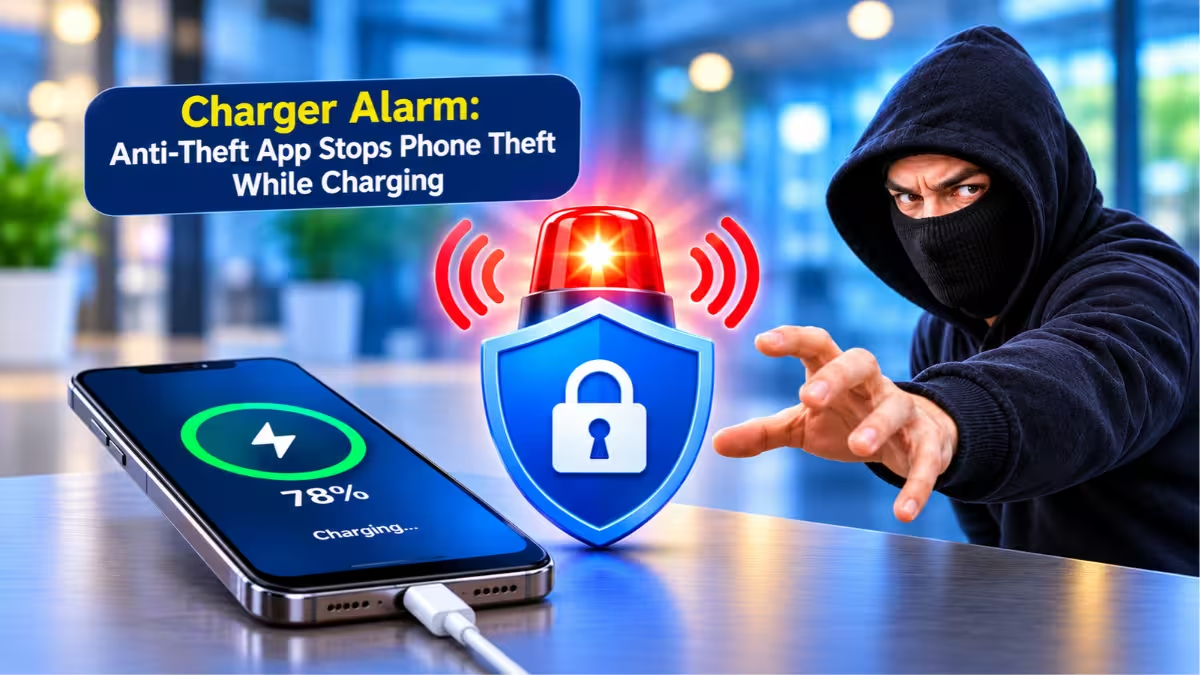
You plug your phone into a charger at a cafe, an airport gate or a library desk, then look away for a minute. That minute is all a thief needs. Charger Alarm: Anti-Theft is an Android app that sounds a loud siren the moment someone pulls your phone off the charger, and only you can silence it with your own fingerprint or PIN.
What Is the Charger Alarm Anti-Theft App?
The app guards your phone during the one moment you leave it unattended: while it charges.
When you connect a charger, the app arms itself silently in the background. If anyone unplugs the cable, the phone fires a full volume siren right away, with no grace delay that a thief could use to walk off. The siren keeps going until someone unlocks the phone with the owner's fingerprint, face or PIN. A stranger cannot just swipe it away.
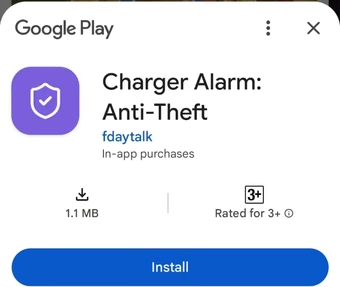
You can download it from Google Play.
Charger Alarm Anti-Theft Features That Stop Phone Theft
Each feature targets a real situation where a phone gets stolen or a normal alarm app annoys its owner.
Automatic Protection at Plug-In
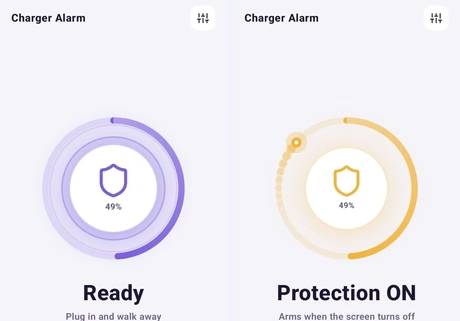
You do not need to open the app every time. Plug in the charger and protection turns on by itself. Unplug it after unlocking your phone and the app stays quiet.
Phone Lock Screen as the Off Switch
The app uses your phone's own lock screen to stop the alarm. It does not ask you to set up a separate app PIN, so you never forget a code in a panic, and a thief cannot guess one.
No False Alarms When You Unplug Your Own Phone
Many unplug alarm apps scream at their own owners. Charger Alarm checks for an unlock first, so when you pick up your own phone and unlock it, the cable comes out without a sound.
Cable Wobble Protection
Loose cables and worn charging ports often drop the connection for a split second. The app ignores these tiny blips, so a shaky cable on a crowded table does not set off the siren.
Motion Alarm for Phone Theft
Some thieves grab the phone and the charger together. The motion alarm catches this case: if someone lifts or moves the phone while it is protected, the siren starts even with the cable still attached.
Quick Settings Tile
Add the app's tile to your notification shade and you can turn protection on or off with one tap, without opening the app.
Battery Health Screen
The app also shows a battery health screen, so you can check your battery's condition while it charges.
Alarm Volume Control
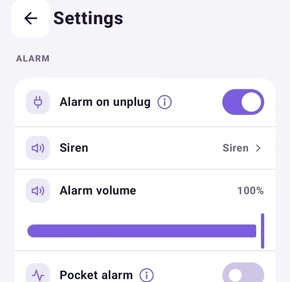
A volume slider in Settings lets you set how loud the siren gets. Keep it at maximum in a busy airport or lower it for a quiet office.
How to Set an Alarm When Your Charger Is Unplugged on Android
Setup takes about a minute, and the first-run intro screen walks you through it.
- Install Charger Alarm: Anti-Theft from Google Play.
- Open the app and follow the short intro screens.
- Allow the permissions it asks for: notifications, running in the background and showing over the lock screen. The app needs them to keep the alarm alive and show it on top of your lock screen.
- Tap the Turn on button.
- Plug in your charger. The screen changes colour to show that protection is active.
To test it, plug in, wait a few seconds, then pull the cable while the phone is locked. Unlock with your fingerprint or PIN to stop the siren.
Best Places to Use a Phone Anti-Theft Charging Alarm
Think of any place where you charge your phone and step away from it.
- Airports and train stations: public charging points sit far from seats, and travellers often leave phones there.
- Cafes and co-working spaces: a quick trip to the counter leaves the phone alone on the table.
- Libraries and college campuses: students charge phones at shared desks for hours.
- Hostels and hotel lobbies: shared rooms and common areas give strangers easy access.
- Office desks: a phone left on a charger during a meeting becomes an easy target.
Charger Alarm Anti-Theft Price: Free Trial and One-Time Unlock
Charger Alarm skips ads and subscriptions and charges once.
You get a 7-day free trial with every feature unlocked. After the trial, a one-time payment of $4.99 unlocks the app. The app shows a notification a day before the trial ends and another when it ends, so the charge never surprises you.
The app carries no ads at all. People plug in and walk away from their phones, so ads would only drain battery and clutter the screen.
Is Charger Alarm Anti-Theft Safe? Privacy and Permissions
The app keeps its data use small and asks for little beyond what the alarm needs.
It does not read your messages, contacts, photos or location. To stop people from restarting the free trial by reinstalling, the app sends a hashed device ID, the phone model and the country to a small server. That server holds no name, no email and no exact location.
Charger Alarm vs Other Charger Unplug Alarm Apps for Android
Several Android apps sound an alarm when you unplug a charger, but they differ in how they treat the owner.
| Feature | Charger Alarm: Anti-Theft | Typical unplug alarm app |
|---|---|---|
| Arms automatically on plug-in | Yes | Often manual |
| Stops with phone fingerprint or PIN | Yes | Separate app PIN or button |
| False alarms when owner unplugs | No | Common |
| Cable wobble filter | Yes | Rare |
| Motion alarm | Yes | Sometimes |
| Ads | None | Often |
| Pricing | One-time unlock | Ads or subscription |
Frequently Asked Questions
Does Charger Alarm work when the screen is off?
Yes. The app runs its protection as a background service, so the siren still fires when the screen is off and the phone is locked.
Can a thief turn off the alarm?
A thief cannot stop the siren from inside the app. Only an unlock with the owner's fingerprint, face or PIN silences it.
Will the alarm go off when I unplug my own phone?
No. Unlock your phone first, then pull the cable, and the app stays silent.
Does the app need internet?
The alarm itself works offline. The app only needs internet to check the trial status and to complete the one-time purchase.
Is Charger Alarm a subscription?
No. You pay once after the 7-day free trial and keep full access with no recurring charge.
Which phones does Charger Alarm support?
The app runs on Android phones and is available on Google Play. It is not available for iPhone.
Related Guides
- How to Spot Fake AI Apps and Avoid Malware Before You Install
- BTMOB RAT: The Android Malware-as-a-Service Stealing Data via Fake Apps
- 5 Best Authenticator Apps for 2FA in 2026: Free, Secure, and Easy to Set Up
- 5 Best Free VPN for Android Apps in 2026: Top Picks With Unlimited Data, Streaming and More
- How to Install Android Apps from GitHub: A Complete Step-by-Step Guide