Search for "free VPN" on the Play Store and you will get hundreds of results. Most of them look identical, and many of them earn money by showing ads, tracking your activity, or selling your browsing data. That defeats the whole point of using a VPN.
A handful of reputable providers do offer genuinely free plans on Android. These companies sell paid subscriptions, and those paying customers fund the free tier. You give up some features, but you keep your privacy.
Below, we picked the five free Android VPNs worth installing, explained what each one limits, and shared which type of user each app suits best.
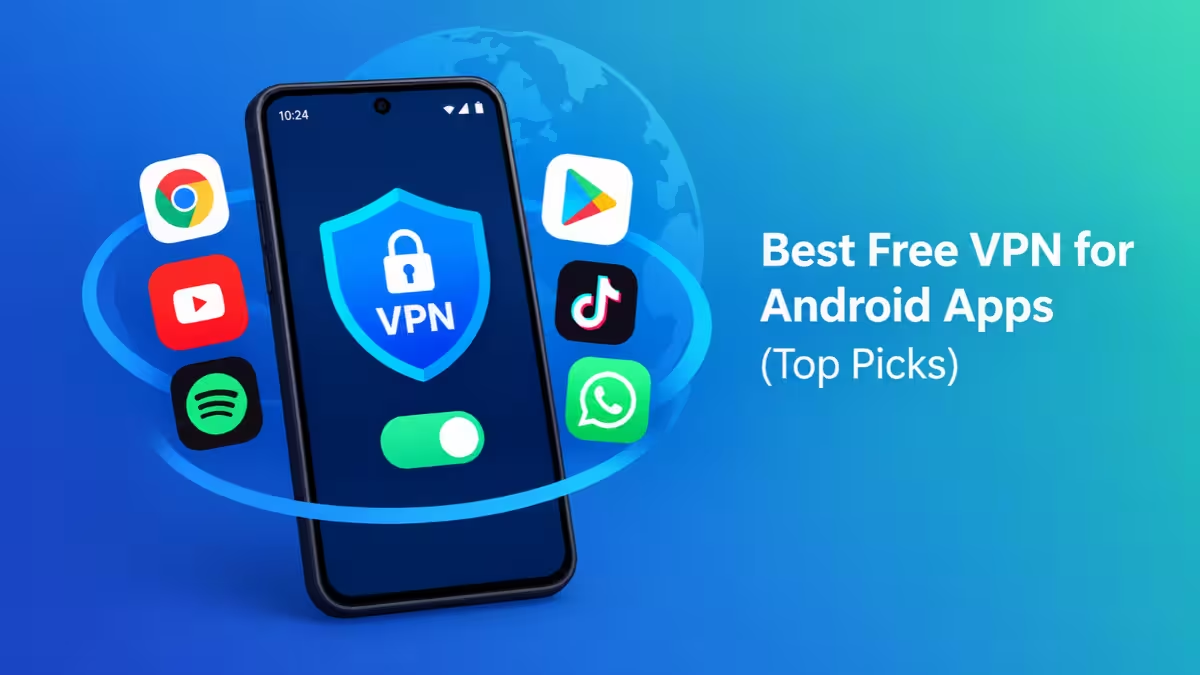
Best Free VPN for Android Apps (Top Picks)
The best free VPN for Android protects your privacy without a subscription, and this table shows how the five top apps compare.
| VPN | Monthly Data | Free Locations | Devices | Pick Your Server | Streaming | Torrenting |
|---|---|---|---|---|---|---|
| Proton VPN | Unlimited | 10 countries | 1 | No | No | No |
| Windscribe | Up to 10GB | About 10 to 11 countries | Unlimited | Yes | Sometimes | Yes |
| PrivadoVPN | 10GB, then 1Mbps | 13 locations in 10 countries | 1 | Yes | Yes | Yes |
| Hide.me | Unlimited | 7 countries | 1 | Yes | No | No |
| TunnelBear | 2GB | Auto-assigned | Unlimited | No | No | No |
Are Free VPN Apps for Android Safe?
Some are, and many are not. Running a VPN costs real money for servers, staff, and software. When an app charges nothing and has no paid plan behind it, it usually pays its bills by showing ads, logging your activity, or selling your data to third parties. A few shady apps have even bundled malware.
The five apps in this list avoid that trap. Each one comes from a company with a paid tier that funds the free plan, and each one publishes a no-logs policy. Four of them back that policy with independent audits, and the fifth, PrivadoVPN, has not yet passed one.
Before you install any VPN, check three things:
- The company sells a paid plan
- The privacy policy states that it keeps no activity logs
- The app does not show ads or ask for access to your contacts, calls, or messages
Proton VPN: Best Overall Free VPN for Android (Unlimited Data)
Proton VPN tops this list for one simple reason: it never caps your data. You can leave it running all day on your phone, and it will never stop working at the end of the month. It also shows no ads, which is rare among free VPN apps.
The company behind Proton Mail builds this app, and it treats privacy as its core product. Independent auditors check its no-logs policy every year, and the policy has also held up under a real court request. All Proton apps are open source, so security researchers can inspect the code for themselves.
You don't even need an account. Guest Mode lets you install the app, tap connect, and start browsing within a minute.
Pros:
- Unlimited data with no monthly cap
- No ads
- Audited no-logs policy and open-source apps
- Works without an account through Guest Mode
Cons:
- The app assigns a server for you from 10 countries, so you can't choose a location
- Free servers don't unblock Netflix or other streaming services
- Torrenting is blocked
- You can connect only one device at a time
- Free servers get busy during peak hours, which slows speeds
Who should use it: Anyone who wants always-on protection for daily browsing, messaging, and public Wi-Fi. If privacy matters more to you than picking a country, start here.
Windscribe: Best Free VPN for Multiple Devices
Windscribe takes a different approach. It limits your data but removes the device limit entirely. You can install it on your phone, tablet, laptop, and Android TV and run them all at once on a single free account.
Register with an email address, and you get 10GB of data every month. Skip the email, and the app still works with a smaller allowance. Note that unsubscribing from Windscribe's promotional emails drops you back to the lower limit.
Windscribe packs more features into its free tier than most rivals. You get WireGuard, a kill switch, and Stealth modes that disguise your VPN traffic on networks that try to block VPNs. Free users can also choose their server location from the list. Reviewers have managed to unblock Netflix on some free servers, and the service allows torrenting.
On privacy, an outside firm has audited Windscribe's server infrastructure, and a court case in Greece confirmed that the company had no user logs to hand over.
Pros:
- Unlimited simultaneous devices
- Up to 10GB of data per month
- Free users can pick their server location
- Allows torrenting and unblocks some streaming servers
- Strong transparency record
Cons:
- 10GB a month runs out quickly if you stream or download
- Once you hit the cap, you wait until next month
- Some blocking tools stay locked behind the paid plan
Who should use it: Households and people who juggle several devices and mostly browse rather than stream.
PrivadoVPN: Best Free VPN for Netflix and Streaming
Most free VPNs fail with streaming because services like Netflix block their small pool of server addresses. PrivadoVPN breaks that pattern. Its free servers have unblocked Netflix US and BBC iPlayer in multiple hands-on tests, and the service also allows torrenting on a free account.
You get 10GB of full-speed data each month across 13 locations in 10 countries, and you can choose the location yourself. When you use up the 10GB, PrivadoVPN doesn't cut you off. It drops your speed to about 1Mbps until the next cycle, which still handles messages, email, and light browsing.
The Android app includes a kill switch and AES-256 encryption. It also offers a Scramble setting that hides VPN traffic on mobile networks that filter it.
Pros:
- Unblocks Netflix US and BBC iPlayer on the free plan
- Allows torrenting
- Keeps working at 1Mbps after you use the 10GB
- You choose your server location
Cons:
- No independent firm has audited PrivadoVPN's no-logs claim yet
- 10GB covers only a few hours of HD video
- Free servers can feel crowded at peak times
Who should use it: Anyone who wants to watch a show from another region now and then without paying. Keep sensitive tasks like online banking on an audited VPN instead.
Hide.me: Best Free VPN With Server Choice
Hide.me pairs two things that rarely come together on a free plan: unlimited data and the freedom to choose your server. Proton VPN offers unlimited data but picks your server for you. Hide.me lets you choose from locations in the US, UK, Germany, the Netherlands, Switzerland, France, and Finland.
The company operates from Malaysia, outside the major intelligence-sharing alliances. An independent auditor has verified its no-logs policy, and its transparency report shows that it has never handed over user data. The Android app includes a kill switch, IP and DNS leak protection, and a solid choice of protocols, including WireGuard and SoftEther.
The mobile app also feels cleaner than the desktop version, which crams a lot onto one screen.
Pros:
- Unlimited data
- You choose your server location
- Audited no-logs policy and published transparency report
- Working kill switch and leak protection
- No payment card needed
Cons:
- Free servers don't unblock streaming services
- Torrenting is blocked
- One device at a time
- Speeds dip more than on the other free plans, which you will notice on large downloads
- The ad and tracker blocker requires a paid plan
Who should use it: People who need a specific country for browsing, such as the US or UK, and want to avoid a data cap.
TunnelBear: Best Free VPN for Beginners
TunnelBear has the friendliest app on this list. Its bright design, cartoon bears, and one-tap connect button make it the easiest VPN for someone who has never used one before.
Don't let the playful look fool you. TunnelBear has completed nine straight annual security audits, and its transparency reports show that it has never disclosed user information. The free plan also supports unlimited simultaneous devices.
However, the free tier has become stricter. Free users can no longer choose a country, since the app now connects you automatically, and split tunneling has moved to the paid plan.
Pros:
- Simple, beginner-friendly app
- Unlimited simultaneous devices
- Nine consecutive annual security audits
- Clear, readable privacy policy
Cons:
- Only 2GB of data per month, the smallest allowance here
- No server selection
- Streaming and torrenting are not practical
Who should use it: First-time VPN users who need occasional protection on café or airport Wi-Fi and want an app that just works.
How to Choose a Safe Free VPN for Android
We only considered providers that meet three conditions:
- A paid plan funds the free tier. If a VPN has no paying customers, it has to make money from you some other way.
- A clear no-logs policy. Four of our five picks back their policy with independent audits.
- No ads injected into your browsing. Ad-supported VPNs share your device information with ad networks, which undermines your privacy.
We then compared data allowances, server choice, device limits, streaming support, and torrenting rules to find where each app fits best. When you shop on your own, weigh the same trade-offs. Unlimited data usually means one device and no server choice, while more devices usually means a lower data cap.
Free VPN Apps to Avoid on Google Play
Steer clear of any VPN that runs on ads or comes from a developer with no website, no audit history, and no paid plan. Apps such as Hola, Betternet, Urban VPN, and Turbo VPN have faced criticism for logging user activity, and Hola once sold users' bandwidth to third parties.
Hotspot Shield also offers a free Android plan with unlimited data, but it shows ads every few minutes and lets ad partners collect your device advertising ID. That trade-off rules it out for anyone who uses a VPN for privacy.
Also check app permissions before you connect. A VPN never needs access to your contacts, call history, or text messages.
Do Free VPNs Work With Netflix, Torrents and Gaming?
A free VPN works well for:
- Protecting your connection on public Wi-Fi
- Hiding your browsing from your mobile carrier or internet provider
- Opening websites that your network blocks
- Light, everyday privacy
A free VPN struggles with:
- Netflix and other streaming services: these block most free servers. PrivadoVPN works most often, and Windscribe works on some servers.
- Torrenting: Proton VPN, Hide.me, and TunnelBear block it on free plans. PrivadoVPN and Windscribe allow it, but their data caps run out fast.
- Gaming: busy free servers add lag.
- Protecting several devices: only Windscribe and TunnelBear allow more than one device for free.
When to Upgrade to a Paid VPN
Consider paying when a free plan blocks something you need regularly. These are the usual signs:
- You hit the monthly data cap before the month ends
- You want to stream from several countries without trial and error
- You need to protect more than one device
- You want to pick any server worldwide for faster speeds
- You torrent on a regular basis
Good paid VPNs cost only a few dollars a month on long plans, and many offer a 30-day money-back guarantee. You can test the full service for a month and request a refund if it doesn't fit your needs. If you already like a free app from this list, upgrading inside the same app keeps your setup simple.
How to Set Up a Free VPN on Android
- Open the Google Play Store and search for the VPN you picked.
- Tap Install, then open the app.
- Sign up with an email, or use guest mode if the app offers it.
- Tap Connect.
- Tap OK when Android asks for permission to create a VPN connection.
For extra safety, go to Settings > Network & internet > VPN, tap the gear icon next to your VPN, and turn on Always-on VPN and Block connections without VPN. This setup stops your phone from sending any traffic if the VPN drops.
Final Verdict: Which Free VPN Should You Install?
- Want unlimited data and the strongest privacy? Install Proton VPN.
- Need to cover many devices? Go with Windscribe.
- Want to stream for free? Try PrivadoVPN.
- Need to pick a specific country with no data cap? Choose Hide.me.
- New to VPNs? Start with TunnelBear.
For most Android users, Proton VPN is the safest default. It costs nothing, never runs out of data, and comes from a company with a proven privacy record.
Frequently Asked Questions
Is there a completely free VPN for Android with no limits?
No free VPN is entirely unrestricted. Proton VPN and Hide.me come closest because neither caps your data, but both limit you to one device and block streaming and torrenting.
Are free VPN apps on the Play Store safe?
Some are safe and many are not. Stick with apps from companies that sell paid plans and publish audited no-logs policies. Avoid VPNs that show ads or come from unknown developers.
Can I watch Netflix with a free Android VPN?
Usually not. PrivadoVPN is the most reliable free option for Netflix, and Windscribe sometimes works too. Both cap your data, so you can only watch a few hours each month.
Which free VPN works without creating an account?
Proton VPN's Guest Mode lets you connect without an account. Windscribe also works without registration, though you get less data until you add an email address.
Does a VPN drain my Android battery?
A VPN uses some extra battery because it encrypts your traffic. Modern protocols like WireGuard keep the impact small. You can disconnect on trusted home Wi-Fi to save charge.
Can a free VPN make me completely anonymous?
No. A VPN hides your traffic from your network provider and masks your IP address, but websites still recognize you when you sign in to an account like Google or Facebook.
Related Guides
- Best VPN for Streaming Live Sports and TV Shows Abroad: Top 6 Tested and Ranked
- How to Use a VPN to Protect Yourself from Hackers and Scammers
- Can You Be Hacked Through a VPN? What You Need to Know
- How to Use Firefox Built-In VPN and Pick Your Server Location (Firefox 151)
- Can You Use a VPN to Bypass an Age Ban? Legality, Risks and How Age Checks Work