A standard VPN connection encrypts your traffic and hides your IP address. That covers most privacy needs for everyday browsing, banking, and streaming. But some situations call for stronger protection, and that is where Double Hop VPN comes in.
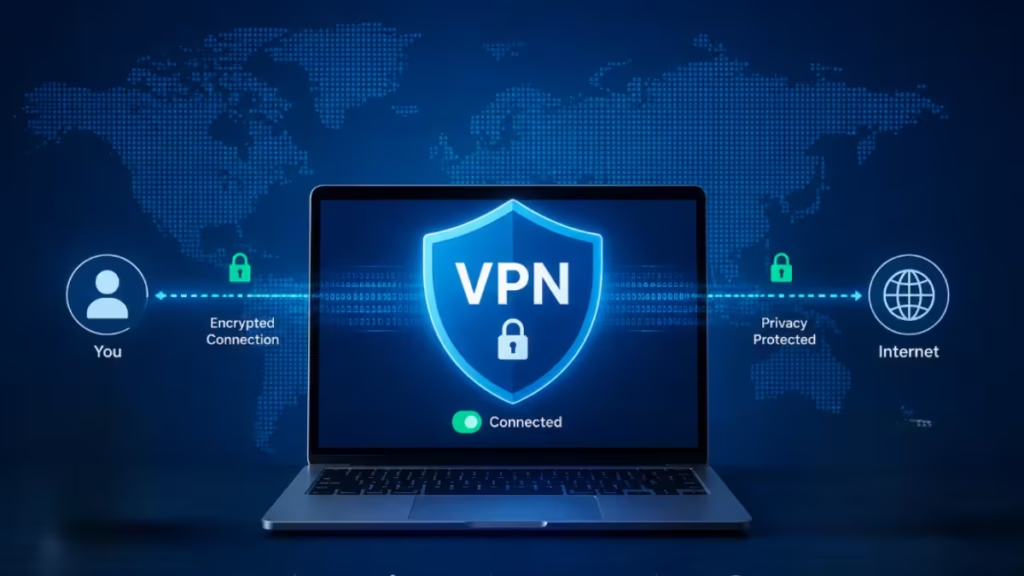
Also called MultiHop, Dual VPN, or VPN chaining, Double Hop VPN routes your internet traffic through two VPN servers instead of one. Each server adds a separate layer of encryption and separation, making it significantly harder for anyone to trace activity back to your original device or location.
This guide explains how Double Hop VPN works, who actually needs it, its real trade-offs, and how to use it.
How a Standard VPN Works
A VPN creates an encrypted tunnel between your device and the internet. Instead of connecting directly to websites or online services, your traffic passes through a secure VPN server operated by your provider.
This does two things. First, it encrypts your data so that anyone monitoring your connection, such as your internet provider, public Wi-Fi operators, or network snoopers, cannot easily see what you are doing online. Second, it masks your real IP address by replacing it with the IP address of the VPN server.
If you connect from India through a server in New York, websites see a US IP address, not your actual location. That improves privacy, helps avoid tracking, and can unlock region-restricted content.
For most users, a standard VPN connection provides a strong balance of security, speed, and ease of use. To understand where VPNs fall short even under normal conditions, read Can You Be Hacked Through a VPN? What You Need to Know.
What Is Double Hop VPN?
Double Hop VPN takes the standard VPN process one step further by routing your internet traffic through two VPN servers instead of just one.
Standard VPN connection:
Your Device → VPN Server → InternetDouble Hop VPN connection:
Your Device → VPN Server #1 → VPN Server #2 → InternetYour connection could first pass through a server in India and then through a server in Germany before reaching a website. The website only sees the IP address of the second server. Your real IP address never appears at the destination.
The key benefit is increased privacy. Even if one VPN server were somehow compromised, the second layer makes it much harder to trace activity back to your original device. You are also not relying on a single exit point, which reduces the risk of targeted traffic analysis.
How Double Hop VPN Works Step by Step
Here is what happens when you connect through a Double Hop VPN:
- Your device encrypts your data.
- The encrypted traffic travels to the first VPN server.
- The first server adds another layer of routing and forwards it to the second VPN server.
- The second server decrypts the outer layer and sends the request to the destination website.
- The website sees only the IP address of the second VPN server.
Think of it like changing trains twice instead of taking a direct route. Anyone trying to trace your journey faces a much harder task at each step.
Some VPN providers automate this process entirely. Others allow manual configuration, letting you choose specific server combinations. You might connect first through Paris and then through Rome, depending on your privacy and speed priorities.
Why People Use Double Hop VPN
Extra Privacy Protection
Because your traffic passes through two VPN servers, it becomes significantly harder to trace the original connection source. Even if an observer monitors one server, the second server still separates your identity from your online activity.
Double Encryption
Your traffic receives an additional layer of encryption during the routing process. This improves security on public or untrusted networks where the risk of data interception is higher.
Resistance Against Monitoring
If one server gets compromised or monitored, the second server still protects your identity. This is especially relevant for users operating in environments with active surveillance.
The Verizon 2026 Data Breach Investigations Report found that vulnerability exploitation now ranks as the top breach entry point for attackers, which highlights why layered defenses matter more than ever.
Useful for Sensitive Browsing
Double Hop VPN is particularly well suited for:
- Journalists communicating with sensitive sources
- Political activists operating in restrictive regions
- Researchers handling confidential material
- Business travelers on unsecured or unfamiliar networks
- Users who want maximum separation between their identity and online activity
If you work in any of these categories, How to Use a VPN to Protect Yourself from Hackers and Scammers covers broader VPN security practices worth pairing with Double Hop.
Downsides of Double Hop VPN
Slower Internet Speeds
Routing traffic through two servers instead of one increases latency, ping, and loading times. Download speeds drop compared to a standard VPN connection.
Streaming, gaming, and video calls feel the impact most. The performance loss may outweigh the privacy benefits for these activities. Choosing geographically closer server combinations helps reduce this drop while still maintaining the privacy advantage.
Providers continue improving Double Hop performance, and on modern connections, the impact is sometimes minimal. Testing different server pairs is worth the effort before dismissing the feature entirely.
Higher Battery and CPU Usage
Double encryption uses more system resources. Older smartphones and laptops feel this more noticeably. If battery life or processing power is a concern, factor this in before enabling Double Hop for extended sessions.
Not Necessary for Most Users
For regular activities like streaming, social media, online shopping, banking, and casual browsing, a standard VPN already provides strong protection. If you primarily use a VPN for banking or accessing geo-restricted services, standard protection is sufficient. You can also explore How to Use VPN Split Tunneling for Online Banking Without Getting Locked Out for a more targeted approach to banking with a VPN.
Double Hop VPN vs Regular VPN
| Feature | Regular VPN | Double Hop VPN |
|---|---|---|
| Number of servers used | 1 | 2 |
| Encryption layers | Single | Double |
| Speed | Faster | Slower |
| Privacy level | High | Higher |
| Best use case | Everyday browsing | Maximum privacy |
VPN Providers That Offer Double Hop
Several major VPN services include this feature under different names.
NordVPN
NordVPN calls it Double VPN. Traffic passes through two servers in sequence for added privacy. The feature activates from within the app with no manual configuration required.
Surfshark
Surfshark offers Dynamic MultiHop, which lets users choose custom server combinations rather than relying on preset routes.
Proton VPN
Proton VPN includes Secure Core, which routes traffic through privacy-focused servers in countries with strong data protection laws before reaching the final destination.
When selecting any VPN provider, verifying their logging practices before trusting them with sensitive traffic is essential. How to Choose a No-Logs VPN: Key Features to Check in 2026 walks through exactly what to look for.
How to Use Double Hop VPN
Steps vary depending on your VPN provider, but the process is generally straightforward:
- Open your VPN app.
- Navigate to the server or security settings.
- Look for a feature labeled Double Hop, MultiHop, or Dual VPN.
- Choose a pre-configured server route or manually select two server locations.
- Connect and verify your new IP address via a browser IP checker.
Experiment with different server combinations to find the best balance of privacy and speed. Servers that are geographically closer together tend to reduce the performance drop while still delivering the extra privacy layer.
Do You Actually Need Double Hop VPN?
For most people, probably not. A standard VPN already handles everyday browsing, banking, streaming, and public Wi-Fi protection effectively.
Double Hop VPN makes more sense when:
- You are a journalist, activist, or researcher handling sensitive information
- You regularly connect through public or unsecured networks
- You operate in a region with active internet surveillance
- You want the maximum possible separation between your identity and online activity
For everyday users, the speed trade-off and added complexity rarely justify enabling Double Hop full time. The smarter approach is to keep it available and switch it on only when you genuinely need maximum privacy.
No privacy tool eliminates all risk. For a broader look at threats that persist even with a VPN active, read How to Spot AI Security Scams Before They Trick You (2026 Guide) and Your Wi-Fi Router Is Watching You: The BFI Tracking Attack That Needs No Phone or Password.

