KTC, a China-based display manufacturer, has launched a new gaming monitor in the US market- KTC M32P10S 32″ 4K Mini LED gaming monitor. This monitor features a 4K resolution, a Mini LED backlight and adaptive sync technologies for smooth gaming performance. It also boasts a Quantum Dot technology that enhances color accuracy and richness, and a VESA DisplayHDR 1000 certification.
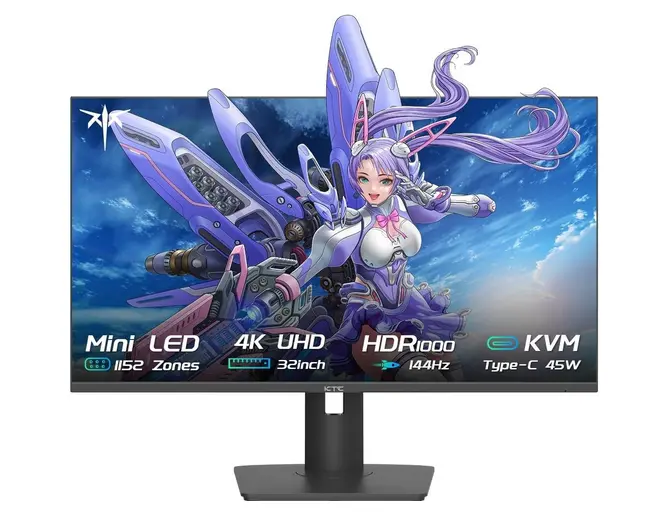
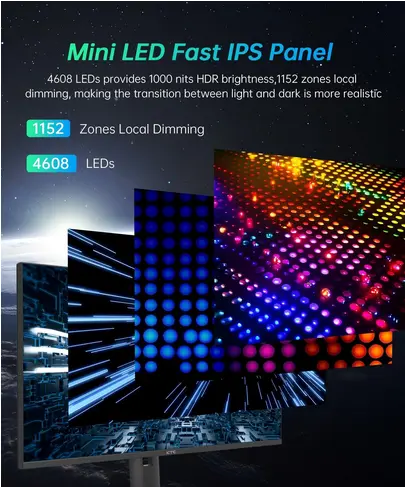
The KTC M32P10S uses a 31.5-inch Fast IPS panel by Innolux with a resolution of 3840 x 2160 pixels, a response time of 4ms (GTG), and a viewing angle of 178 degrees (H/V). The panel is powered by a Mini LED backlight with 1152 local dimming zones and 4608 LEDs, offers 1000 nits peak brightness. The backlight also reduces the halo effect and improves the contrast ratio.
The monitor supports 1.07 billion colors (10-bit), and 98% of DCI-P3 color spaces, thanks to the Quantum Dot technology. It also supports HDR10 and HLG formats, and is certified as VESA DisplayHDR 1000, which means it can display HDR content with more details and dynamic range.
The monitor is designed for gamers who want to enjoy immersive and smooth gaming experiences. It supports a high refresh rate of 144Hz, which reduces motion blur and enhances responsiveness. It also supports AMD FreeSync Premium and NVIDIA G-Sync Compatible, which eliminate screen tearing and stuttering.
The monitor has USB Type-C with 45W power delivery, HDMI 2.1, and DisplayPort 1.4. It also has a stand that allows for height, swivel, and tilt adjustments.
Price, availability and review
The KTC M32P10S 4K Mini LED gaming monitor is available on Amazon.com for $1,300, with an $300 voucher. It is one of the few monitors in the market that offer a 4K Mini LED display with a high refresh rate and HDR support. It is suitable for both gaming and professional work that require high color accuracy and HDR support.