Power over Ethernet lets one network cable carry both data and electricity to a device. You skip the wall adapter, skip the extra outlet, and mount a camera or access point wherever the cable can reach. The catch is that PoE comes in three main flavors, and they do not deliver the same amount of power.
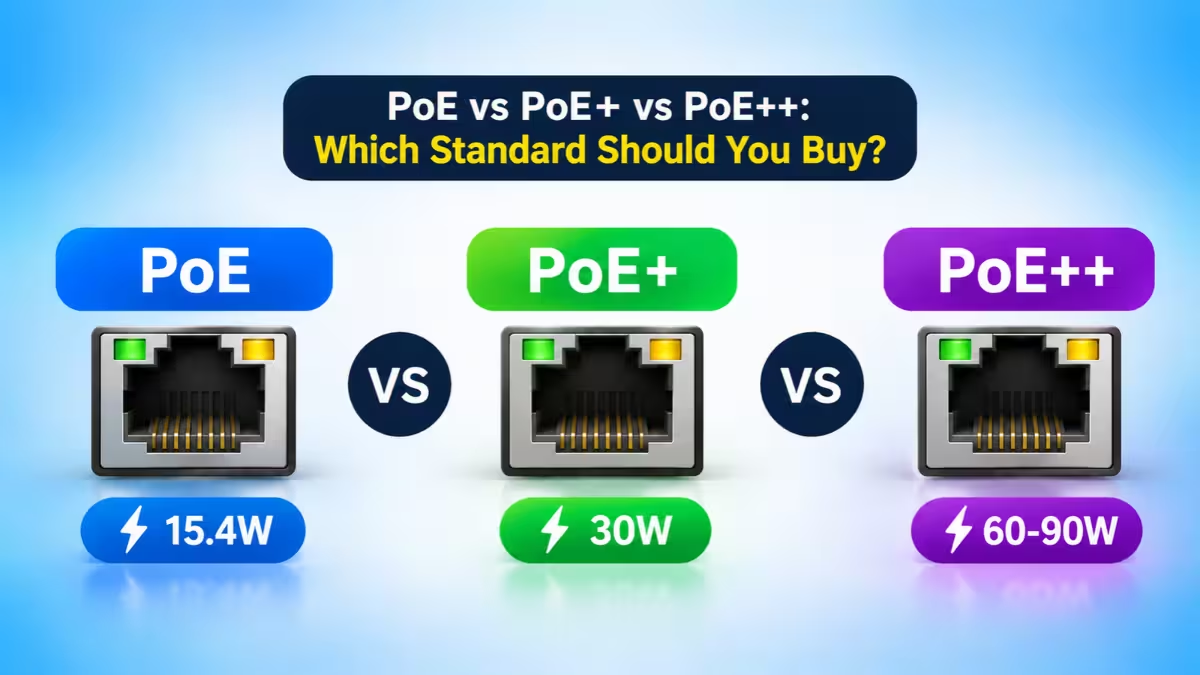
Pick too low, and your device refuses to boot or quietly disables features. Pick too high, and you pay for capacity you never touch. This guide walks you through the real differences so you can buy the right switch or injector once.
PoE vs PoE+ vs PoE++: Which One Do You Need?
Start with the device that draws the most power, then buy the lowest standard that covers it.
- PoE (802.3af) handles light loads like desk phones, small fixed cameras and sensors.
- PoE+ (802.3at) covers most modern business gear, including Wi-Fi 6 access points and cameras with night vision.
- PoE++ (802.3bt) powers heavy hitters like Wi-Fi 7 access points, PTZ cameras with heaters, digital signage and thin clients.
If you are setting up a home or small office network today, PoE+ is the safe middle ground for most buyers.
How PoE Works: Switch, Device and Power Negotiation
Every PoE setup has two sides. The PSE (Power Sourcing Equipment) sends power, and this is usually a PoE switch or an injector. The PD (Powered Device) receives it, such as an IP camera, VoIP phone or access point.
A standards-based PSE never pushes power blindly. It first sends a small test signal to check whether the device on the other end supports PoE. If the device answers correctly, the switch then reads its power class and supplies only what that class needs. If nothing answers, the port acts like a normal data port. That handshake is why you can safely plug a regular laptop into a PoE switch.
PoE vs PoE+ vs PoE++ Comparison Table (Watts, Pairs, Voltage)
| Feature | PoE | PoE+ | PoE++ Type 3 | PoE++ Type 4 |
|---|---|---|---|---|
| IEEE Standard | 802.3af | 802.3at | 802.3bt | 802.3bt |
| Also Called | Type 1 | Type 2 | Type 3 | Type 4 |
| Ratified | 2003 | 2009 | 2018 | 2018 |
| Max Power at Switch Port | 15.4W | 30W | 60W | 90W |
| Usable Power at Device | 12.95W | 25.5W | 51W | 71.3W |
| Wire Pairs Carrying Power | 2 | 2 | 4 | 4 |
| Typical Devices | Phones, basic cameras, sensors | Wi-Fi 6 APs, IR cameras, video endpoints | Wi-Fi 7 APs, PTZ cameras, LED lighting | Signage, POS terminals, thin clients |
Notice the two power columns. The switch sends out more than the device receives, because the copper cable turns some energy into heat over distance. Always compare your device's requirement against the usable power at device figure, not the port rating.
What Is PoE (802.3af)? 15.4W Explained
The first IEEE PoE standard arrived in 2003 and still powers a huge share of installed devices. It sends up to 15.4W from the port, and the device can count on about 12.95W after cable loss. Power travels over two of the four twisted pairs inside the cable.
That budget comfortably runs:
- Basic and color-screen VoIP desk phones (roughly 3 to 9W)
- Fixed indoor IP cameras without infrared (roughly 5 to 9W)
- Door access readers and environmental sensors
- Older single-band access points
Plain PoE makes sense when every device on your list sits well under 13W. Paying for PoE+ ports to run a 6W phone just burns switch budget.
What Is PoE+ (802.3at)? 30W Explained
PoE+ landed in 2009 and roughly doubled the ceiling. A PoE+ port delivers up to 30W, and the device gets about 25.5W. It still uses two wire pairs but pushes more current through them.
This tier fits the bulk of current networking gear:
- Dual-band Wi-Fi 5 and Wi-Fi 6 access points (roughly 15 to 25W)
- IP cameras with IR night vision, motorized zoom lenses or onboard AI analytics
- Smaller PTZ cameras without heaters
- Video conferencing units, IP intercoms and conference phones
Some access points will boot on plain PoE but switch off a radio or drop throughput to stay inside the lower budget. A device that powers on is not always a device running at full strength. If the datasheet lists PoE+, give it PoE+.
What Is PoE++ (802.3bt)? Type 3 vs Type 4
The 802.3bt standard arrived in 2018 and changed the wiring approach. Instead of two pairs, it uses all four pairs in the cable to carry power. That move unlocks two levels:
- Type 3: up to 60W at the port, about 51W at the device
- Type 4: up to 90W at the port, about 71.3W at the device
Use PoE++ for anything that draws more than about 25W:
- Tri-band Wi-Fi 7 and multi-radio Wi-Fi 6E access points
- PTZ cameras with heaters, wipers or long-range IR
- PoE LED lighting fixtures
- Digital signage displays and point-of-sale terminals
- Thin clients and small workstations
"PoE++" is a market label, not an official name, and it covers both Type 3 and Type 4. Always confirm which type a switch actually supports, since the gap between 60W and 90W decides whether a large display works. You may also see "100W" or "PoE+++" on product pages. Those tags usually describe Type 4 or a vendor's own high-power mode, so trust the IEEE type on the spec sheet instead of the marketing badge.
PoE for IP Cameras and Wi-Fi Access Points: What Each Needs
Cameras and access points make up most PoE installs, and both hide power surprises in their feature lists.
Cameras. A basic fixed camera sips 5 to 9W, so plain PoE covers it. Add infrared LEDs, a motorized lens or onboard AI, and the draw climbs toward 25W, which calls for PoE+. PTZ models with heaters, wipers or long-range IR can pull 30 to 60W, so they need PoE++. Heaters and motors spike at startup and in cold weather, so check the maximum figure on the datasheet, not the idle figure.
Wi-Fi access points. Most Wi-Fi 6 dual-band access points draw 15 to 25W and want PoE+. Wi-Fi 7 tri-band models can reach 30 to 60W and want PoE++. Some access points still boot on a weaker port, but they switch off a radio or cut throughput to stay inside the budget. If you upgrade your Wi-Fi, test whether your existing switch can power the new access points before you mount them. If coverage still feels weak after the upgrade, these slow Wi-Fi fixes cover the causes that have nothing to do with power.
Is PoE++ Backward Compatible with PoE and PoE+?
Compatibility runs in one direction only. A higher-tier switch can power a lower-tier device, but a lower-tier switch cannot feed a higher-tier device.
| Switch Port | PoE Device | PoE+ Device | PoE++ Device |
|---|---|---|---|
| PoE | Works | Fails or runs limited | Fails |
| PoE+ | Works | Works | Fails or runs limited |
| PoE++ | Works | Works | Works |
A PoE++ switch will not force 60W into a 7W phone. The classification handshake tells the port how much the phone needs, and the switch supplies just that. So buying a higher tier never puts older gear at risk, as long as both sides follow the IEEE standard.
IEEE PoE vs Passive PoE: Don't Mix Them
IEEE PoE (802.3af, 802.3at and 802.3bt) always checks the connected device before it sends power. Passive PoE skips that check and pushes a fixed voltage down specific pins the moment you plug in a cable. Some budget cameras and outdoor radios use it.
The risk is a mismatch. If the voltage, polarity or pinout differs from what the device expects, the device may fail or burn out. Plug a passive device into an IEEE port only if the maker confirms it works, and never connect a passive injector to a standards-based device unless the datasheet allows it.
PoE Power Budget: Why Port Wattage Is Not Enough
Per-port power and total switch power are two separate numbers. A switch can advertise "30W per port" while sharing a much smaller pool across every port.
Here is a quick example. An 8-port PoE+ switch might list 30W per port, which suggests 240W if every port runs at full load. If its total PoE budget reads 120W, you can only drive about four ports at full 30W at the same time.
To size your budget properly:
- List every device you plan to connect and its maximum power draw from the datasheet.
- Add them up. For example, four access points at 21W plus six cameras at 8W comes to 132W.
- Add headroom for startup surges, heaters that kick in on cold nights and devices you will add later. Aim for at least 30 to 50 percent spare capacity.
- Pick a switch whose total PoE budget clears that final number.
When devices start rebooting at random after you add one more camera, an exhausted budget is usually the cause, not a bad cable.
Cable Type and Distance Limits for PoE (100m Rule)
All three standards support runs up to 100 meters (328 feet) per cable segment, including patch cords. A stronger switch does not stretch that limit. Longer runs need an extender, a mid-span device or fiber with local power.
Distance still matters inside that 100 meters. A PoE++ device pulling full power at the far end of a 90-meter run can brown out, while the same device on a 30-meter run works perfectly. Longer copper means more resistance, more voltage drop and less power at the device.
Cable choice also matters more as wattage climbs:
- Cat5e handles PoE and PoE+ without trouble.
- Cat6 works well for most PoE++ Type 3 runs.
- Cat6A suits dense bundles of high-power PoE++ cables. Its thicker conductors run cooler, and heat in tightly packed bundles is the main threat at higher wattages.
Also remember that power rating and data speed are separate specs. A PoE++ port can still be a 1 Gbps port. If your new access point has a 2.5 Gbps uplink, check that the switch port supports both the power and the speed.
PoE Switch vs PoE Injector: Which Should You Use?
Both act as power sources, but they solve different problems.
A PoE switch makes sense when you power three or more devices. You get a shared power budget, one cable per device and, on managed models, remote port reboots, per-port power monitoring and VLAN control. Remote reboot alone saves a ladder trip when a ceiling camera freezes.
A PoE injector fits when you add one or two PoE devices to an existing non-PoE network. It sits between your regular switch and the device, plugs into a wall outlet and adds power to that single cable. Just match the injector to the device. An 802.3af injector will underpower a PoE+ access point and cause crashes.
A managed switch is only one layer of protection. Pair it with a proper router security checklist and wider home network security steps so your cameras and access points do not become an easy way in.
6 Common PoE Buying Mistakes to Avoid
- Confusing port power with total budget. A "30W per port" label does not mean every port delivers 30W together. Check the total PoE budget.
- Buying a switch before reading device datasheets. The device decides the standard. Look up the exact model's IEEE type and maximum draw first.
- Using an injector that does not match the device. An 802.3af injector underpowers a PoE+ device and causes crashes and reboots.
- Trusting inflated ratings on cheap switches. Unbranded switches sometimes overstate port power or skip proper classification. Buy IEEE-compliant gear from known vendors.
- Running long, high-power cable without planning. Voltage drop on a 90-meter run can starve a PoE++ device. Shorten the run, use thicker cable or choose a switch with higher output voltage.
- Skipping backup power. Every PoE device loses power when the switch does. Put the switch on a UPS if cameras or phones must stay up during an outage.
Which PoE Standard Should You Buy? Device-by-Device Guide
Use this quick decision path:
| Your Highest-Draw Device | Buy This |
|---|---|
| VoIP phones, basic fixed cameras, sensors (under 13W) | PoE |
| Wi-Fi 6 APs, night vision cameras, small PTZ cameras (13 to 25W) | PoE+ |
| Wi-Fi 7 APs, PTZ with heaters, LED lighting (25 to 51W) | PoE++ Type 3 |
| Digital signage, POS terminals, thin clients (51 to 71W) | PoE++ Type 4 |
A few practical buying tips:
- Read the device datasheet first. Look for the IEEE standard, PoE type or class, and maximum power draw. Check the exact model number, since two cameras in the same product line can need different power.
- Plan two to three years ahead. If you run Wi-Fi 6 today but expect to move to Wi-Fi 7, a switch with a few PoE++ ports saves you a second purchase.
- Mix port types. Many switches offer mostly PoE+ ports plus a handful of PoE++ ports. That combination often costs far less than an all-PoE++ model.
- Protect the switch with a UPS. Every PoE device dies with the switch during an outage. If your cameras must keep recording, the switch needs backup power too.
- Stick to IEEE-compliant gear. Cheap unbranded switches sometimes inflate port ratings or skip proper classification, which leads to random brownouts.
Frequently Asked Questions
Is PoE++ backward compatible with PoE+ and PoE?
Yes. A PoE++ switch detects each connected device and supplies only the power it requests, so PoE and PoE+ devices run safely on PoE++ ports.
Can a PoE+ switch power a PoE++ device?
Not fully. The device will either fail to start or run in a reduced mode with some features turned off. You need a switch or injector rated for 802.3bt.
What is the difference between PoE++ Type 3 and Type 4?
Both fall under IEEE 802.3bt and use all four wire pairs. Type 3 supplies up to 60W at the port with about 51W at the device. Type 4 supplies up to 90W at the port with about 71.3W at the device.
Is PoE+++ a real standard?
No. The IEEE does not define PoE+++. Vendors use the label for Type 4 products or their own high-power modes. Check the IEEE type on the spec sheet instead.
Can I plug a non-PoE device into a PoE switch?
Yes. A compliant switch only sends power after a device passes the detection check. Laptops, desktops and other regular devices receive data only.
How far can PoE carry power?
The standard limit is 100 meters (328 feet) per cable run for all three versions. For longer distances, add a PoE extender or switch to fiber with power at the far end.
Does Cat6 support PoE++?
Yes, Cat6 handles PoE++ for most installs. For large bundles of high-power cables, Cat6A runs cooler and gives you more safety margin.
Do security cameras need PoE+ or PoE++?
Basic fixed cameras run fine on standard PoE. Cameras with infrared, motorized lenses or AI analytics usually need PoE+. PTZ cameras with heaters or wipers often need PoE++. Always check the exact model's maximum draw.
Related Guides
- Home Network Security: A Practical Checklist to Lock Down Your WiFi Router
- Router Security Checklist: 9 Settings to Lock Down Your Home Wi-Fi
- How to Fix Slow WiFi: 14 Proven Methods to Speed Up Your Connection
- How to Fix DNS Server Not Responding Error on Windows, Mac, Android and iPhone
- How to Fix Valerie Modem Error 2100