Google just removed the paywall from its personal AI agent. The agent launched in May as Gemini Spark, and only paying subscribers could use it. This week Google renamed it Tasks and opened it to free users in six countries. A new model, Gemini 4 Hydrogen, now powers it.
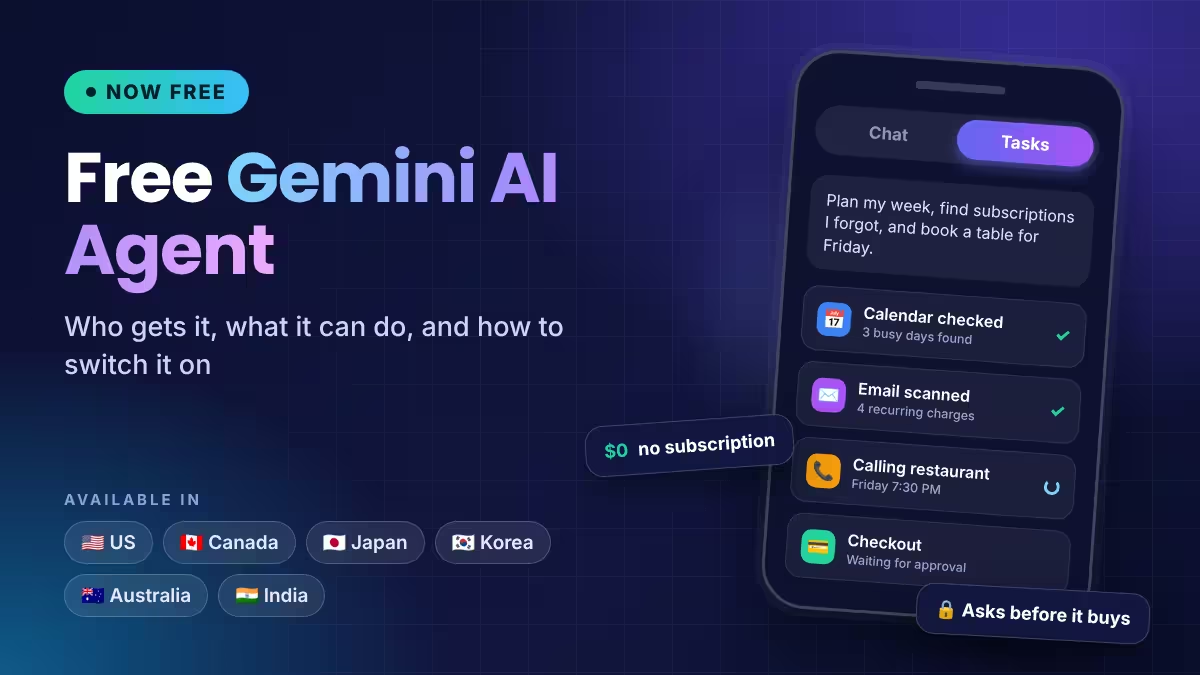
Here is who can use it, what it does, and how to start.
What Is the Free Gemini AI Agent (Tasks, Formerly Spark)?
Tasks is the agent mode inside the Gemini app. A normal chat answers your question and stops. Tasks takes a job, works through the steps, and hands back a finished result.
Google's own examples show the range. It can build a meal plan, manage your calendar, or comb through your email to find recurring charges you may not need. You can also type new instructions while it works, so you do not have to restart when you change your mind.
Spark first reached only Google AI Pro and Ultra subscribers. The Ultra-level extras stayed limited to the US. The rebrand to Tasks ends that split for the core agent.
Which Countries Get the Free Gemini Agent?
Free access now covers users in these six countries:
- United States
- Canada
- Japan
- South Korea
- Australia
- India
You need the Gemini app on the web or on mobile. If you live outside these countries, you will not see the feature yet. Google has not shared a date for further expansion.
How to Use the Free Gemini Agent: Switch From Chat to Tasks
- Open the Gemini app on your phone, or go to gemini.google.com on desktop.
- Find the toggle on the home screen. It reads Chat by default.
- Switch it to Tasks.
- Describe the job in plain language. Give the goal, any limits, and the format you want back.
A weak prompt says "plan my week." A strong one says "check my calendar, list the three busiest days, and suggest where I can fit two gym sessions." Specific goals give the agent something concrete to finish.
If you do not see the toggle, update the app and check that your Google account is a personal one. Work and school accounts often follow rules set by an admin.
What Can Gemini Tasks Do for You? (US-Only Extras Included)
Google is rolling out a bigger set of abilities in the US first. These do not appear in the other five countries yet.
Phone calls to businesses. Gemini can call a restaurant, hotel, or service shop through Google Duplex. It checks your Google Calendar, finds a time that works, books the slot, and adds it to your calendar. It can also call stores to compare prices and check stock.
Purchases with Google Pay. Gemini can check out for you. Google worked with Mastercard and Visa on the security side. You set a hard spending cap, and Gemini stays under it. For any purchase, it stops and asks for your approval before it pays.
Logins without sharing passwords. If a site works with Google Password Manager, Gemini can sign in without you handing over the password.
Email and text handoffs. You can forward an email to gemini@google.com with instructions, and the agent handles the rest. You can also message it by RCS text.
Google also pushed what it calls its biggest update yet to the Gemini and Workspace connection. Tool calls should trigger more reliably, and Gemini can take more actions across your Google apps.
Is the Gemini AI Agent Safe to Use With Your Email and Payments?
Google says each Tasks job runs in a hardware-isolated virtual machine. That machine belongs to your account only and never serves other users.
Sensitive steps need your sign-off. Gemini pauses before a purchase and waits for permission. Even so, treat the agent like a new assistant, because a hidden prompt once caused a Gemini calendar data leak. Read every draft before it goes out, keep the spending cap low, and skip confidential work files on a personal account. Google reviews a sample of chats and connected-app data with human reviewers, so keep private business material in a managed Workspace account instead.
What Are the Limits of Free Gemini Tasks vs Paid Plans?
The free tier runs on a compute budget, not unlimited use. Google resets that budget in five-hour windows and also applies a weekly cap. Heavy users can hit the Gemini usage limit, and long, multi-step jobs use more of it than quick questions. Google has not published Tasks-specific numbers, so expect some trial and error early on.
Reviewers also point out that Gemini's agent skills still trail some rival agents on complex work. It fits routine chores best: scheduling, booking, inbox cleanup, and expense hunting. For deep research or heavy coding, you may still prefer a paid plan, the Gemini CLI, a free Gemini API key, or another assistant.
Is Gemini Tasks the Same as the Enterprise Gemini Agent?
No. Google Cloud announced a separate product on October 8 for businesses, also called the Gemini agent. It targets teams, connects to company systems, and sits in private preview for select Gemini Enterprise customers. Tasks is the consumer version, and you can try it today without any enterprise contract.
Gemini Tasks vs OpenAI Dots, Meta Muse and Claude Duet
Tasks joins a crowded field that now includes OpenAI's Dots, Meta's Muse, and Claude Duet. Gemini's edge is reach. It already connects to Gmail, Calendar, Drive, and Google Pay, so one agent can handle your inbox and your checkout. Google is also testing Gemini Skills in Chrome to automate browsing jobs. The free price also removes the usual trial barrier. If you already live in Google's apps, it costs you nothing to test it for a week and see which chores it handles well.
Frequently Asked Questions
Is Gemini Tasks really free?
Yes. Google made it free for users in the US, Canada, Japan, South Korea, Australia, and India. Free accounts still work under a compute budget that resets every five hours, with a weekly cap.
What happened to Gemini Spark?
Google renamed it Tasks. It uses the same agent idea, now powered by the Gemini 4 Hydrogen model, and no longer needs an Ultra or Pro subscription.
Where do I find Tasks in the Gemini app?
Open the app and flip the home screen toggle from Chat to Tasks. Then type what you want done.
Can Gemini buy things without asking me?
No. It asks for confirmation or prior approval before any purchase. You can also set a hard spending cap that it cannot exceed. Purchases and phone calls are currently US-only.
Can I use Tasks from India?
Yes. India is one of the six launch countries, so you get the core agent for free. The call, checkout, and password features stay US-only for now.
Related Guides
- How to Set Up Gemini Daily Brief on Android
- Gemini 4 Argon: How to Access It, Which Plans Get It and API Pricing
- How to Share Gemini Chats and Canvases via Google Drive
- How to Use Gemini on Apple CarPlay: Setup, Voice Prompts, Limits and Fixes
- How to Stop AI Chatbots Acting Human: One Custom Instruction for ChatGPT, Claude and Gemini