Windows users who rely on PowerShell have waited a long time for this one. Microsoft has confirmed that the next release of Windows will include PowerShell 7 out of the box, making it the upgrade path for the aging Windows PowerShell 5.1. Until now, anyone who wanted the modern shell had to download and install it on their own.
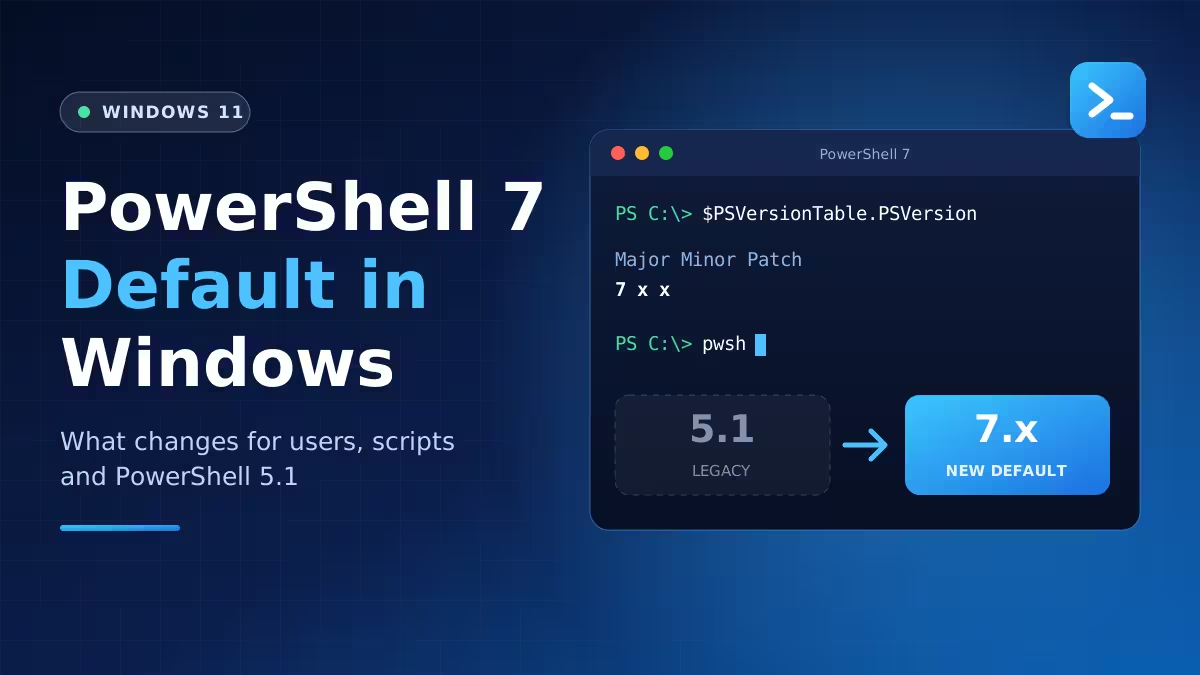
The move does not flip a switch overnight, though. Both versions will live on the same machine for a while, and Microsoft still has a few technical gaps to close before PowerShell 7 can fully carry the load that 5.1 handles today.
Why Microsoft Is Replacing PowerShell 5.1 With PowerShell 7
Windows has shipped with PowerShell 5.1 for years. That version runs on the .NET Framework, works only on Windows, and has not picked up new features in about a decade. Microsoft still patches it, but all fresh development happens elsewhere.
PowerShell 7 is that "elsewhere." It runs on modern .NET, works across Windows, macOS, and Linux, and receives regular updates from a team that builds it in the open. It has already gone through several point releases, so it is a mature product rather than an experiment.
According to the PowerShell team's announcement, bundling PowerShell 7 with Windows tops the list of community requests. Admins and developers have pushed for it ever since the shell went cross-platform, and Microsoft now plans to deliver it.
Will PowerShell 7 Break Your Existing Scripts and Scheduled Tasks?
No. Microsoft designed the two shells to run side by side, so installing PowerShell 7 does not touch PowerShell 5.1 or anything that depends on it.
Here is how the setup will work in practice:
- Scheduled tasks, Windows services, and admin scripts that call PowerShell 5.1 keep using it.
- Nothing forces you to migrate on day one.
- You can open PowerShell 7 for new work and leave older automation alone until you have time to test it.
That said, "no immediate breakage" does not mean "no work ahead." The sections below explain what deprecation means for PowerShell 5.1.
Known PowerShell 7 MSIX Issues Microsoft Is Still Fixing
PowerShell 7 will arrive as an MSIX package instead of the classic MSI installer. MSIX brings a cleaner install and easier updates through the Microsoft Store, but it currently lacks a few capabilities that IT teams depend on. Microsoft has listed three gaps it is working on:
| Gap | Why It Matters |
|---|---|
| Running under the SYSTEM account | Affects scheduled tasks, services, device management scripts, and remoting |
| DISM cmdlet support (such as Add-WindowsCapability) | Needed for adding or managing Windows features from scripts |
| Machine-wide settings (such as the all-users profile) | Needed for consistent configuration across every user on a device |
You can follow progress on each item in the MSIX tracking issue on GitHub. Microsoft is also retiring the older MSI packages, which makes closing these gaps more urgent.
Which Windows Version Gets PowerShell 7 by Default?
Microsoft has not named the exact Windows version. Reports point to Windows 11 version 26H2 as the last release that ships with only PowerShell 5.1 by default, which puts the PowerShell 7 change in the following feature update, expected around the end of next year. Windows 12 speculation will surely follow, but the more likely target is a regular annual Windows 11 update.
The Windows team has also documented the change in support article KB5137172.
Is PowerShell 5.1 Deprecated or Removed?
Deprecated, but not removed. Microsoft has marked Windows PowerShell 5.1 as deprecated, which means it will only receive security fixes from here on. It gets no new features and no quality improvements.
The next Windows release still includes 5.1 next to PowerShell 7. A later release will drop it from the default install, although you will be able to add it back as an optional feature.
How to Test Your Scripts for PowerShell 7 Compatibility
The smartest move is to start testing today rather than waiting for the switch. Many scripts run on PowerShell 7 with zero edits. Others need small fixes, and a few may need to stay on 5.1 because they use modules or behavior that only exists in the older shell.
Follow these steps to get ahead of the change:
- Install PowerShell 7 now. Grab it from the Microsoft Store, WinGet, or the official install guide and run it next to 5.1.
- Inventory your automation. List the scheduled tasks, services, and login scripts that call PowerShell on each machine.
- Run each script in PowerShell 7. Real testing tells you more than any checklist.
- Check the known differences. Microsoft's differences guide explains where the two versions behave differently.
- Read the migration doc. The migration guide covers modules, profiles, and remoting when both shells share a system.
- Use PSScriptAnalyzer. Microsoft plans to improve its compatibility checks so it can flag code that may fail under PowerShell 7.
Microsoft says it will also back community tools that handle three jobs: finding what you have, flagging risky code, and explaining how to fix each issue. A new Inbox Working Group will triage reports about PowerShell 7 in Windows and route them to the right engineers.
What Changes for Regular Users and IT Admins
If you only open PowerShell now and then to run a few PowerShell commands, you will barely notice the change beyond a newer version number and faster startup. Features like better error messages, pipeline parallelism with ForEach-Object -Parallel, and ternary operators simply become available without an extra install.
IT admins and developers have more to think about. Anyone who manages fleets of PCs should treat the coming year as a migration window: test now, fix what fails, and decide which scripts must stay on 5.1 once it becomes an optional feature.
Frequently Asked Questions
Is PowerShell 5.1 being removed from Windows?
Not right away. The next Windows release still includes it alongside PowerShell 7. Microsoft plans to remove it from the default install in a later version, but you will be able to add it back as an optional feature.
Do I need to rewrite my scripts?
Most scripts run fine in PowerShell 7 without changes. Some need minor edits, and a small number may need to keep running in 5.1. Testing each script is the only reliable way to know.
How will PowerShell 7 get updates in Windows?
Microsoft will ship it as an MSIX package, so it can update through the Microsoft Store instead of waiting for a Windows feature update.
Can I use PowerShell 7 today?
Yes. You can install it now from the Microsoft Store or through Microsoft's official installer and run it next to PowerShell 5.1.
Will PowerShell ISE switch to PowerShell 7?
Microsoft has not announced any change for PowerShell ISE. For PowerShell 7 work, Visual Studio Code with the PowerShell extension remains the recommended editor.
Related Guides
- How to Install PowerShell 7.7 on Windows 11 Using Winget, Microsoft Store and MSIX (No MSI)
- How to Install PowerShell 7 on Windows 10 and 11
- How to Install WinGet in PowerShell
- PowerShell for macOS Is Now Notarized: No More GateKeeper Warnings
- PowerShell Commands to Clean Up Windows and Speed It Up Without a Cleaner App