Microsoft has released WinApp, a new open-source command-line interface designed to simplify how developers build, configure, and package Windows applications. The company targets developers who prefer terminal-based workflows and want consistent tooling across different projects and frameworks.
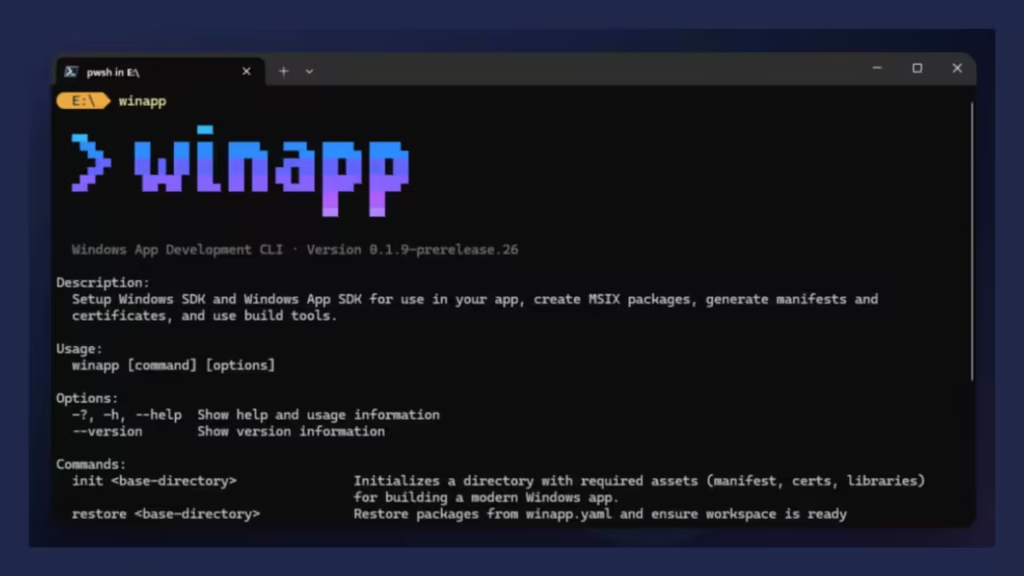
Nikola Metulev, Product Manager for the Windows Platform and Developer experience, said the goal is to remove friction from common Windows development tasks such as managing SDKs, editing manifests, generating certificates, and navigating packaging requirements. Instead of juggling multiple tools, developers can now run these actions from a single CLI and focus on building features.
WinApp CLI Unifies Project Setup, Builds, and Packaging
WinApp brings several core workflows under one command structure:
Project scaffolding and environment setup
- Developers can initialize a workspace with a single command. The CLI downloads required SDKs, generates manifests and assets, creates certificates, and configures dependencies automatically.
Command example:
winapp init
Repeatable environment recovery for teams and CI
- Teams can recreate the exact project environment on another machine or in CI pipelines using restore commands and official GitHub or Azure DevOps actions.
Direct integration with Windows App SDK and WinUI
- The CLI connects with modern Windows app frameworks using standardized commands, improving consistency across projects and teams.
This approach reduces manual setup errors and shortens onboarding time for new developers.
Faster Debugging With Package Identity
Many modern Windows APIs require applications to have Package Identity, which traditionally forced developers to fully package and install apps just to test a feature.
WinApp eliminates that friction by allowing developers to inject package identity directly into an executable during debugging.
Command example:
winapp create-debug-identity my-app.exe
This keeps the normal development loop fast while enabling access to advanced Windows APIs such as AI services, notifications, and security features.
Built-In Manifest and Certificate Management
WinApp also simplifies two areas that often slow down Windows development:
Manifest generation and asset updates
Developers can generate a valid appxmanifest.xml automatically or update all image assets from a single source file.
command example:
winapp manifest update-assets C:\images\my-logo.png
Certificate generation for testing and sideloading
The CLI can generate and optionally install a self-signed development certificate in one step.
Command example:
winapp cert generate
These tools remove repetitive manual configuration and reduce setup mistakes during packaging and testing.
One-Command MSIX Packaging
When applications are ready for distribution, WinApp packages and signs them as MSIX using a single command.
Command example:
winapp pack ./my-app-files --cert ./devcert.pfx
This standardizes packaging across different toolchains and shortens release cycles for teams shipping Windows apps.
Strong Support for Electron and Cross-Platform Developers
Microsoft designed WinApp specifically for developers who work outside Visual Studio or MSBuild. This includes Electron, CMake, .NET, Rust, Dart, and web-based workflows.
For Electron projects, Microsoft provides an npm package that:
- Scaffolds native Windows addons in C++ or C#
- Enables access to Windows App SDK and Windows SDK features
- Injects package identity into running Electron processes for fast debugging
- Simplifies access to Windows AI APIs and native integrations
Developers can install the Electron tooling directly through npm and integrate it into existing Node.js workflows.
How to Install WinApp
Developers can start using WinApp immediately in public preview.
- Install via WinGet (general use):
winget install microsoft.winappcli - Install via npm (Electron projects):
npm install --save-dev @microsoft/winappcli
Microsoft encourages developers to test the CLI, explore the official guides, and submit feedback through its developer feedback channels to shape future improvements.

