Microsoft’s April 2026 cumulative update KB5083769 is breaking third-party backup applications on Windows 11 24H2 and 25H2. If your backup software stopped working after a recent Windows Update, this is why. The update adds the kernel driver psmounterex.sys to Windows Code Integrity’s vulnerable driver blocklist, which blocks backup apps that depend on that driver from mounting or managing disk images.
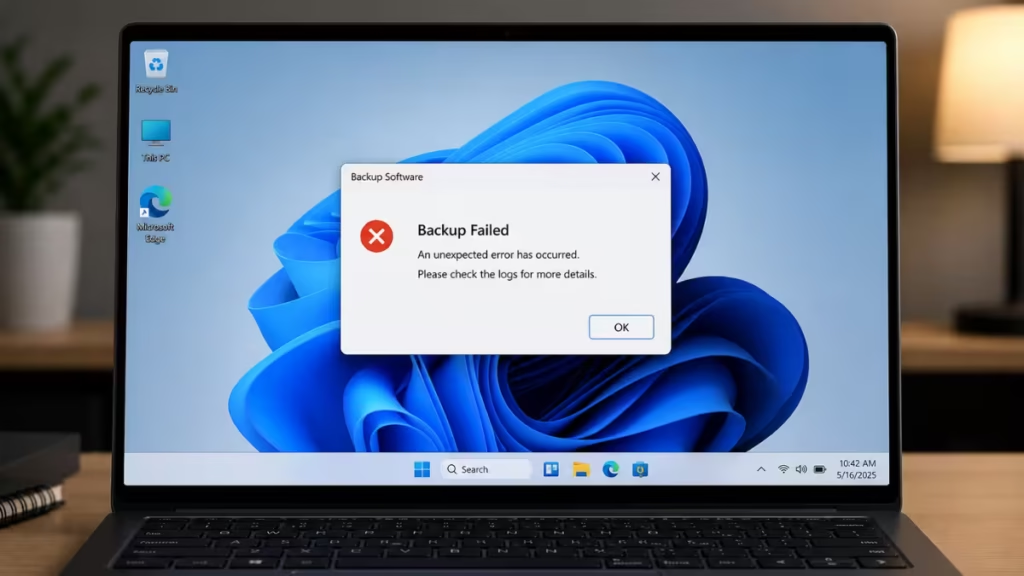
Affected software includes Acronis Cyber Protect Cloud, Macrium Reflect, NinjaOne Backup, and UrBackup Server. Microsoft has confirmed the issue and published a support page, and multiple vendors have released advisories. This guide explains what is happening and what you can do right now.
What Is KB5083769?
KB5083769 is the cumulative security update Microsoft released on April 14, 2026, for Windows 11 24H2 and 25H2. It includes several security patches, but it also introduces a security hardening change: it adds known vulnerable kernel drivers to the Microsoft Vulnerable Driver Blocklist.
One of those drivers is psmounterex.sys, a kernel driver used by several popular backup applications to mount backup images as virtual drives. With this driver now blocked, backup apps that depend on it can no longer perform image-mount operations.
KB5083769 has also caused several other problems on affected systems, including unexpected boot loops, BitLocker recovery prompts on startup, and a broken Remote Desktop security warning for dual-monitor setups. Microsoft also released emergency out-of-band patches after the update pushed some Windows Server systems into restart loops.
Note: The April optional update KB5083631 also carries this same blocklist change, so installing either update triggers the backup issue.
Which Backup Applications Does KB5083769 Break?
After installing KB5083769, the following backup applications are confirmed to fail:
- Acronis Cyber Protect Cloud (Windows 11 Home and Pro)
- Macrium Reflect
- NinjaOne Backup
- UrBackup Server
Microsoft notes the list is not exhaustive. Any backup software that relies on the psmounterex.sys kernel driver is at risk.
What Causes the Backup Failure?
The root cause is the Microsoft Vulnerable Driver Blocklist, a security feature in Windows Security that prevents compromised kernel drivers from loading. KB5083769 adds psmounterex.sys to this blocklist because versions 8.1.7544 and below contain a known vulnerability: CVE-2023-43896, an out-of-bounds write flaw that allows privilege escalation and can lead to kernel heap corruption.
Windows Code Integrity enforcement now prevents psmounterex.sys from loading entirely. Backup apps that depend on this driver fail when they try to mount or explore a backup image.
This affects the Volume Shadow Copy Service (VSS), a Windows component that creates point-in-time snapshots for backup and restore operations. VSS supports tools like System Restore, Windows Server Backup, and third-party backup apps. When psmounterex.sys fails to load, VSS times out and the backup operation stops.
Important: The Windows 11 cloud-based Backup feature does not use VSS. Cloud backups continue to work normally after installing KB5083769.
What Errors Will You See?
If KB5083769 has broken your backup software, you will likely encounter one or more of the following:
The backup has failed because Microsoft VSS has timed out during the snapshot creationVSS_E_BAD_STATE- Backup image files failing to mount as virtual drives
- Errors or timeouts when browsing or restoring from a backup image
- Full image backup creation may still succeed, but image-mount operations will fail
- In Acronis: the affected machine may appear offline in the cloud console
You can also confirm the issue in Event Viewer. Look for Event 3077 in the Code Integrity Operational event log. This event indicates psmounterex.sys was blocked in enforcement mode and will include Policy ID {D2BDA982-CCF6-4344-AC5B-0B44427B6816}.
How to Fix the KB5083769 Backup Error
Option 1: Update Your Backup Software (Recommended)
Microsoft’s official recommendation is to update your backup application to a version that uses a patched driver. Macrium had already released a security patch for CVE-2023-43896 back in October 2023 in versions 8.0.7690 and 8.1.7675. If your backup software is outdated, update it first and test again.
Check your vendor’s official site or support page for the latest release that resolves the psmounterex.sys conflict.
Option 2: Uninstall KB5083769 (Temporary Workaround)
If updating your backup software does not immediately fix the issue, you can uninstall KB5083769 as a temporary workaround. Microsoft does not officially recommend this approach, but Acronis and other vendors advise it until a permanent fix is available.
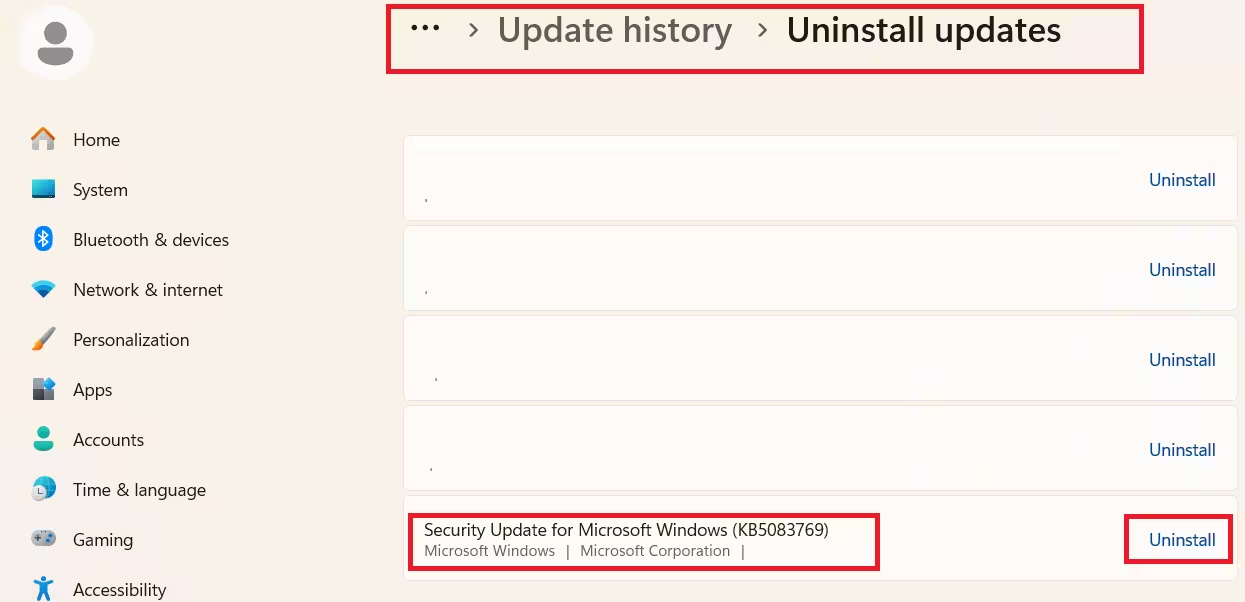
Follow these steps to uninstall KB5083769:
- Open Settings and go to Windows Update.
- Click Update history.
- Scroll down to Related settings and click Uninstall updates.
- Find Security update for Microsoft Windows (KB5083769) in the list.
- Click the Uninstall link on the right side.
- Restart your PC when prompted.
- Return to Windows Update and click Pause updates to prevent the update from reinstalling automatically.
After removing the update and restarting, backup operations should resume without requiring changes to Microsoft VSS or your backup agent.
Should You Uninstall KB5083769?
Microsoft advises against uninstalling this update because KB5083769 contains important security patches beyond the driver blocklist change. Removing it leaves your system exposed to the vulnerabilities it fixes.
The safest path is to update your backup software to a version that no longer relies on the vulnerable psmounterex.sys driver, then keep KB5083769 installed.
If your backup software vendor has not yet released a fix, uninstalling is a reasonable short-term workaround. Just remember to monitor your vendor’s release notes and reinstall the Windows update once your backup app is patched.
When Will Microsoft Release a Fix?
Microsoft has not announced a separate patch to resolve the conflict for unpatched backup applications. The company’s current position is that psmounterex.sys will remain on the blocklist until backup vendors update their software to use a secure driver version.
There is no out-of-band update planned for this specific issue. The resolution depends on backup software vendors releasing updated versions that replace the blocked driver.
Frequently Asked Questions
Does KB5083769 break all backup software?
No. Only backup applications that rely on the psmounterex.sys kernel driver are affected. Confirmed broken apps include Acronis Cyber Protect Cloud, Macrium Reflect, NinjaOne Backup, and UrBackup Server. Backup software that uses a different driver, and the built-in Windows cloud backup, continue to work normally.
Will uninstalling KB5083769 fix my backups?
Yes, in most cases. Acronis confirms that removing KB5083769 and restarting the system restores backup functionality without any additional changes to VSS or the backup agent. Pause Windows Update afterward to prevent the update from reinstalling automatically.
Can I still create full image backups after installing KB5083769?
Backup creation may still complete successfully in some cases. The failure is specific to image-mount and image-explore operations. If you try to browse, restore, or mount a backup image as a virtual drive, the operation will fail with a VSS timeout error.
What is psmounterex.sys and why did Microsoft block it?
It is a kernel driver that backup applications use to mount backup images as virtual drives. Microsoft added it to the Vulnerable Driver Blocklist because versions 8.1.7544 and below are vulnerable to CVE-2023-43896, a privilege escalation flaw that allows attackers to corrupt the kernel heap and execute arbitrary code.
When will Microsoft fix the KB5083769 backup issue?
Microsoft has not announced a dedicated patch. The company’s position is that psmounterex.sys stays on the blocklist until backup vendors ship updated versions of the driver. The fix depends entirely on your backup software vendor releasing an update, not on a new Windows update.

