Your regular inbox protects messages only while they travel between servers. Once a message lands on Gmail or Outlook servers, the provider holds the keys and can read, scan, or hand over that content when a court or agency asks. If you send contracts, medical files, tax documents, or anything you would not want leaked, you need encryption that keeps the message locked until the right person opens it.
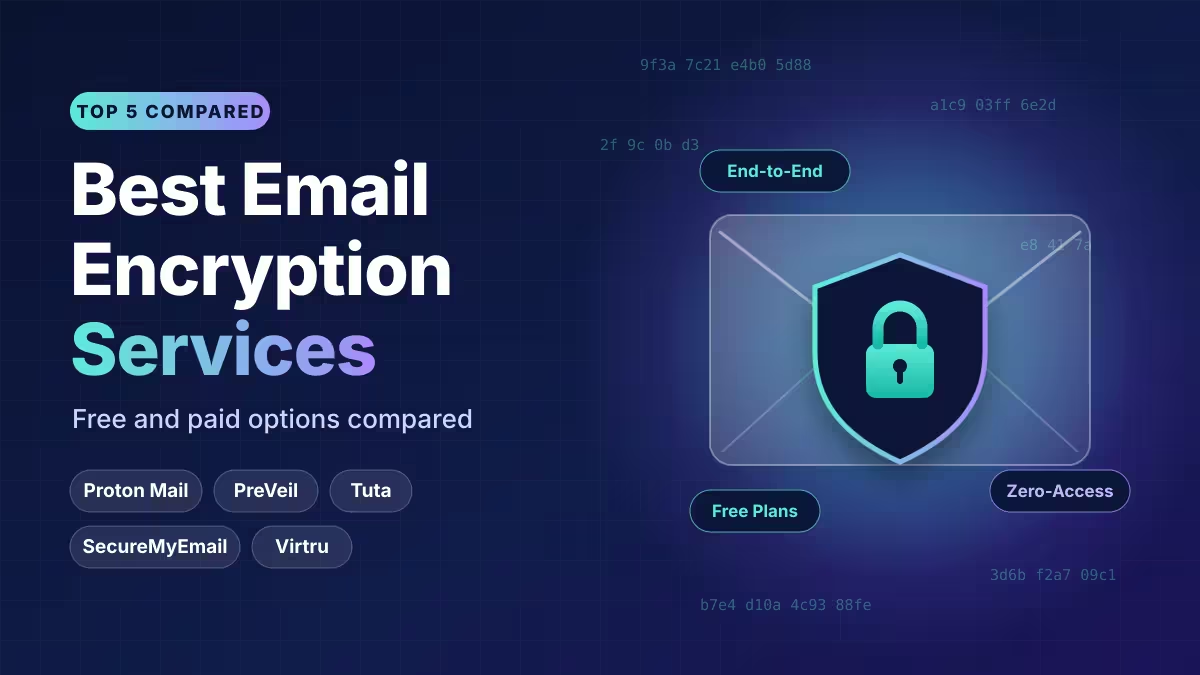
This guide covers the five best encrypted email services, explains how each one handles recipients outside its network, and shows which option fits your situation.
Best Email Encryption Services at a Glance
| Service | Best For | Keep Your Address? | Free Option | Paid Price |
|---|---|---|---|---|
| Proton Mail | Overall privacy suite | No (custom domain allowed) | Yes, 150 messages/day | From $47.88/year |
| PreVeil | Free business-grade encryption | Yes | Fully free | Free |
| Tuta Mail | Metadata and subject line protection | No (custom domain allowed) | Yes, unlimited messages | From €3/month |
| SecureMyEmail | Encrypting existing accounts | Yes | One Gmail, Yahoo, or Microsoft account | $29.99/year |
| Virtru | Gmail users on Chrome | Yes | Free personal use | Business plans from $119/month for 5 users |
Is Gmail or Outlook Already Encrypted?
Gmail, Outlook, and most mainstream providers use Transport Layer Security (TLS). TLS scrambles a message while it hops from one server to the next. Each server, however, decrypts the message to process it, then encrypts it again on the way out. The provider can read the content at every stop.
Messages also sit "encrypted at rest" on provider servers, but the company keeps the key. That setup stops a thief who steals a hard drive. It does nothing against the provider itself, a hacked admin account, or a legal demand.
End-to-end encryption (E2EE) works differently. Your device encrypts the message, and only the recipient's device can decrypt it. Servers in between see scrambled data only. Even the email company cannot open it.
Gmail Confidential Mode and the Outlook Encrypt button do not count as true E2EE, because Google and Microsoft still manage the keys.
Do I Need a New Email Address to Use Encryption?
Before you pick a service, decide which path suits you.
Switch to a new encrypted mailbox. Proton Mail and Tuta give you a fresh address on their own platform. You get the strongest privacy, and a new address also leaves behind years of spam. The downside: you must update every account and contact that uses your old email. Both services let you bring a custom domain, which softens the switch.
Add encryption to your current email. PreVeil, SecureMyEmail, and Virtru plug into the inbox you already use. Nobody needs a new address from you. You trade some privacy depth for convenience, since your base provider still controls the account.
1. Proton Mail: Best Overall Encrypted Email
Proton Mail runs from Switzerland and has grown into a full privacy ecosystem. Messages between Proton users get end-to-end encryption automatically. For people outside Proton, you set a password on the message and share that password through another channel, such as a text or a secure chat app.
The free plan gives you a working encrypted inbox with a cap of 150 messages per day and limited storage. Proton Plus costs $47.88 per year. The Unlimited tier costs $119.99 per year and unlocks Proton VPN, Proton Pass, Proton Drive, Proton Calendar, and a bitcoin wallet in one bundle.
Key features:
- Automatic E2EE between Proton accounts, plus OpenPGP support for outside PGP users
- Password-protected emails for anyone on Gmail, Outlook, or other providers
- Message expiry for non-Proton recipients
- Hide-my-email aliases through Proton Pass (10 free, unlimited on paid plans)
- SimpleLogin alias service on the top tier
- Blocks tracking pixels in incoming mail
- Easy Switch tool that imports mail, contacts, and calendars from Gmail, Outlook, Yahoo, or any IMAP host
- Post-quantum OpenPGP keys
- Native apps for Android, iOS, and desktop
- Two-factor authentication with authenticator apps and hardware security keys
Limitations: Proton follows the OpenPGP standard, so subject lines and sender addresses stay readable at the header level. Proton Mail Bridge, which connects Thunderbird, Outlook, or Apple Mail, needs a paid plan.
Pick it if: you want one trusted company to handle email, VPN, passwords, and cloud storage, and you can live with a new address.
2. PreVeil: Best Free Encryption for Your Current Email
PreVeil gives everyday users the kind of encryption normally sold to defense contractors, and it costs nothing. You keep your current address. PreVeil integrates with Gmail, Outlook, and Apple Mail, and it has free apps on Google Play and the App Store.
It skips the master password entirely. Your trusted device proves your identity. If you lose every device, a recovery system splits your key among several friends or coworkers you pick, and they help you restore access together.
Key features:
- End-to-end encryption on your current email address
- 5GB of encrypted cloud storage
- File sharing with four permission levels for other PreVeil users
- Group-based key recovery
- No passwords to remember beyond your normal email login
Limitations: Recipients must install PreVeil to read your messages. Since it is free and quick to set up, this rarely causes trouble, but it adds a step for one-off contacts. PreVeil also offers no alias feature. Pair it with a separate service like ManyMe if you want to mask your address.
Pick it if: you want strong encryption without paying or changing your address.
3. Tuta Mail: Best for Encrypted Subject Lines and Metadata
Tuta Mail, formerly Tutanota, runs from Germany and publishes all of its code as open source. It stands apart because it encrypts subject lines, sender details, contacts, and calendars, not just message bodies. Most PGP-based services leave that metadata exposed.
Tuta builds its own encryption with a mix of AES and RSA, and it has rolled out post-quantum cryptography. The free tier allows unlimited messages, which beats Proton's daily cap. Paid plans start at €3 per month on yearly billing, and the Legend plan runs €8 per month.
Key features:
- Encrypted subject lines and headers
- Fully open-source clients
- Encrypted local search index (free users can search the last 30 days; paid users search everything)
- Full encrypted calendar with repeating events and secure invites
- Stores a per-contact password for messages to non-Tuta users
- External recipients can read and reply to the whole thread in a browser
- Hardware security key support with an authenticator app as backup
- Native apps on Windows, macOS, Linux, Android, and iOS
Limitations: Tuta does not support PGP or S/MIME, so you cannot swap encrypted mail with PGP users on other platforms. Aliases are capped at 15 and cannot be changed after you create them. The local search index can eat disk space, and Tuta lacks IMAP, so you cannot use Thunderbird or Outlook.
Pick it if: protecting metadata matters more to you than compatibility with outside PGP tools.
4. SecureMyEmail: Best for Protecting Multiple Email Accounts
SecureMyEmail works with any email account that supports IMAP. It costs nothing for a single Gmail, Yahoo, or Microsoft account, and the free version has no feature limits. A $29.99 yearly plan covers up to eight accounts and adds support for other providers.
It runs on PGP but hides the setup work. When you email someone without SecureMyEmail, the service builds a key from their email address. The recipient verifies ownership of that address and reads the message on a web page, with no password needed. Those outside messages expire after 30 days by default, and you can shorten that window or add a password.
Key features:
- Free tier with full features for one account
- Imports existing PGP keys
- Mix in-network and outside recipients on the same message
- Digital signatures to prove a message came from you
- Secure contacts list
- Two-factor authentication
- Apps for Android, iOS, and a dedicated iPadOS version
- 30-day trial with no credit card
Limitations: It struggled with Yahoo during independent testing, and it offers no alias tools. In-network messages have no expiry option.
Pick it if: you manage several inboxes and want them all protected under one cheap plan.
5. Virtru: Best Encrypted Email for Gmail Users
Virtru installs as a Chrome extension and adds an encryption toggle inside Gmail. Personal use is free. Your Gmail password and two-factor login protect it, so you manage no extra credentials.
Recipients do not need Virtru or a password. They click a link, prove they own the receiving address, and read the message in a browser. Virtru runs on the open Trusted Data Format with AES-256.
Key features:
- Set expiry dates on messages, even after sending
- Revoke access to messages already delivered
- Restrict forwarding and replies
- Encrypts attachments
- Rules engine that spots sensitive data such as Social Security numbers and can auto-encrypt, warn, or block the send
Business option: Teams on Google Workspace or Microsoft 365 can buy business packages. One published starter tier costs $119 per month for five users on annual billing.
Limitations: The free consumer version works only with Gmail in Chrome. It also has no alias features.
Pick it if: you live in Gmail and want the least friction for the people you email.
Who Can I Send Encrypted Email To?
Encryption only helps if the other person can open your message. Each service solves this differently:
- Password-protected messages: Proton Mail and Tuta let you lock a message with a password. Share the password by text, phone, or a secure messenger, never by email.
- Identity-verified links: Virtru and SecureMyEmail send a link. The recipient proves they own the address and reads the message in a browser.
- Recipient installs the app: PreVeil requires the recipient to install its free app.
- PGP key exchange: Proton can exchange mail with any PGP user, but trading keys takes some technical skill.
What Should I Check Before Choosing an Encrypted Email Service?
Beyond the encryption itself, check these points before you commit:
- Two-factor authentication. A stolen password unlocks every encrypted message in your account. Proton, Tuta, and SecureMyEmail support authenticator apps. Proton and Tuta also accept hardware keys like YubiKey.
- Account recovery. Proton cannot recover old mail if you forget your password and have no recovery method set. Tuta gives you a recovery code. Store it safely.
- Jurisdiction. Proton (Switzerland) and Tuta (Germany) sit outside direct US jurisdiction. US companies can face CLOUD Act demands for data stored anywhere in the world.
- Expiry and revocation. Virtru leads here, letting you kill access after delivery. Proton and SecureMyEmail support expiry for outside recipients.
- Metadata. Only Tuta encrypts subject lines among these five. Assume subjects stay visible on PGP-based services and keep them generic.
Which Encrypted Email Service Is Right for You?
- You want the best all-rounder: Proton Mail.
- You refuse to pay anything: PreVeil, Virtru (Gmail on Chrome), or the free tiers of Tuta and SecureMyEmail.
- You want to keep your address: PreVeil, SecureMyEmail, or Virtru.
- You care most about metadata: Tuta Mail.
- You manage several inboxes: SecureMyEmail.
How to Switch to an Encrypted Email Service
Moving to a new provider takes less effort than most people expect. Follow these steps:
- Pick your service and create the account. If you choose Proton Mail or Tuta, grab your preferred username first, since smaller services often still have your plain name available.
- Import your old mail. Proton Mail's Easy Switch tool pulls emails, calendars, and contacts from Gmail, Outlook, Yahoo, or any IMAP provider. Tuta includes an importer in its desktop apps.
- Move contacts and recent messages first. Large inboxes can take hours or even a couple of days to copy, so start emailing from the new address while older archives transfer in the background.
- Update your key logins. Change the email on your bank, shopping, and social accounts once the data is safe.
- Turn on two-factor authentication and save your recovery code. Do this before you send your first sensitive message.
- Tell your contacts. Set an auto-reply or forwarding rule on the old address for a few months.
If you use PreVeil, SecureMyEmail, or Virtru, you can skip steps 1 through 4, because you keep your current address.
How to Keep Your Encrypted Email Safe
Encryption protects message content, but people remain the weak link. Follow these habits:
- Turn on two-factor authentication everywhere you can.
- Store passwords in a password manager, never on paper or in a notes app.
- Lock your phone and laptop with a strong PIN or biometrics, and review your Windows 11 security settings.
- Hide private chats in messaging apps too, for example with WhatsApp Chat Lock.
- Watch for phishing emails and use scam protection tools. Encryption does nothing if you hand your password to a scammer.
- Do not forward encrypted messages to plain inboxes, since that strips the protection.
- Keep subject lines vague on PGP services, because they travel unencrypted.
- Set up SPF, DKIM, and DMARC on any custom domain. These records stop attackers from spoofing your address, which encryption alone cannot prevent.
Frequently Asked Questions
Is Gmail end-to-end encrypted?
No. Gmail uses TLS in transit and encrypts stored mail, but Google holds the keys. Confidential Mode limits forwarding and adds expiry, yet Google can still read the content. Enterprise Workspace plans offer client-side encryption, which comes closer to true E2EE.
What is the best free encrypted email service?
PreVeil and Virtru cost nothing at all for personal use. Tuta offers a free plan with unlimited messages, and Proton Mail offers a free plan capped at 150 messages per day. SecureMyEmail protects one Gmail, Yahoo, or Microsoft account for free.
Do I need a new email address to encrypt my mail?
Not always. PreVeil, SecureMyEmail, and Virtru work with your current address. Proton and Tuta need a new address, though both accept a custom domain you already own.
Can I send encrypted email to someone who uses Gmail?
Yes. Proton and Tuta let you send a password-protected message. Virtru and SecureMyEmail send a secure link that the recipient opens after verifying their address.
Which encrypted email service hides subject lines?
Tuta Mail encrypts subject lines, sender names, and contacts. Proton Mail follows OpenPGP, which leaves subject lines readable.
Is TLS enough to protect sensitive emails?
No. TLS guards messages only between servers. Each server can read the content, so sensitive files need message-level encryption.
Can I revoke an email after sending it?
Yes, with Virtru. It checks access each time someone opens the message, so you can cut it off after delivery. Proton and SecureMyEmail let you set expiry times for outside recipients.
Does encryption stop phishing or spoofing?
No. Encryption hides content, but it does not prove who sent a message. Use SPF, DKIM, and DMARC on your domain and stay alert to phishing attempts.
Related Guides
- Essential Windows 11 Settings and Tools Every User Should Know
- Surfshark Antiscam Hub: Five Security Tools Now in One Place on iOS
- WhatsApp Launches Chat Lock Feature to Hide Private Conversations
- Apple Blocks Beeper Mini, Citing Security Risks in iMessage Integration
- 5 Best Patch Management Software for Small Business