Every company runs on a layer of software that customers never see. Refund approvals, stock checks, onboarding checklists, invoice reviews and support dashboards all live somewhere, and too often that somewhere is a shared spreadsheet, a long email thread or a Slack channel full of pinned messages.
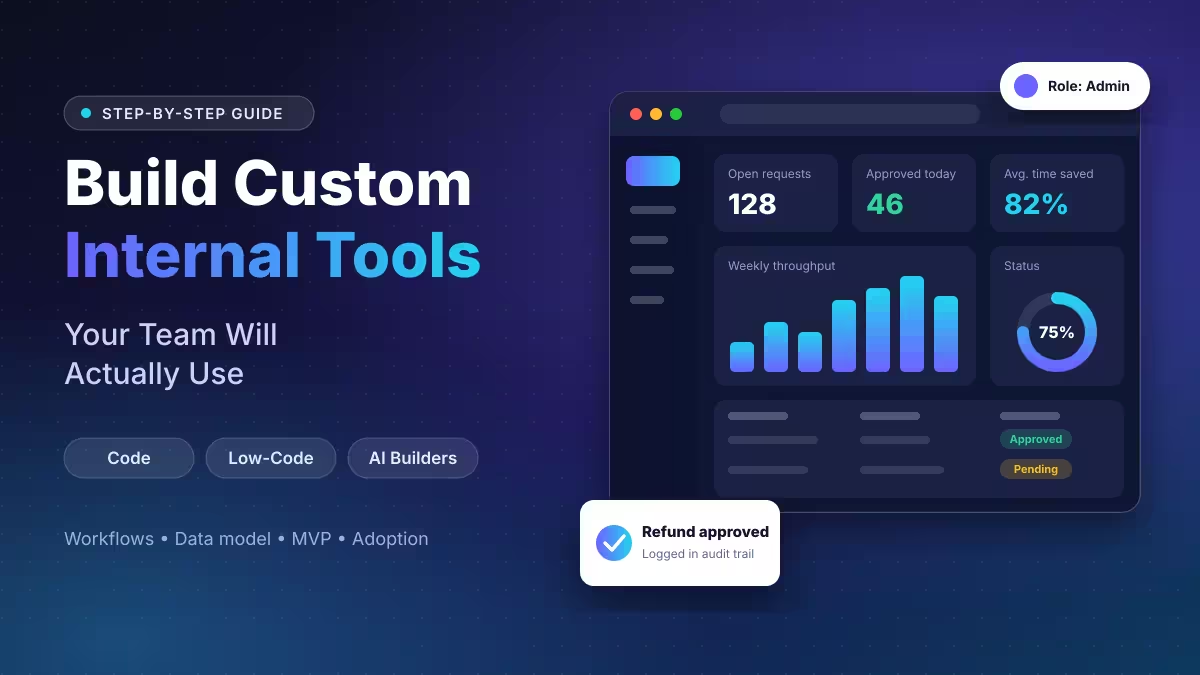
A custom internal tool replaces that mess with one focused app built around how your team really works. The catch is that many of these projects fail. Teams build something nobody asked for, overload it with features, or launch it without training, and people quietly drift back to their spreadsheets.
This guide walks you through the full process, from spotting the right problem to measuring whether people use what you shipped.
What Is a Custom Internal Tool?
A custom internal tool is an application your company builds for its own staff to run a specific workflow. It sits between two extremes:
- Spreadsheets, which are flexible but unstructured, easy to break and hard to audit.
- Off-the-shelf SaaS, which is polished but generic, so your team bends its process to fit the product.
An internal tool flips that relationship. The software adapts to your business rules, your data and your approval chains.
Custom Internal Tool Examples for Common Business Workflows
Internal tools show up in almost every department. These are the use cases that deliver the clearest before-and-after impact:
- Support: admin panels where agents look up and edit customer accounts
- Finance: approval flows for refunds, discounts and expense claims, plus invoice validation screens
- Operations: inventory, order and stock movement dashboards
- Sales: quote and proposal generators that pull live pricing
- Procurement: supplier onboarding and contract follow-up portals
- HR: employee onboarding checklists and leave approvals
- Data teams: data quality review screens and reporting request queues
A strong use case replaces spreadsheets, emails and manual updates with one place that holds structured data, automation, status tracking and reporting. Smaller teams can also start with AI tools for small business before they commit to a build.
When Should You Build a Custom Internal Tool?
You do not need custom software for every small task. Build when a process is important, repeated often and badly served by the tools you already pay for. Watch for these warning signs:
- Staff copy the same data between two or three systems by hand
- Approvals depend on someone replying to an email
- Several people work from different versions of the same file
- Managers cannot see where a request stands without asking around
- Your CRM or ERP covers 70% of a process and the rest happens in Excel
- Manual mistakes regularly cost money or cause rework
- One task eats 30 minutes or more of someone's week, every week
If three or more of these sound familiar, a dedicated tool will likely pay for itself.
Custom Internal Tools vs Off-the-Shelf SaaS: Build or Buy?
Before you commit, check whether a mature product already solves the problem. Buying makes sense when a SaaS app covers at least 80% of your needs, only a handful of people will use it, or the vendor handles compliance work you would otherwise own. If you only need shared notes and simple databases, Notion AI alternatives may already cover it.
Building makes sense when:
- Your workflow is unique to how your company operates
- Per-seat pricing gets expensive as headcount grows
- You need two systems to talk that have no native connector
- You must control exactly where sensitive data lives
- Many people will use the tool every day, so time savings add up fast
Many teams land on a hybrid. They rent the commodity pieces, such as payments, email delivery and login, and build only the workflow layer that makes their process different. Some also run self-hosted tools for the pieces they want to control.
3 Ways to Build Custom Internal Tools: Code, Low-Code and AI
You can build the same tool in three very different ways. Pick the wrong one and you may end up rebuilding six months later.
| Approach | Speed | Control | Best Fit |
|---|---|---|---|
| Traditional code | Slowest (weeks to months) | Full | Unique logic, strict security, long-lived tools |
| Low-code / no-code | Fast (days to weeks) | Moderate | CRUD apps, dashboards, approval flows, forms |
| AI app builders | Fastest (hours to days) | Lower | Prototypes, simple standalone tools |
Traditional Code
Developers write the frontend, backend and database from scratch, often with help from AI assistants such as Kilo Code and GitHub Copilot. You get total freedom and you own every line, which matters for performance-heavy work or regulated data. The trade-off is time, cost and permanent maintenance. Your team handles hosting, security patches and every future change.
Low-Code and No-Code Platforms
Visual builders let you drag tables, forms and buttons onto a canvas and wire them to your data. Retool, Appsmith and Superblocks keep a code escape hatch for developers. Glide, Softr and Knack stay fully visual so ops staff can build on their own.
These platforms shine for standard patterns. They struggle with unusual logic or custom interfaces, and licence fees scale with every user you add. Check whether you can export your work before you commit, so you do not get locked in.
AI App Builders
Tools like Lovable, Bolt, Replit and v0 generate working apps from a plain English description. You describe the screen, review what the AI produces and refine it through conversation.
This route is excellent for testing an idea with your team before you fund a proper build. Treat the output with care, though. Generated code can contain security gaps, and features like login, permissions and audit logs often need a developer to finish safely. Avoid pointing a vibe-coded app at sensitive customer or financial data without a review. For lighter helper tasks, a custom GPT can do the job without any app, and general AI productivity tools cover many everyday needs.
How to Build a Custom Internal Tool Step by Step
The process below works whichever approach you choose. Only the tooling changes.
Step 1: Map the Real Workflow Before You Build
Do not start with a feature list. Start by sitting next to the people who do the work and observing a full cycle from start to finish.
Write down every step, who performs it, which app they open and how long it takes. Note where data gets typed twice and where people wait on someone else. Pay attention to the shortcuts they take, because your tool needs to support how they actually work, not the official process on paper.
Here is what a simple map might look like for customer onboarding:
| Step | Owner | Tool | Time |
|---|---|---|---|
| Close the deal | Sales | CRM | 2 min |
| Send details to ops | Sales | 5 min | |
| Create billing account | Ops | Billing system | 10 min |
| Set up project folder | Ops | Google Drive | 5 min |
| Log customer in tracker | Ops | Spreadsheet | 5 min |
| Create project board | PM | Asana | 10 min |
That adds up to roughly 37 minutes, three people and the same customer details typed four times. A single onboarding screen could cut it to a few minutes.
Step 2: Write Short, Clear Requirements
Skip the 20-page specification. Three to five plain sentences usually cover what you need. Answer four questions:
- Inputs: What data does the tool need?
- Outputs: What does it produce or change?
- Users: Who opens it daily, and what can each role do?
- Integrations: Which systems must it read from or write to?
Then split everything into must-haves and nice-to-haves. Scope creep is the main reason a six-week build turns into a six-month one.
Step 3: Pick Your Approach and Platform
Match the build method to the problem. A basic CRUD admin panel does not need months of custom engineering, and a latency-sensitive risk tool will hit walls on a drag-and-drop builder.
If you go with a platform, trial two or three options using the same small use case. For each one, confirm that it:
- Connects to your databases, APIs and SaaS apps
- Supports single sign-on, role-based access and audit logs
- Lets you export your work if you leave
Step 4: Design the Data Model and Connect Your Data Sources
Data plumbing causes more trouble than the interface ever will. Get it right and the screens almost design themselves.
- List your entities: customers, orders, tickets, suppliers, employees.
- Define relationships: an order belongs to a customer, a project holds many tasks.
- Add status fields: most internal workflows move through stages such as draft, pending, approved and closed.
- Add audit columns: store who created each record and when it last changed.
Also plan an activity log table that records every create, update and delete along with the user who made it. When a manager asks who changed a refund amount last Tuesday, that log answers in seconds.
Most platforms ship ready connectors for PostgreSQL, MySQL, Stripe, Salesforce and Google Sheets. For in-house systems, you will use a REST or GraphQL connector or write a small adapter.
Step 5: Build a Lean MVP First
Resist the urge to automate everything at once. Pick the single most painful workflow and build just enough to handle it from start to finish.
Most internal tools reuse the same handful of building blocks:
- A searchable data table with filters, sorting and pagination
- A detail view where users open a record and approve, reject, assign or edit it
- Validated forms that catch bad input, prefill known fields and save drafts
- A home dashboard showing open items, overdue tasks and key numbers
- Notifications by email or Slack for new assignments and status changes
Keep permissions simple at first. Three roles, such as admin, member and viewer, cover most early tools. You can add finer controls once real usage shows where you need them.
Make the layout responsive from day one. Warehouse staff, field teams and travelling sales reps will open it on their phones.
Step 6: Test With Real Users
The person who built the tool will never spot the friction a newcomer hits. Hand it to someone from the target team, let them use it cold and note every moment they hesitate.
Run a short parallel period where the old process and the new tool both operate for about a week. This builds trust and exposes gaps before you switch off the spreadsheet.
Step 7: Roll Out in Stages
Launch to one team first, then a department, then the wider company. Fix the issues each group finds before the next group starts.
Step 8: Assign an Owner and Keep Improving
An internal tool is never truly finished. Workflows change, new systems arrive and teams grow. Decide who owns updates before you ship version one, and schedule regular check-ins with users. Expect three to five visible iterations in the first month alone.
Best Tech Stack for Building Internal Tools
Internal tools have simpler needs than customer-facing products because you control the users and the environment. A typical custom build includes these layers:
- User interface
- Login and access control
- Backend API
- Database
- Workflow logic
- Integration layer
- Notifications
- Logging and monitoring
- Reporting
A popular, proven combination looks like this:
| Layer | Common Choice |
|---|---|
| Frontend | React or Next.js with Tailwind CSS and a component library |
| Backend | Node.js (for example Hono or Express) or Python |
| Database | PostgreSQL |
| Authentication | A role-based auth library or your company's single sign-on |
| File storage | Amazon S3 or similar |
| A transactional email service such as Resend | |
| Hosting | An all-in-one host such as Railway, or your own cloud account |
Prebuilt component libraries cover most internal tool screens, such as tables, forms, modals and dropdowns, so you rarely design these from zero. PostgreSQL handles everything from ten records to ten million. Hosting costs for many small tools stay between $10 and $30 a month, and a VPS host works well if you prefer to self-host.
The principle that matters most is maintainability. Your first version may automate one workflow, but the same platform often grows to serve several departments. Choose technology your team already knows.
Key Features of a Strong Internal Tool
Whatever you build, a few capabilities separate tools people trust from tools they avoid:
- Role-based access: control who can view, create, edit, approve, export or delete.
- Clear statuses: every request should show exactly where it stands.
- Built-in rules: enforce required fields, spending limits and duplicate checks automatically instead of relying on memory.
- Integrations: pull and push data so nobody re-enters it.
- Audit trail: record who did what and when, for accountability and compliance.
- Reporting: give managers live views of pending work, cycle times and exceptions.
Why Internal Tools Fail and Mistakes to Avoid
Most failed projects share the same handful of causes. Catch them during planning and you save months of rework.
- Skipping user interviews. The biggest predictor of failure is building something nobody requested.
- Overloading version one. Every extra feature slows the launch and makes the tool harder to learn.
- Poor performance. A slow or flaky tool sends people straight back to manual work.
- Weak integrations. A tool that does not connect to existing systems creates double entry and new data silos.
- Ignoring security. Internal tools often touch payroll, customer and financial data. Treat login, permissions and logging as core features.
- Choosing the wrong build method. Custom code for a simple form wastes months, and no-code for a high-performance job hits a ceiling fast.
- Skipping maintenance. A tool with no owner slowly decays until people abandon it.
- Ignoring planning for growth. Tools that cannot handle more users or data become bottlenecks that need a costly rewrite.
How to Get Your Team to Use a New Internal Tool
Adoption is where good tools win or lose. Build these habits into your launch:
- Involve users early. Interview them before you build and let them test prototypes. People support what they helped shape.
- Keep it simple. Show only the fields and actions each role needs, so nobody feels buried in options.
- Record a short walkthrough. A 10 minute video covering how to create a record, search and generate a report answers most beginner questions.
- Name a champion on each team. One confident colleague who can answer quick questions removes a lot of support load.
- Run old and new side by side for a week. This builds trust and catches gaps before the switch.
- Collect feedback after week one. Ask what is faster, what is slower and what is missing, then ship fixes immediately.
- Watch usage data. If logins drop after the second week, ask why before building anything new.
How to Measure the Success of Your Internal Tool
Set a baseline before launch so you can prove the tool earned its cost. Track:
- Adoption rate: the share of target users who log in each week
- Time per task: minutes saved compared with the old process
- Error rate: fewer duplicate records, wrong amounts and missed steps
- Approval speed: how long requests wait before someone acts
- Spreadsheet usage: fewer manual exports and side files
- User satisfaction: quick surveys or short interviews every few months
The best sign of success is quiet. When people stop talking about the tool and simply use it every day, you built the right thing.
How Much Does It Cost to Build a Custom Internal Tool?
Actual costs depend on scope, so treat these ranges as a planning baseline:
| Approach | Typical Timeline | Typical Cost |
|---|---|---|
| AI app builder | Hours to a few days | Free to about $20 per user per month |
| Low-code platform | Days to a few weeks | Roughly $10 to $100 per user per month |
| Custom code (in-house or agency) | Two weeks to six months | Around $5,000 to $200,000 or more |
Low-code looks cheaper at first, but per-seat fees grow with headcount. For tools used by dozens of people, custom code often wins on total cost after about a year.
Build In-House or Hire an Agency?
Build in-house when:
- You have an engineer with spare capacity
- The tool is small, with only a few screens and one or two roles
- Fast iteration matters more than polish
- The team that builds it will also maintain it
Hire an agency when:
- Your engineers focus on the customer-facing product
- The tool needs several integrations, such as CRM, ERP, email and Slack
- You need it live within a couple of weeks
- Compliance or security rules apply, such as HIPAA or strict audit trails
If you work with an agency, pick one that has shipped tools on your chosen stack and agree up front on who maintains the tool after launch.
Frequently Asked Questions
Can I build an internal tool without a developer?
Yes. No-code platforms such as Glide, Softr and Knack, plus AI builders like Lovable and Bolt, let non-developers ship working apps. A basic grasp of data structures, APIs and business logic still helps you avoid costly mistakes, and anything that handles sensitive data deserves a technical review.
How is an internal tool different from a SaaS product?
An internal tool serves one company's own staff and fits its specific processes. A SaaS product serves many companies with general features, so each customer adapts to the software instead of the other way round.
How long does it take to build a custom internal tool?
AI builders can produce a prototype in hours. Low-code platforms usually take days to a few weeks. Custom code takes anywhere from two weeks to six months, depending on scope and integrations.
How many user roles should an internal tool have at launch?
Start with three: admin, member and viewer. That setup covers most early needs. Add more granular permissions once real usage shows where the gaps are.
How do I get my team to actually use the new tool?
Involve users from the first interview, keep version one small, train them with a short video, name a team champion and fix their complaints fast. Run the old and new processes side by side for a week so people trust the switch.
When should I hire an agency instead of building in-house?
Hire outside help when your engineers are busy with the customer product, when the tool needs several integrations, when you need it live within a couple of weeks, or when compliance rules apply. Build in-house when the tool is small, a developer has spare capacity and the same team will maintain it.