Anyone can type your domain into the From line of an email. The mail protocol that carries messages across the internet, SMTP, never asks the sender to prove who they are. Three DNS records close that gap: SPF, DKIM and DMARC. Each one checks something different, and together they tell receiving servers whether a message truly came from you and what to do when it did not.
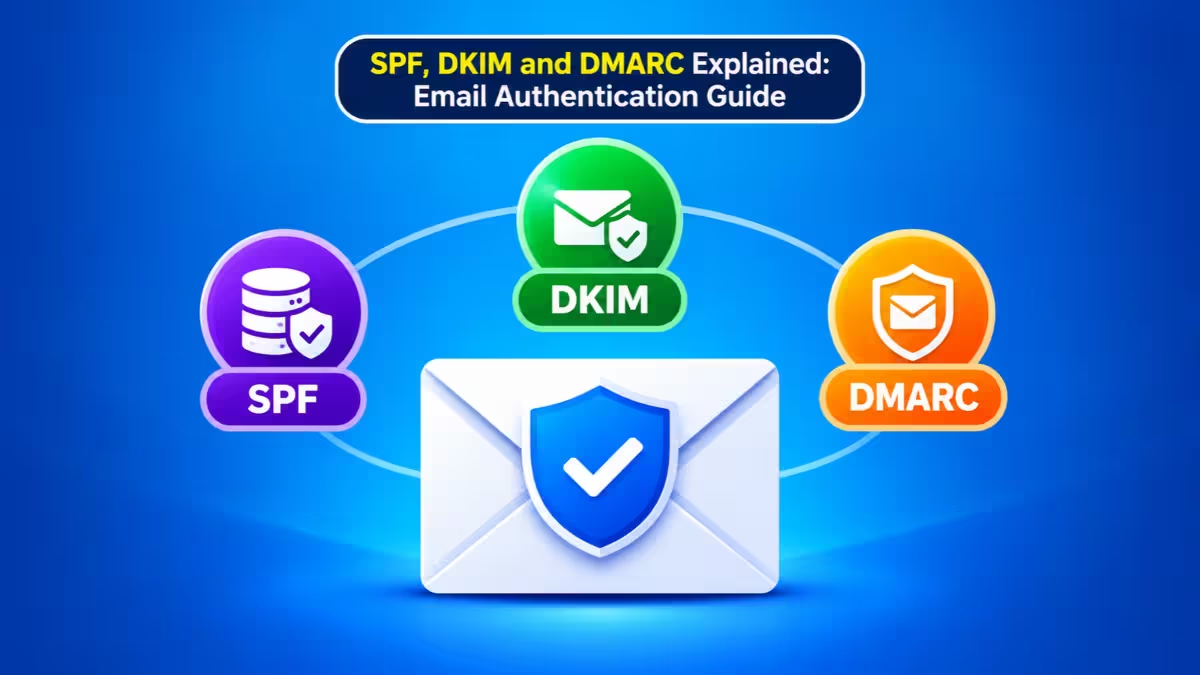
This guide breaks down what each record does, where it fails on its own, how the three combine on a single message, and how you can confirm your own domain passes.
Why Email Spoofing Is Easy Without SPF, DKIM and DMARC
SMTP was built for a small network of trusted machines, so it shipped with no identity check.
Any server can connect to a mail server and claim to send for bank.com, paypal.com or your company. Phishing emails rely on this. They forge a familiar address, add an urgent request for payment or login details, and hope the recipient trusts the name. Email authentication gives receiving servers a way to check that claim against records only the real domain owner can publish.
All three records live in your domain's DNS as TXT records. Your email provider usually generates the values, but you add them at your DNS host. That is why so many authentication problems turn out to be DNS problems.
Envelope From vs Header From: The Difference That Matters
Before the protocols make sense, you need to know that each message has two sender identities.
- Envelope sender (Return-Path or MAIL FROM): Servers use this address during delivery and for bounce messages. Readers rarely see it.
- Header From: This is the name and address your recipient sees in the inbox.
These two addresses can differ, and attackers exploit that difference. SPF checks the envelope sender, DKIM checks a signing domain, and only DMARC ties the result back to the header From address that people actually read.
What Is SPF and How Does It Work?
SPF (Sender Policy Framework) publishes a list of the servers allowed to send mail for your domain.
When a message arrives, the receiving server reads the IP address of the machine that delivered it, looks up the SPF record of the envelope domain, and checks whether that IP appears on the list. A typical record looks like this:
v=spf1 ip4:198.51.100.20 include:_spf.google.com include:sendgrid.net -allHere is how to read it:
v=spf1marks the record as SPF.ip4:approves a specific IP address, such as your own mail server.include:pulls in a provider's own list, which is how you approve Google Workspace, Microsoft 365, Mailchimp or SendGrid.mxandaapprove the servers named in your MX or A records.- The final term sets the result for everything else:
-allreturns a hard fail,~allreturns a soft fail, and+allpasses every server on the internet, which makes the record useless.
The receiving server still makes the final call. An SPF fail does not force a rejection, and an SPF pass does not guarantee inbox placement.
SPF Rules That Trip People Up
Two technical limits from the SPF specification catch many domain owners.
- Your domain can hold only one SPF record. Two TXT records that both start with
v=spf1produce a permanent error. Merge them into a single line instead. - SPF evaluation allows a maximum of 10 DNS lookups. Every
include,a,mx,ptrandredirectcounts, and so does every lookup nested inside a provider's include. Add enough marketing, CRM and helpdesk tools and you cross the limit without noticing, at which point SPF fails for all your mail.
Where SPF Falls Short
SPF has two blind spots that make it insufficient alone.
First, it validates the envelope sender only. An attacker can pass SPF for a domain they own while placing your address in the visible From line. Second, forwarding breaks it. When someone forwards your message, the forwarding server delivers it from its own IP, which your record does not list, so SPF fails even for genuine mail. Forwarders that use Sender Rewriting Scheme (SRS) avoid this, but many do not.
What Is DKIM and How Does It Work?
DKIM (DomainKeys Identified Mail) attaches a cryptographic signature to each outgoing email so receivers can confirm the signer and detect changes.
Your mail system holds a private key and uses it to sign selected headers and the message body. It adds the result as a DKIM-Signature header. You publish the matching public key in DNS, and the receiving server uses it to verify the signature. If the math checks out, the receiver knows two things: the holder of that private key signed the message, and nobody altered the signed parts in transit.
The public key sits under a selector, a label that lets one domain run several keys at once:
mail2024._domainkey.example.com TXT "v=DKIM1; k=rsa; p=MIIBIjANBgkqhkiG9w0BAQ..."The signing server names the selector inside each signature, so the receiver knows which record to fetch. Separate selectors let you give Google Workspace, your newsletter platform and your support desk their own keys, and they let you rotate keys without downtime. Use 2048-bit RSA keys where your provider supports them. The full standard sits in RFC 6376.
Unlike SPF, DKIM needs software that actually signs mail. Hosted providers handle this once you turn signing on in their admin panel. Self-hosted Postfix servers usually rely on OpenDKIM or Rspamd.
Where DKIM Falls Short
DKIM survives plain forwarding because the signature travels inside the message. It breaks when something edits the signed content, such as a mailing list that adds a footer, a security gateway that rewrites links, or a server that changes the subject line.
DKIM also proves only that some domain signed the message. An attacker can sign mail perfectly with their own domain and still show your address in the From line. DKIM alone has no rule that says the signing domain must match what the reader sees.
What Is DMARC and How Does Alignment Work?
DMARC (Domain-based Message Authentication, Reporting and Conformance) connects SPF and DKIM to the visible From address and tells receivers how to treat failures.
It adds three things the other two lack.
Alignment
DMARC passes a message only when SPF or DKIM passes and the authenticated domain matches the header From domain.
- SPF alignment: the envelope (Return-Path) domain matches the From domain.
- DKIM alignment: the signing domain in the
d=tag matches the From domain.
One aligned pass is enough. By default, DMARC uses relaxed alignment, so mail.example.com aligns with example.com because they share the same organizational domain. Strict alignment, set with aspf=s or adkim=s, demands an exact match. Switch to strict only after you confirm every sender signs on the exact domain.
Alignment is what stops the classic spoof. Picture an attacker who sets up flawless SPF and DKIM on attacker-site.com and sends mail showing ceo@yourcompany.com. Both checks pass, but for the wrong domain. Neither aligns with yourcompany.com, so DMARC fails.
Policy
Your DMARC record tells receivers how you want them to treat mail that fails:
p=noneasks for no special handling. You use it to monitor and collect reports.p=quarantinemarks failing mail as suspicious, which usually means the spam folder.p=rejectsays failing mail should not be delivered at all.
Receivers treat these as strong requests, not strict commands. Large mailbox providers combine your policy with their own spam signals before they decide.
Reports
The rua tag asks participating receivers to send you daily aggregate reports in XML. These reports list every IP and service that sent mail using your domain, along with SPF, DKIM and alignment results for each. Most domain owners discover forgotten senders this way, such as an old invoicing tool or a website contact form. A DMARC report analyzer turns the raw XML into a readable dashboard.
DMARC records always live at the _dmarc subdomain:
_dmarc.example.com TXT "v=DMARC1; p=none; rua=mailto:dmarc@example.com"The DMARC standard received an update (often called DMARCbis) that drops the pct tag in favor of a t=y testing flag and adds an np tag for non-existent subdomains. Alignment and the core policy values work the same way, so existing records stay valid.
SPF vs DKIM vs DMARC: Key Differences
This table sums up what each record checks and what it leaves exposed.
| Record | Checks | DNS location | Main weakness alone |
|---|---|---|---|
| SPF | Sending server IP against the envelope domain's list | TXT on example.com |
Ignores the visible From address; fails on forwarding |
| DKIM | Cryptographic signature against a public key | TXT on selector._domainkey.example.com |
Breaks when content changes; signing domain may not match From |
| DMARC | SPF or DKIM pass plus alignment with the From domain | TXT on _dmarc.example.com |
Needs working SPF or DKIM to evaluate anything |
How SPF, DKIM and DMARC Work Together
Follow a single receipt from a CRM to a customer's inbox to see the full chain.
- The CRM sends billing@yourcompany.com from its own servers and signs the message with DKIM using
d=yourcompany.com, because you added the CNAME records the CRM gave you. - The receiving server checks SPF. The CRM uses its own bounce domain in the envelope, so SPF passes, but for the CRM's domain. That pass does not align.
- The server fetches your public key and verifies the DKIM signature. It passes, and
d=yourcompany.commatches the From domain, so DKIM aligns. - DMARC sees one aligned pass and approves the message, even though SPF did not align.
- The server delivers the receipt and logs the result for your next aggregate report.
This explains a pattern you will see in almost every DMARC report: DKIM alignment carries most third-party mail. Services rarely let you control their envelope domain, but nearly all of them support a custom DKIM signing domain. When a source fails both alignments, fix its DKIM setup first.
Do You Need All Three, or Is One Enough?
Each record covers a gap the other two leave open, so a single record never gives full protection.
SPF alone ignores the visible From address and breaks on forwarding. DKIM alone proves a signature exists but not that the signer matches the From domain. DMARC alone has nothing to evaluate without SPF or DKIM underneath it. Run all three, and let DMARC decide the outcome.
Gmail and Yahoo Sender Requirements for SPF, DKIM and DMARC
Major mailbox providers turned these records from best practice into an entry requirement.
Under the Google email sender guidelines, every sender needs SPF or DKIM. Bulk senders, those sending more than 5,000 messages a day to Gmail users, must have SPF, DKIM and a DMARC record, offer one-click unsubscribe on marketing mail, and keep spam complaint rates under 0.3%. Yahoo and Microsoft Outlook enforce similar rules.
Smaller senders benefit too. Authenticated mail builds a consistent reputation for your domain, and a p=none DMARC record costs nothing while showing you who sends in your name.
How to Set Up SPF, DKIM and DMARC Step by Step
DMARC depends on the other two, so build from the bottom up.
- List every sender. Write down each service that sends mail as your domain: your mailbox provider, newsletter tool, CRM, helpdesk, store platform, billing system and website forms.
- Publish one SPF record. Combine every approved source into a single
v=spf1TXT record on your root domain, end it with~allor-all, and count your lookups to stay at 10 or fewer. - Turn on DKIM for each service. Generate keys in each provider's admin panel, publish the TXT or CNAME records it gives you, then switch signing on.
- Publish DMARC at
p=none. Add a reporting address withruaand let reports collect for two to four weeks. - Fix unaligned sources. Use the reports to find services that fail alignment and set up custom DKIM or return-path domains for them.
- Move to enforcement. Step up to
p=quarantine, watch the reports again, and finish atp=rejectonce legitimate mail passes consistently.
Domains whose users post to mailing lists or rely on heavy forwarding should move carefully, since those paths can break both SPF and DKIM. ARC (Authenticated Received Chain) helps some forwarders preserve the original results.
Common SPF, DKIM and DMARC Mistakes to Avoid
These four habits cause most of the broken setups seen in DMARC reports.
- Setting SPF once and never revisiting it. Every new tool adds a sender and eats into the 10-lookup limit.
- Assuming your email provider handles everything. Providers sign with their own domain until you add the custom DKIM records.
- Jumping straight to
p=reject. Skipping the monitoring phase blocks forgotten but legitimate senders. - Believing a small domain is safe from spoofing. Attackers forge small domains because few of them enforce DMARC.
How to Check SPF, DKIM and DMARC Records
You can verify your setup in a few minutes with DNS lookups and a test email.
Query the records from a terminal with dig:
dig +short example.com TXT
dig +short selector1._domainkey.example.com TXT
dig +short _dmarc.example.com TXT
On Windows, nslookup -type=TXT _dmarc.example.com does the same job. If a record does not appear in the output, receiving servers cannot see it either. Long DKIM keys may come back split into several quoted strings, which DNS joins into one value.
Then send a message from your domain to a Gmail address, open it, click the three dots menu and choose Show original. Gmail lists SPF, DKIM and DMARC results at the top. The Authentication-Results header shows which domain each check evaluated, which tells you right away whether a failure comes from alignment. In Outlook desktop, open the message and go to File > Properties to read the same headers.
SPF, DKIM and DMARC Not Working: Common Errors and Fixes
Most failures fall into a handful of patterns.
- SPF permerror: You have two SPF records or more than 10 lookups. Merge the records and remove includes for services you no longer use.
- SPF and DKIM pass but DMARC fails: The passing domain does not align with your From domain. Set up a custom DKIM domain or custom return path with that sender.
- DKIM body hash mismatch: Something changed the message after signing, often a list footer or a security gateway. Compare a direct delivery with the modified route.
- No DMARC record found: Nothing exists at
_dmarc. Publish a starter record atp=none. - New record not showing up: Check the host name (
@for SPF,selector._domainkeyfor DKIM,_dmarcfor DMARC) and wait for the old TTL to expire.
What SPF, DKIM and DMARC Do Not Protect Against
SPF, DKIM and DMARC protect your exact domain from forgery, but attackers have other routes.
They do not block lookalike domains such as yourc0mpany.com, which attackers can authenticate perfectly. They do not stop display-name tricks, where an attacker uses their own address with a name like "Finance Director." They also cannot detect a compromised mailbox. When criminals steal a real employee's password, their messages pass every check because they come from a legitimate account. Business email compromise of this kind needs multi-factor authentication, login monitoring and staff awareness training on top of DNS records.
Once you reach p=quarantine or p=reject, you can add BIMI to show your logo in supporting inboxes, plus MTA-STS and TLS-RPT to enforce encrypted delivery to your own mail servers.
Frequently Asked Questions
Does DMARC require both SPF and DKIM to pass?
No. DMARC passes when either SPF or DKIM passes and aligns with the From domain. Most third-party senders pass through aligned DKIM.
Should I use ~all or -all in my SPF record?
Use ~all while you confirm every sender is listed, then switch to -all for a clearer signal. Once DMARC runs at enforcement, receivers lean on the DMARC result more than the SPF qualifier.
How long should I stay at p=none?
Collect reports for at least two to four weeks, or until every legitimate source shows aligned passes. Larger organizations with many tools often take a few months.
Can I have more than one DKIM record?
Yes. Each sending service can use its own selector, and each selector holds a separate public key. You can only have one SPF record and one DMARC record per domain, though.
Will DMARC break my email forwarding?
Forwarding usually breaks SPF but leaves DKIM intact, so messages with aligned DKIM still pass DMARC. Problems appear mainly when a mailing list or gateway edits the content and breaks the signature too.
Related Guides
- How to Fix 550 5.7.520 Outlook Error When Sending Emails (Message Blocked as Spam)
- Microsoft Confirms Exchange Online Bug That Flags Legitimate Emails as Phishing
- Outlook Not Sending Emails? 10 Fixes to Resolve the Issue Quickly
- How to Fix Outlook Not Receiving Emails on Laptop and Phone
- Cisco AsyncOS Zero-Day Patch Finally Fixes Active Attacks on Secure Email Gateway Systems