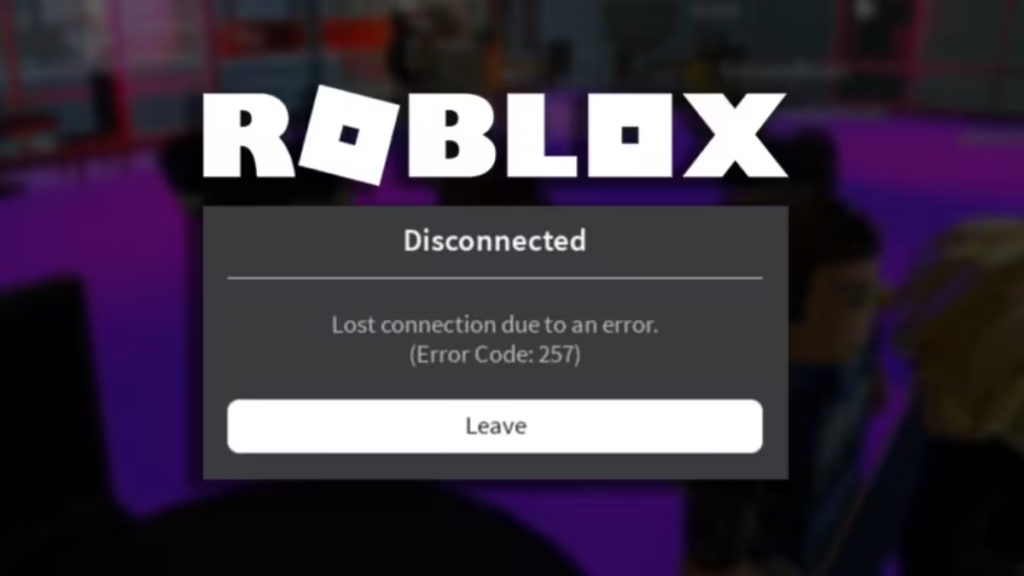
Roblox Error Code 257 appears with the message “Lost connection due to an error. (Error Code: 257)” and drops you out of the experience without warning. The error points to a broken connection between your game client and the Roblox servers, and it can hit on PC, Mac, or mobile at any time.
The good news is that most cases resolve quickly with a few targeted fixes. This guide covers every working solution, starting with the fastest checks and moving toward deeper network repairs.
What Is Roblox Error Code 257?
Error Code 257 is a network-level disconnection error. Roblox loses the data link between your device and the game server and kicks you back to the home screen. Unlike Roblox Error Code 264, which fires when the same account is active on two devices, or Roblox Error Code 600, which is a developer-enforced access restriction, Error 257 is almost always a connectivity problem rather than an account or permission issue.
The error is not a ban. Your account stays in good standing, and you can rejoin as soon as the underlying issue clears.
What Causes Roblox Error Code 257?
Several conditions can trigger this error:
- Server-side problems on Roblox’s end, including overload, maintenance, or outages
- Windows Firewall blocking Roblox from reaching its servers
- An outdated or corrupt network driver mishandling internet traffic
- Corrupted or stale cache files left over from previous sessions
- Outdated network settings that no longer match your current connection
- Browser extensions or game mods interfering with the connection
- Antivirus software flagging Roblox traffic as a threat
- Regional server congestion, which is most common during peak hours on weekends and after school
How to Fix Roblox Error Code 257
Work through these fixes in order. Most players clear the error within the first three steps.
Fix 1: Check Roblox Server Status
Before touching any settings, visit the official Roblox Status page. If Roblox has flagged an ongoing incident or degraded performance, the error is entirely on their end and no client-side fix will help. Wait for the incident to resolve, then try again.
Server issues also cause errors like Roblox Error Code 529 and the general Roblox Error Code 2 connection failure, so the status page is always worth checking first.
Fix 2: Restart Roblox
Close Roblox completely and relaunch it. Do not just click the X on the game window. Open Task Manager, find any Roblox processes still running, and end them before reopening. A clean restart clears temporary session data and resolves roughly 40% of Error 257 cases on its own.
Fix 3: Restart Your Router and Check Your Connection
Unplug your router from the wall, wait 30 seconds, and plug it back in. Once the connection restores, run a speed test to confirm your internet is stable. Packet loss and high latency are the most common triggers for disconnection errors, so a router reboot often clears them.
If you are on Wi-Fi, try switching to a wired Ethernet connection. A direct cable connection eliminates wireless interference entirely.
Fix 4: Allow Roblox Through Windows Firewall
Windows Firewall can silently block Roblox from communicating with game servers. Adding Roblox as a firewall exception fixes this.
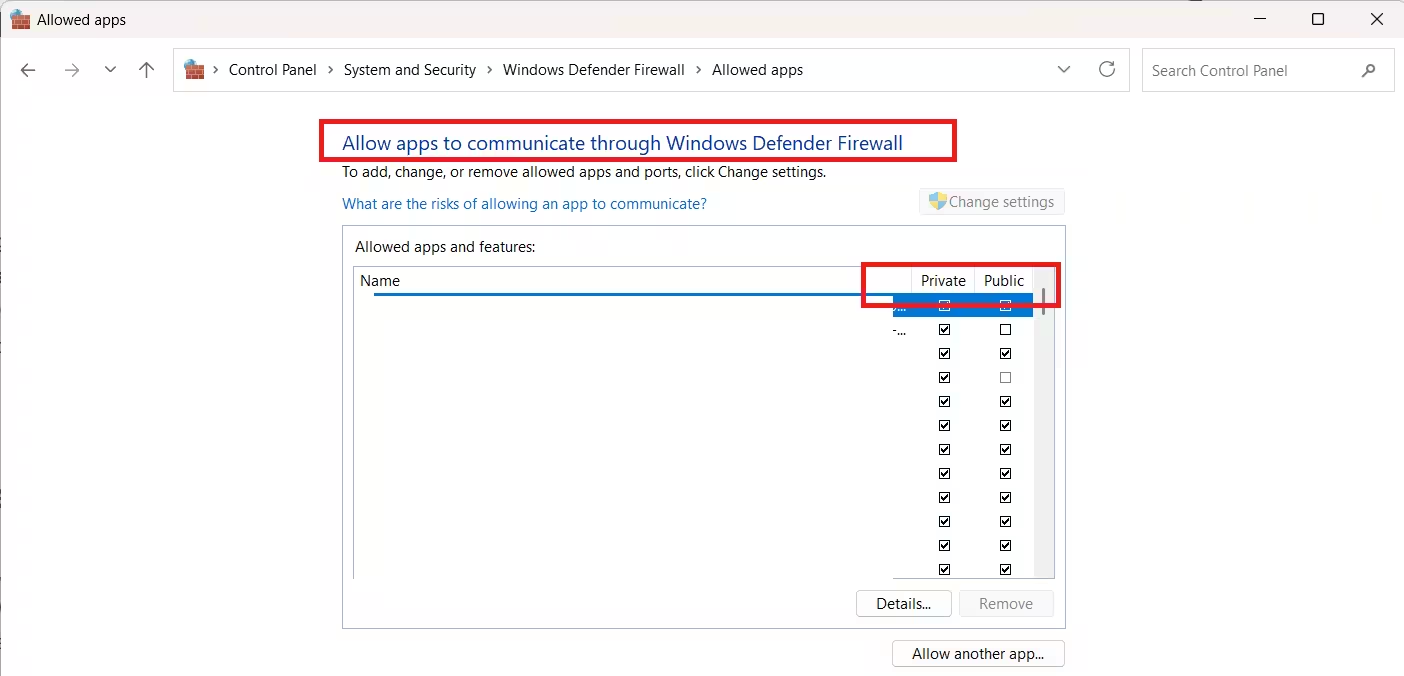
- Click the Windows icon, type Windows Defender Firewall, and open it.
- Click Allow an app or feature through Windows Defender Firewall.
- Click Change Settings, then click Allow another app.
- Click Browse and navigate to the Roblox installation folder.
- Select the Roblox executable (.exe) file and click Open.
- Check both the Private and Public checkboxes in the Roblox row.
- Click OK.
Restart Roblox and test. Firewall conflicts also cause the “third-party software is interfering with Roblox” error, so this step often clears more than one problem at once.
Fix 5: Update Your Network Driver
The network driver controls how your PC communicates with the internet. An outdated driver can corrupt packets, drop connections, and produce errors like Code 257.
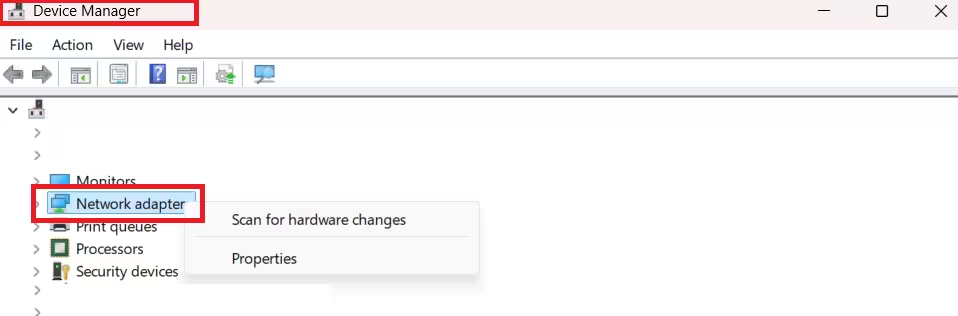
- Click the Windows icon, type Device Manager, and open it.
- Double-click Network Adapters to expand the section.
- Right-click your internet adapter and select Update driver.
- Choose Search automatically for drivers.
- Install any available update.
- Restart your PC.
After the restart, relaunch Roblox and check whether the error returns.
Fix 6: Clear Roblox Cache Files
Roblox stores cache files locally to speed up loading. When those files become corrupted or outdated, they can interfere with the connection and trigger disconnection errors.
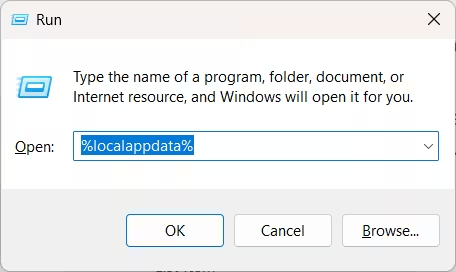
- Press Windows Key + R to open the Run dialog.
- Type
%localappdata%and press Enter. - Press Ctrl + A to select all files in the folder.
- Press Delete to remove them.
- If a prompt asks for confirmation, click Yes. If some files cannot be deleted, click Skip.
Roblox rebuilds its cache files the next time it launches, so this process is safe and does not affect your account.
Fix 7: Reset Network Settings
Stale TCP/IP and DNS settings can cause persistent connection failures. Flushing and renewing them forces Windows to rebuild a clean network configuration.
- Click the Windows icon, type Command Prompt, right-click it, and select Run as administrator.
- Paste each command below and press Enter after each one:
ipconfig /flushdns
ipconfig /registerdns
ipconfig /release
ipconfig /renew
netsh winsock reset- Restart your PC.
This fix is especially useful if you recently switched networks or updated your network driver. It also helps resolve Roblox Error Code 279 connection failures that stem from the same underlying network stack issues.
Fix 8: Disable Browser Extensions and Game Mods
Browser extensions, particularly ad blockers and privacy tools, can intercept Roblox’s network requests and trigger Error 257 when you play through a browser. Game mods and third-party scripts create the same interference in the desktop client.
Disable all extensions in your browser, or switch to a clean browser profile without any add-ons installed. If you use mods or executors in the desktop version, disable them and test vanilla Roblox. Executor-related conflicts are a documented source of connectivity errors, and you can see how they affect other parts of the client in the Delta Executor Roblox error fix guide.
Fix 9: Run Roblox as Administrator
Some Windows permission restrictions prevent Roblox from accessing the network resources it needs.
- Right-click the Roblox shortcut or executable (.exe) file.
- Select Properties.
- Navigate to the Compatibility tab.
- Check Run this program as an administrator.
- Click OK.
Relaunch Roblox and see if the error clears.
Fix 10: Temporarily Disable Your Antivirus
Antivirus software can misidentify Roblox traffic as a threat and block the connection without showing any obvious warning. Disable your antivirus temporarily and attempt to join a game. If Error 257 disappears, add Roblox to your antivirus whitelist or exclusion list rather than leaving protection off permanently.
This applies to both third-party antivirus programs and Windows Defender. Check your antivirus quarantine logs for any Roblox entries, since a silently quarantined file can prevent the client from functioning correctly.
Fix 11: Try a VPN or Different Network
If every local fix fails, your ISP may be throttling or misrouting Roblox traffic. Switching to a mobile hotspot tests whether the problem is specific to your home network. If the error disappears on a different connection, contact your ISP and report the issue.
A VPN can sometimes route around regional server congestion, but results vary. If you already use a VPN, try disabling it first, since VPN routing can also cause disconnections. The Roblox Error Code 279 VPN fix guide covers the interaction between VPNs and Roblox connectivity in detail.
Fix 12: Contact Roblox Support
If none of the above steps resolved the error, contact Roblox Support directly. Include the following in your report:
- The exact error message you see
- The games or experiences where the error occurs
- Every troubleshooting step you have already tried
- Your device, operating system, and internet connection type
Roblox support can check your account for server-side flags and escalate persistent cases.
FAQs: Roblox Error Code 257
Is Roblox Error Code 257 a ban?
No. Error Code 257 is a connection error, not an account action. Your account remains in good standing, and you can rejoin as soon as the connection issue clears.
What does Roblox Error Code 257 mean?
It means Roblox lost the data connection between your device and the game server. The client drops you from the experience and displays the message “Lost connection due to an error. (Error Code: 257).”
How long does Roblox Error Code 257 last?
When Roblox’s servers cause the error, it typically clears within a few minutes to a few hours depending on the outage severity. When your device or network is the cause, the error persists until you apply one of the fixes above.
Why do I keep getting Error Code 257 in Roblox?
Repeated occurrences usually point to Windows Firewall blocking Roblox, an outdated network driver, corrupted cache files, or an unstable internet connection. Work through the firewall exception and network reset steps above to stop the error from returning.
Related Game Error Fixes
- How to Fix Roblox Error Code 280
- Fix Roblox Error Code 267
- Fix Unable to Authenticate Error in Roblox (Code 0)
- Roblox Encountered an Unexpected Error: Memory Dump Fix
- How to Fix Roblox HttpQueryInfo Failed with Message Forbidden Error
- Roblox Error 429: How to Bypass Rate Limits
Roblox Error Code 257 is frustrating, but it responds well to the fixes above. Start with the server status check and a clean restart, work through the firewall and cache steps if the error persists, and escalate to Roblox Support only if every local fix fails. Most players clear the error before reaching the advanced steps.

