Microsoft is testing a new recovery option called Cloud Rebuild in the Windows 11 Insider Preview build 26300.8772 for the Experimental channel. The feature restores a broken PC to a clean, working state by reinstalling Windows directly from the cloud, even when the device cannot boot.
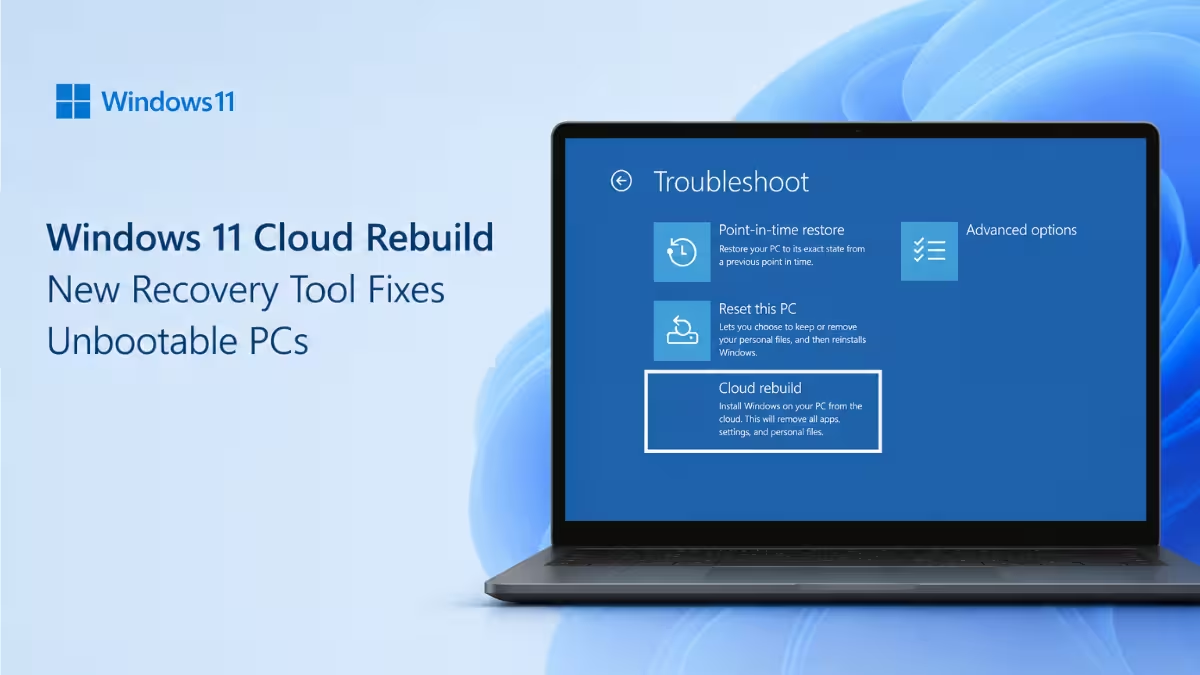
What Cloud Rebuild Does
Cloud Rebuild performs a full operating system reinstall using files downloaded from Windows Update. It pulls both the Windows image and the correct device drivers, so the PC comes back fully functional without any manual driver setup.
This separates it from the existing Reset this PC option. Reset this PC often depends on files already stored on the device or requires a working OS to start the process. Cloud Rebuild works even when Windows will not boot at all, since it runs from the Windows Recovery Environment and pulls everything fresh over the internet.
How Cloud Rebuild Works
The tool runs entirely from WinRE, the Windows Recovery Environment. Here is the process:
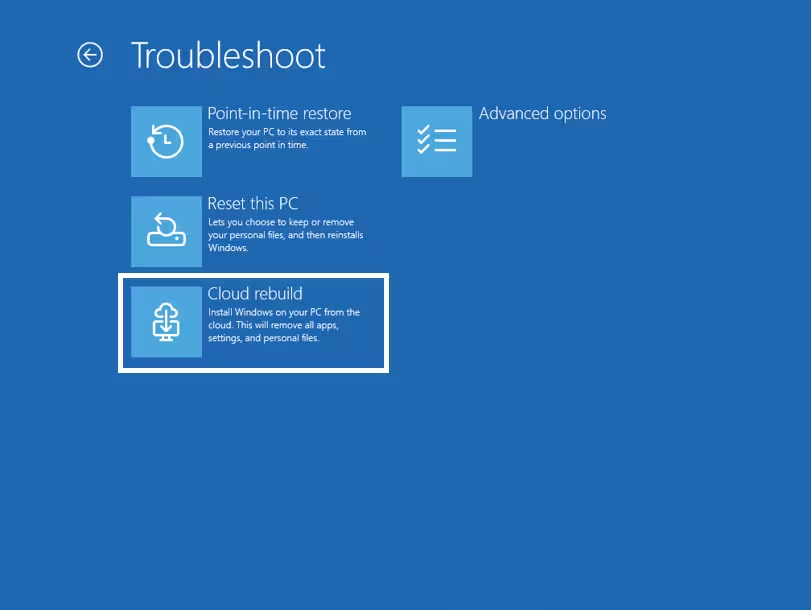
- Open WinRE and go to Troubleshoot > Recovery and uninstall > Cloud rebuild.
- Connect the device to the internet using wired Ethernet or Wi-Fi from within WinRE.
- Review the target Windows build, edition, and language on the confirmation screen.
- Accept the data-loss warning to start the rebuild.
Since Cloud Rebuild wipes the device and reinstalls Windows fresh, back up personal files before starting. Microsoft treats this as a last-resort recovery path for devices with persistent problems or that will not start.
Why Microsoft Built This
Traditional recovery tools break down when a device cannot boot or lacks a healthy existing OS to fall back on. Cloud Rebuild removes that dependency by handling the entire reinstall from Windows Update servers, so users do not need a bootable USB drive or a custom recovery image on hand.
Microsoft first showed Cloud Rebuild at its Ignite conference in November 2025. The feature is now shipping to Experimental channel testers as part of a wider push to make Windows recovery less dependent on local media or a working desktop environment.
Other Changes in Build 26300.8772
The same preview build carries a few smaller updates:
- Account Control flyout: The Start menu account panel gets a refreshed design with a clearer subscription badge showing plan status and benefits.
- Backup and restore for commercial devices: Windows settings backup and restore turns on by default for eligible Microsoft Entra joined and Entra hybrid joined devices starting in Windows 11, version 26H2. Admin policies still override the default.
- Bluetooth settings: The Bluetooth quick settings page now supports gamepad navigation.
- Taskbar: Fixed a bug where the search icon could turn invisible on a vertical taskbar.
- Run: Screen readers now announce keyboard focus more reliably in the new Run design.
- Fonts: Mongolian Baiti text now renders with improved shaping accuracy.
- Outlook: Fixed an issue where Outlook stopped responding to the close button.
Should You Try Cloud Rebuild Now
Cloud Rebuild is still in early testing and only available to Windows Insiders on the Experimental channel. Since it wipes the device completely, treat it as a feature to test on a spare or non-critical machine rather than your main PC.
Frequently Asked Questions
What is Cloud Rebuild in Windows 11?
Cloud Rebuild is a recovery tool that reinstalls Windows 11 completely from the cloud, including drivers, even when the device cannot boot into the existing OS.
How is Cloud Rebuild different from Reset this PC?
Reset this PC can depend on files already present on the device or a working OS to launch. Cloud Rebuild runs from WinRE and downloads everything fresh from Windows Update, so it works on devices that will not start at all.
Does Cloud Rebuild delete my files?
Yes. Cloud Rebuild performs a full reinstall and shows a data-loss warning before starting. Back up important files first.
Is Cloud Rebuild available to everyone?
Not yet. It is currently limited to Windows Insiders enrolled in the Experimental channel through build 26300.8772.