Mac users get Apple Mail built in, but it only covers the basics. If you manage multiple accounts, handle high email volume, or want smarter inbox tools, third-party email clients deliver far more power, speed, and flexibility than the default app.
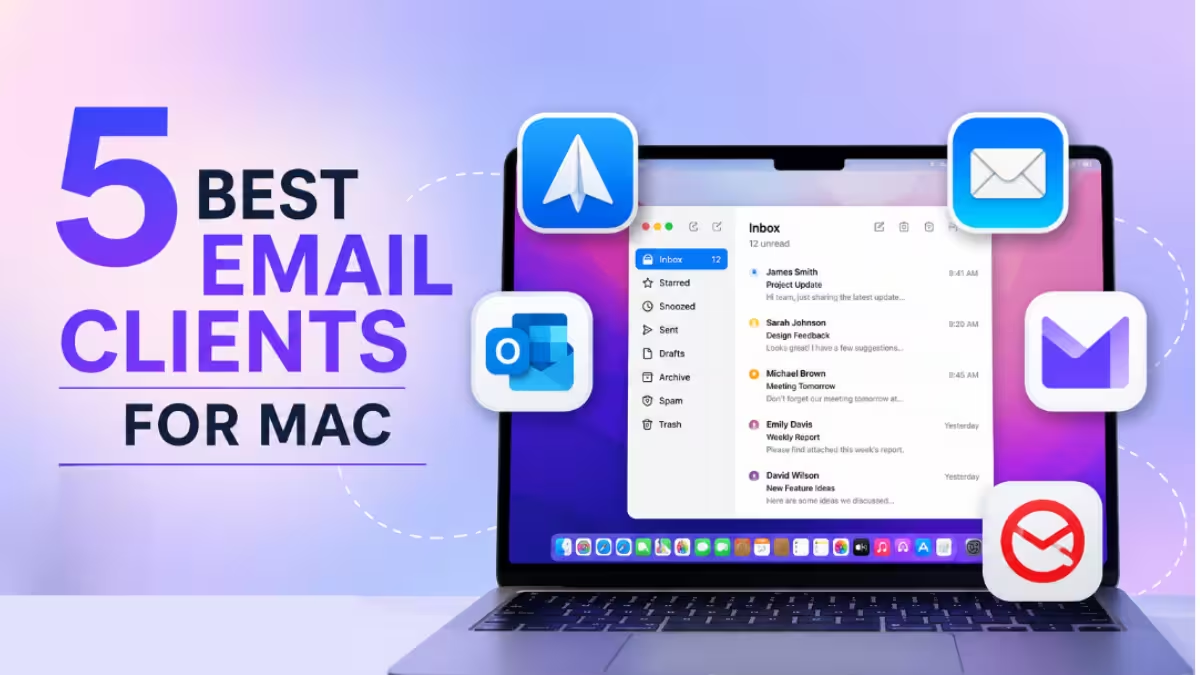
This guide covers the five best email clients for Mac in 2026, selected for native macOS performance, real feature depth, and genuine day-to-day usability.
Top 5 Best Email Clients for Mac
| Email Client | Best For | Free Plan | Starting Price |
|---|---|---|---|
| Microsoft Outlook | All-round productivity | Yes | Included with Microsoft 365 |
| Mozilla Thunderbird | Open-source flexibility | Yes (forever) | Free |
| Spark Mail | Smart AI-assisted inbox | Yes | $4.99/month |
| Proton Mail | Privacy and encryption | Yes (lifetime) | Free |
| Mailbird | Unified inbox with integrations | 14-day trial | $4.02/user/month |
1. Microsoft Outlook
Microsoft Outlook ranks as the top all-round email client for Mac in 2026. It balances powerful inbox management tools with a clean interface that fits professional workflows without a steep learning curve.
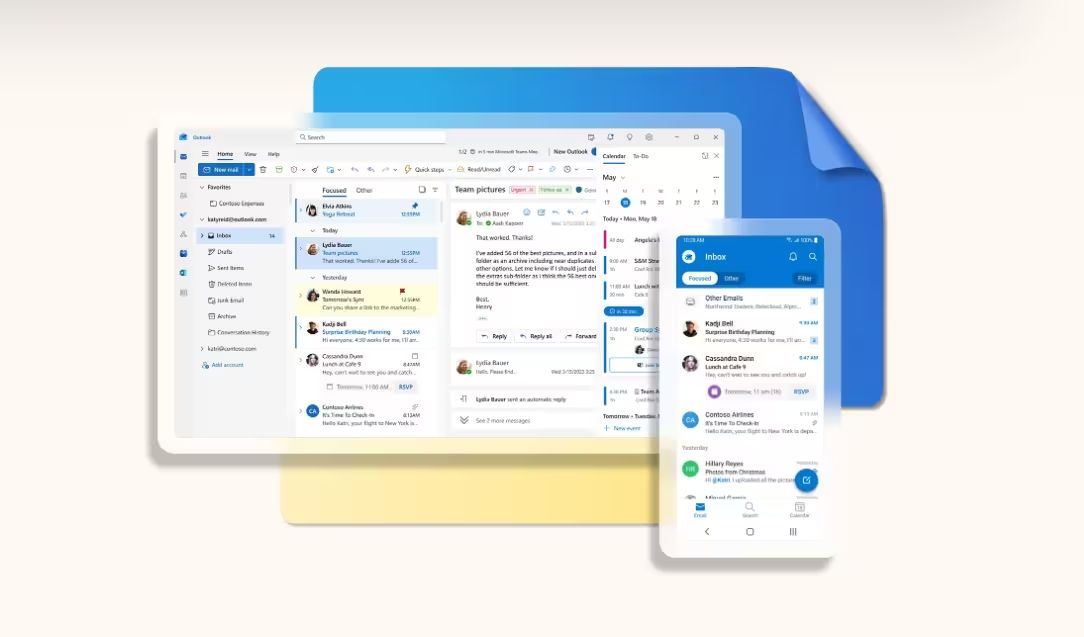
The Focused Inbox feature separates high-priority emails from clutter automatically, so you spend less time digging and more time responding. Swipe gestures let you delete, flag, or archive messages in seconds. The Schedule Send feature queues messages ahead of time even without an internet connection, which is useful when you draft emails during a flight or offline session.
Undo Send saves messages from going out with typos or missing attachments. You get a short window after hitting send to pull it back. The Calendar Scheduling Assistant checks the availability of meeting participants directly from your inbox, so you skip the back-and-forth email chains entirely.
Outlook now runs free for Mac users as a standalone download. If you already subscribe to Microsoft 365, it includes the full suite alongside Word, Excel, and Teams.
Key Features:
- Focused Inbox filters priority mail automatically
- Schedule Send works offline
- Undo Send window after every message
- Calendar Scheduling Assistant with availability view
- Customizable toolbar and keyboard shortcuts
- Built-in dictation for hands-free email drafting
- Shared mailbox access for team accounts
Pros:
- Integrates directly with the full Microsoft 365 suite
- Familiar interface for anyone switching from Windows
- Handles multiple accounts cleanly in one place
- Free standalone Mac download available now
Cons:
- Higher resource usage than lighter alternatives
- Large mailboxes can take longer to sync on first setup
Pricing: Free as a standalone app. Microsoft 365 Personal starts at $69.99/year.
Best for: Professionals already in the Microsoft ecosystem, Windows switchers, and anyone needing deep calendar and team collaboration built into their inbox.
2. Mozilla Thunderbird
Mozilla Thunderbird is the best free, open-source email client for Mac. It handles multiple email accounts, supports advanced encryption, and lets you customize almost every part of the interface through add-ons and themes.
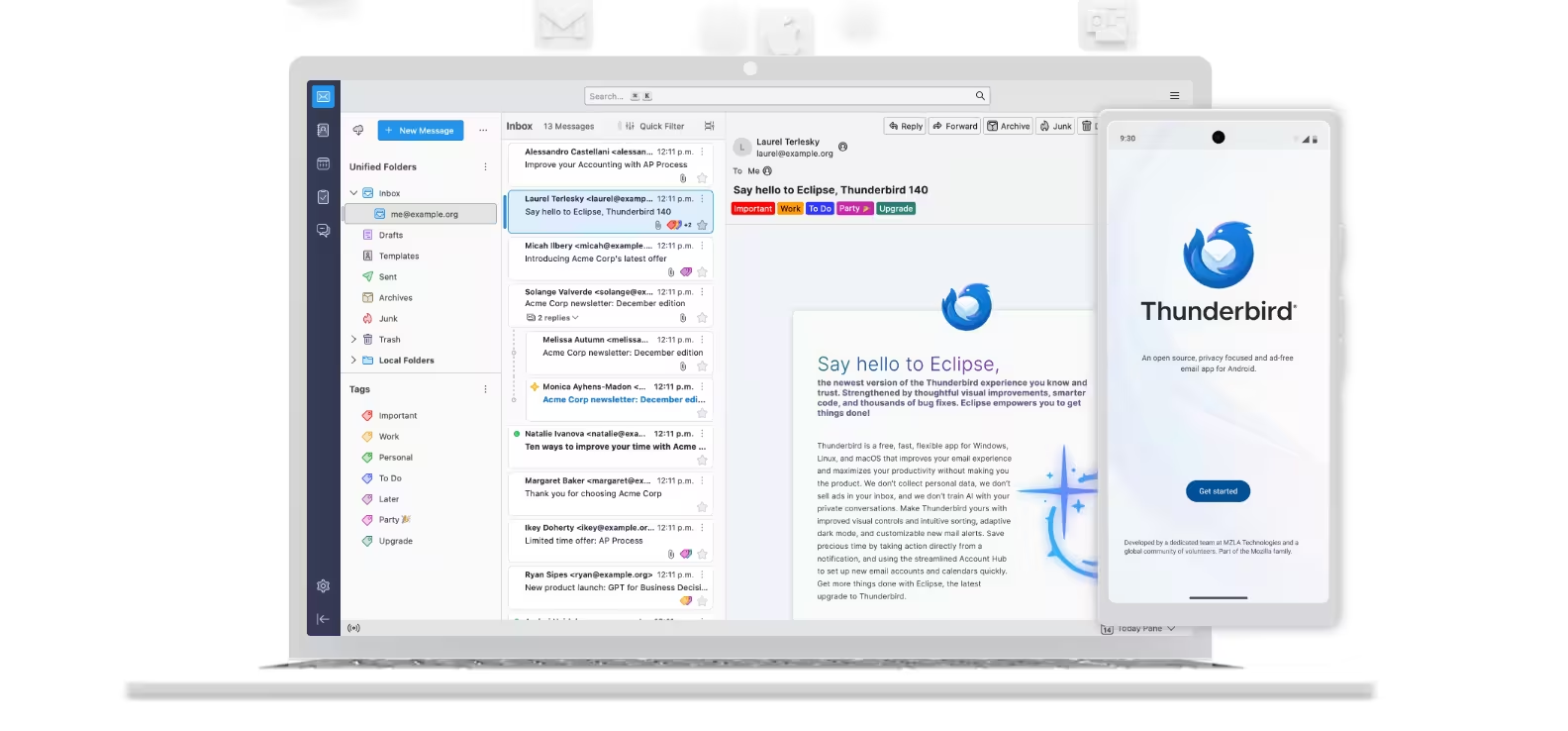
The Unified Inbox pulls Gmail, Yahoo, Outlook, and any IMAP or POP3 account into one view. Tabbed Email Viewing works like a browser, so you keep multiple messages open without losing track of the one you were reading. Advanced Search uses tags and full-text indexing to find emails fast across all your accounts.
Thunderbird ships with built-in OpenPGP encryption for end-to-end secure messaging without needing external plugins. The phishing and spam filters catch suspicious messages reliably. Cross-platform sync keeps your layout consistent whether you check email on your MacBook or desktop.
The interface is not as modern as Spark or Outlook, but it runs lightweight and stable even on older Mac hardware. A large community of developers maintains the add-on library, so you can extend its functionality significantly beyond the default install.
Key Features:
- Unified Inbox for Gmail, Yahoo, Outlook, and IMAP accounts
- Tabbed Email Viewing for multitasking
- Built-in OpenPGP encryption and digital signing
- Advanced spam and phishing filters
- Full-text search with tag-based filtering
- Customizable themes and third-party add-ons
- Cross-platform: Mac, Windows, and Linux
Pros:
- Completely free, open-source, and community-supported
- Highly customizable with themes and add-ons
- Runs stably on older Macs where heavier apps struggle
- Built-in encryption without third-party plugins
Cons:
- Interface looks dated compared to modern alternatives
- Performance can slow down on certain Mac configurations
- Lacks native macOS feature integration compared to Apple Mail
Pricing: Free forever, open-source.
Best for: Privacy-conscious users, power users who want deep customization, and anyone who needs a robust free client that handles multiple accounts without a subscription.
3. Spark Mail
Spark Mail is the best AI-assisted email client for Mac and a strong pick for anyone who wants a smarter inbox without paying premium prices. Readdle, the developer behind several top-rated Mac productivity apps, builds and maintains Spark.
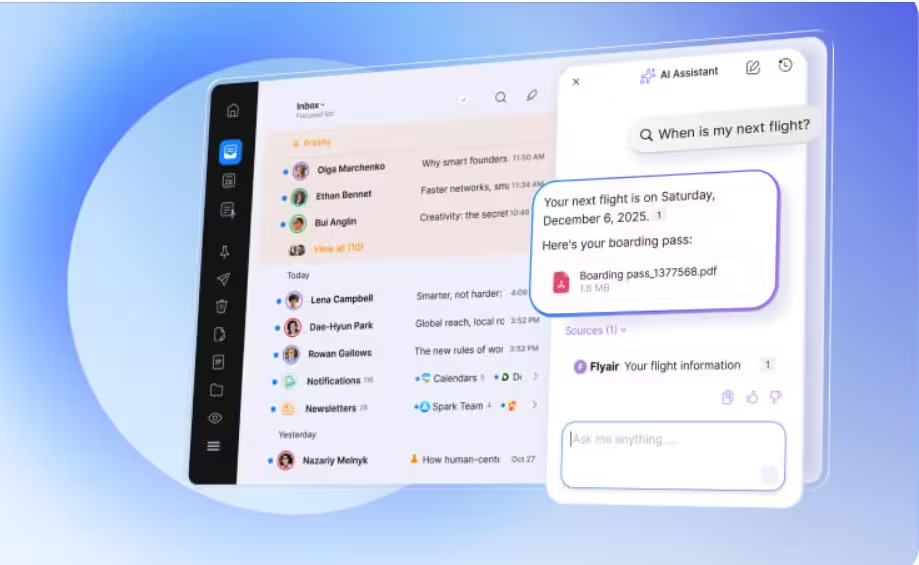
The Smart Inbox sorts incoming mail into Personal, Notifications, and Newsletters automatically. It learns over time which emails matter to you and surfaces the right ones at the top. Priority Email keeps critical conversations visible so time-sensitive messages never disappear into the clutter.
Spark’s AI assistant helps draft emails faster. You type a short prompt, and it generates a professional reply you can edit and send. Send Later schedules messages to land at the best time for the recipient. Reminders bring emails back to the top of your inbox when you are ready to act on them.
The app has won multiple Apple Design Awards, and the Mac version reflects that polish. It feels native, fast, and well thought out. The Home Screen gives you a daily overview of what needs attention instead of dropping you straight into a chronological inbox wall.
The free tier covers most features for solo users. The premium tier at $4.99/month adds Gatekeeper, which screens unknown senders before their messages reach your main inbox, and unlocks team collaboration tools.
Key Features:
- Smart Inbox with automatic categorization
- AI writing assistant for faster replies
- Gatekeeper screens unknown senders (premium)
- Send Later and Reminders for follow-up management
- Home Screen daily email overview
- Mute Threads for low-priority conversations
- Integrations with Google Calendar, Dropbox, Trello, and Slack
Pros:
- Generous free tier covers all core features
- Smart categorization works accurately out of the box
- Apple Design Award-winning Mac interface
- Easy setup with no mandatory onboarding call
Cons:
- Fewer customization options than Thunderbird or Mailbird
- Occasional bugs appear after major updates
- No web version if you need browser-based access
- Performance dips reported on older Mac models
Pricing: Free tier available. Premium at $4.99/month (billed annually). 7-day free trial on premium.
Best for: Students, freelancers, and casual to mid-volume users who want AI-assisted inbox sorting and a polished Mac app without paying for enterprise features.
4. Proton Mail
Proton Mail is the best email client for Mac users who prioritize privacy and encrypted communication above everything else. It is built by the team behind ProtonVPN and operates from Switzerland under strict privacy laws.

Every message you send to another Proton Mail user travels with End-to-End Encryption automatically. Zero-Access Encryption means that even Proton cannot read your stored messages. Self-Destructing Emails let you set expiry dates on sensitive messages so they disappear from the recipient’s inbox after a set time.
Custom Email Domains let you use your own domain (like [email protected]) inside the Proton ecosystem, which makes it practical for freelancers and small businesses that need branded email without giving up privacy.
Mac users connect Proton Mail to native email clients like Apple Mail or Thunderbird through Proton Bridge, a desktop app that handles encryption in the background. The Easy Switch tool migrates your existing emails and contacts from Gmail or other providers without manual work.
The free lifetime plan covers one address with 1 GB of storage, which works well for light users. Paid plans add more storage, custom domains, and priority support.
Key Features:
- End-to-End and Zero-Access Encryption on all messages
- Self-Destructing Emails with custom expiry dates
- Proton Bridge for Apple Mail and Thunderbird integration
- Custom Email Domains on paid plans
- Easy Switch migration from Gmail and other providers
- Cross-Platform Sync across Mac, iPhone, and web
- Open-source and independently audited codebase
Pros:
- The strongest privacy and encryption of any client on this list
- Transparent, open-source platform with regular security audits
- Effective anti-phishing and spam filtering
- Free lifetime plan available with no credit card required
Cons:
- Some advanced features (custom domains, more storage) require a paid plan
- Proton Bridge setup adds steps for users who want Apple Mail integration
- Not ideal if speed and advanced productivity tools are your main focus
Pricing: Free lifetime basic plan. Paid plans start at $3.99/month (billed annually).
Best for: Privacy-focused professionals, journalists, healthcare workers, lawyers, and anyone who handles sensitive communications and needs verifiable encryption without trusting a big tech provider.
5. Mailbird
Mailbird is the best option for Mac users who want a modern, unified inbox with deep third-party integrations and a clean interface built for high-volume email management.
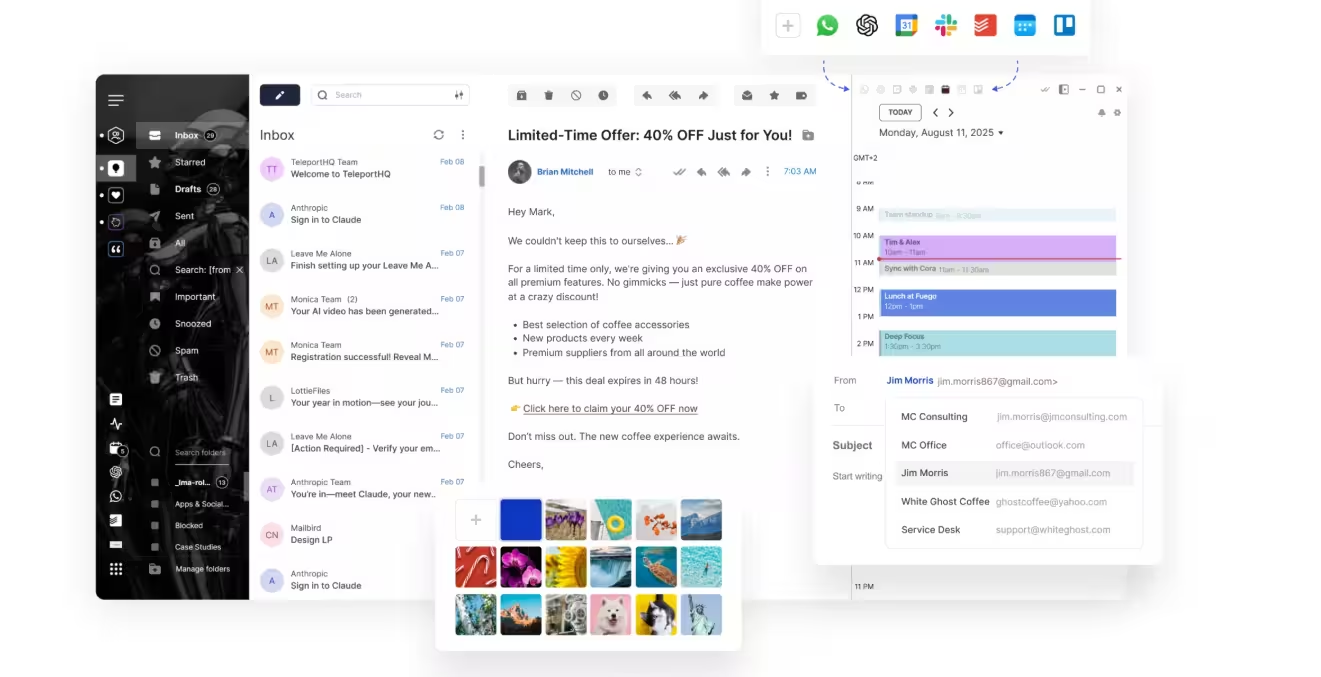
The Unified Inbox pulls all your accounts into one view so you never switch between Gmail, Outlook, and your business domain separately. Email Tracking shows you when recipients open your messages, which sharpens your follow-up timing without guessing. Mailbird integrates directly with Google Calendar, Slack, Dropbox, and WhatsApp from inside the app, cutting down on app-switching during a busy workday.
Advanced Search uses keywords and filters to surface old emails quickly across all connected accounts. Message Snoozing removes a message from your current view and returns it later at the time you choose, which keeps your inbox clean without deleting anything. The built-in ChatGPT assistant helps you write and edit emails faster without switching to a browser tab.
Customizable Notification Sounds let you set different alerts for work and personal accounts so you know which inbox needs your attention before you even look at your screen. The layout feels clean and modern, closer to the design sensibility of a Mac-native app than most cross-platform alternatives.
Key Features:
- Unified Inbox across all connected accounts
- Email Tracking with open notifications
- Message Snoozing for inbox zero workflows
- Advanced Search with keyword and filter support
- ChatGPT assistant built into the compose window
- Integrations with Slack, Google Calendar, Dropbox, and WhatsApp
- Customizable notification sounds per account
Pros:
- Clean, modern interface suited to Mac aesthetics
- Email tracking makes follow-ups more precise
- Customizable signatures per account
- Strong integration library for productivity tools
Cons:
- Mac version currently lacks some features present in the Windows release
- No native drag-and-drop for organizing email folders
- Paid plan required after the free trial ends
Pricing: 14-day free trial. Personal plan starts at $4.02/user/month (billed annually).
Best for: Professionals managing multiple accounts who need integrations with project management and communication tools baked directly into their email client.
Which Email Client for Mac Should You Choose?
The right pick depends on what you actually need from your inbox.
Choose Microsoft Outlook if you already use Microsoft 365 or need the deepest calendar and scheduling integration available on Mac. It costs nothing as a standalone app and covers most professional workflows out of the box.
Choose Mozilla Thunderbird if you want a fully free, open-source client with strong encryption and deep customization. It runs well on older hardware and handles any number of accounts without a subscription.
Choose Spark Mail if you want AI-assisted inbox sorting and a polished native Mac experience for free. The smart categorization starts working immediately, and the free tier covers solo users completely.
Choose Proton Mail if privacy and end-to-end encryption are your top requirements. No other client on this list matches its security credentials, and the free plan gives you encrypted email without paying anything.
Choose Mailbird if you manage several accounts at once and want email tracking, third-party integrations, and a modern unified inbox built for high-output workflows.
All five clients offer a free tier or free trial, so test the one that fits your workflow before committing to a paid plan.
Related Guides
- WinDiskWriter: Create Bootable Windows USB on Mac (Free)
- How to Set Work Hours and Location in Outlook (New, Classic, Web, and Mac)
- How to Check Storage on Mac: 5 Methods (macOS Sequoia, Sonoma & Ventura)
- AMOS macOS Stealer: What It Is and How to Remove It from Your Mac
- PowerShell for macOS Is Now Notarized: No More GateKeeper Warnings

