Every message you type into a chatbot lands somewhere. Some companies feed those chats into model training, some keep them for years, and some let staff read them during safety reviews. A private AI chatbot limits all three, but each one does it differently, so the right pick depends on how much you trust the company and how much capability you need.
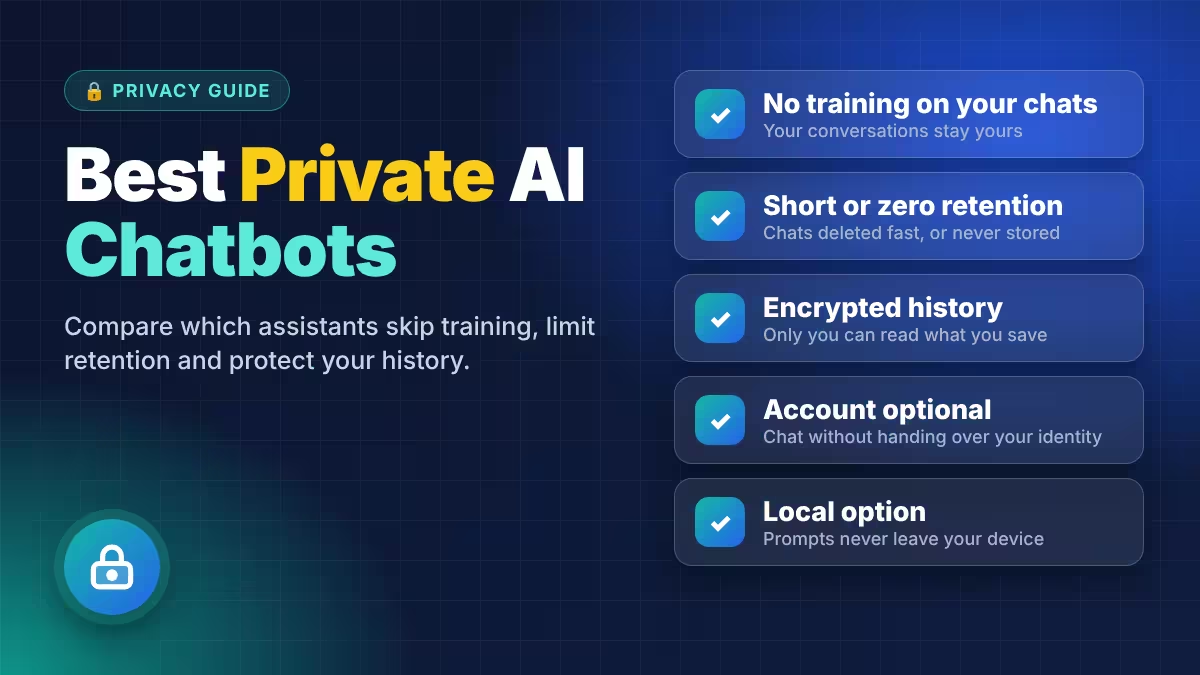
We picked five assistants that make clear, documented privacy promises and checked them on four things: training, retention, account requirements and who can read your stored chats.
What Makes an AI Chatbot Truly Private
A "no training" promise is only one part of chatbot privacy.
Look at four separate questions before you trust any assistant:
- Training: Does the company use your chats to improve its models, and is that on or off by default?
- Retention: How long does the company keep your chats, and does deleting a chat actually remove it from its servers?
- Third-party providers: If the assistant sends your prompt to OpenAI, Anthropic or Google, that provider's retention rules apply too.
- Access: Can company staff read your stored history, or does encryption lock them out?
Only a local model removes the company from the picture completely, which is why one pick below runs on your own computer.
Private AI Chatbots Compared: Training, Retention and Account Needs
All five skip training on your chats, and only Kagi asks for a paid account before you start.
| Chatbot | Trains on chats | Where chats live | Account needed | Paid plan |
|---|---|---|---|---|
| Proton Lumo | No | Encrypted history, no query logs | No (guest mode) | Lumo Plus, $9.99/mo billed yearly |
| Duck.ai | No | Your device; providers delete within 30 days | No | Plus $9.99/mo, Pro $19.99/mo |
| Brave Leo | No | Your device only | No | Premium $14.99/mo |
| Kagi Assistant | No | Threads deleted after 24 hours by default | Yes, paid Kagi account | From $5/mo |
| LM Studio or Ollama (local) | No | Your own computer | No | Free |
1. Proton Lumo: Private by Default With Zero-Access Encryption
Proton Lumo comes from Proton, the Swiss company behind Proton Mail, and it gives you strong privacy with zero setup.
Proton keeps no logs of your questions or Lumo's answers, and it does not store IP addresses or timestamps. When you save chat history, Lumo encrypts it with zero-access encryption, so Proton itself cannot read it. You can also skip the account entirely and chat as a guest; Lumo erases guest chats when the session ends. Proton publishes Lumo's code as open source, which lets outside researchers check its claims, and it runs the service on European infrastructure under Swiss law.
Lumo runs open-weight models rather than GPT or Claude. For everyday writing, summaries and explanations, you will rarely notice. On hard reasoning or multimodal tasks, the gap shows.
Two details deserve attention. If you send feedback on a reply, Lumo shares an anonymised copy of that prompt and response. Web search also passes a simplified version of your query to partner search APIs.
Pros
- No query logs, no IP or timestamp storage
- Zero-access encryption for saved history
- Guest mode with no account
- Open-source code you can inspect
Cons
- Open models trail frontier models on complex tasks
- Free plan limits messages and history
Choose it if you want privacy out of the box without touching settings.
2. Duck.ai: Free Access to Top Models Without an Account
Duck.ai from DuckDuckGo lets you use mainstream models from OpenAI, Anthropic and open-weight providers without creating an account anywhere.
DuckDuckGo strips your IP address and other identifying metadata before your prompt reaches the model provider. The providers have agreed not to train on your prompts or outputs. Duck.ai saves recent chats on your device, and an optional Sync and Backup feature stores them end-to-end encrypted, so DuckDuckGo cannot decrypt them.
The weak point sits with the providers. DuckDuckGo's privacy terms let them keep prompts for up to 30 days, with limited exceptions for safety and legal compliance. Its help pages describe faster deletion, so plan around the longer window. Some models hosted through Tinfoil go further and process prompts inside a Trusted Execution Environment that even the host cannot see into. Look for the "zero provider visibility" label in the app if you want that stronger guarantee.
Remember that anonymising your connection does not anonymise your content. If you type your name or account details, the provider still receives them.
Pros
- Free, with no account at all
- Access to well-known frontier models
- IP address removed before prompts leave DuckDuckGo
- Encrypted optional sync
Cons
- Providers may hold prompts for up to 30 days
- Free use has daily limits
Choose it if you want GPT or Claude quality with the lowest possible signup footprint.
3. Brave Leo: Chat History Stays on Your Device
Brave Leo lives inside the Brave browser, so you get a private assistant without installing anything new or signing up.
Brave says it does not collect identifiers such as your IP address, does not keep prompts or responses on its servers and does not train on your conversations. It may cache large prompts briefly, but it deletes them within minutes. Your chat history stays on your device, and Leo never saves chats you start in a private window.
Leo Premium costs $14.99 a month and uses unlinkable tokens, which stops Brave from connecting your payment to your chats. Brave runs its open models in its own AWS environment and routes Claude and DeepSeek through AWS Bedrock with zero retention. You cannot inspect that contract chain yourself. For full control, Leo lets you bring your own model and point it at one you run locally.
Pros
- No account and no IP collection
- History stored only on your device
- Bring-your-own-model option
- Premium payments cannot be tied to your chats
Cons
- Works only inside the Brave browser
- No persistent memory across sessions
Choose it if Brave is already your main browser.
4. Kagi Assistant: Most Transparent About Provider Retention
Kagi Assistant comes bundled with Kagi's paid search engine and stands out for telling you exactly how each model provider treats your data.
Kagi deletes Assistant threads after 24 hours by default. Its LLM privacy page also lists how long each underlying provider keeps prompts: 30 days for Anthropic, OpenAI, Mistral and xAI, 24 hours for Google, and nothing at all for open-weight models. No other assistant here publishes that level of detail, and it lets you pick a model based on its retention.
Kagi does not train on your chats. You need a paid Kagi account, starting at $5 a month, and the trial includes 100 Assistant interactions.
Pros
- Threads auto-delete after 24 hours
- Per-provider retention published openly
- Choice of models from several labs
Cons
- No free plan
- Requires an account, which links usage to you
Choose it if you want to choose models with full knowledge of who keeps what.
5. LM Studio and Ollama: Run AI Fully Offline on Your Computer
LM Studio and Ollama run open-weight models on your own computer, so no company ever receives your prompts.
This is the only option where privacy depends on your hardware rather than a company's policy. The model file sits on your disk, your processor does the work, and no server logs the conversation. LM Studio gives you a full chat app with a graphical interface. Ollama works from the command line and supports a broad model library across Windows, macOS and Linux.
Both apps still contact the internet for update checks and model downloads, which reveals your IP address and app version. Ollama also offers cloud models now, and those run on Ollama's servers. Check that you picked a local model before you paste anything sensitive.
The trade-off is capability and hardware. Small quantized models run locally on a laptop with 16 GB of RAM, but they handle drafting and summaries far better than complex reasoning. Matching frontier-model quality locally takes server-class hardware.
Pros
- Prompts never leave your machine
- Free to use
- Works fully offline once you download a model
Cons
- Needs a capable computer
- Local models trail the best hosted ones
- Cloud model options can catch you out
Choose it if you handle medical, legal or client material that must never leave your device.
How to Make ChatGPT, Claude and Mistral More Private
You can keep using a mainstream assistant if you change a few settings, though none of them match the picks above.
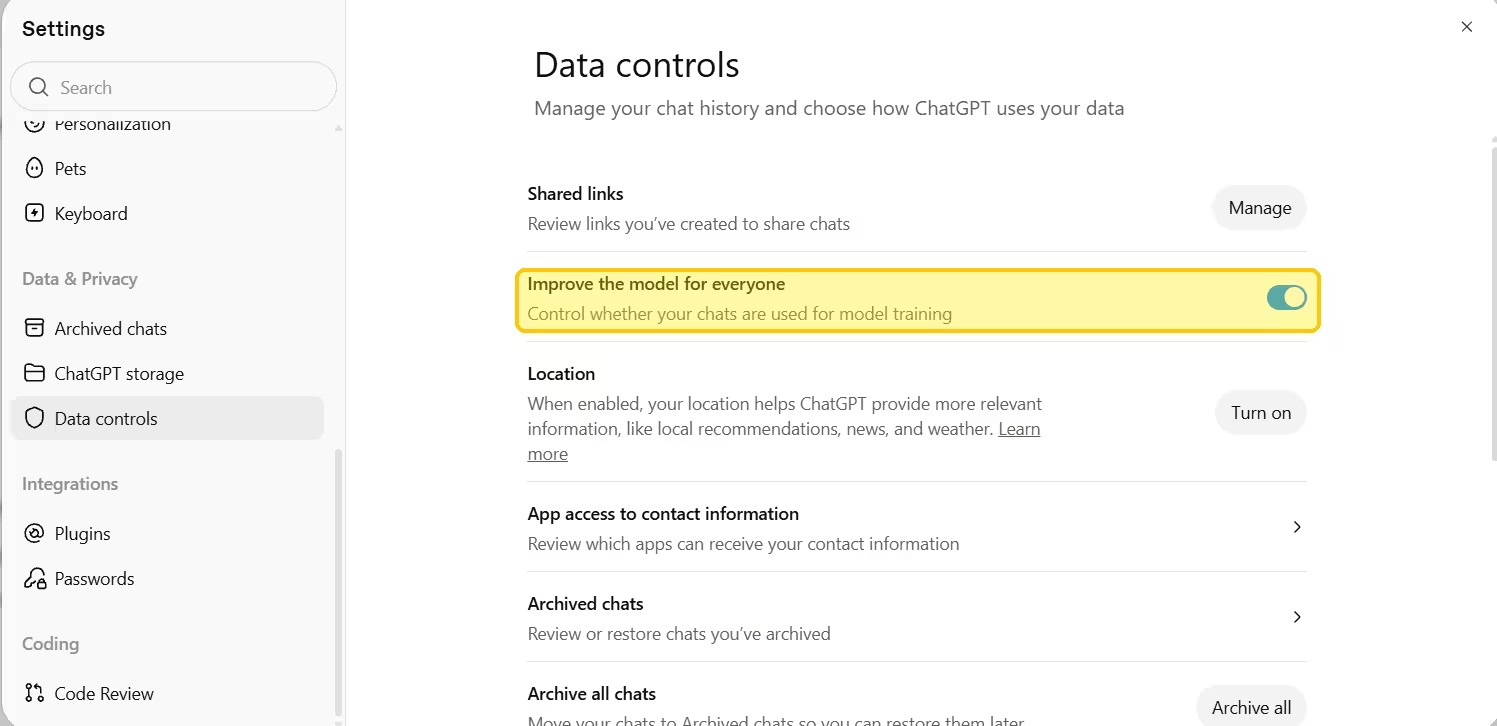
ChatGPT: Open Settings, go to Data controls and switch off Improve the model for everyone. For a single sensitive chat, start a Temporary Chat. OpenAI does not train on Temporary Chats, but it can keep them for up to 30 days for safety reasons. Deleted chats leave OpenAI's systems within 30 days unless legal obligations apply.
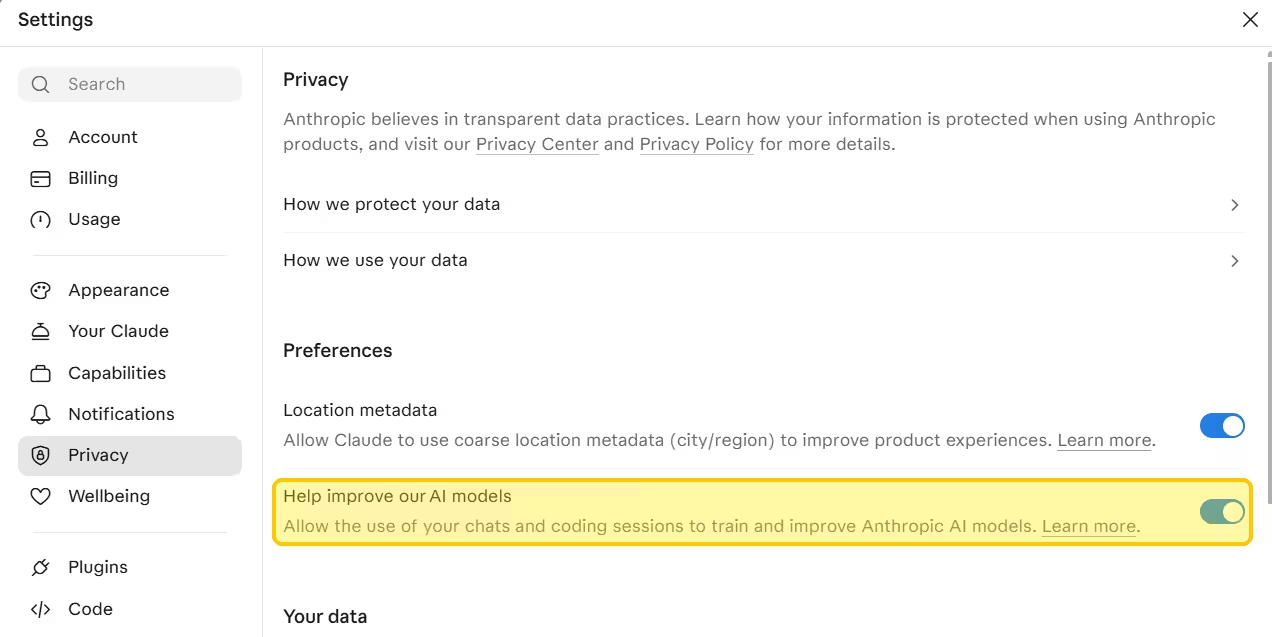
Claude: Open Settings, go to Privacy and switch off Help improve our AI models. With that setting on, Anthropic can keep de-identified chat data for up to five years. Use Incognito chats for one-off conversations, since Anthropic never trains on them. Deleted chats leave Anthropic's back end within 30 days.
Mistral Vibe: Mistral trains on individual users' chats unless you opt out. On the web, open Manage, then Vibe, then Privacy, and untick Allow your interactions to be used to train our models. Vibe keeps chats until you delete them or your account.
What Private AI Chatbots Cannot Promise
Even the best private assistant has limits you should know before you paste anything sensitive.
Every cloud chatbot reads your prompt to answer it, so encryption and no-log policies only cover what happens afterwards. A court order can force a company to keep data it would normally delete. Policies also change after renames and product updates, so a setting you chose a year ago may mean something different today.
Which Private AI Chatbot Should You Choose
Match your priority to one tool rather than chasing the most private option for every task.
- Privacy with no settings to change: Proton Lumo
- Free and no account: Duck.ai
- Already using Brave: Brave Leo
- Full transparency on providers: Kagi Assistant
- Data that must stay on your computer: LM Studio or Ollama
- Need frontier quality: Claude or ChatGPT with training off and Incognito or Temporary Chat for sensitive prompts
Whatever you choose, keep passwords, account numbers and full financial documents out of any cloud chatbot. Recheck your settings after any rename or major release.
Frequently Asked Questions
What is the most private AI chatbot?
A local model running in LM Studio or Ollama gives you the most privacy, because your prompts never leave your computer. Among cloud assistants, Proton Lumo offers the strongest protection through its no-logs policy and zero-access encrypted history.
Is Duck.ai safe to use?
Duck.ai is safer than using ChatGPT or Claude directly. DuckDuckGo removes your IP address, saves chats on your device and bars providers from training on your prompts. Providers can still hold prompts for up to 30 days.
Does browser incognito mode make ChatGPT private?
No. Browser incognito mode only stops your browser from saving history. OpenAI still receives and stores your chats under its normal policies. Use ChatGPT's own Temporary Chat feature and turn off model training instead.
Can a private AI chatbot read my prompts?
Every cloud chatbot reads your prompt to generate an answer. Private assistants limit what happens afterwards through no-log policies, encryption and short retention. Only a local model keeps the prompt entirely out of a company's hands.
Are free private AI chatbots worth using?
Yes. Duck.ai, Brave Leo and Proton Lumo's free tier all offer real privacy at no cost. They do cap daily usage, so heavy users may need a paid plan.