Google Photos and iCloud Photos earn their place on most phones because they come preinstalled and start working the moment you sign in. That convenience hides two trade-offs. First, both services hold the encryption keys to your library, so the company can technically open your pictures. Second, their free tiers run out fast, and the upgrade prompts never stop.
If you want more privacy, more free space, or a one-time payment instead of a monthly bill, five services stand out. This guide explains what each one does best, how to switch on photo backup, what it costs, and where it falls short, so you can build a setup that protects your photos without locking you into one company.
Why Look for a Google Photos or iCloud Alternative?
Before you switch, it helps to know exactly what bothers you about your current service. The right alternative depends on the problem you want to solve.
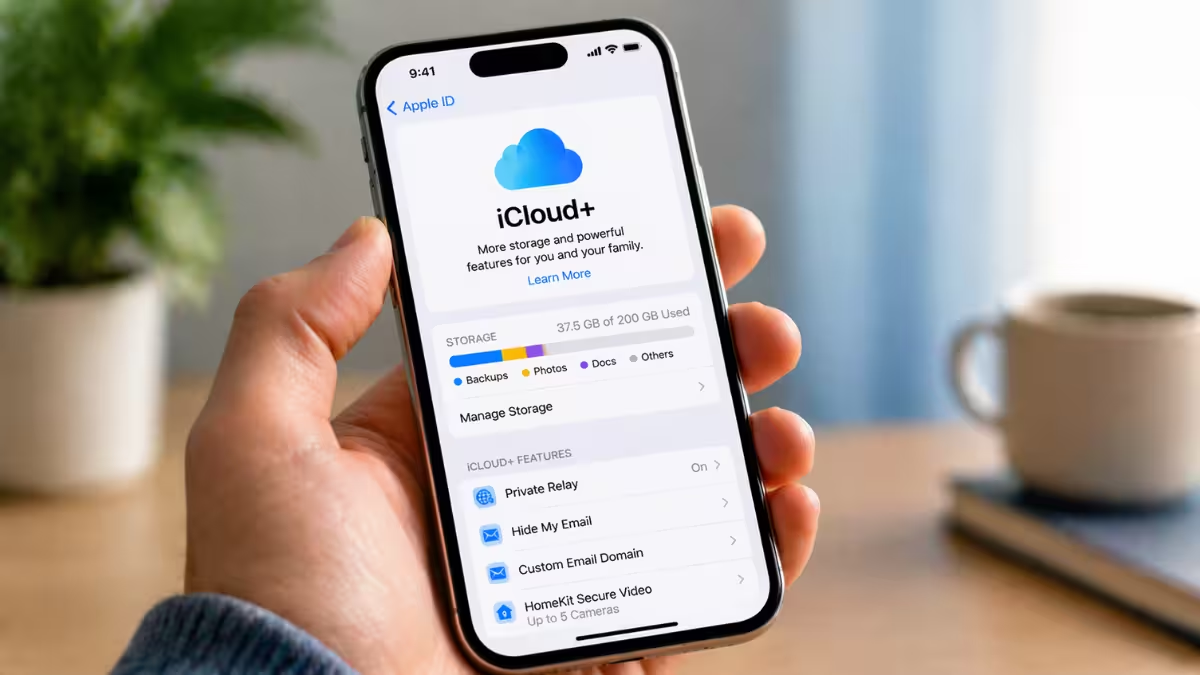
- Shared storage fills up quickly. Google gives you 15 GB, but Gmail and Google Drive draw from the same pool. iCloud starts with only 5 GB, and your device backups, Mail, and Messages eat into that space.
- The provider can see your photos. Google reads your images to power search, face grouping, and its AI features. Apple keeps the keys to standard iCloud storage too. Apple offers end-to-end encryption through Advanced Data Protection, but you have to turn it on yourself, and UK users lost access to it in 2025.
- Platform lock-in. iCloud has no Android app, so mixed households struggle with it. Google Photos works on iPhone, but it runs as a third-party app rather than a system-level backup.
- Moving out later gets messy. Google Takeout exports your files, but face groups, shared albums, and years of organization stay behind. The longer you wait, the bigger the move.
Best Private Photo Storage Services Compared
| Service | Best For | Free Space | End-to-End Encryption | Lifetime Plan |
|---|---|---|---|---|
| pCloud | Overall photo backup | 2 GB, up to 10 GB | Paid add-on | Yes |
| Internxt | Large private libraries | 1 GB | Yes, every plan | Yes |
| Ente Photos | Private Google Photos feel | 10 GB | Yes, every plan | No |
| Proton Drive | Privacy with a trusted brand | 5 GB | Yes, every plan | No |
| MEGA | Free storage | 20 GB | Yes, every plan | No |
1. pCloud: Best Overall Cloud Storage for Photos
pCloud comes closest to the "set it and forget it" experience of Google Photos while giving you a way out of monthly billing.
| Detail | pCloud |
|---|---|
| Best for | Anyone who wants automatic photo backup and a way out of monthly billing |
| Platforms | Windows, macOS, Linux, Android, iOS, web |
| Free plan | 2 GB, up to 10 GB through setup tasks and invites |
| Monthly price | About €4.99 for 500 GB |
| Lifetime price | Roughly $200 to $220 for 500 GB, $400 to $500 for 2 TB (prices move with sales) |
| Encryption | Server-side by default, zero-knowledge with the paid Encryption add-on |
Key features
- Original resolution for every file, with no file size cap
- RAW camera files and long 4K clips upload whole
- Photos tab sorted by date, with a basic editor and social media crop presets
- Desktop app that backs up picture folders on your PC
- Import tool for existing Google Photos and Dropbox libraries
- Family lifetime plans that split 2 TB or 10 TB across up to five people
How to turn on photo backup
- Sign in on the mobile app.
- Accept the offer to enable Automatic Upload.
- Choose photos, videos, or both.
- Pick the phone folders to include.
- Limit uploads to Wi-Fi to save mobile data.
Drawbacks
- pCloud keeps the encryption keys unless you buy the Encryption add-on
- iPhone Live Photos save as a separate still and video clip
- Deleted files stay recoverable for only 15 days on free accounts and 30 days on paid ones
2. Internxt: Best Encrypted Photo Backup for Large Libraries
Internxt encrypts every photo on your device before upload, so the company cannot open your library even if it wanted to.
| Detail | Internxt |
|---|---|
| Best for | Privacy-minded users with big libraries who want to pay once |
| Platforms | Windows, macOS, Linux, Android, iOS, web |
| Free plan | 1 GB, with small extras for installing apps and inviting friends |
| Annual price | Roughly $30 a year for 1 TB (no monthly plans) |
| Lifetime price | About €285 to €400 for 1 TB, about €585 for 5 TB |
| Encryption | Zero-knowledge on every plan, AES-256 plus post-quantum |
Key features
- Client-side encryption on free and paid accounts
- Open-source code and a 2024 audit by Securitum, a European security firm
- EU servers
- Thumbnails and full-size previews in every app
- Lifetime tiers that reach 10 TB
- Linux app, which few photo services offer
How to turn on photo backup
- Upgrade to a paid plan, since free accounts have this option locked.
- Open the phone app.
- Switch on photo backup.
- Your camera roll then flows into Internxt Photos automatically.
Drawbacks
- No automatic camera backup on free accounts
- No editor, face grouping, or smart albums
- Free accounts cap single files at 100 MB and keep deleted files for two days
- Billing runs in euros, so US prices shift with exchange rates
3. Ente Photos: Best Private Google Photos Alternative
Ente feels the most like Google Photos of any private option, but it runs the smart features on your device and encrypts everything before upload.
| Detail | Ente Photos |
|---|---|
| Best for | People who like Google Photos but want nobody reading their library |
| Platforms | Android, iOS, desktop, web, plus a self-hosting option |
| Free plan | 10 GB, forever |
| Paid price | From about $2.49 a month for 50 GB |
| Lifetime price | None |
| Encryption | End-to-end on every plan |
Key features
- Automatic backup, timeline, albums, and map view
- Face grouping and search for objects and scenes, processed on your device
- Open-source apps reviewed by independent auditors
- Storage in three locations for redundancy
- Family plans that share storage with up to five people, each with a private space
- Trash that holds deleted photos for 30 days
How to turn on photo backup
- Install the app and sign in.
- Allow access to your photo library.
- Choose the device folders to back up.
- The app uploads new photos in the background.
Drawbacks
- Free plan cannot share albums, create public links, or set up a family plan
- First upload runs slower because each file is encrypted locally
- Price per gigabyte runs higher than mainstream clouds
4. Proton Drive: Best iCloud Alternative for iPhone Users
Proton, the Swiss company behind Proton Mail, encrypts every Proton Drive account end to end and gives photos their own tab in the mobile app.
| Detail | Proton Drive |
|---|---|
| Best for | iPhone and Android users who want encryption from a well-known privacy brand |
| Platforms | iOS, Android, Windows, macOS, web (no Linux client) |
| Free plan | 5 GB shared across Proton services, enough for 1,000+ photos |
| Paid price | Drive Plus, about $5 a month for 200 GB |
| Lifetime price | None |
| Encryption | End-to-end on every plan |
Key features
- Photos tab next to Files and Shared
- Automatic photo and video backup
- No file size limit
- Shared links with passwords and expiry dates
- 10 years of file version history on paid plans
- Family plans up to 3 TB
How to turn on photo backup
- Download Proton Drive for iOS or Android.
- Open the Photos tab.
- Tap Turn on backup.
Drawbacks
- No lifetime plans
- Higher cost per gigabyte than pCloud or MEGA
- Free accounts recover deleted files for only 7 days
- No Linux client
5. MEGA: Best Free Photo Storage
MEGA gives every new account the largest end-to-end encrypted free tier on this list.
| Detail | MEGA |
|---|---|
| Best for | Anyone who wants the most free, encrypted space |
| Platforms | Windows, macOS, Linux, Android, iOS, web |
| Free plan | 20 GB, plus 5 GB steps through achievements |
| Paid price | Pro Lite about €4.99 a month for 400 GB, Pro I about €9.99 a month for 2 TB |
| Lifetime price | None, subscriptions only |
| Encryption | End-to-end on every plan |
Key features
- 20 GB covers roughly 4,000 phone photos
- Camera Uploads on iOS and Android
- Desktop app that backs up a picture folder, even on free accounts
- Extra free storage through its achievements program
How to turn on photo backup
- Open the MEGA app and go to the settings.
- Enable Camera Uploads.
- Pick the folders to include.
- Decide whether to allow mobile data.
Drawbacks
- Free downloads count against a transfer quota, so a full restore can take a while
- Free accounts that stay inactive for long periods can lose data
- Password-protected share links require a paid plan
- No lifetime option
Free Storage Compared: Google Photos, iCloud and Alternatives
| Service | Free Storage | Main Limit |
|---|---|---|
| MEGA | 20 GB | Download quota |
| Google Photos | 15 GB | Shared with Gmail and Drive |
| Ente Photos | 10 GB | No album sharing or family plan on free |
| pCloud | Up to 10 GB | Starts at 2 GB, the rest comes from setup tasks and invites |
| Proton Drive | 5 GB | Shared across Proton apps, 7-day file recovery |
| iCloud Photos | 5 GB | Shared with device backups, Mail, and Messages |
| Internxt | 1 GB | No automatic camera backup on free accounts |
Best Private Cloud Storage for RAW Photos
RAW files run several times larger than phone pictures, so a photographer's library grows into terabytes fast. Three services handle them well:
- pCloud: accepts RAW files of any size and uploads them untouched.
- Internxt: stores files exactly as you upload them, with lifetime tiers up to 10 TB that keep the cost per terabyte low.
- Proton Drive: has no file size limit and shows RAW files in its Photos tab.
Which Photo Storage Alternative Is Right for You?
| If you want | Pick |
|---|---|
| One service that does almost everything | pCloud |
| Privacy for a big library | Internxt |
| A smart, private photo app | Ente Photos |
| Privacy from an established brand | Proton Drive |
| The most free space | MEGA |
How to Move Photos Out of Google Photos and iCloud
- Grab a full copy first. Use Google Takeout for Google Photos. On iPhone, set iCloud Photos to Download and Keep Originals so the full-size files sit on your phone for another app to copy. You can also download originals from iCloud.com.
- Install the new app and sign in. Give it full access to your photo library when your phone asks.
- Turn on automatic upload right away. Choose original quality, and allow mobile data only if your data plan can handle it.
- Back up your computer too. Add your picture folders to the desktop app so older shots get protected as well.
- Check before you delete. Open the new library on another device and confirm your latest photos arrived before you clear space on your phone.
Photo Sync vs Photo Backup: What's the Difference?
Google Photos and iCloud Photos sync your library. Delete a picture on your phone, and it disappears everywhere. The trash gives you a short window to change your mind, 60 days on Google and 30 days on Apple, and then the photo is gone.
A real backup keeps a separate copy that a deletion on your phone cannot touch. The safest setup follows the classic 3-2-1 rule:
- Keep three copies of your photos.
- Store them on two kinds of media, such as a cloud service and an external drive.
- Keep one copy off-site, away from your home.
A practical version looks like this: sync your camera roll to a private cloud such as pCloud or Internxt, then copy the full library to an external SSD every few months.
Final Verdict: Best Google Photos and iCloud Alternatives
Google Photos and iCloud are fine for casual snaps, but they ask you to trust a large company with your memories and to keep paying as your library grows. pCloud offers the best balance of features and a lifetime price. Internxt, Ente, and Proton Drive lock your photos away from everyone but you. MEGA gives you the most space for free.
Whatever you choose, turn on automatic upload the day you install the app, and keep a second copy somewhere else. That one habit protects your photos better than any single service can.
Frequently Asked Questions
What is the most private alternative to Google Photos?
Internxt and Ente Photos both encrypt your photos on your device before upload, so the provider cannot view them. Ente also keeps face and object search by running it on your phone.
Which iCloud alternative offers the most free storage?
MEGA gives you 20 GB free with end-to-end encryption, the largest free tier on this list. Ente follows with 10 GB.
Can I avoid a monthly subscription for photo storage?
Yes. pCloud and Internxt both sell lifetime plans that you pay for once.
Is Google Photos safe to use?
Google protects your account well, but it can read your photos to run its search and AI features. If that bothers you, move sensitive images to an end-to-end encrypted service.
Should I use more than one service?
Yes. Use one cloud service for everyday access and keep a second copy on an external drive or another cloud account. That way, an account lockout or an accidental deletion never wipes out your whole library.
Related Guides
- 11 iCloud Tips Every Apple User Should Know: Free Up Storage, Hide Your Email, and Share Smarter
- How to Replace Cloud Subscriptions With a Home Server and Tailscale: Vaultwarden, Immich, Nextcloud and Obsidian LiveSync (2026)
- Leaving Microsoft 365 Family? Best Alternatives for Office Apps, Notes and Family Cloud Storage
- iCloud for Windows Setup Guide: Sync Photos, Files, Passwords Easily