Discord phone verification fails for a handful of specific reasons: your number is already tied to another account, the format is wrong, your carrier is blocking the SMS, or your account has hit a rate limit. Each error at dis.gd/phone-errors points to a different fix. This guide walks through every common error message and the exact steps to resolve it.
Why Discord Requires Phone Verification
Discord uses phone verification as a security layer to confirm you are not a bot and to keep spammers out of servers. You may see a “Verification Required” prompt when you join several servers in a short period, send direct messages to multiple people who are not your friends, post content at an unusually fast pace, or use third-party clients. Some servers also require verified accounts before you can interact at all.
Discord uses your phone number only for safety and security. It also powers opt-in features like Find Your Friends, which lets you discover contacts already on Discord.
Common Discord Phone Verification Error Messages
These are the error messages you are most likely to encounter at dis.gd/phone-errors and what each one means:
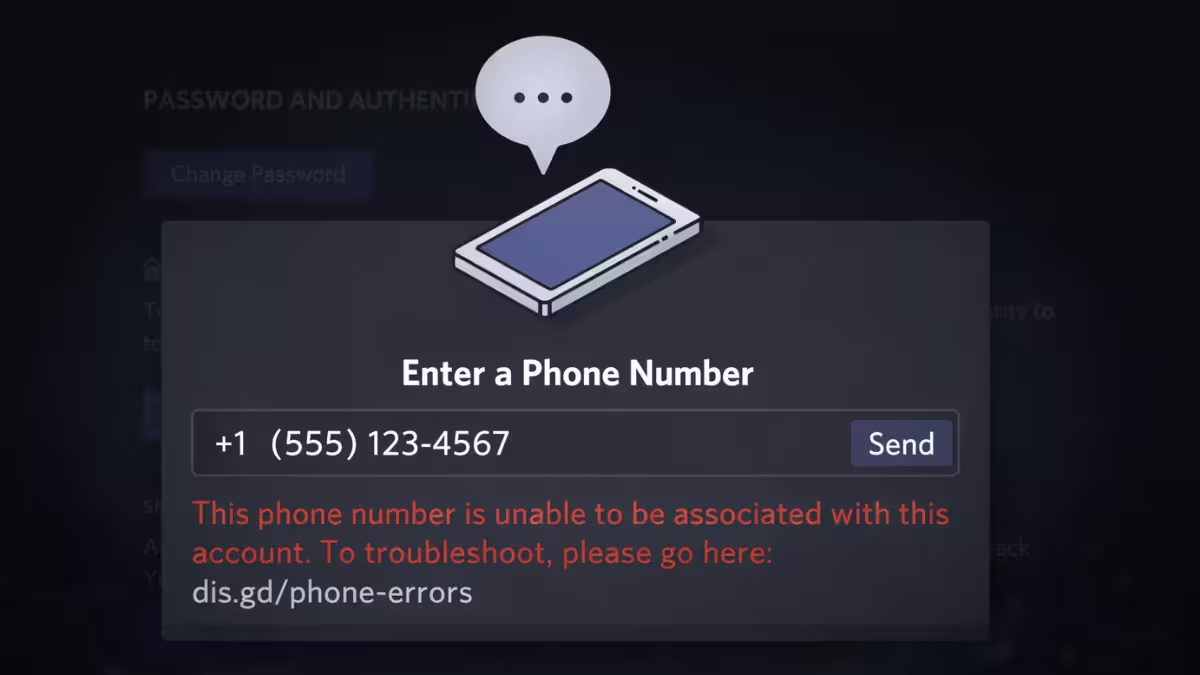
“This phone number is unable to be associated with this account” means your number is already registered to another Discord account.
“An existing Discord account is already using this number” carries the same meaning. The number has a prior account attached to it.
“Invalid Phone Number” means the number is formatted incorrectly, is not a valid mobile number, or belongs to a VoIP or landline line.
“Please Verify by Phone” means Discord detected unusual activity on your account and requires SMS verification before you can continue.
Rate Limit / Recently Used means you attempted verification too many times in a short window and Discord has put your number in a temporary cooldown.
Fix: “This Phone Number Is Unable to Be Associated With This Account”
This error appears when Discord detects that your phone number already belongs to a different Discord account. You can only link one number per account, and one account per number.
To fix it, you need to remove the number from the other account first. Log into the account that currently holds the number, go to User Settings, open the My Account tab, and remove the phone number. Once you detach it from the old account, you can add it to your current one without the error.
If you no longer have access to that old account, visit the Discord Help Center and follow the steps in the “How to Remove a Phone Number” article, or submit a ticket to Discord Support through dis.gd/contact with details about both accounts.
Fix: “Invalid Phone Number” Error
Discord rejects phone numbers for three main reasons.
Wrong format: Always include your country code when entering the number. For a US number, that means +1 followed by the 10-digit number. Leaving out the country code or adding extra digits causes this error immediately.
VoIP, burner, or landline numbers: Discord requires a real mobile number that can receive SMS. VoIP services like Google Voice, TextNow, or virtual number apps will not pass verification. Landline numbers fail for the same reason. Use the number tied to your physical SIM card.
Number recently reassigned: If you recently switched carriers or received a recycled number, it may still carry flags from the previous user. Try a different mobile number if this applies to you.
Fix: SMS Code Never Arrives
When you submit a valid number and the verification SMS does not show up, work through these steps in order.
Wait 10 to 15 minutes before retrying. Carrier routing for short-code SMS can be slow, and requesting a new code too quickly stacks up duplicate messages that confuse the process.
Check your phone for SMS spam filtering. Some Android messaging apps and iOS carrier settings block messages from unknown short codes. Open your default SMS app settings and disable any spam or unknown sender filters temporarily.
Confirm you entered the correct country code and number. A single wrong digit routes the code to a different number entirely.
Switch networks. If you are on Wi-Fi, toggle to mobile data, or vice versa. Network-level blocks sometimes stop short-code SMS from reaching your device.
Restart Discord and try again from a different device if none of the above works.
Fix: SMS Code Arrives but Discord Says It Is Invalid
An invalid code error after the SMS actually arrives usually means one of the following.
You waited too long to enter it. Discord verification codes expire quickly. Request a fresh code and enter it within a minute or two of receiving it.
You copied an extra space or an incomplete string. If your SMS app splits long messages or wraps text, the full code might not be visible in one line. Open the message fully before copying.
You used an old code. Never reuse a code from a previous attempt. Always request a new one and enter it right away.
Fix: Discord Keeps Looping Back to Verification
A verification loop usually points to a stale session, a VPN interfering with the request, or the verification step not committing correctly.
Start by logging out of Discord completely on the device where the loop occurs. Log back in and navigate to Settings > Account > Phone to restart the flow fresh.
Turn off any VPN or proxy before attempting again. Discord flags logins through VPNs as suspicious, which can keep triggering the verification prompt even after you complete it.
Clear your browser cookies for discord.com if you are on desktop. On mobile, force close the Discord app and reopen it before retrying.
If the loop continues after all of this, try verifying from a completely different device and network.
Fix: Rate Limit or Cooldown Error
Discord throttles verification attempts when you request codes repeatedly in a short time. If you hit a rate limit, stop all attempts immediately.
Wait at least 30 to 60 minutes before trying again. Continuing to request codes during a cooldown extends the restriction.
After the wait, try once from a single device on a stable home connection without VPN. Do not switch between devices rapidly during a retry session, as that can make the cooldown worse.
If you were recently asked to verify and the number shows “Recently Used,” wait 24 to 48 hours before attempting again.
Device-Specific Fixes for Discord Phone Verification Errors
Android
Force close Discord by going to Settings > Apps > Discord > Force Stop. Disable SMS spam filtering in your messaging app settings. Turn off VPN. Reopen Discord and retry. If the problem persists, switch from Wi-Fi to mobile data and try on a second device.
iPhone and iPad
Check that Focus or Do Not Disturb mode is not blocking SMS notifications. Toggle airplane mode on, wait 30 seconds, and toggle it back off to refresh your carrier connection. Disable VPN and switch between Wi-Fi and cellular. If the loop does not break on mobile, move to a desktop browser and verify there instead.
Desktop Web (Chrome, Firefox, Edge)
Open an Incognito or Private window and attempt verification there. Disable browser extensions like ad blockers or script blockers temporarily since they can interfere with Discord’s verification requests. Clear cookies for discord.com through your browser’s privacy settings, then log back in and retry.
Windows and macOS Desktop App
Sign out of Discord and sign back in. Turn off VPN and any proxy software. Restart the app. If verification still fails, switch to the Discord web app at discord.com or use your phone to complete the verification there.
Phone Numbers That Will Always Fail Verification
Avoid using these number types with Discord, as they consistently fail phone verification:
- VoIP numbers from services like Google Voice, TextNow, or Hushed
- Virtual phone lines that do not reliably receive SMS short codes
- Landline numbers of any kind
- Numbers with carrier-level short-code SMS blocks enabled
- Numbers recently reassigned after a SIM swap
Use the number physically tied to your active SIM card for the best results.
Discord Account Restricted From Phone Verification
If your number is correct, SMS works fine with other services, and verification still fails or loops, your account may be in a restricted state.
Unusual login activity like a new IP address, a new device, or VPN use can trigger security flags that interfere with verification. Frequent profile changes made in a short period can do the same. Attempting verification repeatedly while errors occur can also deepen the restriction.
To work through this, turn off VPN and use your regular home connection. Limit your retry attempts and give Discord time to clear rate limits on its end. Make your final verification attempt from one device only, and do not switch mid-attempt.
How to Contact Discord Support
If you have gone through every fix above and verification still does not complete, contact Discord Support through dis.gd/contact. When you reach out, include the exact error message text, timestamps of your failed attempts with your timezone, your country code and mobile carrier name, and the device and network type you used. This information helps the support team diagnose account-level restrictions faster.
Related Guides
- Discord Update Failed Loop: 7 Fixes That Actually Work
- How to Fix Discord Messages Failed to Load Error (Step-by-Step Guide)
- How to Fix Discord Awaiting Endpoint Error – Quick Guide
- Discord Increased API Errors: What Actually Fixes It
- How to Fix Discord Streaming Failed to Start Error 2007
- How to Fix Discord Error 3002 (Mic Not Detecting Input)
- How to Fix Discord Error 2012 (Video Viewer Timeout)
Frequently Asked Questions
How long does the SMS code take to arrive?
Most codes arrive within a few seconds, but carrier routing delays of 10 to 15 minutes are normal. If the code has not arrived after 20 to 30 minutes, switch networks or devices and request a new code after a brief wait.
Can I verify Discord without an SMS?
Discord’s standard phone verification requires SMS. If SMS keeps failing, try a different valid mobile number you personally control, or verify from a different device and network so the code can be delivered without interference.
Will using the same number on two Discord accounts cause problems?
Yes. Discord allows only one account per phone number. If the system detects a number linked to prior violations or another active account, verification will fail or loop. Use a clean number that is not attached to any other Discord account.
Does clearing browser cookies delete my Discord account?
No. Clearing cookies only removes your local browser session, which logs you out. Your Discord account and all its data remain intact. Clearing cookies is a safe troubleshooting step for broken verification flows.
Why does Discord keep asking me to verify even after I complete it?
This usually means the verification did not save correctly due to a stale session or a VPN interfering with the request. Log out fully, disable VPN, clear cookies, and verify again from a fresh session on a single device.
