Google has pushed Android 17 QPR3 Beta 3 to Pixel phones enrolled in the Android Beta Program. This build arrives roughly a week after Beta 2 and keeps the same focus on stability, but it also brings back a few features testers missed and adds some small conveniences to the interface.
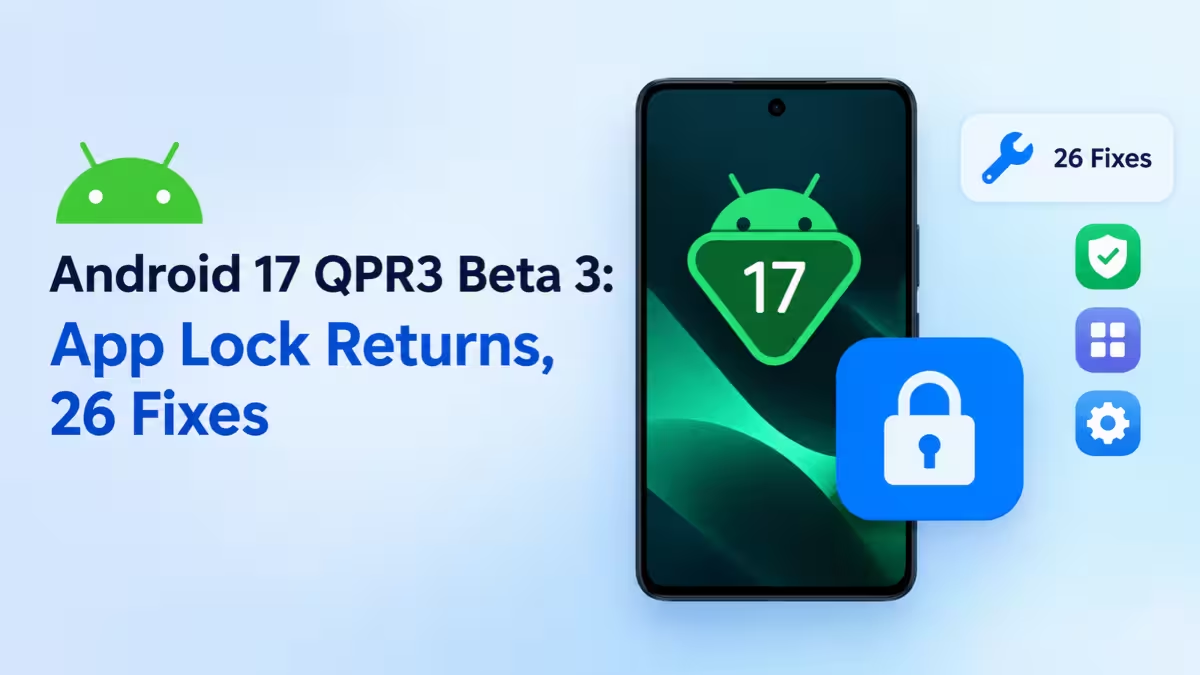
If you run a Pixel on the beta channel, here is everything you need to know about this update.
Android 17 QPR3 Beta 3 Build Numbers and Key Features
| Detail | Info |
|---|---|
| Release | Android 17 QPR3 Beta 3 |
| Build for Pixel 11 series | DP11.261016.004 |
| Build for other Pixels | DP11.261016.003 |
| Minimum supported device | Pixel 6a |
| Bug fixes | 26 |
| Headline features | App lock, camera Quick Settings tile, power menu screenshot |
Android 17 App Lock Is Back for Pixel Phones
The biggest change in this beta is the return of app lock. You can now lock individual apps behind your screen lock, so anyone who borrows your phone cannot open your banking, chat or photo apps without your PIN, pattern or fingerprint. Google removed the feature in an earlier build, and many testers asked for it back. It now returns for another round of testing.
New Camera Tile Arrives in Quick Settings
Beta 3 adds a dedicated camera tile to Quick Settings. Pixels already let you open the camera with a double press of the power button or from the lock screen, but the new tile gives you one more fast route without looking for the app icon.
Power Menu Gets a Full-Screen Screenshot Button
The power menu now includes a screenshot shortcut. It captures the whole display, including the status bar and the navigation bar, which helps when you need a complete capture for bug reports or tutorials.
How to Open App Bubbles From Recents
Google has made app bubbles easier to reach. You can now open an app as a bubble straight from the Recents screen. Previously, you had to go through other menus to start a bubble, so this shortcut saves a few taps for anyone who multitasks with floating windows.
Lock Screen Blur and Alarm Time Fixes
Google has restored part of the lock screen blur effect that disappeared in a previous build. The lock screen also shows the correct AM or PM label for upcoming alarms again.
All 26 Bug Fixes in Android 17 QPR3 Beta 3
Google fixed 26 issues in Beta 3. We have grouped the most notable ones below.
Display and Foldable Fixes
- The inner screen no longer stays black after you unfold a foldable Pixel.
- The display no longer switches off and on at random during use.
- Recents no longer flickers when you go home right after quick-switching apps.
- The font size slider in Settings no longer causes rendering problems.
- Dark mode buttons no longer appear as blank white squares.
- Images using the Multiply blend mode now render with correct transparency.
- Status bar icons now keep consistent spacing.
System UI and Notification Fixes
- Grouped notification icons and titles no longer look grayed out.
- You can now dismiss a persistent UI message that refused to go away.
- Bubbles no longer get stuck in a shrunken state at the bottom of the screen.
- The navigation bar animation no longer glitches when you swipe up to Recents.
- The Mobile Data Quick Settings icon now shows at the right size without artifacts.
- Image action icons now appear on the Recent Apps screen.
- The lock screen no longer shows the home screen wallpaper after you wake the phone from an open app.
- Toast messages now appear reliably even when memory runs low.
- Equalizer bars no longer get cut off at the top of the screen.
- Accessibility settings icons no longer flicker when you navigate back.
App and Stability Fixes
- The X (Twitter) app no longer crashes when you view thread mentions.
- The Force stop button in app settings now actually stops running apps.
- Apps can now launch new activities while a Picture-in-Picture window is active.
- The phone no longer crashes on the lock screen or shortly after boot.
- SettingsDumpService no longer stays active and eats memory after you open SIM settings.
- The screen recording callback now reports the correct state after you stop sharing from floating controls.
Connectivity and Hardware Fixes
- WPA-Enterprise Wi-Fi networks that use PEAP authentication now connect properly.
- Apps no longer crash when they call BluetoothLeScanner.stopScan() with a null callback.
- Video quality improves when you use your Pixel as a webcam.
Which Pixel Phones Get QPR3 Beta 3?
Android 17 QPR3 Beta 3 supports the following devices:
- Pixel 6a
- Pixel 7, 7 Pro, 7a
- Pixel 8, 8 Pro, 8a
- Pixel 9, 9 Pro, 9a
- Pixel 10, 10 Pro, 10 Pro XL, 10 Pro Fold, 10a
- Pixel 11, 11 Pro, 11 Pro XL, 11 Pro Fold
- Pixel Tablet series
How to Install Android 17 QPR3 Beta 3 on Your Pixel
- Back up your phone data first, since beta software can still contain bugs.
- Visit the Android Beta for Pixel page and sign in with your Google account.
- Enroll your eligible Pixel device.
- Open Settings > System > Software updates and download the over-the-air update.
If you already joined the Android 17 beta and never opted out, your phone receives this build automatically.
How to Send Feedback to Google
Use the Android Beta Feedback app that comes preinstalled on beta builds to report any problem you hit. Google prefers this channel for user-facing bugs. You can also share your experience on the official Android Beta Program subreddit, where the team monitors feedback.
When Will Android 17 QPR3 Go Stable?
Google plans to release Android 17 QPR2 to stable around the end of this year. QPR3 should follow as a stable update in 2027, and more beta builds will likely arrive before then with further fixes and features.
Frequently Asked Questions
What is Android 17 QPR3 Beta 3?
It is the third beta of the third Quarterly Platform Release for Android 17. It brings back app lock, adds a camera Quick Settings tile and a power menu screenshot button, and fixes 26 bugs.
Which build number does my Pixel get?
Pixel 11 series phones get build DP11.261016.004. All other supported Pixels get DP11.261016.003.
Does Android 17 QPR3 Beta 3 support the Pixel 6?
No. Support starts with the Pixel 6a. The standard Pixel 6 and Pixel 6 Pro do not appear on the eligible device list.
Is app lock available in Android 17 QPR3 Beta 3?
Yes. App lock returns in this build and lets you protect individual apps with your screen lock.
Should I install the beta on my main phone?
Only if you can live with occasional bugs. Beta 3 is more stable than earlier builds, but it remains pre-release software, so back up your data before you install it.
Related Guides
- OnePlus Android 17 Update: Eligible Phones, Rollout Dates and ColorOS 17 Features
- Android Auto Signal Icon Fix Is Rolling Out: What Google Confirmed
- How to Set Up Gemini Daily Brief on Android
- Google Discover Not Working on Android? 11 Fixes That Work
- What to Do With Your Old Android Phone: 7 Smart Ways to Reuse It